
AT&T Business Fiber is our recommended starting choice for a permanent office where it is available. Starlink is the stronger alternative when the office cannot obtain suitable wired internet and has a clear view of the sky. For resilience, a carefully configured Fiber-plus-Starlink setup can be more useful than choosing only one connection.
This Starlink vs AT&T Fiber business internet guide compares Starlink business connectivity with AT&T Business Fiber for offices. It focuses on uploads, voice calls, cloud applications, availability and total cost. Starlink Business vs AT&T Business Fiber is a satellite-versus-fiber comparison, not a comparison of equivalent speed tiers. Recommendations are editorial assessments of published features and business needs; we have not conducted firsthand network tests.
Affiliate notice: VoIPCalling.com may earn a commission through qualifying referral links, at no additional cost to you.
Starlink vs AT&T Fiber: Quick Overview

| Buying factor | Starlink Business | AT&T Business Fiber |
|---|---|---|
| Connection | Satellite access through an outdoor terminal. | Physical fiber connection to an eligible premises. |
| Best reason to choose | A remote office lacks suitable wired access. | A permanent office needs strong upload capacity. |
| Buying model | Confirm the current Priority data allowance, hardware and local quote. | Choose an available speed tier and confirm offer eligibility. |
| Main site requirement | Clear sky, safe mounting and an approved installation. | Service qualification for the exact business address. |
| Main limitation | Obstructions and Priority data management need attention. | Availability and the installation path can limit access. |
| Our office winner | Winner for a suitable remote office without wired access. | Overall starting winner for an eligible permanent office. |
The winner depends on the location and workload. This is not a nationwide outage ranking. Check AT&T Business Fiber availability and Starlink business options for the actual premises.
Customer Rating Snapshot

Individual AT&T review: 5/5. Belinda C., Practice Administrator, May 1, 2026, reported dependable internet and phone service on G2’s general AT&T listing. Its score is an individual customer example, not a Fiber aggregate rating or a head-to-head score against Starlink.
Starlink vs AT&T Business Internet Pricing and Total Cost
| AT&T Business Fiber tier | Online reference | With eligible Business wireless |
|---|---|---|
| 300 Mbps | $60 | $40 |
| 500 Mbps | $100 | $60 |
| 1 GIG | $140 | $90 |
| 2 GIG | $185 | $135 |
| 5 GIG | $285 | $235 |
These AT&T references require applicable eligibility and offer conditions. The wireless subscription is paid separately. “+ taxes” is table shorthand; ask for fees and the complete bill as well. U.S. domestic offers should not be treated as international prices.
Why Starlink needs a separate quote
For Starlink, obtain a current U.S. business quote showing the service plan, Priority data, terminal, shipping, mounts and any installation labour. We have not verified a current address-specific U.S. Starlink checkout price, so this guide does not present an older price sheet or another country’s rate as a 2026 U.S. offer.
Priority plans allow data blocks in 50GB or 500GB increments. Those figures describe data volume, not a 50 or 500 Mbps speed tier. Confirm which allowance your quote includes, how additional blocks are purchased and what happens when the allowance runs out.
Build a twelve-month comparison: recurring service plus extra data, hardware, mounting, installation and support. Include a second connection if it is part of your continuity plan. A low headline monthly price can lose its advantage once the office’s real usage is included.
For example, AT&T’s $60 reference produces $720 in internet charges over twelve months before taxes, fees or offer changes. Compare that with the complete Starlink proposal rather than only its smallest data allowance. This is budgeting arithmetic, not a guaranteed annual bill.
Equipment, Installation and the First-Year Budget
| Budget item | Starlink business service | AT&T Business Fiber |
|---|---|---|
| Hardware | Terminal, power supply, router and any required accessories. | Included gateway; confirm extra networking equipment. |
| Installation | Mount, cable routing, labour and any roof-access requirements. | Address-specific installation, wiring and applicable waiver conditions. |
| Recurring charges | Service, Priority allowance and additional data purchases. | Selected speed tier, static IPs and optional services. |
| Continuity | Failover router, backup power and second-link charges. | Eligible integrated backup or a separate recovery design. |
| Exit and changes | Hardware purchase or rental obligations, return rules and plan-change terms. | Equipment returns, relocation and separate add-on obligations. |
For Starlink vs fiber business internet total cost, compare twelve months of expected service and data use plus upfront equipment and installation. Include taxes, shipping and optional support. AT&T’s no-annual-internet-contract offer and Starlink’s accepted service terms should be checked separately; hardware commitments can differ from the service subscription.
Starlink vs AT&T Fiber Business Speeds and Uploads
AT&T advertises equal upload and download speeds, tiers up to 5 GIG in eligible areas, and no data caps. Its published speeds are based on a wired connection; the 5 GIG single-device wired maximum is 4.7 Gbps.
For upload-heavy office work, Fiber is our starting winner. Sending design files, cloud backups and meeting video can put more pressure on the outgoing connection than ordinary browsing. A large download headline alone does not answer that requirement.
Starlink performance varies with the service, network conditions and installation. Confirm the current expected upload and download ranges for the proposed plan. We do not treat a global marketing headline or a performance estimate from another market as a guaranteed office result.
Test an Ethernet-connected device first, then the office Wi-Fi. A weak access point or slow router can limit either service. Compare simultaneous calls, a meeting and a representative upload during the working day, rather than relying on a single quiet-hour speed test.
Which Connection Fits an Office with 10–20 Employees?
For Starlink vs AT&T for small business, count simultaneous calls, meetings, file uploads and background transfers. Headcount alone cannot determine the speed or Priority allowance. A small media team can generate more traffic than a larger office using email and browser tools.
Fiber is our starting option for sustained uploads where available. For Starlink, measure busy-hour upload capacity as well as monthly data consumption before moving all employees onto the connection. Schedule nonurgent cloud backups and software downloads to protect interactive work and manage the allowance.
Starlink vs fiber for cloud applications also depends on the application: ordinary browser sessions, remote desktops and large cloud backups have different needs. Test the tools staff actually use, including several simultaneous video calls.
Starlink Priority Data: What Happens When It Runs Out?
Starlink’s published business-plan terms describe reduced service of up to 1 Mbps download and 0.5 Mbps upload after Priority data is exhausted, unless more Priority data is added. Confirm the current rule for the precise plan and market in your quote. See Starlink business service plans.
That reduced connection should not be budgeted as normal capacity for an office full of meetings or cloud transfers. Decide who can approve additional data and whether automatic purchases are enabled before staff depend on the service.
Illustratively, a workload averaging 20GB per working day uses 440GB over 22 days, before other traffic. A 50GB allowance would be a very different purchase from a plan sized around that workload. Use measured consumption from the existing router when available.
Separate essential activity from background transfers. Backup software, operating-system downloads, guest Wi-Fi and synchronization can all consume data without staff noticing. For a backup-only Starlink link, prevent routine traffic from silently using the recovery allowance.
Starlink vs AT&T Fiber: Latency, VoIP and Video Meetings
Calls need stable packet delivery as well as enough bandwidth. Latency, jitter, packet loss and interruptions matter when several staff speak at once. Assess the actual calling application and VPN, not only a speed-test result.
Starlink’s low-Earth-orbit service can support real-time applications, but a partially obstructed terminal can interrupt them. Its support guidance identifies obstructions as a cause of outages that are particularly noticeable in video calls. Check Starlink’s obstruction guidance.
Our recommendation for a phone-dependent office is suitable Fiber as the primary connection. If Starlink is the available option, validate calls over a representative working period and resolve obstruction alerts before committing the whole office.
Schedule nonurgent bulk transfers around critical calls where practical. Ask the network administrator to review traffic management and the calling provider’s requirements. An internet subscription does not automatically include a business phone system.
Starlink vs AT&T Fiber Business Availability and Installation
AT&T must qualify the exact address and arrange the physical fiber connection. Ask about the suite, building entry, equipment position and installation date. A nearby building having service does not prove your own premises can order it.
For Starlink, start with the official installation guide and app obstruction tool. Check the sky view before ordering mounts. Obtain landlord permission and plan safe cable routing, weather protection and access for maintenance.
A roof or outdoor mounting location can be inconvenient in a leased office, even when the area qualifies for satellite service. Conversely, a remote office may have an excellent sky view but no viable fiber installation. Those practical differences often determine the winner before price does.
Do not promise a universal installation deadline. Confirm the provider’s actual lead time, hardware delivery and any building work. Keep the old connection active until the new service has passed acceptance checks where a transition can be arranged.
Starlink Weather Performance and Rural Office Suitability
Starlink is designed for outdoor use, but weather resistance does not mean uninterrupted connectivity. Its weather guidance says moderate to heavy rain, snow and hail can cause brief service interruptions.
For Starlink business internet weather performance, inspect obstruction alerts, mounting stability and cable condition, and record when interruptions occur. A clear view of the sky is essential. Fiber does not use an outdoor satellite radio link, but storms can still affect its physical routes and local power.
When assessing the best internet for rural businesses, first check actual wired and fixed wireless options, then evaluate Starlink’s service eligibility and installation. Satellite can solve the access problem where fiber is unavailable, but the office still needs sufficient upload performance, a suitable data budget and powered equipment.
Starlink vs AT&T Fiber Reliability, Backup and Enterprise Requirements
Fiber is our preferred primary office access; Starlink can add a useful alternative access path. Satellite connectivity can reduce dependence on a local cable route, but both connections still rely on powered equipment at the office.
Starlink publishes a 99.9% network-availability SLA for eligible Priority service. Check hardware eligibility, exclusions and credit procedures; its Priority transition document excludes Mini from that SLA. A network SLA does not guarantee uninterrupted Wi-Fi or every application session.
AT&T Business Fiber is different from AT&T Dedicated Internet. Ask for a separate dedicated or managed proposal when the business needs contractual performance commitments. A higher broadband speed tier alone does not turn shared access into a dedicated circuit.
Eligible AT&T Fiber 1 GIG-and-higher plans advertise integrated wireless backup with the required gateway and coverage. It needs power. If you are considering Starlink as an additional recovery path, ask what it improves beyond the included backup and how the router will use it.
Test failure and restoration with payments, calls and VPNs active. Some sessions may need reconnection after the external address changes. Specify which applications must recover automatically and which can tolerate manual recovery.
For enterprise use, request the SLA text, escalation route, reporting, IP addressing and managed equipment scope. Starlink’s published public-IP option should not be assumed to guarantee a permanent static address. Verify the requirements of hosted services and allowlists.
Business VPNs, Remote Access and Starlink Backup for AT&T Fiber
For Starlink vs fiber for business VPN use, test the exact VPN and remote-access method. Outbound client connections and inbound access to an office server have different addressing requirements. A publicly routable address is not necessarily a permanent static address.
Request AT&T business static-IP options and confirm the Starlink plan’s public-IP settings before relying on inbound services or IP allowlists. Ask the network administrator how applications will reconnect when the external address changes.
AT&T Fiber with Starlink failover requires a compatible dual-WAN router or managed setup. Define connection-health checks, automatic switching, essential traffic priorities and restoration behavior. Simply connecting two gateways does not establish automatic failover.
For Starlink as backup internet for business, retain enough data for an extended outage and prevent routine traffic from exhausting it. Test payments, VoIP and VPN recovery, and provide power protection for both gateways and the network equipment they depend on.
Starlink vs AT&T Fiber: Support and Security
Confirm who owns each support responsibility: provider access, rooftop installation, internal Wi-Fi, router configuration and application faults. If Starlink comes through a reseller, ask which company handles the account and escalation.
For either service, document the support channel, replacement-hardware process and any onsite response agreement. A ticket channel or priority support promise is not automatically a guaranteed onsite repair time.
Use an appropriate firewall, secure Wi-Fi configuration, updates and separate guest access. Review remote-access and payment requirements with the responsible administrator. Choosing satellite or fiber does not by itself establish compliance for the business.
Starlink vs AT&T Fiber: Pros and Cons Compared
| Service | Advantages | Limitations |
|---|---|---|
| Starlink | Useful for remote sites; an alternative to local wired access; potential backup role. | Sky-view and mounting requirements; variable performance; Priority data budget. |
| AT&T Fiber | Strong upload proposition; no data caps; included gateway; no annual internet contract. | Address-dependent availability; physical installation; separate continuity planning remains important. |
Starlink vs AT&T Fiber: Clear Winners by Business Requirement
| Business requirement | Clear winner | Why |
|---|---|---|
| Permanent office with eligible Fiber access | AT&T Business Fiber. | Our preferred starting point for uploads and everyday office traffic. |
| Remote office without suitable wired internet | Starlink, if the site and plan qualify. | Satellite access addresses the availability problem. |
| Cloud backups and frequent large uploads | AT&T Business Fiber. | The symmetrical, uncapped proposition suits this workload. |
| Budget-conscious office with both options | AT&T Fiber as the first quote. | Its entry offer is a useful baseline; compare the complete Starlink bill. |
| Medium business with sustained calling and cloud work | AT&T Fiber as primary, where suitable. | Validate concurrent traffic and design a recovery connection. |
| Enterprise needing contractual performance | A dedicated or managed connectivity proposal. | Evaluate contractual requirements separately from these broadband choices. |
| Backup independent of the local fiber route | Starlink as a candidate second link. | Assess routing, power, sky view and allowance before deployment. |
| Highest practical office resilience | Fiber plus a tested alternative link. | Diversity helps when shared failure points and recovery are addressed. |
Employee count alone does not select the connection. Choose around simultaneous outgoing traffic, outage tolerance, location and the applications that must stay usable.
Request an AT&T Business Fiber Inquiry
Use the AT&T Business Fiber inquiry page to check the office address and request a current proposal. Include the full suite, upload needs, static-IP requirements and backup expectations.
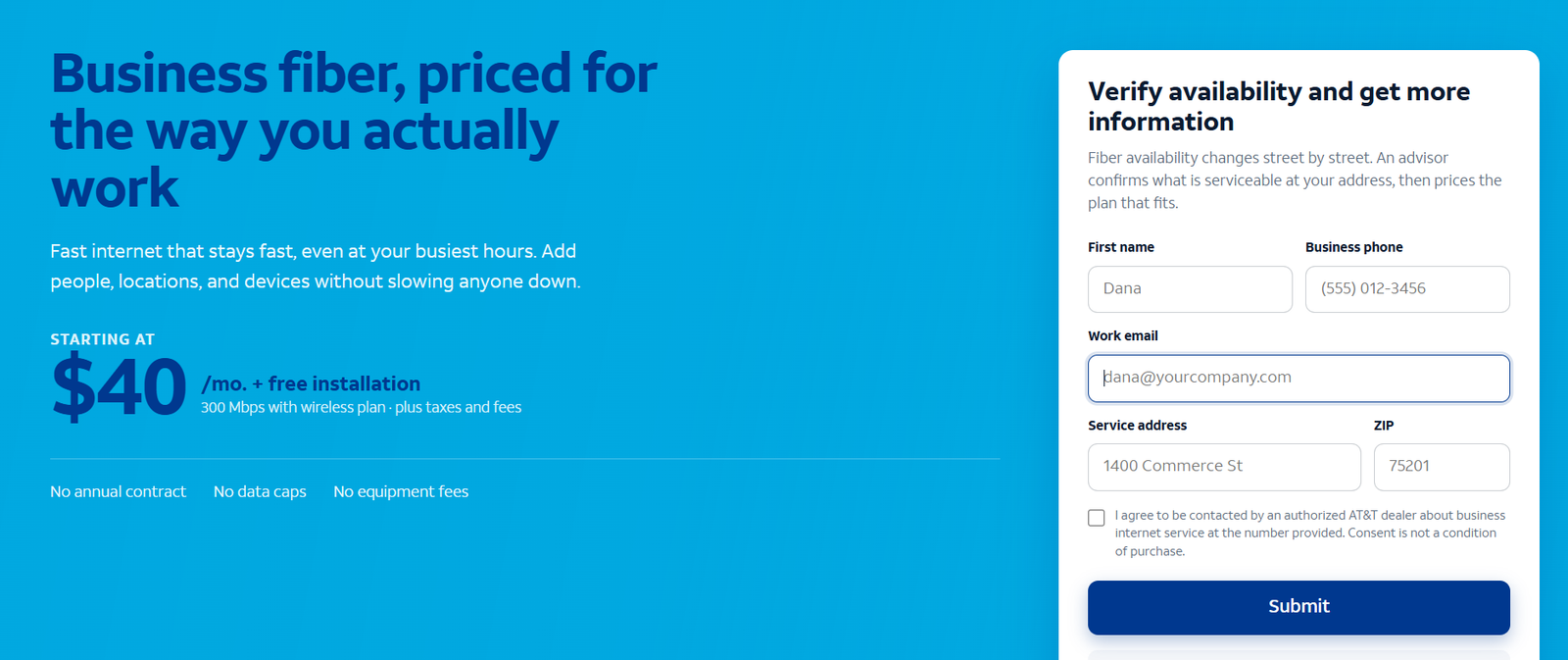
After submitting an inquiry, you can typically expect a response within 24–48 business hours. This is an expected response window, not a guaranteed installation or activation deadline.
Read our AT&T Business Fiber review for the dedicated product overview.
Starlink vs AT&T Fiber Customer Reviews: How to Use Them
Belinda’s 5/5 G2 review is a positive customer example, but it does not establish Fiber performance at your building. The general AT&T listing mixes services and should not become a product-specific score.
For Starlink, look for recent reports using comparable hardware and plans in a similar location. Obstruction-free rural results may not predict a roof surrounded by taller buildings. Check whether the reviewer uses a residential, roaming or Priority plan before applying the experience to your office.
Use reviews to form questions about support, interruptions and installation. Let the address-specific proposal and your own acceptance checks decide the purchase.
Starlink vs AT&T Fiber Business Internet FAQs
Is Starlink or AT&T Fiber better for business internet?
Suitable AT&T Business Fiber is our starting choice for a permanent office with sustained uploads and calls. Starlink is a strong candidate where adequate wired access is unavailable and the site has a clear sky view. It can also serve as a separately configured backup link.
How does Starlink compare with AT&T Business Fiber on price?
Compare complete quotes. The AT&T entry reference shown is $60 per month before applicable charges and conditions. Starlink also needs plan allowance, extra data, hardware, mounting and installation costs included; this article does not claim a verified address-specific U.S. Starlink checkout price.
Which offers better upload speeds for office use?
AT&T Business Fiber advertises symmetrical tiers and is our starting choice for frequent large uploads. Starlink upload performance varies with the plan, location, network and installation. Compare the actual expected upstream profile rather than download headlines.
How does Starlink latency compare with AT&T Fiber?
Fiber is generally the starting choice for consistent interactive office performance. Starlink’s low-Earth-orbit service can support real-time work, but actual latency, jitter and interruptions depend on the installation and network. Test the applications you use; this article provides no firsthand ping benchmark.
Is Starlink suitable for business VoIP calls and video meetings?
It can be when the site, plan and actual performance meet the workload. Test concurrent calls, meetings and uploads. Obstructions, weather interruptions or reduced service after Priority data runs out can affect call quality.
Which connection suits an office with 10–20 employees?
Choose around simultaneous applications and outgoing traffic, not employee count alone. Fiber is a useful starting option where available. For Starlink, assess busy-hour upload performance and monthly Priority consumption before committing the full office.
How does bad weather affect Starlink internet performance?
Starlink equipment is designed for outdoor conditions, but moderate to heavy rain, snow and hail can cause brief service interruptions. Maintain a clear sky view and suitable mounting. Fiber can also be affected by storm damage or loss of power.
What equipment and installation costs should businesses compare?
For Starlink, include the terminal, accessories, mounting, cable routing, installation labour, router and backup power. For AT&T, confirm the included gateway, installation conditions, inside wiring and any extra networking equipment. Include recurring charges and taxes too.
What happens when a business uses its Starlink priority data allowance?
The cited Priority terms describe reduced service up to 1 Mbps download and 0.5 Mbps upload unless more Priority data is added. Verify the precise plan and market rules, extra-data pricing and automatic-purchase settings before ordering.
Do Starlink and AT&T Fiber support business VPNs and remote access?
They can support suitable configurations, but test the exact VPN and addressing requirements. Public IP availability does not guarantee a permanent static address. Inbound access and allowlists need specific configuration and failover checks.
Can Starlink serve as backup internet for AT&T Fiber?
Yes, with a suitable plan, clear sky view, compatible failover router and power protection. Configure health checks and traffic priorities, then test failure and restoration. Existing calls or VPN sessions may need to reconnect.
Is Starlink a good option for businesses without fiber availability?
It is a strong candidate when suitable wired access is unavailable. Check local service eligibility, sky view, expected upload performance, data requirements and total costs against any other available business connections.
Are Starlink business service and AT&T Business Fiber dedicated internet?
Do not treat either broadband offering as a dedicated circuit. AT&T Dedicated Internet is a separate product. A Priority plan or an uptime SLA does not by itself establish dedicated bandwidth; compare the accepted service definition.
Does 500GB of Priority data mean a speed of 500 Mbps?
No. GB measures the quantity of data transferred, while Mbps measures transfer speed. An office must assess both its monthly data requirement and the connection’s performance.
Final Recommendation
Choose AT&T Business Fiber for an eligible permanent office where uploads, meetings and everyday cloud work drive the decision. Choose Starlink for a suitable remote office that cannot obtain adequate wired access.
For critical operations, consider a tested primary-and-backup design. Obtain the complete quotes, check installation feasibility and verify how essential applications behave during normal use and recovery.
AT&T and Starlink are trademarks of their respective owners. VoIPCalling.com is an independent publisher.
Affiliate disclosure: VoIPCalling.com may earn a commission if you purchase through it, at no additional cost to you.