The best Smith.ai alternatives depend on who should answer your calls. NextPhone and Nextiva XBert are AI options to shortlist; Ruby and PATLive supply live receptionists. Compare the complete calling workflow, human coverage, usage charges and integration scope. An AI transfer to your employee is different from an answering service that supplies its own staffed human backup.
NextPhone is our first shortlist choice for flat-rate AI inbound reception, followed by Nextiva XBert for calls and digital conversations. Quo Sona, JustCall, Calilio, CallHippo, Zoom, Ringover AIRO, Dialpad and GoTo Connect cover other AI and phone-platform needs. Ruby and PATLive complete this comparison as staffed live receptionist alternatives.
Replacing Smith.ai is not always a move from people to software. Smith.ai itself offers AI-first, hybrid and human-first options. The right competitor may change the billing unit, put reception inside your phone system or provide a different live team. Start with the specific reason for switching, then check whether the alternative preserves the work you rely on today.
What Does Smith.ai Offer Before You Compare Alternatives?
Smith.ai’s AI Free plan includes 25 answered calls monthly, with optional paid usage. A card is required at signup, and human escalation is an opt-in paid addition. Its AI product includes a test environment called Quality Studio. This makes a blanket claim that every paid competitor is cheaper or easier to evaluate inaccurate.
Published AI Pro starts at $150 monthly for 75 calls, while AI Enterprise starts at $500 for 300 calls. The AI pricing table lists different allowances and overage rates by configuration. Compare the particular plan you would otherwise use, including support, custom workflows and human escalation, rather than only a headline per-call rate.
Smith.ai’s human-first Starter is $300 monthly for 30 calls, with $11.50 per additional call. Basic is $810 for 90 calls, and Pro is $2,100 for 300 calls. Its human-first page also lists charges for certain expanded functions. These are staffed-service offers, so they should not be treated as equivalent to an AI-only subscription.
Smith.ai separately markets hybrid reception with AI handling routine interactions and live agents taking designated calls. Its hybrid page provides estimated costs based on the mix of human involvement. Obtain a quote for your call mix; do not turn a starting or estimated per-call figure into an assumed fixed monthly package.
Reasons to Look for a Smith.ai Competitor
A business may want a different usage model, shared employee calling, another supported language or a more specific system connection. Others want a staffed alternative without AI answering first. These are distinct buying decisions. Identify which one applies before comparing a large collection of features that may not change the caller’s outcome.
Keep the existing service as a baseline in your evaluation. If it already handles the difficult calls and creates useful records, the replacement should demonstrate the same work. A lower starting price alone does not establish a better result once staff repair time, connected software and human coverage are included.
Best Smith.ai Alternatives: AI and Live Receptionist Comparison
The first 10 entries preserve our selected AI-provider sequence, followed by 2 live services so the staffing difference stays visible. This is an editorial shortlist, not a measured quality ranking. AI entries should not be read as vendor-supplied live answering unless a separate staffed agreement is explicitly established.
G2 scores provide customer context, generally for the broader named platforms rather than an independently tested receptionist agent. Zoom uses Zoom Workplace and Dialpad uses Dialpad Connect. Ruby Receptionists and PATLive have much smaller G2 evidence bases than the large phone platforms. Scores do not establish the quality of your proposed call flow, and review totals are omitted.
| Provider | Best Fit | Buying Considerations | Pricing & Trial |
|---|---|---|---|
AI: Flat-Rate Inbound Answering
|
| $199/monthPro monthly; Growth $299/month adds assisted setup and CRM updates.Start 7-Day Free Trial | |
AI: Calls and Digital Conversations
|
| From $100/monthPremium annual plan; 100 conversations, then $0.99 each up to 1,000/month.Start Free Trial | |
AI: Shared Phone Workspace
|
| From $15/user/monthStarter annually; larger Sona allowances and integration tiers cost extra.Start 7-Day Free Trial | |
AI: Configured CRM Reception
|
| Request AI Receptionist QuoteInclude the AI voice product, required licenses, usage and integrations.Try 100 Free AI Minutes | |
AI: Reception Plus Staff Calling
|
| $28/user/monthPremium annually; $35/user monthly. Additional usage and numbers need confirmation.View Current Plans | |
AI: Structured First-Contact Intake
|
| Request AI Receptionist PricingConfirm required licenses, AI usage, implementation and scheduling scope.Start 10-Day Free Trial | |
AI: Standalone Reception
|
| From $25/monthStandalone Virtual Agent Receptionist, annual billing; additional minutes may apply.Start Free Trial | |
AI: Multilingual Inbound Reception
|
| From $100/monthAIRO Starter, 12-month commitment; then $0.39/additional conversation.Request a Demo | |
AI: Several Routing Destinations
|
| Request AI Agent PricingInclude the voice agent, required calling licenses and implementation.Request a Demo | |
AI: Phones and Reception Together
|
| Request a QuotePhone System + AI Receptionist; 100 AIR credits listed, extra usage additional.Request a Demo | |
Live: Vendor-Supplied Receptionists
|
| From $250/month50 receptionist minutes; 100 minutes $395/month. Confirm current overages.See Live Reception Details | |
Live: Staffed Answering and Intake
|
| $49/month + UsagePay as you go: $2.99/minute; 50-minute plan $99/month with $2.29/minute overage.See 14-Day Trial Details |










Starting prices use different units and do not represent identical service. A live-service minute, an AI conversation, an employee seat and an answered call cannot be compared as interchangeable quantities. Confirm taxes, allowances, setup, integrations and the actual destination when the receptionist cannot finish a request.
12 Best Smith.ai Alternatives and Competitors in Detail
1. NextPhone: Flat-Rate AI Reception for Variable Inbound Volume
NextPhone Pro is $199 monthly with advertised unlimited inbound calls and users. Growth is $299 and adds assisted setup and CRM updates. Pro includes calendar booking, intake and transfers, with a 7-day trial. Compare Growth if the workflow depends on connected customer records.
Why consider this Smith.ai alternative: Flat-rate inbound reception may suit a business that wants to avoid counting every routine AI call. Test the actual intake questions, correction handling and calendar action. An owned callback request can be useful when the assistant cannot complete a task.
Main limitation: Transfers reach the people you designate; do not assume a Smith.ai-style staffed fallback is included. Its reviewed terms prohibit PHI workflows and say it does not enter BAAs, so it is not a patient-data alternative for a covered healthcare practice.
2. Nextiva XBert: AI Reception Across Calls and Digital Channels
XBert Premium starts at $100 monthly on an annual plan with 100 conversations, then $0.99 each up to 1,000 monthly. It advertises phone, text, chat and email handling, booking and system updates. Confirm the exact connected actions and which functions belong in the quoted deployment.
Why consider this Smith.ai competitor: Evaluate XBert when an inquiry moves across supported channels and staff need context in one workflow. Test a caller who later sends a message, then inspect the resulting status and employee ownership rather than counting each response as a completed case.
Main limitation: Conversation allowances and annual terms differ from Smith.ai’s per-call options. A handoff still needs an available destination; do not assume XBert supplies a separate receptionist workforce. Price any advanced workflow separately and verify its permissions.
3. Quo Sona: AI Answering Inside a Shared Phone Workspace
Quo Starter begins at $15 per user monthly billed annually, with 10 Sona calls initially included. Larger AI allowances cost extra, and CRM functions depend on the plan. Its documented appointment-setter path sends a booking link during the call rather than proving a completed booking by itself.
Why consider this alternative to Smith.ai: Quo may fit a small team that wants reception context beside its own calls and messages. Test whether employees can find the captured request, continue the conversation and mark the next action. Include all required users and AI usage in the quote.
Main limitation: Sona is AI reception within the phone platform, not a purchased live-answering team. If the caller needs a person, your workflow must supply one. Track incomplete links and unresolved requests instead of assuming every message becomes a scheduled appointment.
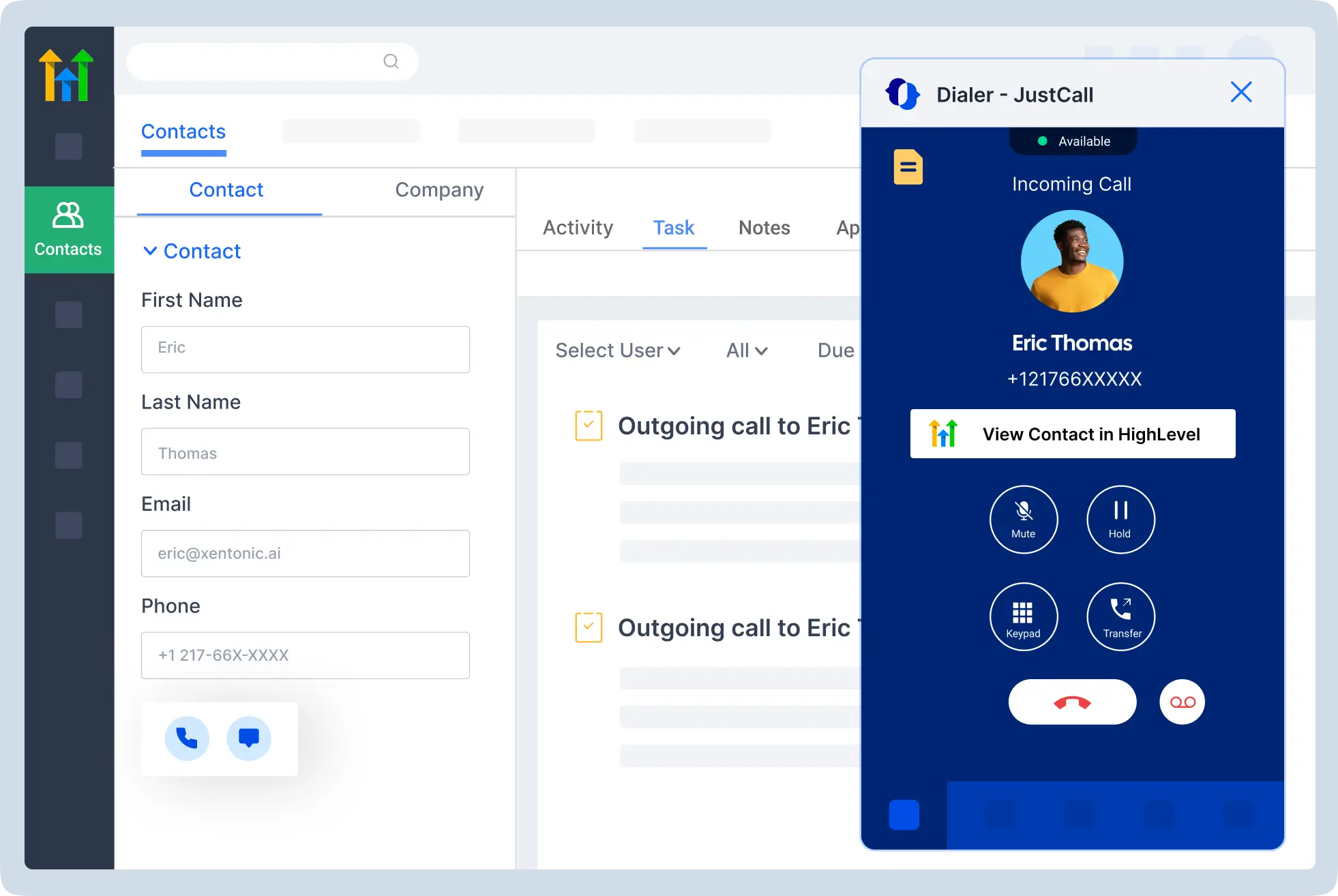
4. JustCall: Configured AI Reception for CRM-Based Teams
JustCall’s AI receptionist describes intake, live calendar booking and CRM logging. The reviewed product page offers the first 100 AI minutes free. Request a complete quote for the specific AI voice configuration, required calling licenses, usage and integration tier rather than presenting an ordinary employee-phone price as the total.
Why consider this Smith.ai competitor: Evaluate JustCall where employees already follow up in a CRM. Ask the agent to create the intended record and task after a fictional conversation. Verify what happens to corrections and whether a repeated caller creates a duplicate.
Main limitation: CRM connectivity and AI configuration need product-specific confirmation. A transfer into your employee team is different from a vendor supplying a receptionist. Include the staff destination and pending queue in the pilot rather than evaluating only the automated greeting.
5. Calilio: Inbound AI Alongside Business Calling
Calilio places AI Receptionist within AI Assistance on Premium and above. Premium is $28 per user monthly annually or $35 monthly. Confirm AI bundles, wallet usage and additional number or calling charges. The receptionist is described as inbound answering, not an outbound prospecting service.
Why consider this Smith.ai alternative: A combined calling workspace may fit an office that needs both reception and employee phones. Start with approved FAQs, contact capture and a defined transfer. Require a demonstration of any calendar or CRM action necessary to finish the request.
Main limitation: The seat price does not establish unlimited AI processing or a supplied human workforce. Your team needs to own exceptions. Its refund arrangement is not a free trial, and a general calling feature list does not prove the exact connected workflow.
6. CallHippo: AI Intake, Questions and Routing to Evaluate
CallHippo advertises AI receptionist answering, business instructions, qualification and booking, with a 10-day trial on the reviewed page. Quote that product specifically. Separate outbound agents, employee-phone plans and other AI offers should not be assumed to share its permissions or billing.
Why consider this competitor to Smith.ai: Evaluate repeatable administrative intake under a short set of approved questions. Test an incomplete request, an unclear name and an unavailable staff member. Check the calendar or task created after the call rather than relying on a verbal booking promise.
Main limitation: The exact connector, usage model and human fallback need confirmation. A transfer feature does not establish vendor-supplied live reception. Keep uncertain requests pending for an employee instead of making the assistant improvise outside the approved scope.
7. Zoom: Standalone AI Reception Without Replacing Employee Phones
Zoom Virtual Agent Receptionist starts at $25 monthly billed annually with 100 minutes as a standalone offer, without requiring Zoom Phone. Published functions include intake, calendar booking and contextual transfer. Additional usage and the separate phone bundle have different pricing.
Why consider this Smith.ai alternative: A limited standalone deployment can suit a business testing administrative answering alongside its current phone system. Confirm the scheduler license, actual calendar and allowed actions. Product marketing and setup documentation describe different levels of scheduling scope, so demonstrate the purchased version.
Main limitation: A small allowance is not unlimited reception or staffed human coverage. Use the small-business route for 1–50 users and obtain the appropriate larger-business proposal where needed. Confirm pending requests and failed-booking messages before launch.
8. Ringover AIRO: Multilingual Reception With Daily Allowances
Ringover AIRO Starter is listed from $100 monthly with a 12-month commitment, 20 conversations daily and $0.39 per extra conversation. Starter supports 1 simultaneous conversation; calls exceeding 5 minutes count another block. Those limits matter separately from the total monthly call estimate.
Why consider this Smith.ai competitor: Evaluate supported-language answering, intake and contextual handoff. Test names, reference numbers and staff destinations in the language callers actually use. Demonstrate the live booking action because published descriptions vary across pages.
Main limitation: Daily capacity and long-call blocks may change the comparison with per-call plans. A human-intervention feature should not be interpreted as an included outsourced receptionist workforce. Verify who accepts the transfer and which product supplies that person.
9. Dialpad: AI Routing for Several Teams and Destinations
Dialpad describes AI Agents handling inbound reception, routine requests and qualifying appointment actions, with handoff based on intent or configured routing. Rules can use schedules, departments and individuals. Request an AI Agent quote rather than equating autonomous reception with a standard Dialpad Connect subscription.
Why consider this alternative to Smith.ai: Evaluate it when the business has several destinations and wants consistent context before staff take over. Use the same new inquiry, returning caller and unaccepted transfer in the demonstration. Inspect the final work item and who can see it.
Main limitation: Connector permissions, agent authority and implementation scope need verification. The broader platform’s calling rating is not an independently measured receptionist result. Human escalation normally needs your staffed route or a separately established service.
10. GoTo Connect: Business Phones With AI Reception
GoTo Connect advertises AI reception alongside its employee phone platform, including caller-detail capture, routing, booking and follow-up. Its Phone System + AI Receptionist package lists 100 AIR credits, with more available for purchase. Obtain the full quote and credit-consumption rules.
Why consider this Smith.ai competitor: Evaluate it when reception is part of a wider phone-system purchase. Demonstrate routine answers, a scheduled action and a call for a named employee. Confirm whether the resulting record is complete or still needs staff review.
Main limitation: A communications platform is not automatically a staffed answering bureau. Your people need to accept human handoffs. Verify the required integration package and actual scheduling action rather than assuming a generic booking claim covers your system.
11. Ruby: Live Receptionists Instead of AI Answering First
Ruby is a staffed alternative for businesses that want a live person handling incoming calls. Its published receptionist plans start at $250 monthly for 50 minutes; 100 minutes is $395. It advertises 24/7 answering, bilingual availability, intake and scheduling, with AI tools supporting receptionists rather than replacing the human answer.
Why consider this live Smith.ai alternative: Evaluate the service where conversation handling matters more than an AI-first model. Give the team your actual intake and escalation instructions, then test corrections, uncertainty and a caller asking for a person. Inspect the saved result and follow-up ownership.
Main limitation: Minute-based allowances require a realistic call-length estimate and current overage terms. A person answering still needs the right system access and booking authority. Confirm the exact integration and staffed workflow instead of treating live reception as unrestricted professional judgment.
12. PATLive: 24/7 Human Answering With Usage-Based Plans
PATLive explicitly says humans answer its calls. Its pay-as-you-go plan is $49 monthly plus $2.99 per minute, with no included minutes. A 50-minute plan is $99 monthly, with $2.29 per additional minute. The reviewed pricing page offers a 14-day free trial.
Why consider this staffed Smith.ai competitor: PATLive advertises US-based 24/7 reception, intake, scheduling and transfers. Test the exact questions, calendar and staff handoff you need. Its live-first service is a more direct comparison with Smith.ai human-first than an AI transfer to your own employee.
Main limitation: The $49 headline is not the complete bill for answered calls. Price the expected minutes and compare a suitable allowance. Confirm how the final record and exception handling work; a human voice alone does not prove every integration or appointment action is supported.
AI, Live and Hybrid Smith.ai Alternatives: What Changes?
AI Answering With Transfers to Your Team
An AI receptionist may answer FAQs, gather information and attempt a transfer. In this model, the business generally supplies the person who takes over. If the owner is driving or all employees are busy, the receptionist needs an accurate pending-message path. A transfer button does not create an available workforce.
This can still be a useful replacement when routine administrative intake is the main need. Define the allowed role and the work left for staff. A business comfortable reviewing messages later has a different requirement from one promising a live conversation whenever a caller asks. Compare the actual fallback rather than the word “human” in a feature description.
Vendor-Supplied Live Reception
A staffed answering service supplies receptionists under its service agreement. The relevant questions include coverage hours, language availability, training, instructions and permitted system access. The provider’s people may take messages or perform configured actions, but they still need a destination when a request requires your business’s authority.
Ruby and PATLive are included for this service model. Evaluate the exact handling you would otherwise buy from Smith.ai human-first. If a prospective alternative only forwards a call to your employee, it has not demonstrated the same service. Account for the employee availability needed to close that gap.
Hybrid AI With Paid Human Escalation
A hybrid model combines AI handling with a defined live-agent path. Check who employs those agents, when they are available, which calls escalate and what those calls cost. The same vendor may sell AI-only, hybrid and human-first offers, so broad brand-level wording can hide a materially different purchased package.
Smith.ai documents this distinction in its own lineup. If you need its supplied human backup, require a competitor to quote that part explicitly. Combining an AI platform with a separate answering service may be possible, but it creates another handoff, contract and configuration to maintain. Do not label a proposed combination as integrated until it has been demonstrated.
Features Worth Comparing in Smith.ai Competitors
Intake Questions and Accurate Corrections
Compare the difficult ordinary call rather than only the greeting. Have a caller change a name, correct a phone number or give an incomplete answer. The receptionist should preserve the corrected information and identify what is still missing. A complete transcript is less useful if the final record contains the wrong contact details.
Use the questions needed for the next decision and avoid unnecessary collection. A routine callback request may need only a few fields, while an approved intake process may need more. Ask whether branching questions, longer intake and custom changes affect the price. The team should understand both the permitted collection and the work required to maintain it.
Booking Links, Calendar Writes and Staff Approval
A booking link, a calendar reservation and an appointment awaiting approval are different outcomes. Require the vendor to show which one the product creates. If the caller must complete another step, the pending request needs a status and an owner. Do not count a sent link as a booked appointment in the comparison.
Test a full calendar, a disconnected account and a request outside the permitted appointment types. The receptionist’s closing message should match the saved result. Live services need this check too: a person can sound reassuring while still leaving an unconfirmed request. The authoritative system should establish whether the appointment exists.
CRM Integration and Owned Follow-Up
Specify the record the business actually needs: a contact, lead, note, task or appointment. A vendor may support one action but not another. Identify the required tier, connector operator and ongoing subscription. A logo on an integrations page is a starting point for questions, not proof of the complete workflow.
Inspect a repeated caller, an existing customer and a failed write. Staff should see the relevant history and the unfinished action without creating another disconnected inbox. Define who owns the next step and how reassignment works. Faster data entry is not a benefit if employees must repeatedly correct duplicates or determine who should respond.
Handoff, Coverage and an Unavailable Person
Ask what happens when the first destination does not answer. A reliable plan needs a backup, an honest caller message and a visible request for follow-up. If a provider supplies live receptionists, check the route when those receptionists need your employee. If it supplies only AI, identify who covers the human side.
Test the actual destination and the context received. A summary arriving after the transfer may not help the employee during the call. The team should know whether the handoff was attempted, accepted or incomplete. Avoid treating all 3 states as a successful connection in operational reporting.
Languages, Names and Business Terminology
Language availability should be verified for the exact service and staffed hours. A platform may support several AI languages while offering a different language mix for live agents. Ask how the call changes hands if the next employee cannot continue in the caller’s language and whether that affects the promised service.
Use representative fictional names, product references and appointment descriptions. Test correction handling and the final written record, not merely pronunciation. Multilingual reception should preserve the information required for the next step. Do not assume an attractive voice establishes accurate intake, professional interpretation or appropriate authority to answer specialized questions.
Privacy, Recording and Regulated Workflows
Review what is recorded, transcribed, summarized and sent to connected tools. Confirm retention, deletion, access permissions and the permitted use of conversation data. Decide where an employee should review sensitive details instead of copying a full transcript into every notification. Both AI and live services need a defined data-handling process.
For healthcare, legal or other sensitive work, evaluate the exact contract and actions separately. This general alternatives list is not a compliance certification. NextPhone’s patient-PHI restriction is a specific exclusion, while other vendors’ healthcare claims still need agreement-level confirmation. A marketing badge should not override a contractual limitation or a missing connected-service agreement.
Smith.ai Alternative Pricing: Compare the Same Workload
A fair cost comparison starts with the service model. Smith.ai’s free AI allowance is relevant to a low-volume AI buyer; its human-first price is relevant to a business paying for people. Comparing a live plan with an AI-only seat without explaining the missing workforce exaggerates the apparent saving.
Choose a representative workload from your own calls. Separate routine information requests, long intake, repeat contacts and calls requiring a person. Record expected call length and peak overlap. This gives each vendor the same buying problem and helps reveal whether a low advertised allowance fits the actual workload.
Calls, Minutes, Conversations, Seats and Credits
Per-call plans change with answered-call volume and their definition of a billable call. Minute-based plans depend on duration and any rounding rules. Conversation-based plans may count different channels or blocks differently. Seat-based phone subscriptions can need additional AI usage, while credit-based offers need a clear explanation of consumption.
Ask about spam, abandoned calls, repeated contacts, transfers and unfinished actions. Include connected software and any implementation work. A plan can be inexpensive for short FAQs but less suitable for long narratives, or affordable monthly but limited during overlapping calls. Compare the whole configuration and its busiest realistic period.
A Transparent Live-Service Example
Consider a hypothetical 100 calls averaging 3 billable minutes each: 300 minutes in total. PATLive’s published 300-minute plan is $479 monthly before government taxes and fees. Its $49 pay-as-you-go option would be $49 plus 300 × $2.99, or $946. The smallest base subscription is therefore not necessarily the cheapest plan at that workload.
This is an arithmetic example using the stated assumptions, not a measured customer bill or performance forecast. Actual billable duration and plan terms need confirmation. The useful comparison is with another staffed service handling the same intake, not with an AI subscription that leaves the business responsible for human backup.
Compare Total Cost per Usable Outcome
Define what counts as complete: accurate intake, a valid appointment or a message accepted by the right employee. Do not treat every answered call as a qualified lead or new customer. Record the staff time needed to repair mistakes, chase missing details and finish unsupported actions. That work belongs in the cost comparison.
For a separate hypothetical example, a $300 complete setup producing 50 usable requests costs $6 per request. If only 25 meet the business’s completeness standard, the figure becomes $12. These are illustrative calculations, not provider quotes or promised conversion rates. Measure the outcome you actually need.
Trials, Free Plans and Refund Guarantees
A recurring free allowance, a time-limited trial and a refund guarantee have different conditions. Smith.ai’s free AI plan is not merely a short trial. Other vendors offer trial periods, free minutes, demonstrations or plan-based refund arrangements. Check the purchased product rather than borrowing an employee-phone offer for a different AI service.
Use fictional information for initial evaluation, then verify the required permissions and data controls before live use. Keep the trial scope aligned with the quote. If a demonstration uses a higher plan or custom connector, include that cost instead of assuming the starting subscription will reproduce the same result.
Best Smith.ai Alternatives by Business Need
Solo Owners and Small Businesses Seeking AI Answering
A solo owner may need structured messages while serving customers rather than a large automated front office. Start with routine questions, a short intake and a practical callback queue. If nobody can accept live transfers during working hours, design an honest message-taking role instead of promising immediate access to the owner.
Compare NextPhone for flat-rate inbound reception, Quo Sona for a shared phone workspace, and Zoom for a limited standalone AI deployment. Include Smith.ai’s free allowance in a genuinely low-volume comparison. Choose the smallest complete workflow that meets the business’s requirements, rather than assuming a paid alternative always wins.
Teams Wanting Phones, CRM and AI Reception Together
A business replacing employee phones as well as reception has a broader purchase. Check calling quality, shared numbers, permissions and the CRM record employees need. Separately identify the AI functions and usage included. The staff phone subscription and the receptionist are related parts of the workflow, not necessarily the same licensed product.
Compare Nextiva XBert for supported digital channels, JustCall for configured CRM reception and Calilio for a combined calling workspace. Larger teams can also evaluate Dialpad and GoTo Connect. For the employee-phone decision itself, use our business VoIP phone service comparison.
Businesses Requiring Live Receptionists
Shortlist Ruby and PATLive when a vendor-supplied person is the main requirement. Compare them with Smith.ai human-first or the relevant hybrid arrangement. Define whether the person answers first, handles only escalations or provides a particular intake service. These models can feel different to callers and create different bills.
Give each finalist the same instructions and difficult calls. Inspect what the receptionist records, which actions are completed and when your business still needs to step in. Human staffing can provide more conversational flexibility, but it does not remove the need for clear authority, system access and follow-up ownership.
Law Firms, Service Businesses and Specialized Intake
A law firm may need controlled administrative intake, while a home-service office may need a service-area check and an on-call handoff. Evaluate those requirements directly rather than choosing from a general popularity ranking. Professional advice, conflict clearance or a confirmed dispatch should not be inferred from a receptionist collecting information.
Require a demonstration of the named practice, field-service or customer system and the action it creates. Keep decisions requiring professional judgment with authorized staff. For sensitive data, resolve the contract and connected-service requirements first. A feature called intake can mean anything from a message form to a configured multistep workflow.
Larger Teams and Several Locations
Several locations introduce different hours, permissions and destinations. Define which employee or office owns each unresolved request and how a reassignment is accepted. A central dashboard should not erase local accountability or expose records to people who do not need them. Test the closed-office and unavailable-backup paths.
If evaluating Zoom beyond the 1–50 user small-business audience, request the appropriate larger-business configuration. With any vendor, quote the actual scope, destinations and usage. Do not assume an entry package represents a multi-location deployment or a supplied reception workforce.
When Keeping Smith.ai May Be the Better Choice
An alternatives article should leave room for staying with the existing service. If Smith.ai’s free AI allowance meets your volume, a paid replacement may increase the bill. If its supplied live agents already handle the difficult calls effectively, an AI-only switch can transfer that workload back to your employees.
First check whether changing the plan, instructions or routing solves the actual problem. If the issue is an unowned callback queue inside your business, another provider may reproduce it. A switch is justified by a demonstrable improvement in the required work, support, control or total cost, not simply by finding a lower headline price.
How to Switch From Smith.ai to Another Receptionist Service
1. Identify the Workflow You Are Replacing
List current call types, questions, appointments, transfers and connected records. Distinguish the tasks handled by AI, vendor receptionists and your employees. This becomes the replacement specification. Without it, a convincing demo can omit the very function the business depends on most.
2. Export Approved Information and Rebuild Instructions
Obtain the information you are authorized to retain and review its accuracy before reuse. Do not assume a script can be copied directly into another system without adaptation. Rewrite the allowed questions, answers and escalation instructions for the new service, then assign someone to approve and maintain them.
3. Test the New Number, Forwarding and Record Actions
Use a test number or limited forwarding path before changing the main line. Inspect caller ID, audio, accepted transfers and fallback messages. Confirm the final CRM task and calendar event after fictional calls. Where the new workflow needs several vendors, identify who supports a failure between them.
4. Review Terms and Avoid an Accidental Coverage Gap
Confirm the old service’s notice period, billing cycle and number ownership before cancelling. Arrange any forwarding or porting through the authorized process. Keep an alternative answering path while changes are in progress. Do not cancel a working service merely because the replacement account has been created.
5. Launch Narrowly and Review Incomplete Work
Begin with overflow or another controlled portion of calls where practical. Assign someone to inspect pending requests, correct instructions and contact support. Keep a rollback path that preserves unresolved items. Expand only after the complete reception process works with the employees and systems that will operate it day to day.
15 Pilot Tests for Smith.ai Alternatives
- A routine FAQ with an approved answer.
- A question outside the knowledge base.
- A new inquiry with the required intake fields.
- A caller correcting a name or callback number.
- A returning caller with an existing record.
- An uncertain match that should not be merged automatically.
- A booking request for a permitted appointment type.
- A full or disconnected calendar.
- A booking link the caller never completes.
- A caller asking to speak with a person.
- An unanswered primary destination and unavailable backup.
- A supported-language call with corrected terminology.
- Several simultaneous calls during a busy period.
- A failed CRM write or duplicated automation event.
- A restricted request requiring professional or authorized staff review.
Inspect the caller-facing result, saved record, status and notification after each test. Mark it complete, incomplete or incorrect. Count the work needed to repair it. A warm voice can still fail the buying requirement if the appointment does not exist or the next employee never receives the request.
Set acceptance criteria before the evaluation. For example, an unsuccessful write must not produce a success message, and an unaccepted transfer must remain visible as incomplete. These are suggested buyer requirements, not measured provider scores. Narrow the service’s role or change the workflow when it cannot meet them consistently.
Frequently Asked Questions About Smith.ai Alternatives
What Are the Best Smith.ai Alternatives?
NextPhone and Nextiva XBert are our first AI shortlist options, while Ruby and PATLive supply live receptionists. Quo Sona, JustCall and the other phone-platform options suit different workflow needs. Compare the exact staffing model, record actions and complete cost rather than treating every answering product as equivalent.
What Is a Cheaper Alternative to Smith.ai?
There is no universally cheaper replacement. Smith.ai has a free AI allowance for low volume. A flat AI plan may suit a larger inbound workload, while a minute-based live plan depends on call length. Compare the same service model and total usage, including integrations and human coverage.
Which Smith.ai Competitors Provide Real Human Receptionists?
Ruby and PATLive are the staffed alternatives in this comparison. They supply people to handle calls under the agreed workflow. An AI platform transferring a caller to your own employee is a different arrangement. Confirm staffed hours, language support, permitted actions and the fallback when your business must take over.
Is Smith.ai Free, or Does It Only Offer a Trial?
Smith.ai documents a recurring free AI plan with 25 answered calls monthly. A card is required, and paid options need separate authorization under its published description. This is different from a short trial. Confirm current limits and any human-escalation charges before using it as your cost baseline.
How Do NextPhone and Smith.ai Differ?
NextPhone advertises flat-rate unlimited inbound AI answering, with CRM updates on a higher plan. Smith.ai offers per-call AI packages and supplied live-agent options. The meaningful comparison is the full workflow: who handles difficult calls, which records are created and what the business pays at its actual volume.
How Does Nextiva XBert Compare With Smith.ai?
XBert advertises answering across phone and supported digital channels with conversation-based pricing. Smith.ai offers AI-first, hybrid and human-first choices. Confirm the purchased product, connected actions and human destination. Cross-channel automation and an outsourced receptionist workforce solve different parts of the reception problem.
Are Ruby and PATLive AI Receptionists?
Their services compared here are live reception. Ruby describes AI tools supporting its human receptionists; PATLive explicitly says humans answer its calls. Do not confuse AI-assisted staff tools with AI speaking to the caller. Verify the exact service ordered if the vendor offers several products.
Can a Smith.ai Alternative Book Appointments?
Many options advertise scheduling, but the method differs. A booking link, a calendar event and a request waiting for approval are separate outcomes. Test the exact connected calendar and a failed action. The receptionist’s closing message should match the status that actually exists.
Can I Keep My Business Number When Switching?
Forwarding or porting may be available, depending on the service, number and country. Confirm ownership, the old provider’s terms and the replacement path before changing the main line. Test caller ID, transfers and fallback so the switch does not create a coverage gap.
Do AI Receptionist Alternatives Include Live Human Backup?
Do not assume so. Ask whether the provider supplies staffed agents or simply transfers to your employees. Obtain the coverage hours, escalation rules and charges in writing. If nobody can accept a transfer, the workflow needs an honest pending-message path rather than an unsupported promise of immediate help.
Which Alternative Is Suitable for Healthcare Calls?
This general shortlist is not a healthcare approval list. Verify the exact BAA, covered AI service and connected destinations before patient data. NextPhone’s reviewed terms prohibit PHI workflows and say it does not enter BAAs, so it should not be selected for that patient-data role under those terms.
How Should I Test a Smith.ai Replacement?
Use the same fictional intake, correction, booking and failed-handoff scenarios with each finalist. Inspect the final record, ownership and caller message. Quote the configuration that passed, including usage and implementation. A persuasive demo or a broad customer score alone does not establish the required reception outcome.
Choose a Smith.ai Alternative Around Who Completes the Call
Choose 2 or 3 finalists around the missing requirement, then use the same calls and inspect the same outcomes. If the need is staffed human reception, keep that workforce in the quote. If it is routine AI intake, compare the relevant automation, integration and review process without assuming every call requires a person.
The best Smith.ai alternatives leave accurate records, honest appointment status and an owned next step. A switch should improve the actual work or total cost while preserving what already functions. Begin with a controlled scope and expand after the business verifies how the service handles both ordinary calls and unfinished requests.
How We Compared These Smith.ai Competitors
This documentation-based guide uses published product, pricing, integration, contractual and customer-rating sources. It does not claim hands-on testing, independently measured conversion gains or universal savings. The AI and live models are labeled separately, and Smith.ai’s own free, hybrid and human-first options remain part of the buying baseline.
Customer Feedback to Review Before Buying
Read feedback about the exact receptionist service and setup process, not only the broader employee-phone platform. Look for comments on corrected records, instructions, support and difficult transfers. A small review profile and a large software profile provide different amounts of evidence, so a numeric score should not become the whole decision.
Turn relevant concerns into pilot scenarios. Ask the finalist to show a caller correction, an unaccepted handoff and a failed calendar action. Evaluate the record, staff workload and full bill alongside the conversation. These checks make the comparison useful without inventing provider performance from general popularity.
Affiliate Disclosure: VoIPCalling may earn a commission when you purchase through provider links on this page. Confirm the exact product, staffing, supported actions and commercial terms before ordering.