Zoom Phone is a strong starting shortlist for teams already using Zoom Workplace. RingCentral is worth comparing when you want a broader business communications deployment with specific administration, integration or customer-engagement requirements. Both offer capable business calling, so the decision should come from your workflow, eligible package and complete quote.
This guide compares Zoom Phone with RingCentral RingEX. Zoom Contact Center and RingCentral RingCX are separate products; neither should be treated as automatically included in an employee phone subscription. Information was checked October 4, 2026. Pricing references are in US dollars and may vary by region, commitment and offer.
Customer Ratings at a Glance

Gartner Peer Insights: Zoom Phone 4.4/5 from 397 ratings · RingCentral RingEX 4.4/5 from 829 ratings.
Ratings and counts can change; the matching averages do not establish which service fits your business. Read the customer review examples at the end of this guide.
Zoom Phone vs RingCentral: Quick Overview
Zoom Phone availability: Zoom Phone serves businesses beyond the US and Canada. Zoom documents regional calling plans for US/Canada, UK/Ireland and Australia/New Zealand, alongside eligible Global Select and carrier-based deployments. Confirm availability for each employee location and required number.
US pricing example: The US/Canada Unlimited plan lists $18/user/month paid monthly or $16/user/month paid annually. These prices describe that regional plan, not every country. International calls may have destination charges or require an eligible add-on.
RingCentral: An official number-buying guide references Core from $20/user/month with annual billing. Request current prices for the exact RingEX package and user count.
Our decision rule: Compare the calling system you need alongside the meeting tools you already pay for. Familiarity is useful, but it does not establish feature parity or total savings.
Explore Zoom Phone for 1–50 users · Explore Zoom for larger businesses, 50+ users · Explore RingCentral plans
Compare the Main Buying Differences
| Decision factor | Zoom Phone | RingCentral RingEX |
|---|---|---|
| Existing platform | Worth evaluating if staff already work in Zoom. | Worth evaluating as a communications platform in its own right. |
| Pricing reference | US/Canada Unlimited: $18 monthly or $16 annually per user. | Core from $20 annually per user in an official guide; confirm the quote. |
| Calling plans | Metered and regional unlimited options; choose based on usage. | Confirm regional calling inclusions and international bundles. |
| Customer operations | Evaluate Customer Engagement Pack requirements separately. | Evaluate engagement bundles and optional products separately. |
| Dedicated contact centre | Zoom Contact Center is a separate evaluation. | RingCX is a separate evaluation. |
| Commercial options | 1–50 users or 50+ users. | Check current RingCentral plans. |
What Does Each Service Do?
Zoom Phone

Zoom Phone adds business telephony to the Zoom environment. Employees can use their assigned work identity for calls, while administrators manage licenses, numbers and calling arrangements.
The key distinction is licensing: a Zoom meeting account does not by itself establish that an employee has a phone calling plan. Zoom documents both standalone Phone plans and Workplace subscriptions with Phone included.
Read our Zoom Phone review for the wider product overview.
RingCentral RingEX

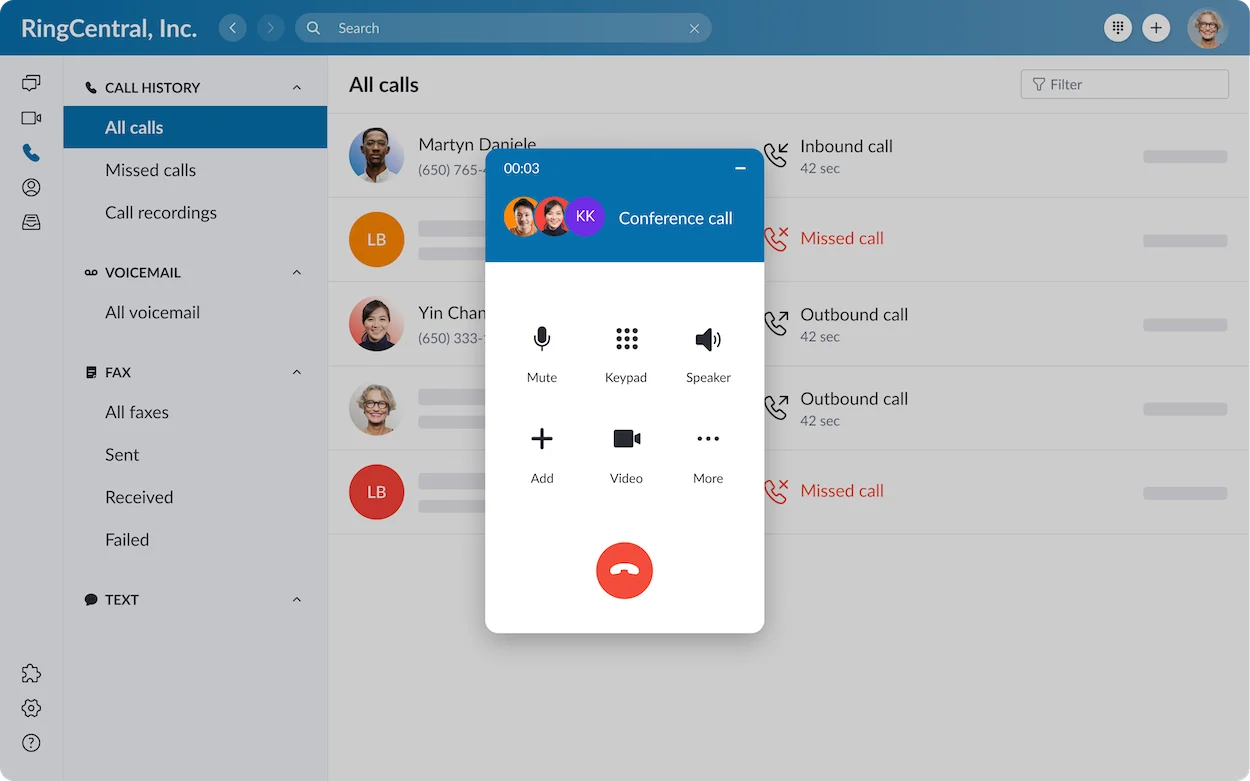
RingEX combines employee calling with meetings, messaging and collaboration. Its administration and app ecosystem make it relevant to businesses coordinating communications across departments or locations.
Current US pricing material includes Core, Advanced and newer AI Customer Engagement bundles, while some documents still refer to Ultra. Match your requirements to the package on the order form.
Read our RingCentral review.
Pricing and Total Cost
Zoom’s current annual US/Canada Unlimited reference is $16/user/month. Its Pro Plus phone-and-Workplace bundle lists $20.50 annually or $24 monthly; Business Plus lists $24.50 annually or $29 monthly. Confirm eligibility and the meeting features you need before choosing a bundle.
For RingCentral, obtain a dated monthly and annual quote. The Core $20 annual starting reference does not establish prices for every package, discount or region.
A Ten-User Subscription Example
Ten Zoom US/Canada Unlimited users at the $16 annual rate equal $160/month, or $1,920 over twelve months. Ten eligible RingCentral Core users at the $20 annual reference equal $200/month, or $2,400 over twelve months.
The $480 difference is an illustrative base-subscription comparison, not a guaranteed saving. The plans may have different inclusions, and either quote can add fees, numbers, usage or optional services.
What to Add to the Budget
- Additional numbers and toll-free usage.
- International destinations and calling bundles.
- Messaging registration, usage and shared workflows.
- Optional analytics, customer tools or AI products.
- Equipment, implementation and network work.
- Applicable taxes, provider fees and renewal changes.
If a bundle replaces an existing meeting subscription, count the saving only when that subscription can be cancelled and the replacement meets your requirements.
Metered vs Unlimited Calling
Zoom documents metered and regional unlimited calling plans. Metered can be worth examining for genuinely light outbound usage; unlimited can make spending more predictable for staff who call frequently.
How to compare: Add the metered license cost to expected billable usage. Then compare it with the eligible unlimited plan for the same region. Obtain the current usage rate and the definition of billable calls before calculating a break-even point.
RingCentral’s US pricing FAQ describes eligible external US/Canada calling and separate international plans or bundles. Do not assume that a domestic unlimited label covers every country, toll-free charge or special destination.
Reception, Routing and Call Queues
Both providers should be assessed against your actual call path. Specify how callers reach reception, choose a department, wait for an answer and reach an alternative destination after hours.
Example: A twelve-person maintenance company needs booking calls to reach two office staff and urgent calls to reach a designated employee. Demonstrate the route during opening hours, after closing and when everyone is unavailable.
Zoom’s Customer Engagement Pack adds specialized call-handling and reporting functions. RingCentral also offers engagement bundles and queue enhancements. Confirm which functions belong to the base subscription and which require another purchase.
Do not select a service solely because both feature lists say “queue.” Ask how the queue behaves and who will maintain it.
Apps, Meetings and Employee Experience
Existing Zoom users may find adopting Phone within a familiar environment convenient. RingCentral can suit teams that want its communication tools together. Neither observation proves that one interface is universally easier.
Have representative staff test their actual devices. Include a receptionist, a remote employee and the account administrator. Ask them to answer, transfer, find a missed call and change a relevant setting.
Also compare meeting requirements. The phone subscription and the meeting license can have different limits. Avoid treating a basic included meeting entitlement as equivalent to the paid meeting tools your team currently uses.
Integrations, Recording and AI
Both services support business integrations, but a connector’s name does not establish its behavior. Test the exact CRM, user permissions and call-logging workflow on the proposed subscription.
Example: A salesperson wants calls associated with the correct customer. Test an existing contact, an unknown caller and a duplicate record. Confirm whether notes, recordings or summaries appear where staff expect them.
Zoom promotes phone summaries and voicemail-related assistance. RingCentral’s included assistance and optional AI products have different scopes. Compare specific tasks rather than assuming every AI capability is included.
For recordings and summaries, check access, retention, export and correction. Use realistic terminology and accents in the pilot, and review the output before relying on it for customer follow-up.
International Numbers and Calling
Zoom offers regional calling plans and documents international add-ons for eligible destinations. It also supports Bring Your Own Carrier arrangements. These are different ways to deploy service; a carrier arrangement can introduce separate agreements and charges.
RingCentral’s global-service options similarly require checks for each country, number and employee location. A service supporting calls to a destination does not prove it can provide a local number there.
Example: A UK business has employees in three countries and customers in North America. Build a country-by-country schedule of employee service, required numbers and outbound destinations. Obtain eligibility and rates for each item.
Do not use a headline country count as a substitute for this assessment.
Messaging and Customer Support
Individual employee SMS and coordinated shared customer texting are different needs. Ask both providers to demonstrate the required workflow, including conversation visibility and handover, and confirm market availability.
For support, record the channels available on the quoted plan and who can raise a case. During evaluation, ask a realistic setup question and assess whether the response resolves it.
A phone queue does not automatically create a full contact centre. If you need omnichannel agents, specialized supervision or workforce tools, evaluate Zoom Contact Center and RingCX separately with their own quotes.
Pros, Cons and Best-Fit Teams
| Provider | Reason to shortlist | Tradeoff to evaluate |
|---|---|---|
| Zoom Phone | A familiar environment for Zoom teams and a choice of calling models. | Meeting-license scope, metered usage and specialized add-ons. |
| RingCentral | Broader communications and packages for structured business operations. | Package complexity, full fees and optional-product spending. |
Choose Zoom Phone as your first pilot when staff already use Zoom and its eligible plan covers your calling and integration requirements.
Choose RingCentral as your first pilot when its specific administration, integration or communications capabilities address documented needs. Do not pay for breadth you will not use.
For other requirements, explore our VoIP provider comparison. Neither service should be selected by default when a critical workflow remains unverified.
Migration and Contract Checklist
- Confirm portability of every essential number and compatibility of existing devices.
- Document business hours, routing, voicemail and messaging requirements.
- Pilot representative office and remote networks.
- Request recurring, one-time and renewal charges separately.
- Check user-reduction, cancellation and data-export terms.
- Keep the existing service active until migration and call handling are confirmed.
Zoom documents that reducing licenses takes effect at the end of the subscription term without refund or credit. Verify the terms applying to your purchase. For RingCentral, use the specific agreement and order form rather than assuming a monthly displayed price means a month-to-month commitment.
Frequently Asked Questions
Is Zoom Phone cheaper than RingCentral?
Its current annual US/Canada Unlimited base reference is lower than RingCentral’s published Core annual starting reference. A complete comparison must include eligible features, usage, fees and any other subscriptions.
Does a Zoom Meetings account include business calling?
Not automatically. Confirm that the employee has an assigned Phone calling plan or an eligible Workplace subscription with Phone included.
Do both support international calls?
Yes, subject to service eligibility, permissions, destination rates and optional plans. International calling is different from overseas local-number provision.
Which is better for call quality?
This article does not claim a universal quality winner. Test both on your actual devices and networks using representative calls and transfers.
Is RingCX included in RingEX?
Do not assume it is. RingCX is a separate contact-centre product; obtain licensing details for the staff and functions you need.
Which Zoom link should my company use?
Use the 1–50-user option for the small-business route, or the 50+-user option for the larger-business route.
Final Verdict
Start with Zoom Phone when adding calling to an established Zoom environment fits your work. Start with RingCentral when its specific capabilities justify the broader deployment. Compare complete quotes and choose the service that passes your everyday workflow tests.
Check Zoom for 1–50 users · Check Zoom for 50+ users · Check RingCentral
Customer Reviews: What Users Say About Zoom Phone and RingCentral
The following summaries paraphrase individual examples displayed on Gartner Peer Insights, checked October 4, 2026. They are not testimonials collected by VoIPCalling or a survey of every customer; experiences vary by deployment and support arrangements.
Zoom Phone: Smooth Rollout, With Support Concerns in a Critical Review
- Positive example — 5/5, March 31, 2026: An IT manager described an orderly purchasing and implementation process, straightforward daily use and dependable integration into their environment.
- Critical example — 3/5, February 4, 2025: The displayed review headline raises concerns about customer service after onboarding. It is an individual experience, rather than evidence that all customers receive the same support.
What to check: Ask who owns your rollout, how support works after launch and how urgent phone issues are escalated.
RingCentral RingEX: Connected Team Workflows, With Setup Effort to Consider
- Positive example — 5/5, August 11, 2026: An IT manager praised having calling, messaging and meetings together, with less app switching and manageable user administration for a distributed team.
- Critical example — 3/5, August 25, 2026: A field systems manager highlighted the effort involved in administration and integrations. A displayed dislike summary describes settings spread across menus and extra work configuring Salesforce.
What to check: Have your administrator try the actual settings and CRM workflows before committing. Include configuration time in the implementation budget.
How to use these reviews: Treat them as questions for your demo and pilot. Give greater weight to recent reviews from organizations with similar team sizes, countries and workflows than to the aggregate score alone.
Affiliate disclosure: Some links in this article are affiliate links. If you purchase through them, VoIPCalling may earn a commission at no additional cost to you. Confirm current prices, features, availability and contract terms before buying.