

KrispCall and Calilio are the best PeerOne VoIP alternatives to try for a small business moving to hosted calling. Choose KrispCall for shared numbers and callbacks or Calilio for department queues. Compare RingCentral RingEX or GoTo Connect if reception and physical phones matter. If you only need a Canadian home phone line and can configure your own equipment, start with VoIP.ms.
Which PeerOne VoIP Plan Are You Replacing?
PeerOne markets both home and business calling. Its pricing page shows Home at $7.50 with yearly billing, Connect at $15 per user, Unify at $24.95 per user and Scale at $30 per user. Confirm the billing currency, term, taxes and features in your order. The Home offer advertises unlimited Canada and US calling, while the business plans add features such as an auto attendant, time conditions, apps, call park or CRM integration at different tiers.
Start with the plan and device you use today. A household may need one public number, an adapter and voicemail. A Connect office may need a menu and forwarding, while a Unify deployment might depend on schedules, call parking and mobile apps. If you buy Scale for CRM integration, bring the exact CRM and a sample call record into the demo.
PeerOne lists SIP phones, softphones and adapters among its equipment options. Check the model and the way it is provisioned before assuming it can move. Ask which company controls the number, where the call rules live and whether the new plan supports your current workflow. If your only goal is a basic home line, compare that service on its own.
Compare PeerOne VoIP Alternatives And Competitors
Six VoIPCalling partners cover business phone workflows. VoIP.ms fills the home and bring-your-own-device gap. US-dollar benchmarks and Canadian quotes may have different billing terms. Ask each vendor to price the actual plan, number, devices and support you need. Suggested team sizes are editorial workflow estimates.
| Provider | Best Fit | Buying Consideration | Pricing & Trial |
|---|---|---|---|
| Shared Calls And Follow-Up | Confirm North American number type, usage and app or device requirements. | US$32/user/monthAdvance, billed annually. US$40 with monthly billing. Up to 50 users. Usage and selected add-ons cost extra.7-Day Free Trial for VoIPCalling CustomersStart a 7-Day KrispCall Free Trial | |
| Menus, Business Hours And Live Supervision | Confirm allowances for eligible Canadian numbers and the supervision tier. | US$28/user/monthPremium, billed annually. US$35 with monthly billing. Number and usage charges can apply.Demo AvailableRequest a Calilio Demo | |
| Shared Calls And Texts For An App-Based Team | Use Business for transfers and phone menus. Confirm hardware requirements and separately maintained document workflows. | US$23/user/monthBusiness, billed annually. US$33 with monthly billing. Starter is lower-priced but has a different feature set.7-Day Free TrialStart A 7-Day Quo Free Trial | |
| An Employee Platform For Calling, Meetings And Chat | US Core is the phone plan benchmark. Verify Canadian terms, desk phone models and integrations. | US$20/user/monthUS Core, billed annually. Request a Canadian quote for the required devices and plan.Free Trial AvailableStart A RingEX Free Trial | |
| Calls With Transcripts And Useful Recaps | Quote the regional Connect plan, recording, retention and integration. | US$15/user/monthUS Standard annual-billing reference. Request Canadian terms and the CRM tier.14-Day Free TrialStart A 14-Day Dialpad Connect Trial | |
| Department Routes And Dial-Plan Administration | Quote Canadian locations, supported devices and onboarding. | Custom PricingQuote the Phone System for each branch and shared device.Demo AvailableRequest A GoTo Connect Demo | |
VoIP.ms  | Self-Managed Home Phone Or BYOD Calling | Bring a compatible device or adapter. Confirm Canadian rates and emergency calling. | From US$1.10/month per numberNumber starting price. Inbound and outbound usage are separate.Check Paid Account TermsCheck VoIP.ms Rates |






1. KrispCall — Best For Shared Business Calls And Callbacks
Suggested Team Size. About 2–20 staff who share a business number and return calls from different devices.
KrispCall is a good starting point when a Connect or Unify office wants the team to share incoming calls through an app. Give two staff members a temporary number. Let one miss a call and ask the other to return it from the business identity. Check whether the second person can see what already happened before calling back.
Advance lists US$32 per user per month on annual billing or US$40 monthly. Confirm Canadian number availability, port eligibility, destinations and device requirements. If you currently use PeerOne’s follow-me or auto attendant, ask which new plan can reproduce that route and who will configure it.
VoIPCalling customers can try the app for seven days. Test a mobile user with the screen locked, an employee working from a desktop and a voicemail left after close. Ask the people who will answer real calls to decide whether they can manage the handoff.

2. Calilio — Best For Department Queues And Supervisor Visibility
Suggested Team Size. About 5–30 staff who handle separate sales, support or service queues.
Calilio fits businesses that need more than one department on the main number. Give the vendor a real greeting and menu. Send a call to a busy group and see where it overflows. Ask the supervisor to locate the call and identify whether the customer waited, left or spoke to an agent.
Premium lists US$28 per user per month annually or US$35 monthly. Verify which eligible Canadian numbers and routes are included, then price extra lines, forwarding and any reporting or monitoring tier. If you use French and English menus, test the recorded prompts, alternate paths and voicemail in both languages.
Use a pilot with an employee who works in more than one queue. Ask the supervisor to compare the report with the calls you placed. Check how much schedule and routing control the office can manage without opening a support ticket.

3. Quo — Best For A Shared Inbox For Business Calls And Texts
Suggested Team Size. About 2–15 staff sharing conversations on one or two numbers.
Quo, formerly OpenPhone, fits a business whose staff alternate between calls and texts with the same customer. Test a common event such as rescheduling a visit. Have the first employee take the call and a second employee receive or send the text. Check that both can tell what was promised and who owns the next response.
Business has a US$23 per-user monthly reference on annual billing. Ask for the Canadian number type, eligibility, included lines and the messaging activation process. If the team uses a physical handset, paging or an analog device, check the supported design separately before choosing an app-first deployment.
Run the same test after a shift change and verify that the customer sees the correct number. If voice and texting will activate at different times on a ported number, assign someone to monitor the old inbox and give the team an interim contact route.
4. RingCentral RingEX — Best For Reception And Supported Desk Phones
Suggested Team Size. About 10–75 staff with a front desk, supported phones and structured transfers.
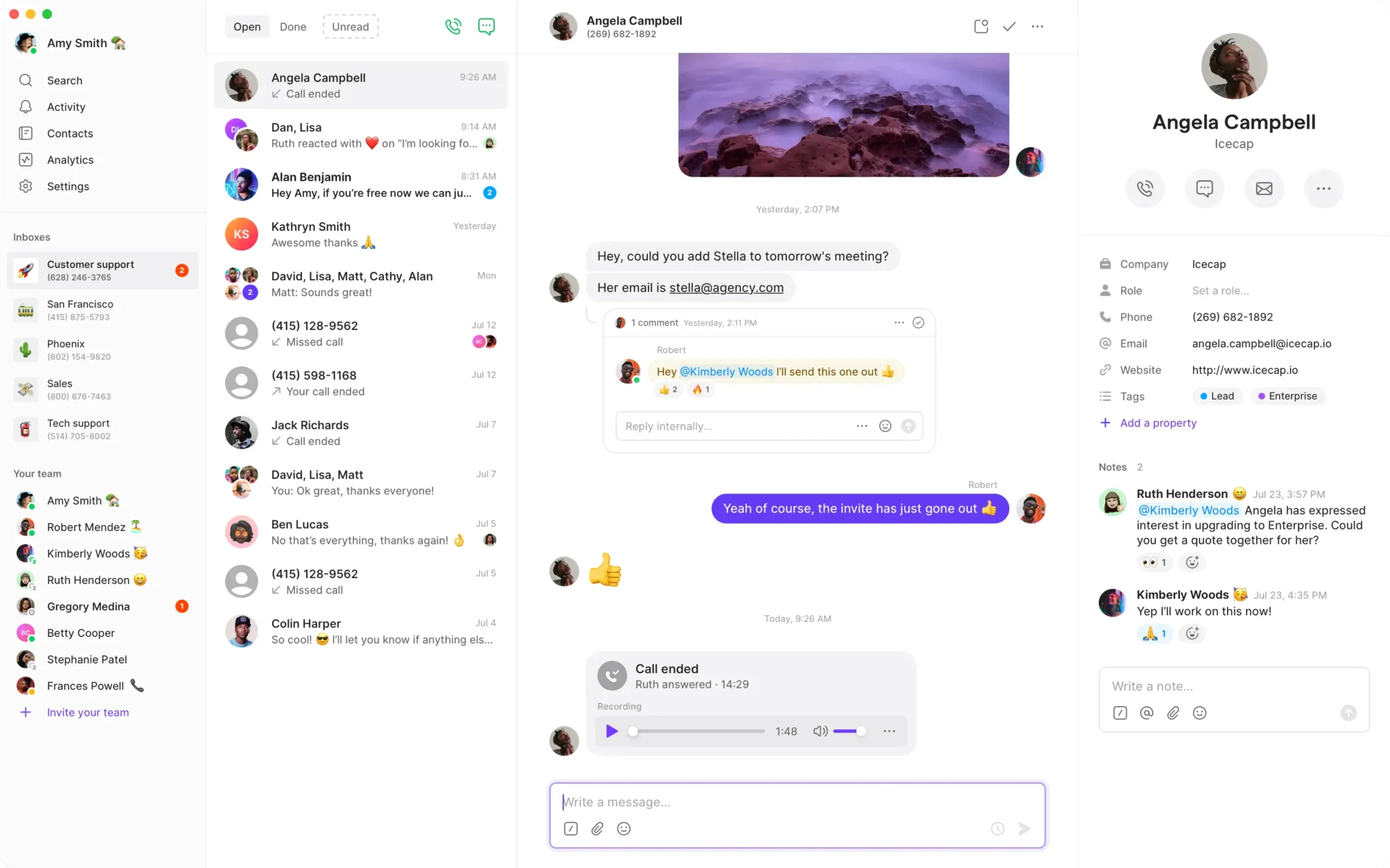
RingEX is worth testing if a PeerOne office uses desk phones for reception and needs parking and attended transfers to carry over. Provide the exact devices and firmware. Ask the receptionist to park a caller, send the call to a colleague and retrieve it if the colleague is busy. Verify what the console shows about each extension.
RingEX Core has a US$20 per-user monthly reference on annual billing. Request a Canadian quote for the required tier and add common-area phones and local numbers. Ask whether the new provider will provision each model or whether you need replacement hardware. Quote installation and any specialty equipment separately.
If reception answers for several locations, call each branch and check which number appears. Have a receptionist return a call from the intended branch identity and verify how overflow behaves when the local office is closed.

5. Dialpad Connect — Best For Call Transcripts And Structured Follow-Up
Suggested Team Size. About 5–40 staff who need to find previous calls and share follow-up.
Dialpad Connect is worth evaluating if staff spend time reconstructing what was agreed on a call. Compare the workflow with the voicemail transcription or CRM integration your PeerOne plan uses. Place a test call with a name and date, then have a colleague verify the transcript and recap before updating a record.
Standard has a US$15 per-user monthly reference on annual billing. Ask for Canadian terms, language support, the CRM tier and retention settings. Voicemail transcription and a summary of a live conversation serve different needs, so test both if staff rely on them. Ask who can review or export recordings.
Use the administrator and ordinary user roles planned for production. Ask both to find the same call and see what they can access. If the business has a required retention period or language, get a written answer and test with a representative call.
6. GoTo Connect — Best For Branch Routing And Shared Reception
Suggested Team Size. About 10–75 staff across locations with different hours or shared overflow.
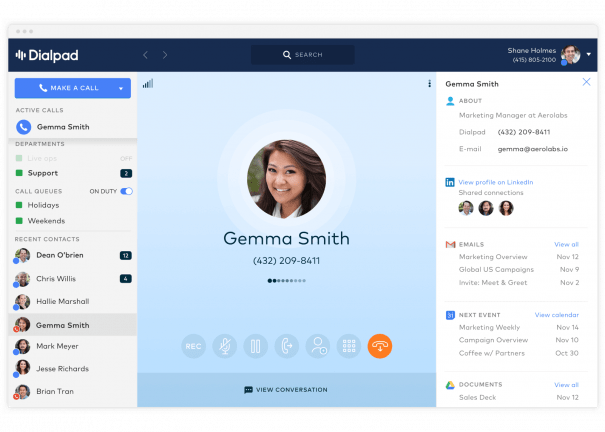
GoTo Connect is worth testing when the business needs several locations on one phone system. Bring two branch schedules, a central receptionist and a holiday exception. Ask the vendor to show how a local manager changes the hours for one location and what customers hear when they call either site.
Request a Canadian Phone System quote with numbers, equipment, onboarding and support. Confirm which devices the vendor provisions and whether staff can update routes without a ticket. Include any room or common-area phone. If a site has its own toll-free number, ask how the vendor handles porting and caller identification.
Simulate an unavailable branch and verify where the call lands. Ask who can restore the normal route and whether the caller can leave a local message if the backup team is busy. Put the tested route in the final scope.
7. VoIP.ms — Best For Self-Managed Canadian Home Calling
Suggested Team Size. A household, home office or solo user comfortable setting up a compatible device or adapter.
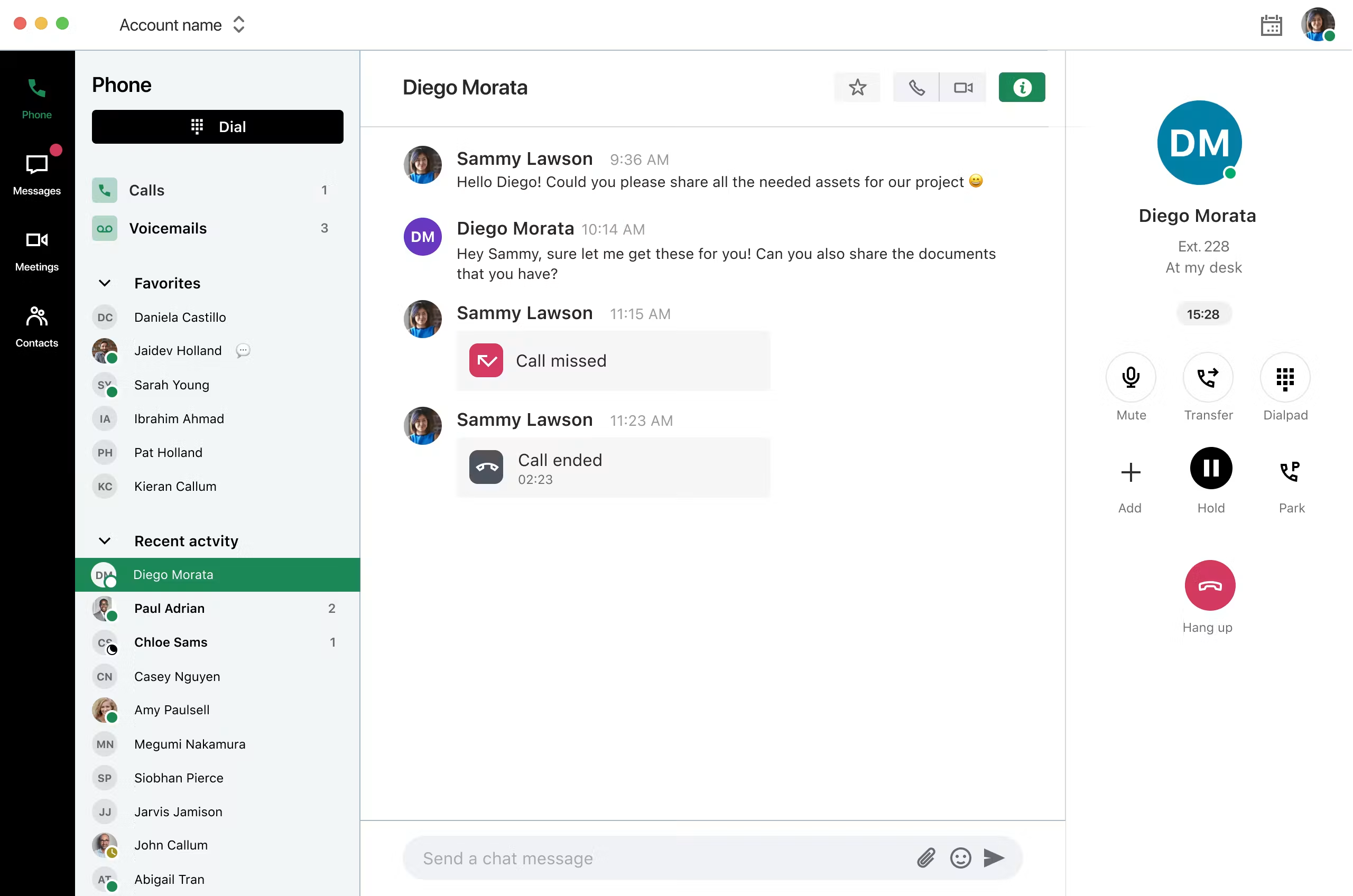
VoIP.ms publishes a residential getting-started guide for bring-your-own-device calling. Consider it when you want one Canadian number and can configure a supported SIP phone or adapter. Confirm the exact number can port and ask how emergency calling is set up at your location. If another person relies on the phone, have them test it before switching.
The published number starting rate is US$1.10 per month. Add inbound and outbound usage, equipment and applicable services. Compare the total with what you actually pay for PeerOne Home and the calls it includes. A low number rental can be attractive for light use, while a household that makes long calls should compare its real traffic.
If you keep an analog handset, have the person who will maintain the adapter set up the test and document the configuration. Test ringing, caller ID and voicemail. Ask who can help if the device stops registering and keep an alternate way to make calls while resolving a fault.
How To Choose A PeerOne VoIP Replacement
Map What The Current Plan Does
Open the current invoice and identify the plan, users, numbers and devices you pay for. Write down which features staff use. Connect may cover a simple menu and forwarding, while a Unify or Scale customer may depend on time conditions, call parking, apps or integrations. Ask the administrator to show where each setting lives. The feature list is useful for the shortlist, but the configuration tells the new provider what it must rebuild.
Trace calls to the numbers customers use most. Call the main line during normal hours and again after close. Note what the customer hears, which person answers and what happens if nobody is available. Include a call that rings a mobile device through a follow-me rule. Ask who can change the rule or recover a call that goes to the wrong place. Put that responsibility into the proposed support scope.
Choose How Staff Will Answer
Walk through the office and identify which phones are assigned to people and which are shared. A reception desk can depend on transfer keys, call parking and extension status. An employee who works away from the office may only need an app. A lobby or workroom may need a shared device with its own settings. Count these groups separately when the vendor prepares the quote.
Ask for a compatibility check on each handset, firmware version and provisioning setup. A provider may offer the same manufacturer without supporting every model or feature. Test the actual hardware you plan to use. If it was leased or configured by the current provider, ask what is needed to release it. Budget replacements where support cannot be confirmed before the switch.
Preserve Customer Records And Reporting
Find out what happens to voicemail, call records and any integrations after the move. If staff depend on an existing CRM workflow, give the new provider a test account and an example call. Verify that the call attaches to the right contact and that employees can find it after a handoff. If a report drives scheduling, compare a sample from both systems and check how each counts unanswered or transferred calls.
Assign one person to decide which older records need to be retained and where staff can access them. Ask the current provider how records can be exported and when access ends. Have a supervisor retrieve a representative item before closing the account. Verify the intended access permissions with someone who should have ordinary rather than administrator access.
Replace A Canadian Home Phone Line
Compare The Calling Pattern Before Comparing Prices
PeerOne Home advertises unlimited Canada and US calling with yearly billing. A metered home phone account can have a small monthly number charge and separate rates for incoming and outgoing calls. Review a representative month and decide who uses the line and for what. A household that rarely uses it and a household that makes long calls need different comparisons.
List the features household members expect, such as a familiar handset, caller ID, voicemail or call waiting. If someone uses a cordless base, check whether it can connect through a supported adapter. Ask how to set up voicemail and how a person can retrieve messages without using a web portal. Compare the time and equipment needed to run the new line as well as the bill.
Test A Compatible Device Before Porting
With a self-managed service such as VoIP.ms, arrange for the person who will maintain the line to set up a temporary number. Test incoming calls, outgoing identity and voicemail using the intended phone and adapter. Have the other household members try it without guidance. If it stops ringing, check who can find the account and get help. Keep a record of the device model and the support contact.
Ask the provider what happens when internet access or power goes out. Make sure household members have another way to call during an interruption. Confirm emergency calling availability and supported configuration at the service address and follow the provider’s approved validation process. If you move the device, ask what location details must be updated. Add that task to the setup checklist.
Separate A Home Office From A Residential Line
If clients call the home number, decide whether it should remain a personal line or become a business number. A person who works alone may be comfortable with one handset and voicemail. A second person handling calls or texts can make a shared inbox and business hours more useful. Use a temporary business number to see whether it fits before moving the number family members already use.
Use A Home Calling Example With Separate Incoming And Outgoing Minutes
VoIP.ms’s residential guide uses a Canadian example with a $1.10 monthly number, $0.009 per inbound minute and $0.005 per outbound minute. At those example rates, 300 inbound minutes would cost $2.70 and 300 outbound minutes would cost $1.50. Adding the number would bring the example to $5.30 before equipment, taxes, emergency calling charges or other fees. Verify the current rates, billing currency, rounding and availability for your own number.
Repeat the calculation with the household’s actual minutes, including any calls that forward to a mobile phone. Then compare the result with the total paid over the year for the current line. If the difference is small, ask who will set up the device, keep the account funded and troubleshoot it. If someone needs a provider to supply the adapter and handle setup, price that service explicitly before choosing a self-managed plan.
Shortlist PeerOne VoIP Competitors By Workflow
A Small Office Sharing A Main Number
Start with KrispCall for shared calls and callbacks. Add Quo if staff answer texts and calls on the same number. Have two people use the same line and one continue a conversation started by the other. Verify who receives notifications, what appears in history and which identity the customer sees. Ask what happens to access when a person goes on leave or changes roles.
A Business With Sales And Support Queues
Ask Calilio to reproduce separate department routes and supervisor visibility. Test a caller who chooses a busy queue, one who abandons the call and one who calls back later. Check how those events appear in reporting. If you serve customers in French and English, have both language groups call during and outside business hours. Verify that the fallback uses the intended greeting and reaches the right team.
A Front Desk Covering Several Branches
Compare RingEX and GoTo Connect for reception and site-specific schedules. Give them the same two branch hours and a shared receptionist. Call each number and verify that the receptionist can see which branch was dialled. Ask the vendor to show what happens when a site closes early or becomes unavailable. Test the exact handsets and quote local numbers, common-area phones and installation.
A Team That Uses Call History Or A CRM
Compare Dialpad Connect if reviewing or summarising calls would make follow-up easier. Bring the exact CRM and a sample record. Test a caller with a similar name to another contact and ask an employee to confirm the information before updating the record. Have a supervisor review the same call and verify the access settings. Make sure the proposed tier covers the workflow you use on PeerOne Scale or Unify.
Compare PeerOne VoIP Pricing With The Full Replacement Quote
Use the PeerOne invoice as the baseline. Confirm the currency, billing term and features you pay for. For a business quote, write down named users, public numbers, shared phones and any extra services. Identify which functions need the higher tier. A company that needs only a menu and shared voicemail can compare a different set of plans from a company that needs parking, call summaries and CRM records.
For illustration, ten KrispCall Advance seats at US$32 per month on annual billing would total US$320 in monthly seat charges. Ten Calilio Premium seats at US$28 would total US$280 on annual billing. Neither figure includes an allowance for devices, extra numbers or applicable fees. Get the actual Canadian quote and compare the totals in the currencies you will pay. Record exchange-rate assumptions if converting quotes for a budget.
For a home example, start with the number rental and add the cost of a typical month of incoming and outgoing calls. Then include equipment and any separate services. Use a busy month as a second scenario. Compare the amount with the actual PeerOne Home invoice and the terms of its included calling. Ask the new provider to confirm rates for any frequent international destination.
Use separate columns for the recurring bill and one-time costs. Add porting, adapter or handset purchases, installation and time for training. Include a short overlap period when both services may be active. Ask who handles route changes after launch and whether the quote includes support for those tasks. A lower advertised rate can still leave the business paying for work that the current provider includes.
Before signing a business order, ask for a sample invoice with the proposed term and device list. Check how the price changes if you add a user, move a site or cancel an add-on. For a household, check whether payment is taken yearly or as usage occurs and how the provider handles low balances or expired payment details. Put a reminder in the account records for whoever will administer the service.
What To Ask PeerOne VoIP Competitors Before Signing
- Canadian Numbers. Ask which local, toll-free or fax numbers can port, who can authorise each move and what documents are needed.
- Devices And Apps. Confirm which handsets, adapters and firmware the provider supports. Test mobile and desktop use if staff depend on them.
- Routes And Schedules. Demonstrate the normal menu, after-hours route and overflow. Include bilingual prompts if the business uses them.
- Messages And Records. Ask how texting, voicemail, call records and CRM data move. Confirm permissions and retention.
- Support And Service Address. Identify who configures and supports the setup. Follow the provider’s approved emergency calling configuration and validation process.
- Final Cost And Terms. Request billing currency, term, fees, hardware and installation in the written proposal.
Ask the vendor to distinguish what it demonstrated from what still depends on another product or installer. If it could not show a route with the proposed devices, keep that as a pilot requirement. Record who can make changes once service goes live. The written order should identify any separate service the business or household must keep.
Move PeerOne Numbers And Verify The New Service
- Document The Existing Account. Save the number list, service address details, devices, schedules and relevant records. Identify the person who can approve each port.
- Pilot A Temporary Number. Set up the home adapter or business workflow. Make inbound and outbound calls and test the devices and menus you intend to use.
- Confirm Timing With Both Providers. Ask the gaining provider to verify eligibility, keep the original service active and establish a contact if the port is delayed.
- Test Each Number And Service. Call from more than one network. Verify caller ID, voicemail, transfers, messaging and fax where applicable. Coordinate emergency calling setup and approved tests with the provider.
- Check The First Invoice And Resolve Open Issues. Match numbers, usage, licences and one-time charges to the order. Verify the new service before closing the original account.
Use a test script that records the number dialled, the originating network, the expected outcome and the time. If a call goes to the wrong destination, check the same number from another network and send both results to the provider. Agree who can enable a temporary fallback. Tell reception or the household which alternate number to use if a port takes longer than expected.
If several lines share an account, ask what happens after a partial move. One location may still depend on an old number or voicemail route while another uses the new service. Mark the remaining numbers and devices on the account before changing any subscription. Test the new and old destinations after the first port so the team can see which parts are ready and which still depend on the old setup.
FAQs About PeerOne VoIP Alternatives
What Are The Best Alternatives To PeerOne VoIP?
KrispCall and Calilio are starting points for hosted small-business calling. Compare Quo for shared calls and texts, RingEX or GoTo Connect for reception and branches, and Dialpad Connect for transcripts. Consider VoIP.ms for a self-managed home line.
What Can Replace PeerOne Home Phone Service?
VoIP.ms is an option if you can configure a compatible adapter or SIP phone. Verify the Canadian number, emergency calling setup and total usage costs before comparing it with PeerOne’s included calling.
Can I Keep My Canadian PeerOne Number?
You can keep eligible numbers by arranging a port through the gaining provider. Check each local, toll-free and fax number separately. Keep the current service active until you confirm the new route works.
Can I Reuse My PeerOne Desk Phone Or Adapter?
You may be able to reuse it if you control the device and the new provider supports its model and provisioning. Verify the firmware and test the call features you depend on before switching.
How Much Does A PeerOne VoIP Replacement Cost?
Cost depends on the numbers, calling, devices and features you need. Compare total metered usage and equipment for a home line. For business calling, compare seats, shared devices, setup and support in the actual billing currency.
Which PeerOne VoIP Competitor Fits A Shared Text Inbox?
Quo is worth testing when several employees share calls and texts on one number. Confirm eligibility and activation, then test how a colleague takes over the conversation after a shift change.
Which Option Fits Several Locations With Different Hours?
Compare GoTo Connect and RingEX for branch routing and shared reception. Bring real schedules, numbers and devices to the demo. Verify overflow when one office is closed.
Use Customer Reviews To Set Pilot Tests
Read reviews from teams that use the service the way you intend to. A household can look for setup and support experiences involving similar equipment. A multi-site office should look for examples of porting, branch schedules and reception. Use the reviews to prepare questions and then test the proposed hardware and routes with your own users.
Give the person who answers calls a role in deciding whether the pilot passed. Ask whether they can retrieve voicemail, return a missed call and reach support if something breaks. Have the account owner verify the quote and number list. Document the remaining questions before scheduling a port or accepting a longer term.
Affiliate Disclosure. VoIPCalling may earn a commission when you purchase through a partner link.


