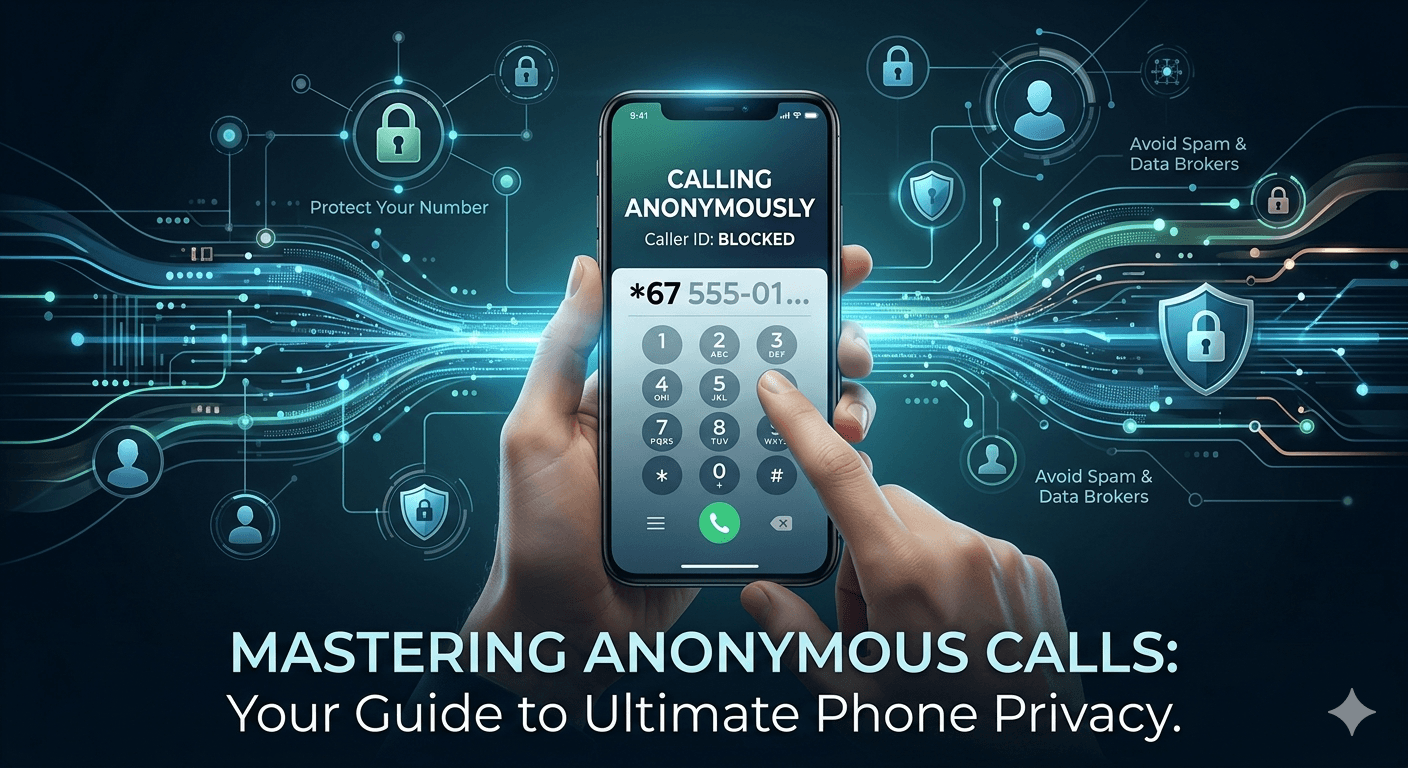
Learning how to call anonymously is a fundamental skill for anyone prioritizing digital privacy in the modern age. Whether you are shielding your personal number from potential telemarketers, contacting a business for a one-time inquiry, or reaching out to government agencies, masking your caller ID ensures your sensitive information remains private. The most common methods include using vertical service codes like star 67, adjusting internal smartphone settings on iOS or Android, or utilizing third-party applications that provide a temporary anonymous phone number. These techniques prevent your identity from appearing on the recipient’s screen, displaying as No Caller ID or Private instead.
Understanding the Importance of Learning How to Call Anonymously
In an era of rampant data harvesting, masking your phone number is a vital strategy for protecting your digital footprint and avoiding the growing ecosystem of spam. Standard calls often leave a permanent trail in recipient logs and marketing databases, contributing to the billions of unwanted robocalls reported by the FCC each year. By choosing to call anonymously, individuals such as journalists, researchers, or consumers inquiring about services can interact with the public without their personal information being sold to third-party data brokers or added to persistent automated dialing lists.
Beyond mere privacy, concealing your identity during a phone call provides a critical layer of personal safety and helps maintain professional boundaries. This proactive measure prevents potential harassment and unwanted callbacks when reaching out to unknown individuals or businesses with questionable reputations. By ensuring that contact information is only shared when it is entirely necessary and safe, callers can maintain a clear distinction between their private lives and public interactions, effectively neutralizing the risk of becoming a permanent entry in unsolicited communication systems.
Common Reasons to Call Someone Anonymously
Many people choose to hide their caller ID primarily to avoid aggressive marketing and unwanted data collection. When calling businesses, phone numbers are often captured by CRM software, leading to a barrage of follow-up promotional calls that are difficult to stop; calling anonymously effectively prevents this data harvesting at the source. Furthermore, this method allows individuals to contact government agencies or large institutions to gather information without their personal numbers being immediately tied to a specific inquiry.
Beyond commercial privacy, anonymous calling serves functional and professional purposes, such as verifying how one’s own caller ID appears to others or bypassing accidental blocks in urgent situations. It is also a vital tool for legal professionals and private investigators who must conduct official duties without prematurely alerting their subjects. By mastering these techniques, users gain greater flexibility and control over their digital footprint across various telecommunication networks.
How to Call Anonymously Using Vertical Service Codes
Vertical service codes offer the most direct way to hide your identity for individual calls without changing permanent device settings. In North America, dialing *67 before the recipient’s number causes the call to appear as “Private” or “Blocked,” while the code #31# serves the same purpose across Europe, Australia, and many other international regions. These codes are generally free to use and are widely supported by major telecommunications providers for both landlines and mobile devices.
The process is simple and involves entering the specific prefix immediately followed by the phone number in the dialer. Once dialed, the network processes the prefix first, instructing the system to strip away your caller ID information before the call is routed to its destination. This “old-school” method remains a highly reliable and popular technique for achieving immediate anonymity and ensuring your personal number is not logged by the recipient.
How to Call Anonymously on iPhone
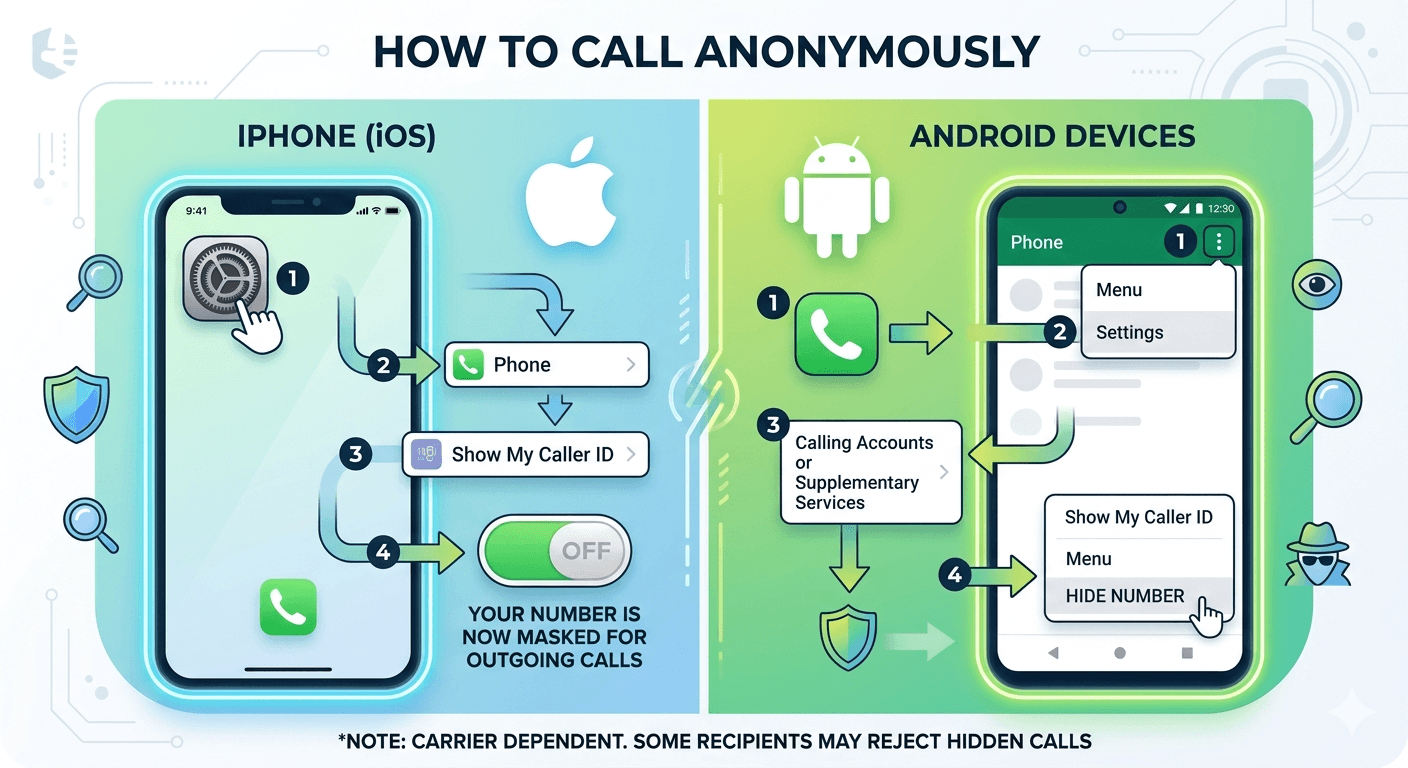
If you are a regular smartphone user, you might want a more permanent solution than typing a code every time. Learning how to call anonymously iPhone users is easy through the iOS settings menu. By deactivating the “Show My Caller ID” feature, every call you make will be hidden until you decide to turn the feature back on. This is particularly useful for individuals who prioritize privacy as their default mode of communication.
To hide your caller ID on an iPhone, follow these specific steps:
-
Open the Settings app on your iOS device.
-
Scroll down until you find the Phone tab and tap on it.
-
Look for the option labeled Show My Caller ID.
-
Toggle the switch to the Off position.
Once this is done, your phone will automatically mask your number for all outgoing calls. It is a seamless way how to call a number anonymously without having to remember specific codes. However, you should be aware that some people set their phones to automatically reject calls from unknown numbers. If your calls are not going through, you might need to temporarily re-enable your caller ID so the recipient can see who is calling. This setting is carrier-dependent, meaning if the option is greyed out, your service provider might not allow you to toggle it manually, requiring a call to their customer support.
How to Call Anonymously on Android Devices
Android users have similar built-in tools to manage their privacy. Because the Android operating system varies slightly between manufacturers like Samsung, Google, and OnePlus, the menu names might differ, but the core process remains the same. Knowing how to call anonymously Android style involves navigating the Call Settings within the Phone app rather than the main system settings.
To hide your number on an Android device, follow this general numbering guide:
-
Open the Phone app (the dialer).
-
Tap the three dots or the “More” icon in the top right corner.
-
Select Settings from the dropdown menu.
-
Navigate to Supplementary Services or Calling Accounts.
-
Tap on Show my caller ID.
-
Select Hide Number or Never from the available options.
By following these steps, you successfully implement how to call as unknown number for every person you dial. This internal setting tells the network to withhold your information at the start of every connection. If you ever need to show your number again, perhaps for a family member who doesn’t answer restricted calls, you can simply return to this menu and select “Network Default” or “Show Number.” This flexibility is one of the reasons why mobile devices have become the preferred tool for those looking for how to do an anonymous call.
Using Third-Party Apps for an Anonymous Phone Number
For a more comprehensive solution than simple caller ID masking, mobile applications such as Hushed, Burner, and Google Voice provide secondary phone numbers that are entirely separate from a user’s primary SIM card and billing records. These services utilize Voice over Internet Protocol (VoIP) technology to route calls over the internet, allowing users to choose specific area codes while maintaining total anonymity. This “burner” approach is ideal for those who need to remain untraceable but still require the ability to receive professional callbacks on a number that can be easily disposed of once it has served its purpose.
These apps are particularly valuable for individuals participating in online marketplaces or the dating scene, where protecting primary contact details is a major safety concern. By using a dedicated secondary number, users can interact with others freely without risking their main phone number being leaked or harvested by marketing databases. This sophisticated method offers a modern evolution of privacy, ensuring that personal communications remain secure and that the boundary between public interactions and private life is strictly maintained.
How to Call Anonymously on a Landline
Calling anonymously from a landline remains a highly relevant practice, utilizing methods very similar to mobile devices. The most common technique is dialing the *67 prefix before the recipient’s number, which ensures the caller’s identity is not broadcast. For those seeking a more permanent solution, service providers offer “Complete Blocking” or “per-line blocking.” Once activated via customer service, this feature automatically prevents the phone number from being sent on all outgoing calls, providing a consistent layer of privacy without the need to dial a code every time.
However, landline users should be aware of certain technical and legal limitations. Because landline technology is older, some entities are legally permitted to bypass caller ID blocking for security and billing reasons. This includes emergency services and toll-free numbers, such as 800 or 888 prefixes, which can still identify the caller despite the use of *67. While these blocking methods are effective for the majority of personal and business interactions, they do not offer a 100% guarantee of anonymity in every technical scenario.
Utilizing VoIP Services with Anonymous Call Features
Voice over Internet Protocol (VoIP) services like Skype, Zoom, and Google Voice offer advanced, software-based options for those seeking to make anonymous calls. These platforms allow users to easily hide or spoof their outgoing caller ID, a feature frequently used by businesses to display a central office number rather than an employee’s direct line. By routing calls through a proxy number, VoIP services create a protective buffer between the caller and the recipient, which research suggests significantly reduces the tracking of personal metadata by third-party listeners.
The versatility of VoIP also allows for a more holistic approach to privacy across multiple devices, including computers, tablets, and smartphones. For users requiring the highest level of protection, combining VoIP services with a Virtual Private Network (VPN) can mask both the phone number and the user’s physical IP address. This dual-layer strategy is considered the “gold standard” for digital privacy, ensuring that neither the caller’s identity nor their location is compromised during communication.
The Role of Burner Phones and Public Payphones
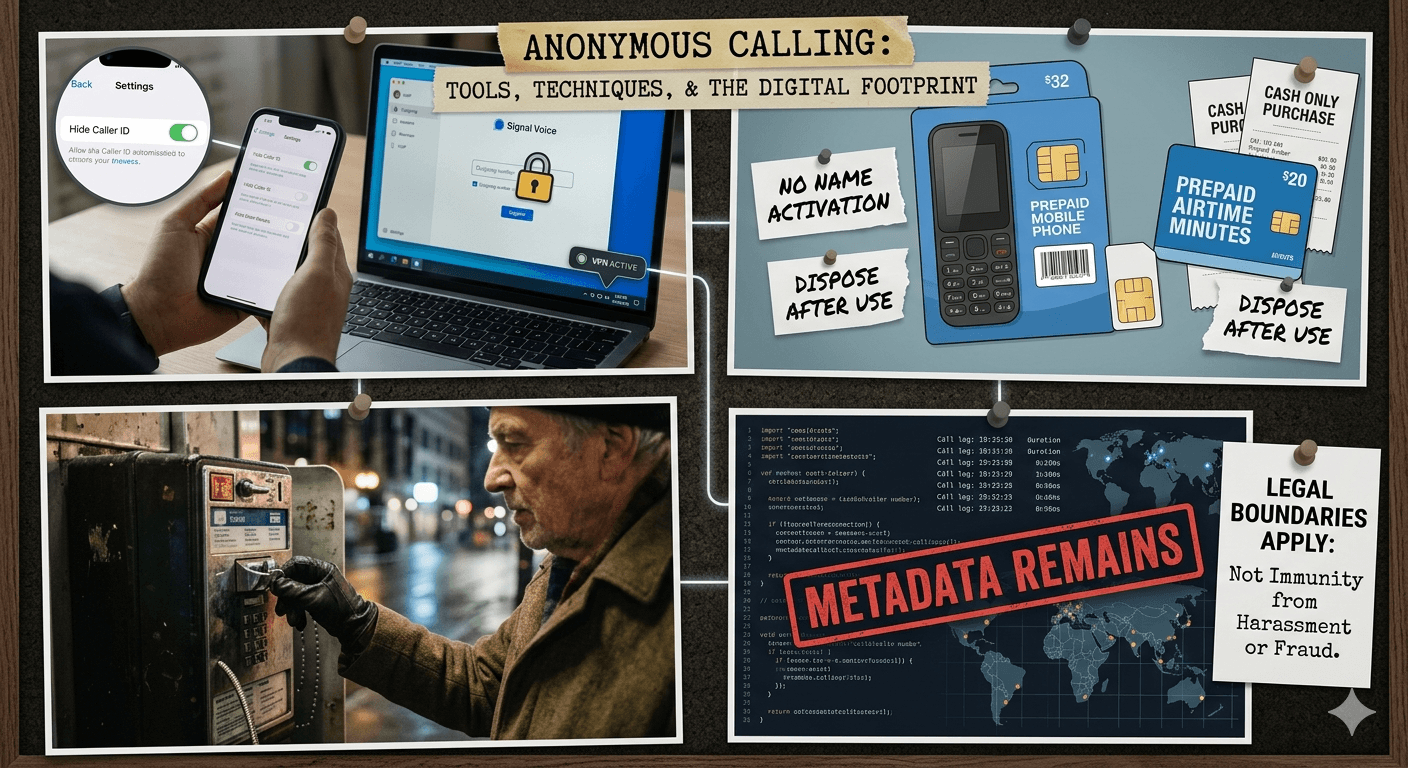
Before the digital age, payphones and burner phones were the primary means of ensuring absolute anonymity, and they remain effective today due to the physical separation they provide from a person’s legal identity. While payphones are now rare, they eliminate digital footprints by requiring only cash or prepaid cards for use, whereas burner phones are inexpensive, contract-free devices that can be purchased with cash to avoid links to social security numbers or billing records. Together, these methods offer a robust solution for those needing to conduct sensitive business or private projects without leaving a traceable connection to their primary personal data.
-
Purchase a cheap prepaid phone from a retail store.
-
Activate the phone using a generic name or no name if the provider allows.
-
Use prepaid minutes cards purchased with cash.
-
Dispose of the phone or the SIM card once the task is complete.
This method remains a staple for those who need to call someone anonymously without leaving any trace on their primary devices. While it requires more effort and a small financial investment, the level of privacy it provides is significantly higher than simply toggling a setting on a personal smartphone.
Digital Footprints and the Ethics of Anonymous Calling
While anonymous calling tools can mask your identity from a recipient, they do not erase your digital footprint; telecommunications providers and government agencies still retain metadata, such as the timing and duration of calls. Consequently, it is essential to use these methods responsibly and within legal frameworks, as anonymity does not grant immunity from laws prohibiting harassment, stalking, or fraud. For example, the Truth in Caller ID Act explicitly forbids the use of misleading caller ID information to cause harm or defraud others, making it clear that understanding the legal boundaries of calling anonymously is just as vital as mastering the technical steps.
To stay mindful and protect your privacy effectively, consider the following:
-
Use anonymous calling for protecting your data from marketers.
-
Conceal your number when calling back unknown missed calls.
-
Be aware that emergency services (911) will always see your number and location.
-
Remember that many people do not answer calls from “Unknown” or “Private” numbers.
Summary of Technical Methods for Privacy
To ensure you have a clear understanding of the options available, it is helpful to categorize the methods based on their permanence and technology. Whether you need a quick fix or a long-term privacy solution, there is a method that fits your needs.
| Method | Best For | Technical Prefix/Step |
| Vertical Service Code | One-off calls | *67 or #31# |
| iPhone Settings | Permanent mobile privacy | Settings > Phone > Show My Caller ID |
| Android Settings | Permanent mobile privacy | Phone App > Settings > Supp. Services |
| Third-Party Apps | Secondary temporary numbers | Use apps like Hushed or Burner |
| Burner Phones | Total physical anonymity | Prepaid SIM and cheap hardware |
| VoIP Services | Business or international use | Google Voice or Skype settings |
Each of these methods provides a different level of security. For most users, the combination of service codes and smartphone settings is more than enough to handle everyday privacy needs. For those with higher security requirements, apps and burner phones provide the necessary distance between their private life and their outgoing communications. Learning how to call anonymously is a versatile tool in the kit of the modern, privacy-conscious individual.
Read More: Silent Authentication: How Silent Network Authentication Works?
Final Thought
In an age where our personal information is constantly at risk of being overshared or exploited, taking control of your caller ID is a powerful way to reclaim your privacy. From using simple codes like *67 to navigating the internal settings of your iPhone or Android, there are numerous ways to ensure your phone number doesn’t fall into the wrong hands. Whether you choose to use a temporary app or a physical burner phone, the goal remains the same: protecting your identity. By following the methods outlined in this guide, you can confidently navigate the world of telecommunications while keeping your personal details secure and your digital footprint minimal.
FAQs
-
How do you call anonymously?
To call anonymously, the easiest way is to dial *67 before the phone number you wish to reach. This works on most landlines and mobile phones in North America. For a more permanent solution, you can go into your smartphone’s settings menu under the “Phone” section and toggle off the “Show My Caller ID” option. This will mask your number for all outgoing calls until you change the setting back.
-
Can I make an anonymous call for free?
Yes, most methods for making an anonymous call are completely free. Using vertical service codes like *67 or #31# does not usually incur extra charges from your service provider. Similarly, changing the settings on your iPhone or Android device is a free built-in feature of the operating system.
-
How do I call someone anonymously on a permanent basis?
If you want every call you make to be anonymous, you should use the settings menu on your smartphone. On an iPhone, go to Settings > Phone > Show My Caller ID and turn it off. On Android, open the Phone app, go to Settings > Supplementary Services, and select “Hide Number.” You can also contact your carrier to request a permanent caller ID block on your line.
-
What does the recipient see when I call anonymously?
When you mask your caller ID, the recipient’s phone will typically display phrases such as “Private Caller,” “No Caller ID,” “Restricted,” or “Unknown.” They will not be able to see your phone number or the name associated with your account.
-
Does 67 work on all types of phones?
*67 is a standard code for North American carriers and works on most landlines and mobile phones. However, it may not work when calling toll-free numbers, emergency services, or certain business lines that use advanced tracking technology. In other countries, you may need to use different codes like #31#.
-
Are there apps that give you an anonymous phone number?
Yes, there are several apps designed for this purpose, such as Hushed, Burner, and Google Voice. These apps provide a secondary number that you can use for calls and texts, keeping your primary personal number private. Some are free, while others require a small subscription fee.
-
Can anonymous calls be traced by the police?
While your number is hidden from the recipient, it is not hidden from your service provider. Law enforcement agencies with a valid warrant or in emergency situations can work with telecommunications companies to trace the origin of a call, even if the caller ID was blocked.
-
Why won’t my anonymous call go through?
Many people use a feature called “Anonymous Call Rejection.” If the person you are calling has this enabled, their phone will automatically block any calls that do not show a caller ID. In this case, you would need to unblock your number or use a secondary number that is not restricted to reach them.
-
How do I call anonymously from an Android phone?
To call anonymously from an Android, open your Phone app, tap the three dots for Settings, and look for “Supplementary Services” or “More Settings.” From there, find “Show my caller ID” and select “Hide number.” This will ensure all your outgoing calls remain private.