
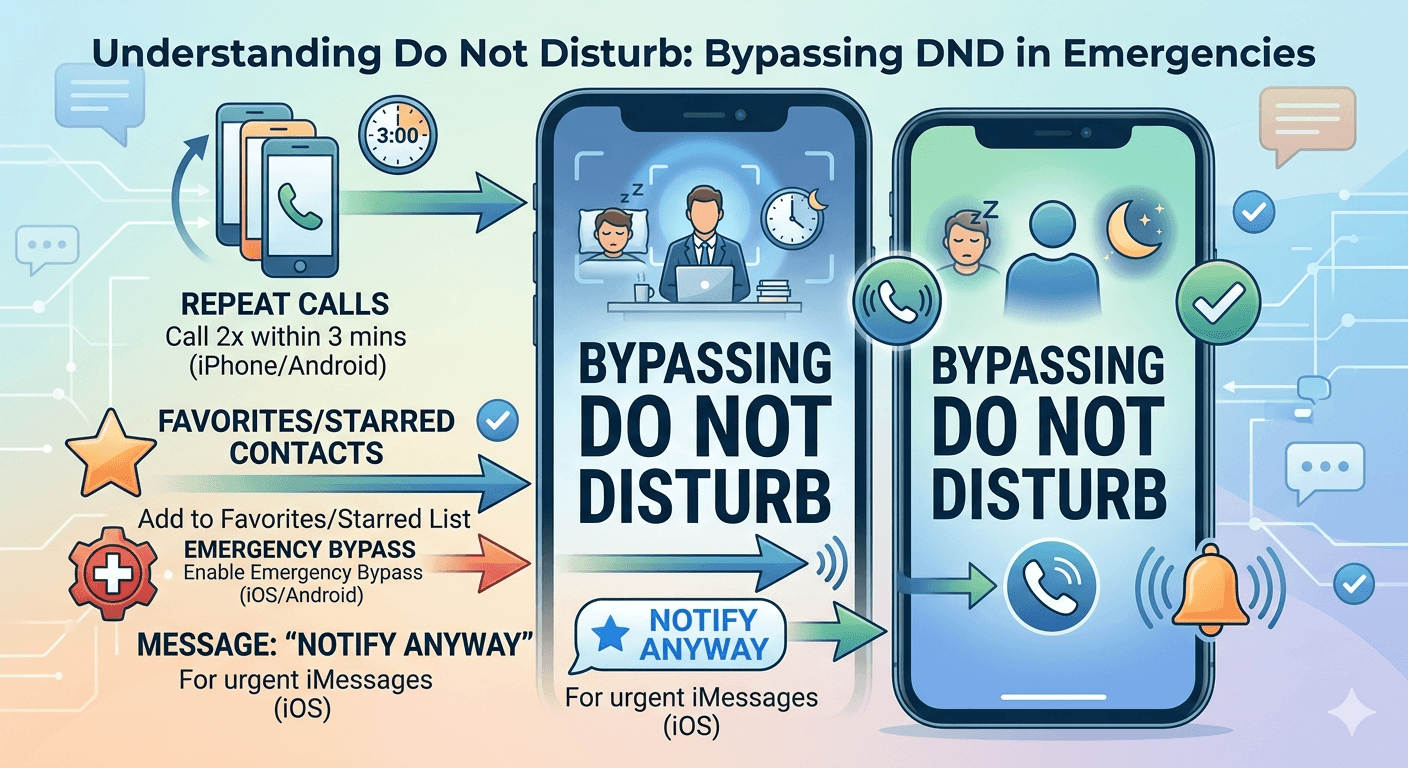
To bypass Do Not Disturb (DND), you can use emergency bypass settings, allow specific contacts, or call repeatedly if the device supports repeated-call exceptions. On Android and iPhone, users can whitelist important numbers in DND settings so urgent calls still come through. Businesses may also use priority calling features or verified caller systems to improve call delivery without violating user privacy or telecom rules.
Learning how to bypass dnd is essential when you have an urgent message or an emergency situation that requires immediate attention. Most modern smartphones, including iPhones and Android devices, have built-in exceptions that allow specific calls to break through the silence of a quiet profile. To successfully reach someone, you can try calling twice within a three-minute window, as many operating systems allow repeated calls to override the restriction by default. Alternatively, if the recipient has enabled Emergency Bypass for your contact or added you to their favorites list, your call will ring regardless of their active settings.
What is the Do Not Disturb Mode?
The dnd mode is a specialized setting found on almost all modern mobile devices and computers designed to silence incoming notifications, alerts, and phone calls. When this feature is active, the device typically does not vibrate or light up, and the screen remains dark to prevent distractions. This functionality is part of a broader movement toward digital well-being, helping users reclaim their focus during work hours or ensure uninterrupted rest during the night.
Technically, the system intercepts incoming signals at the software level. Instead of triggering the standard ringtone or vibration motor, the operating system logs the notification in a history tray or sends calls directly to voicemail. While it serves as a powerful barrier against the constant hum of digital interruptions, it is not an absolute wall. Developers have integrated various “holes” in this barrier to ensure that critical communication can still occur. Understanding how to bypass dnd call on iphone or Android involves navigating these intentional software exceptions.
According to a study by the Journal of Computer-Mediated Communication, the use of silence-based features has increased by nearly 50% among professionals who work remotely, highlighting the necessity of these tools for productivity.
However, this same trend makes it increasingly difficult for family members or colleagues to reach someone in a genuine emergency, necessitating a clear understanding of how to get through do not disturb when time is of the essence.
Reasons to Use Do Not Disturb Mode
People activate this feature for a variety of reasons, ranging from professional requirements to personal health. One of the most common reasons is to maintain a deep state of work. In an era where a single notification can derail twenty minutes of focused thought, many employees use dnd mode to create a “deep work” environment. This allows them to complete complex tasks without the constant pings of social media or non-essential emails.
Another primary reason is for sleep hygiene. Medical professionals often recommend silencing phones at least an hour before bed to reduce the blue light exposure and mental stimulation that prevents restorative sleep. By setting a schedule, users can ensure their phone automatically enters a quiet state every night. This is where knowing how to bypass someones dnd becomes vital, as an emergency during the night might be the only reason you would want to interrupt their rest.
Beyond work and sleep, people use these settings during:
Important face-to-face meetings where a ringing phone is considered unprofessional.
Driving, to reduce distractions and improve road safety through automatic responses.
Theater performances, religious services, or academic lectures.
Moments of personal relaxation or meditation where external noise is unwanted.
How to Call Someone on Do Not Disturb?
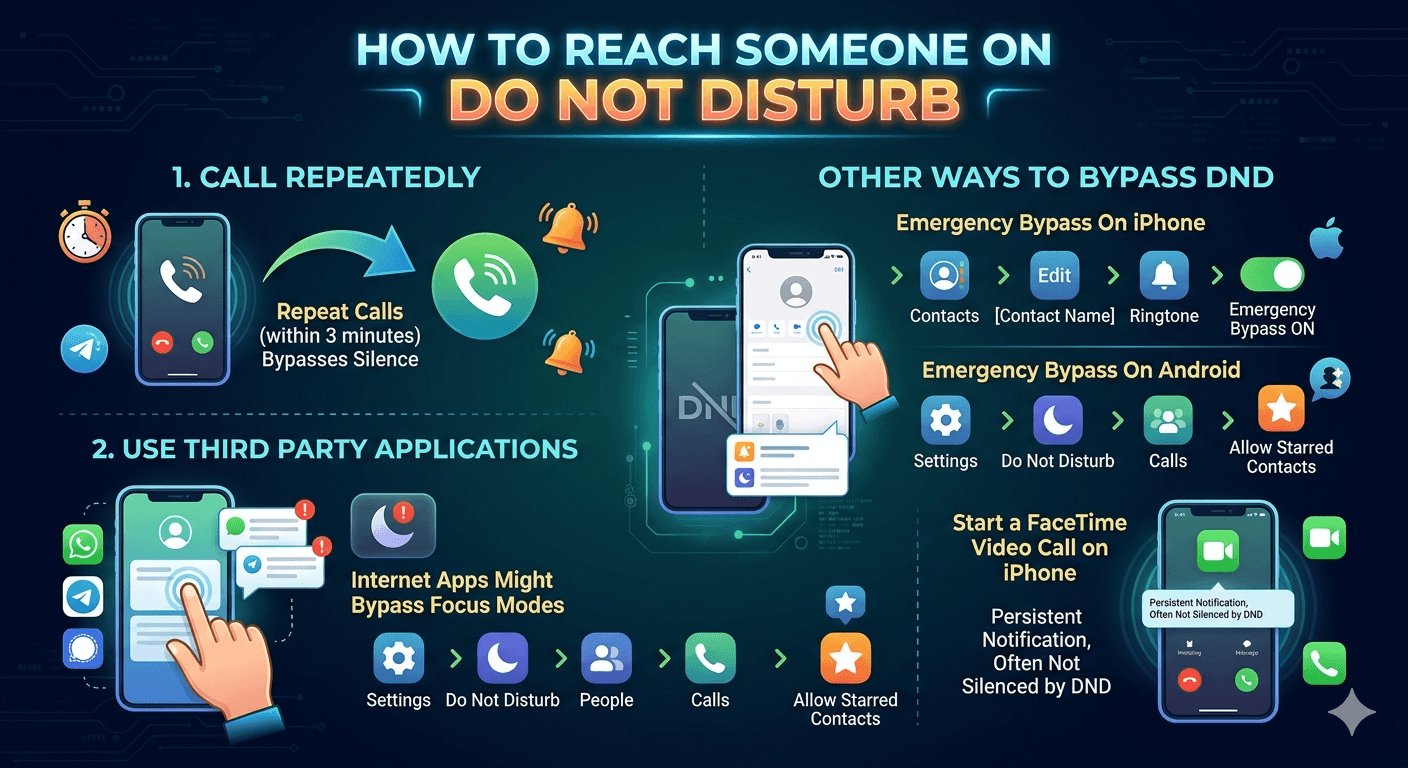
If you find yourself needing to reach a person who has silenced their device, there are specific protocols you can follow. The most direct method is understanding how to bypass dnd on call through the built-in “Repeated Calls” exception. Most users leave this setting on by default because it is a safety feature intended for emergencies.
1. Call Repeatedly
The most common way to get through dnd is to place multiple calls in quick succession. Apple and Google have both implemented a rule where a second call from the same number within three minutes will bypass the silence settings. This is based on the logic that a telemarketer or a casual caller will likely only call once, whereas someone experiencing a crisis will try again immediately.
When you make the first call, it will likely go straight to voicemail or ring silently on their end. Do not leave a long message yet. Hang up and immediately dial the number again. If the recipient has the “Repeated Calls” toggle enabled in their settings, the second call will trigger a full ringtone and vibration, effectively alerting them to your attempt. This is the most reliable answer for how to call someone on do not disturb without needing prior configuration on their device.
2. Use Third Party Applications
Sometimes, standard cellular calls are blocked more aggressively than internet-based communications. Apps like WhatsApp, Telegram, or Signal often have their own notification priorities. While the system-level dnd mode usually covers these apps, some users might have “Focus” modes that allow notifications from specific apps while blocking regular calls.
Additionally, some third-party emergency alert apps are designed specifically to override system silencers. These are often used in corporate environments or by emergency response teams. If you are part of a specific organization, you might use a dedicated paging app that has permission to “ignore” the system volume settings. However, for the average user, trying a different communication platform like a social media messenger might occasionally find a loophole in the user’s focus configuration, allowing you to reach someone who is on dnd through an unblocked channel.
3. Enable Emergency Bypass
Emergency Bypass is a powerful feature that ensures a specific contact can always reach the user, regardless of whether the phone is on silent, vibrate, or dnd mode. This is different from the “Repeated Calls” feature because it works on the very first attempt. It is the ultimate solution for how to reach someone on dnd who is a close family member or a critical work contact.
Emergency Bypass On Android
On most Android devices, this is managed through the “Priority Conversations” or “Exceptions” menu within the Do Not Disturb settings. You can navigate to the settings, find the sound and vibration section, and select the dnd menu. From there, you can choose “People” and then “Calls.” Android allows you to select “Starred Contacts” as an exception. To make sure your call goes through, the person you are calling must have you marked as a “Starred” contact in their address book and have their settings configured to allow calls from starred contacts.
Emergency Bypass On iPhone
The iPhone offers a very specific “Emergency Bypass” toggle located within each individual contact card. To enable this, the user must go to their Contacts, select a person, tap “Edit,” then “Ringtone.” At the top of the ringtone selection screen, there is a toggle for Emergency Bypass. When this is turned on, sounds and vibrations from that specific person will happen even if the Ring/Silent switch is set to silent or Do Not Disturb is on. This is how to get through dnd on iphone with 100% certainty if the recipient has granted you that privilege.
4. Start a FaceTime Video Call on iPhone
Facetime sometimes behaves differently than standard voice calls depending on the specific Focus mode the user has active. Since iOS 15, Apple has introduced “Focus Profiles” like Work, Sleep, and Gaming. Some users might forget to include FaceTime in their list of silenced apps while blocking the standard Phone app. If you are struggling with how to call someone with do not disturb on, attempting a FaceTime Video or Audio call might trigger a notification if their focus profile is not strictly configured. Furthermore, FaceTime calls often produce a more persistent notification on the screen, which might catch the user’s eye if they are actively looking at their device but have the audio silenced.
How to Know if Someone is on DND?
Determining if a person has silenced their phone can save you a lot of frustration. On an iPhone, if you send a text message through iMessage, you might see a small notification at the bottom of the chat window that says “[Contact Name] has notifications silenced.” This is a definitive indicator that they are using a Focus mode.
For standard phone calls, the signs are more subtle. If the phone rings once or twice and then goes directly to voicemail, it is a strong sign of a manual reject or a dnd setting. However, if it goes to voicemail immediately without any ringing at all, the phone is either off, in airplane mode, or the dnd settings are set to silence all incoming calls instantly. Knowing these signs is the first step in deciding whether you need to use techniques on how to call someone who has notifications silenced or if you should simply wait.
How to Make a DND Call Go Through on iPhone
To ensure a call goes through on an iPhone, the most effective method remains the “Favorites” list. By default, iOS allows calls from people in the Favorites list to bypass dnd. If you are trying to help someone set their phone up so you can always reach them, tell them to add your number to their Favorites in the Phone app.
Another method involves the “Notify Anyway” feature available in iMessage. If you send a message and it says notifications are silenced, you can sometimes tap a link that says “Notify Anyway.” This will send a special alert to the recipient that breaks through their quiet mode, making it an excellent way to get past do not disturb when calling someone isn’t working. This should only be used for actual emergencies, as it can be seen as intrusive.
How to Make a Call Go Through on DND Android Devices
Android offers a robust set of “Exceptions” that are quite easy to manage. If you are trying to understand how to make a call go through on dnd for an Android user, you should check the “Duration for Quick Settings” and “Exceptions” list. Android users can set their phone to allow calls from “Anyone,” “Contacts,” or “Starred Contacts.”
1. Using Emergency Bypass and Priority Contacts
To use the priority system, the user must:
Open the Settings app.
Tap on “Sound & Vibration” and then “Do Not Disturb.”
Under the “What can interrupt Do Not Disturb” section, tap on “People.”
Select “Calls” and choose the level of access.
If you are trying to reach someone who has a “Contacts Only” exception, and you are calling from a number they don’t have saved, you will never get through. Ensuring your number is saved in their phone is a vital step in how to contact someone on do not disturb.
2. Repeated Calls: How It Helps Calls Go Through DND
As mentioned earlier, the repeated call feature is the “universal key” for most phones. In Android settings, this is often a toggle called “Allow repeat callers.” It specifically states that if the same person calls again within 15 minutes (note that Android’s window is often longer than iPhone’s 3-minute window), the call will ring. Research into mobile UX design suggests that this 15-minute window is intended to balance user privacy with the reality of urgent situations. This is a critical piece of information for anyone wondering how to call someone who is on do not disturb.
How to Make a Call Go Through DND in Business Settings
In a professional environment, bypassing dnd requires a blend of technical knowledge and etiquette. Many business communication tools like Slack or Microsoft Teams have their own “Do Not Disturb” statuses. To reach a colleague, you might use the “Urgent” delivery option available in platforms like Teams, which bypasses their status and sends a notification every two minutes for twenty minutes or until they read it.
For traditional phone calls in a business context, it is often better to send a high-priority email or a calendar invite first. If those fail and the matter is truly time-sensitive, using the repeated call method on their work mobile is the standard technical approach for how to override do not disturb. Always follow up with a text explaining the urgency to justify the intrusion.
How to Make a Call Go Through on DND for Family and Emergency Contacts
For families, the best strategy is proactive configuration. Parents and children should ensure that they are each other’s “Starred Contacts” or “Favorites.” On the iPhone, using the “Family Sharing” feature can also help in managing these settings across multiple devices.
If you are a caregiver, you should explicitly ask the person you care for to enable “Emergency Bypass” for your contact. This ensures that even if they accidentally leave their phone on silent after a doctor’s appointment or a church service, you can still reach them. This is the most compassionate way to handle how to call someone when their phone is on dnd, as it removes the guesswork during a crisis.
Limitations and Risks of Bypassing DND
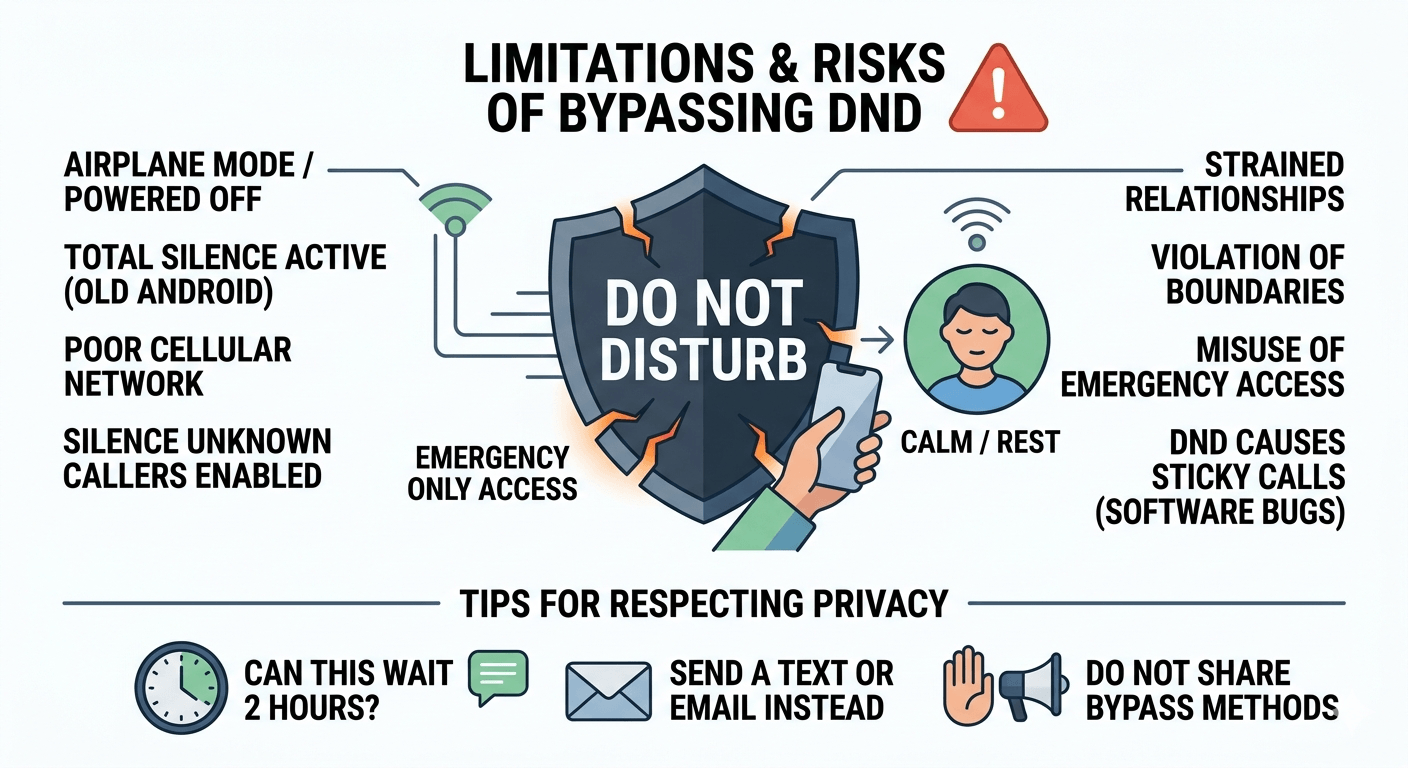
While knowing how to call through do not disturb is useful, it comes with risks. The most significant risk is the potential for straining personal or professional relationships. If you bypass someone’s silence settings for a non-urgent matter, it can be seen as a violation of their boundaries and privacy.
Technically, there are also limitations. If a phone is in “Airplane Mode” or is powered off, no amount of calling or bypass settings will make it ring. Additionally, if the user has a “Total Silence” mode active (available on some older Android versions), even alarms and repeat calls are blocked. Understanding these limitations is important so you don’t rely solely on one method for how to reach someone on do not disturb.
Troubleshooting Calls That Don’t Go Through DND
If you have tried the repeated call method and are a favorite contact, but your call still won’t go through, there might be other factors at play.
Check the Network: Poor cellular reception can prevent the “second call” from registering quickly enough to trigger the bypass.
Focus Filters: On newer iPhones, “Focus Filters” can silence specific people even if they are in favorites, depending on the time of day.
Silence Unknown Callers: If the recipient has “Silence Unknown Callers” enabled, and you are calling from a new number, the dnd bypass might not work because the phone treats the call as spam before it even checks the dnd rules.
Software Updates: Ensure the device is updated, as bugs in older OS versions sometimes cause dnd to be “stickier” than intended.
Tips for Respecting Privacy While Reaching DND Users
Before you attempt to bypass someone’s settings, take a moment to evaluate the necessity. Ask yourself: “Can this wait two hours?” If the answer is yes, send a text or an email instead. If you must proceed with how to contact someone on dnd, be prepared to explain the emergency immediately upon them answering.
Respecting privacy also means not sharing the methods of bypassing someone’s dnd with others who might misuse them. For example, if you know how to get past do not disturb for a specific manager, don’t encourage others to use that method for routine questions. Maintaining the integrity of these “emergency holes” ensures they remain available for when they are truly needed.
Final Insights on How to Make Calls Reach DND Users Safely
Bypassing Do Not Disturb is a powerful tool that should be handled with care. Whether you are using the repeated call method, leveraging the Favorites list, or utilizing the Emergency Bypass toggle, the goal is always to balance connectivity with the recipient’s need for peace. Technology provides the pathways for urgent communication, but human judgment determines when it is appropriate to use them.
By understanding the technical nuances of how to make a call go through on dnd, you ensure that you are never truly cut off from the people who matter most. Whether it’s a family emergency or a critical work update, these methods provide a safety net in our increasingly silenced digital world. Always remember to use these “keys” responsibly to maintain trust and respect in your digital interactions.
Read More: How to Get UK Number Free: Your Ultimate Global Guide
Final Thought
Mastering the various ways to reach someone when their phone is silenced is about more than just tech hacks; it is about ensuring safety and maintaining vital connections. While dnd mode is a blessing for focus and sleep, the ability to break through that barrier in a crisis is a necessity. Use these tools wisely, respect the boundaries of others, and always prioritize genuine emergencies over casual convenience.
FAQs
Is there a way to bypass do not disturb?
Yes, there are several ways to bypass do not disturb depending on the device. The most common method is the “Repeated Calls” feature, where calling twice within three minutes allows the second call to ring through. Other methods include being added to the “Favorites” or “Starred Contacts” list, or having the recipient enable “Emergency Bypass” for your specific contact in their settings.
How do you get through to someone on Do Not Disturb?
To get through to someone on Do Not Disturb, you should first try calling twice in quick succession. If that fails, try sending an iMessage (on iPhone) and look for the “Notify Anyway” option. If you are a close contact, you can ask the person to add you to their “Favorites” list or enable “Emergency Bypass” on your contact card so your calls always ring.
Does *69 still work?
The *69 code is used to identify the last number that called you and to redial it, but it does not have the inherent power to bypass a phone’s Do Not Disturb settings. If the person you are calling has dnd on, a *69 call will be treated like any other incoming call and will likely be silenced unless you meet the “Repeated Call” or “Favorite” criteria.
How to make someone’s phone ring if it’s on do not disturb?
To make someone’s phone ring on dnd, you must trigger one of their allowed exceptions. You can do this by calling them twice within three minutes, as most phones allow repeat callers to break through the silence. Alternatively, if you have access to their “Find My” (Apple) or “Find My Device” (Google) credentials, sending a “Play Sound” alert will bypass all volume and dnd settings, though this should only be done in extreme emergencies.
Does your phone ring on DND?
Generally, your phone does not ring on dnd for standard calls and notifications. However, it will ring if the caller is in your “Favorites” or “Exceptions” list, or if the “Repeated Calls” setting is enabled and the person calls you twice in a short period. You can also configure specific apps or alarms to ring even when dnd is active.
Do calls go straight to voicemail on DND?
Yes, in most cases, calls go straight to voicemail on dnd without the phone ever ringing or the screen lighting up. The recipient will see a notification for a missed call later when they check their phone, but they will not be disturbed at the moment the call is made unless you are on their exception list.
Can you put one person on Do Not Disturb?
You can effectively put one person on Do Not Disturb by using the “Hide Alerts” or “Silence” feature within their specific contact thread or message conversation. On iPhone, you can swipe left on a message thread and tap the bell icon. This allows you to receive notifications from everyone else while specifically silencing that one individual.
Do favorites ring on Do Not Disturb?
Yes, by default, both iOS and Android are usually configured to allow calls from “Favorites” or “Starred Contacts” to ring even when Do Not Disturb is turned on. This is a primary feature designed to ensure that family members and close friends can always reach you during an emergency.
How to call someone when their phone is on mute?
Calling someone when their phone is on mute is difficult because mute (or silent mode) usually overrides the ringer regardless of dnd settings. The only way to bypass a physical mute switch or silent setting is if the person has enabled “Emergency Bypass” for your contact in their iPhone settings, or if you use an emergency alert system that has permission to override system volume.
How to bypass silent mode for calls?
To bypass silent mode for calls, the recipient must enable “Emergency Bypass” for your contact on an iPhone (found in the contact’s Ringtone settings). On Android, the user must set your contact as a “Priority” caller and ensure that the “Override Do Not Disturb” or “Sound in Silent Mode” permissions are granted to the phone app for starred contacts.


