

Zoom Phone is the first option to evaluate if you want to keep a DuraFon Roam cordless system. EnGenius publishes a Zoom configuration guide for the Roam base station controller. If you want to move office calls to an app, start with KrispCall for shared numbers or Calilio for department queues. If you already own the PBX and only want a new carrier, assess Signal House separately.
What Does EnGenius FitVoice Refer To?
EnGenius’s public catalog documents EnGenius Fit as a networking and management product line and lists its cordless voice hardware separately. I could not verify a standalone EnGenius phone service named FitVoice in the public documentation. This guide uses that search term to help buyers compare options for EnGenius cordless voice deployments. Check your equipment label and service invoice before applying the recommendations.
EnGenius lists SIP hardware such as DuraFon SIP, DuraFon Roam and FreeStyl SIP2. Its DuraFon overview also lists DuraFon PRO as an analog system. Those are different connections. Your handset pairs with a base or a cordless system. The base, controller or an adapter may then connect to a PBX or cloud phone platform. The carrier supplies public numbers and external calling at another layer.
If your actual requirement is Wi-Fi, switching or network management, check the Fit product separately. A hosted phone subscription replaces calling workflows, while radio coverage and network management are infrastructure decisions. A warehouse may keep its existing cordless hardware while moving office staff to hosted calling. An installer can also retain the entire PBX and change only the upstream carrier.
Compare EnGenius FitVoice Alternatives And Competitors
All six providers come from the VoIPCalling partner list. Zoom Phone has a documented DuraFon Roam configuration. The other hosted options are included for distinct workflows, with hardware compatibility subject to confirmation. Signal House belongs in a carrier-only comparison. Prices marked US$ are US references. Suggested team sizes are editorial estimates.
| Provider | Best Fit | Buying Consideration | Pricing & Trial |
|---|---|---|---|
| Documented DuraFon Roam Integration | Verify controller model, firmware, provisioning and licensed features. | Request Current Phone PricingAsk for the regional Phone plan, common-area devices and required licences.Demo AvailableRequest Zoom Phone Pricing For 1–50 Users | |
| Shared Calls And Follow-Up | Confirm North American number type, usage and app or device requirements. | US$32/user/monthAdvance, billed annually. US$40 with monthly billing. Up to 50 users. Usage and selected add-ons cost extra.7-Day Free Trial for VoIPCalling CustomersStart a 7-Day KrispCall Free Trial | |
| Menus, Business Hours And Live Supervision | Check local number availability, call allowances and any required devices. | US$28/user/monthPremium, billed annually. US$35 with monthly billing. Number and usage charges can apply.Demo AvailableRequest a Calilio Demo | |
| An Employee Platform For Calling, Meetings And Chat | Request written approval for the proposed handset and base. Budget for new devices if needed. | US$20/user/monthCore, billed annually. US$30 with monthly billing on the US pricing page. Canadian quotes may use different currency.Free Trial AvailableStart A RingEX Free Trial | |
| Department Routes And Dial-Plan Administration | Confirm device compatibility and support. Quote branch routing and shared devices. | Custom PricingQuote the Phone System for each branch and shared device.Demo AvailableRequest A GoTo Connect Demo | |
| Carrier Change With A Retained PBX | Confirm interoperability with your PBX, numbering and fallback. | Request A Voice QuoteQuote origination, termination, number rental and billing increments.Demo AvailableRequest A Signal House Demo |






1. Zoom Phone — Best For Keeping DuraFon Roam In A Supported Setup
Suggested Team Size. About 10–100 users with office staff and mobile workers across a site or several locations.
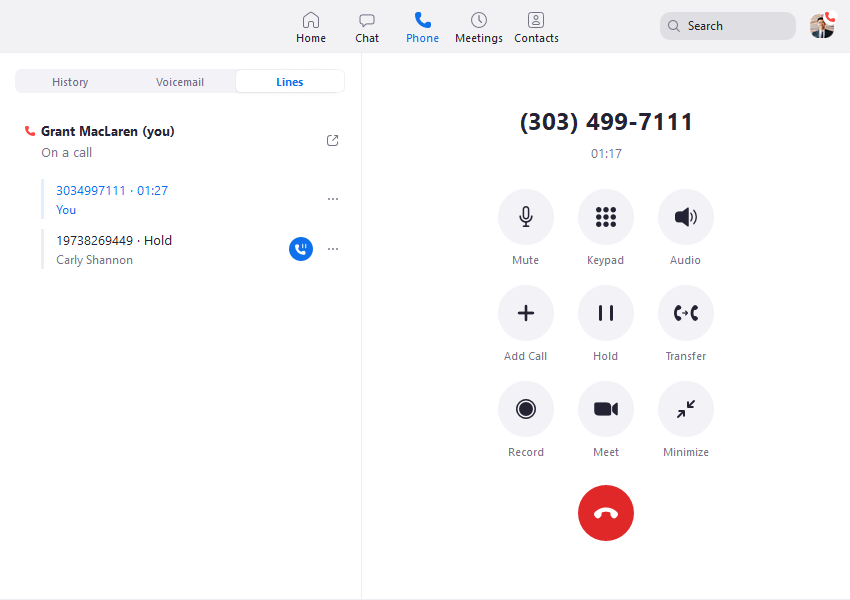
EnGenius announced Zoom certification for DuraFon Roam and publishes a configuration guide for its base station controller as a generic SIP phone. Start here if you want to keep that specific cordless system. Give Zoom or your installer the controller model, firmware, base count and handset inventory. Ask which version of the guide applies and which features and support commitments come with your proposed deployment.
Test one user and a common-area route before assigning production numbers. Receive a call on the cordless handset, walk across the intended handoff area and transfer the call to reception. Ask whether extension status, call parking and caller ID work as your staff expects. The guide for the controller addresses the Zoom connection. Confirm how your installer will handle the radio equipment and which team supports it.
Quote the regional Zoom Phone plan, licences for shared devices and any hardware or installation needed. If your team uses Zoom for meetings, include a test where a staff member is already in a meeting when the branch phone rings.
2. KrispCall — Best For Shared Business Calls And Callbacks
Suggested Team Size. About 2–20 staff in an office or mobile team with reliable app connectivity.
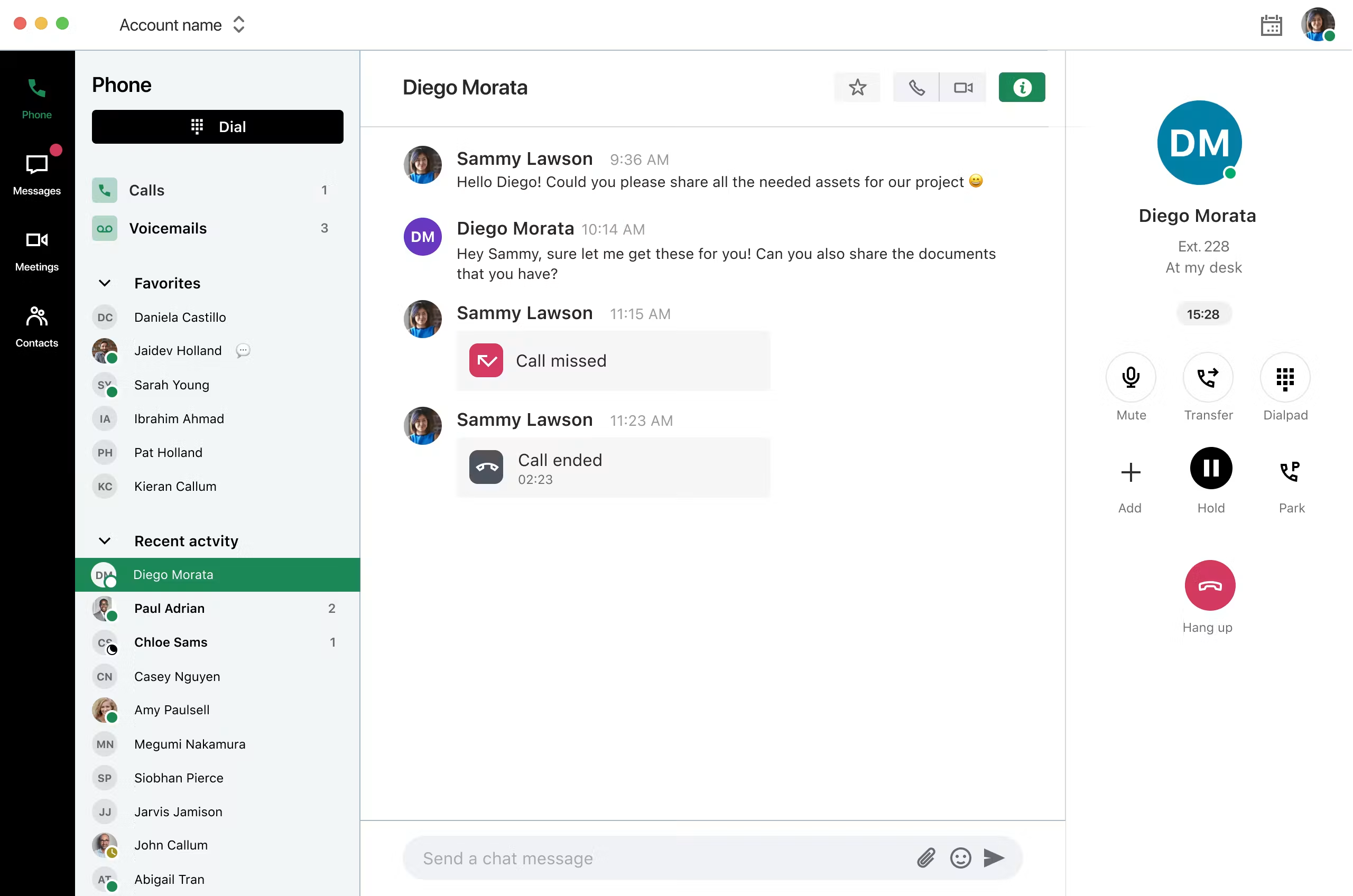
KrispCall fits a team that mainly needs people to share a number and see who followed up. Give two employees access to a temporary number and simulate a missed call. Ask one to return it from a mobile device while the other checks whether the history shows that it was handled. That test is especially useful for teams that currently share one handset across shifts.
Advance lists US$32 per user per month on annual billing or US$40 monthly. Check number eligibility, usage and whether the quoted plan supports the routes you need. If staff still need to carry a rugged cordless handset in part of the site, treat that as a separate requirement and ask for written compatibility. Use the trial to judge the app workflow.
The exclusive 7-day VoIPCalling trial can establish whether app-based reception fits before you port a main number. Test the handset or smartphone where staff actually work, including a screen-locked mobile device and an after-hours callback.

3. Calilio — Best For Department Queues And Call Supervision
Suggested Team Size. About 5–30 people who need separate call paths and someone to supervise them.
Calilio fits an office that wants to move from shared extensions to hosted queues. Bring an example from your current system, such as a customer choosing dispatch and waiting while the first employee is busy. Ask what happens when the queue is full and whether the supervisor can identify the exact route the caller took.
Premium lists US$28 per user per month annually or US$35 monthly. Ask which destinations and number types qualify for allowances, and what the proposed plan includes for supervision and reporting. Check how to route between app users and any existing field staff who still rely on a separate cordless installation.
Test a call that starts on a fixed line and ends with someone on a mobile device. Have a supervisor find the call in the report. If coverage or local broadcast remains important, ask the installer to scope that separately from the queue design.

4. RingCentral RingEX — Best For Hosted Reception And Supported Desk Phones
Suggested Team Size. About 10–75 staff using reception, desk phones and collaboration tools.
RingEX is a starting point for businesses that want a hosted system with a traditional reception workflow. Ask the provider to quote a supported handset or endpoint, then test a warm transfer, a parked call and extension status. If the site uses a cordless base, submit its model and firmware and ask for written confirmation before assuming you can bring it along.
RingEX Core has a US$20 per-user monthly reference on annual billing. Request the tier that covers the handsets, reporting, devices and number assignments you actually need. If the warehouse keeps its current equipment while office calls move, ask how reception will reach warehouse workers and who will support the connection.
Bring the receptionist and a field user to the same demo. Verify that callers reach the right branch, that a failed transfer can be recovered and that the callback displays the right company number.

5. GoTo Connect — Best For Multi-Site Routing And Schedule Changes
Suggested Team Size. About 10–75 people across sites that share overflow or reception.
GoTo Connect fits when the largest change is consolidating calling across branches. Use a sample day with different opening hours at two sites, one shared receptionist and an overflow route. Have a site manager update a schedule and verify that it affects the intended branch without changing the other site.
Request a Phone System quote that covers each branch, shared device and installation task. Ask the vendor to identify which hardware it will provision and which endpoints need a different solution. If one site depends on cordless roaming, test that site separately from the company-wide dial plan.
During the demo, have one branch stop taking calls and check what a caller hears, where the call lands and how staff see which number was dialled. Ask who can restore the route and which changes are supported outside office hours.
6. Signal House — Best For SIP Carrier Service For A Retained PBX
Suggested Team Size. A technical team supporting roughly 5–100 users on an existing PBX. Size capacity from call traffic.
Signal House documents programmable SIP trunks for existing PBXs. It belongs on the shortlist when the cordless equipment already works with your PBX and you only want to replace the service that carries public calls. Ask your maintainer to test the connection and establish what remains unchanged at the site before moving numbers.
Get a quote for inbound numbers, outbound destinations and capacity. Confirm emergency calling, fax and portability by location with the provider. Ask what happens when the PBX is unreachable and which alternate destination the carrier can use. Test that route before you depend on it.
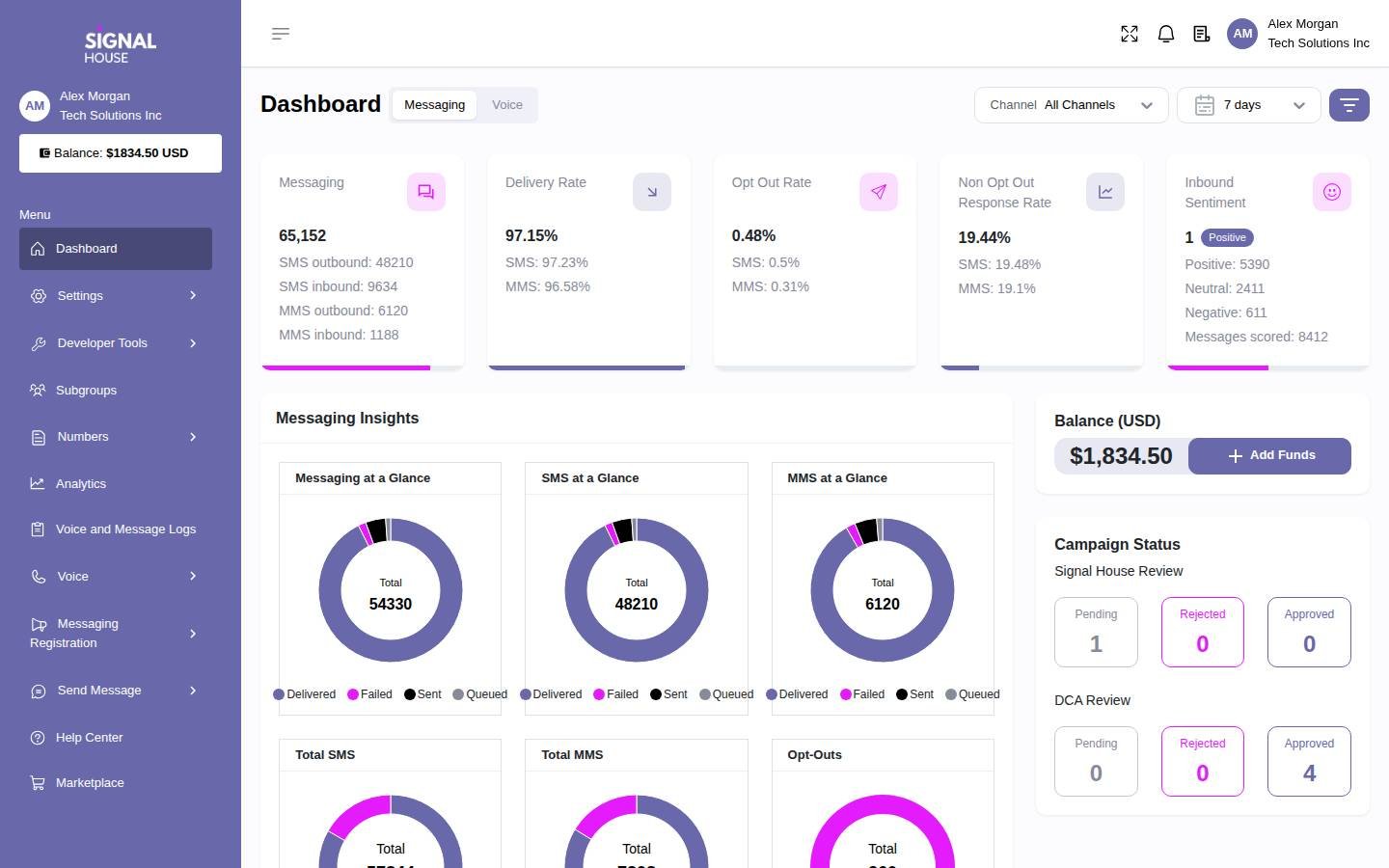
The dashboard shows the broader Signal House platform. In the voice demo, ask for a call trace that your installer can match to a PBX record. The cordless radio link still depends on the EnGenius equipment and its placement.
How To Choose An EnGenius FitVoice Replacement
Identify The Hardware And Service You Actually Have
Start with the labels on the base, controller and handsets. Record the model, firmware and number of units. Check whether the base connects through an Ethernet port, an analog line or a separate gateway. Follow that connection to the PBX or hosted provider, then use the invoice to identify who supplies the public numbers. Ask your installer to confirm the diagram. A sticker on a handset rarely tells you who controls the line behind it.
Keep a separate list of how the equipment is used. Some handsets are assigned to a person, while others stay with a department or shift. One handset might receive external calls, another might be used for local broadcast and another might be kept at a charging station for emergencies. Ask staff to show the actual calls they make, including how they reach coworkers who are away from a desk. Replace the required workflows one at a time in the plan.
Keep The Cordless System If Coverage Is Working
If staff can already take calls where they need to work, preserve that coverage while you compare phone platforms. For DuraFon Roam, start with the documented Zoom Phone controller configuration and confirm the exact model and firmware. For other systems, ask the proposed provider and installer to agree on a supported connection. An analog base may require a suitable adapter or a supported analog port, while a SIP model needs a compatible registration or PBX configuration.
List the features you use today and label which part of the system provides them. For example, the PBX may send the caller to a department, while the cordless system handles movement between its own base units. A shared desk extension can have different transfer and voicemail behaviour from a person’s extension. Ask the provider to show the specific combination it will support and verify it on the hardware you intend to keep.
Move To Apps If Staff Can Work From Supported Devices
For an office, replacing a shared handset with mobile and desktop apps can make missed calls and callbacks easier to assign. Test who can sign in, what happens when someone is off duty and how a colleague finds an unanswered call. Ask staff whether their phone can be carried during a normal shift. If employees use shared devices, plan who signs in, how the next shift takes over and what happens to the prior user’s call history.
For a warehouse, retail floor or outdoor site, consider how people move and where they can access a network. Try the app in the areas that get the most calls. Include any work area where cellular or Wi-Fi coverage is weak, or where staff need a device they can operate with gloves. If the app works in the office and the cordless hardware works on the floor, quote the combined workflow and test how the two groups call each other.
Change The Carrier If The PBX Can Stay
When the PBX and the radio installation already do what staff need, a carrier change can leave the extensions and handsets in place. Ask your maintainer whether it can add a test trunk without disturbing the primary routes. Use a temporary number to verify caller ID, transfers and menus. Document how the PBX chooses the outgoing trunk and where the carrier sends calls if the PBX becomes unreachable.
Confirm who supports each layer after the change. The radio equipment, PBX and carrier can be supplied by different companies. A dropped call during a walk test can look like a carrier problem to a receptionist even if the handset is losing its local radio connection. Ask your installer and carrier which records they need, who coordinates a fault and how staff can reach someone during an incident.
Test Cordless Range, Roaming And Local Calling
Use Real Walking Routes
Give the installer a map of the site and mark the places where calls matter. Include shipping doors, stairwells, back rooms and outdoor areas if staff use them. Have one employee stay on a call while another walks each route with the proposed handset. Record the starting point, where the audio changes and where any connection drops. Repeat at a time when the area is busy and doors or equipment are in their normal positions.
If the system uses multiple bases, test the handoff while a call is active. Then call a handset that is idle in the same area. Those tests cover different conditions. A handset may ring in a spot where it struggles to maintain an active call across a boundary. If the radio installation changes, have the installer document base positions, expected coverage and the point at which the next handoff test will be needed.
Check Broadcast, Intercom And Shift Handoffs Separately
Some EnGenius cordless models support local intercom or broadcast. If staff rely on that function, test it directly. Ask who can start a broadcast, which handsets receive it and what an employee hears if they are already on a call. Then run a normal incoming call to the same group. This helps establish whether the feature needs to remain on the local cordless system or whether the new call flow can cover the business requirement another way.
Test the handover between shifts. Ask an employee to put a handset on charge and have the next employee take a call on another one. Verify what caller ID, voicemail and missed-call information the second employee can see. If you need a replacement handset ready at short notice, ask the installer who can pair it, update it and recover the settings without disrupting the other devices.
Plan For Power And Network Interruptions
Ask what each part of the design depends on. List the base units, controllers, switches, internet links and gateways that must be powered for calling to work. Ask the installer how to simulate an interruption safely and how staff can still receive an incoming call. Record which services remain available locally and which depend on the external provider. Give the shift lead a clear fallback number or alternate contact route.
Compare A Mixed Site Before Replacing Every Handset
Separate staff who spend most of the day near a desk from those who move across the site. An office user may benefit from a desktop app, while a stockroom worker may need a physical device with a charging station and a radio link that has already been tested. Build a small trial with one person from each group. Test how they reach one another and how calls are transferred from the public line to someone away from a desk.
Ask the installer and phone vendor to draw the route for an internal call between those groups. Identify which extension or number the receptionist should dial and whether the route uses the public network. Test caller identity, transfers back to reception and what happens when nobody answers. If a group number crosses two systems, confirm who can edit it and how a change to the old PBX affects the new hosted service.
Write those dependencies into the quote. If the site keeps a gateway or PBX for a small set of devices, include its support and power requirements in the operating cost. If the site can move those devices later, document the interim configuration so the next installer can remove it without interrupting live numbers.
Shortlist EnGenius FitVoice Competitors By Site
A Warehouse Keeping DuraFon Roam
Start with Zoom Phone and the published Roam controller configuration. Ask whether your equipment and firmware are covered and who will own radio tuning. Include a controller, a reception user and a warehouse handset in the pilot. Receive a call from a public number, walk through a normal working area, transfer to reception and confirm the call can be recovered if reception is busy. Put every required function on the acceptance checklist.
A Small Office Sharing One Public Number
Try KrispCall when several staff handle the same main line. Compare Calilio if the caller needs to choose between departments or if supervisors need to review the queue. Test a spare number during a normal shift. Ask staff to check where a missed call goes, who owns the callback and what the customer sees when a different employee returns it. If only part of the team moves to apps, include the old handsets in the test.
A Business With Reception Across Several Locations
Compare RingEX and GoTo Connect for branch schedules, reception and supported endpoints. Bring two real schedules and identify what happens if one site closes early. Ask the receptionist to answer a call for each branch and determine the number the caller dialled. Then route a call from reception to a colleague who is moving around a site. Get the proposed devices in writing before comparing quotes.
A Site Retaining A PBX And Changing Its SIP Carrier
Consider Signal House when the radio equipment and extensions are already supported by an existing PBX. Give your maintainer the trunk details and ask it to verify how the new service handles the caller ID, dial plan and fallback. Keep the hardware and PBX scope distinct from the carrier quote. If you also need to replace a base or improve coverage, assign that work to an installer and test it separately.
Compare Cordless Equipment, Phone Licences And Carrier Costs
Price the site before comparing monthly subscriptions. Record the handsets, base units, controllers and any adapters you can keep. Estimate replacements, spare batteries and installation. Include the time required for a walk test and any adjustments afterwards. A proposal that includes inexpensive calling may still need new hardware to reach the areas covered by your current system.
Then add recurring costs. Hosted systems may charge for named users, shared or common-area devices, extra numbers and higher tiers. A carrier-only quote may charge for numbers, minutes, destinations or capacity. If the PBX stays, include maintenance and any renewal costs. Ask the vendor how changes are billed when you add a site, change the number of shifts or assign more handsets.
For illustration, ten KrispCall Advance seats at the US$32 annual-billing reference would total US$320 per month in seat fees. Ten Calilio Premium seats at US$28 would total US$280 per month on annual billing. Those figures exclude equipment, numbers and additional usage. They apply to the named seats in the example. Check the applicable plan and count the shared devices and locations separately before comparing it with a trunk or a quote that includes equipment.
Use two columns for implementation and ongoing costs. Put number ports, installation and training in the first. Put service, device licences, support and the cost of any remaining PBX in the second. Include a transition period when both phone services might be active. Ask who owns the equipment after the term and how long the provider will support the models in the proposal.
What To Ask Before Signing A Phone System Quote
- Equipment And Firmware. Provide the exact model for each handset, base and controller. Ask which version the vendor supports and who provisions it.
- Required Call Paths. Show daytime and after-hours routing. Test a missed transfer, a busy group and a call from an external number.
- Coverage And Handoff. Agree on the walking routes, test conditions and the acceptance criteria for active calls and idle ringing.
- Local Features. Confirm how intercom, broadcast, parking, paging and voicemail will work wherever staff use them.
- Number Porting. Confirm the gaining provider can accept each number. Separate public voice numbers, fax and any messaging requirement.
- Support Ownership. Document who investigates the base, network, hosted platform or SIP carrier during a fault and how to reach them.
- Costs And Terms. Request equipment, subscriptions, installation, usage and support in the same written quote.
Ask the vendor and installer to mark each item as covered by the proposal, dependent on a third party or awaiting a test. If someone promises compatibility but the proposed device was absent from the demo, schedule an equipment test before committing. Include the tested hardware and firmware in the final scope so the deployment team can reproduce the setup.
Move Phone Numbers And Validate The New Deployment
- Back Up The Current Setup. Save routes, schedules, device assignments and relevant support records. Identify the owner of every public number and service.
- Build A Temporary Route. Pilot the new platform or carrier without moving a production number. Include a desk user, a cordless user and the person who administers the phone system.
- Run An On-Site Acceptance Test. Verify calls and handoff along real working routes. Test local features and compare the results with the existing system.
- Schedule The Port With Both Providers. Check the number list and timing. Keep the original service active during the move and have a tested fallback contact route.
- Validate Production Calling. Check incoming calls from several networks, outbound caller ID, transfers and shared voicemail. Coordinate emergency calling configuration and approved testing with the provider.
- Review The First Week. Record coverage complaints, missed calls and billing issues. Correct the setup and retest before moving a second site or closing the original account.
Use a short script so each tester records the same information. Include the number dialled, the handset, the part of the site, the expected route and the result. If audio fails, note whether the call ends or the audio disappears while the handset still shows an active call. That detail gives the installer and carrier a better starting point. Keep the support contacts and fallback procedure with the shift lead, where they can be reached without the phone system.
FAQs About EnGenius FitVoice Alternatives
What Is The Best Alternative For EnGenius Cordless Calling?
Start with Zoom Phone if you want to keep a DuraFon Roam system. EnGenius publishes a Zoom configuration guide for the controller. For app-based business calling, compare KrispCall and Calilio. Confirm the equipment and features you need before switching.
Is EnGenius FitVoice A Standalone Phone Service?
EnGenius documents Fit networking and its cordless voice products separately. A standalone service called FitVoice could not be verified in the public documentation reviewed. Check the base or controller label and your invoice to identify the actual calling service.
Can I Use DuraFon Roam With Zoom Phone?
EnGenius documents a Zoom Phone setup for the DuraFon Roam base station controller. Confirm your model, firmware and supported functions. Have your installer test registration, inbound calls, roaming and transfers before rollout.
Can I Keep An Analog DuraFon Base With A Hosted Phone System?
Possibly, if the provider and installer support a suitable analog interface for your model. Ask them to verify the complete setup and test caller ID, ringing and transfers before you buy equipment or move numbers.
Will A Mobile VoIP App Replace A Long-Range Cordless Handset?
A mobile app can handle business calls where the device and its network suit the job. Test it across the work site and confirm local broadcast, intercom and roaming requirements before retiring dedicated cordless equipment.
Can I Change SIP Providers And Keep My EnGenius Phones?
Yes, if the phones still work with the PBX and the new carrier supports that PBX. Test a spare number, fallback and caller ID. Confirm number eligibility before moving the main lines.
How Much Does An EnGenius FitVoice Replacement Cost?
Cost depends on the phones, base units, licences, calling service and installation you need. Get a quote for equipment and site work separately from monthly seats or trunk charges. Compare support and any required spare equipment.
Use Customer Reviews To Set Pilot Tests
Use G2 reviews to find questions about the calling platform and its support. For a site with cordless requirements, ask the installer to demonstrate coverage on the equipment proposed for your site. Reviews about app quality can help when staff use mobile or desktop calling. On-site tests are more relevant for radio handoff, local broadcast and warehouse coverage.
Ask the receptionist, the shift lead and the installer to record which tests passed and which still need work. Give each issue an owner. Use the results to decide whether to move the whole site, change only the carrier or keep some groups on their current equipment during rollout.
Affiliate Disclosure. VoIPCalling may earn a commission when you purchase through a partner link.


