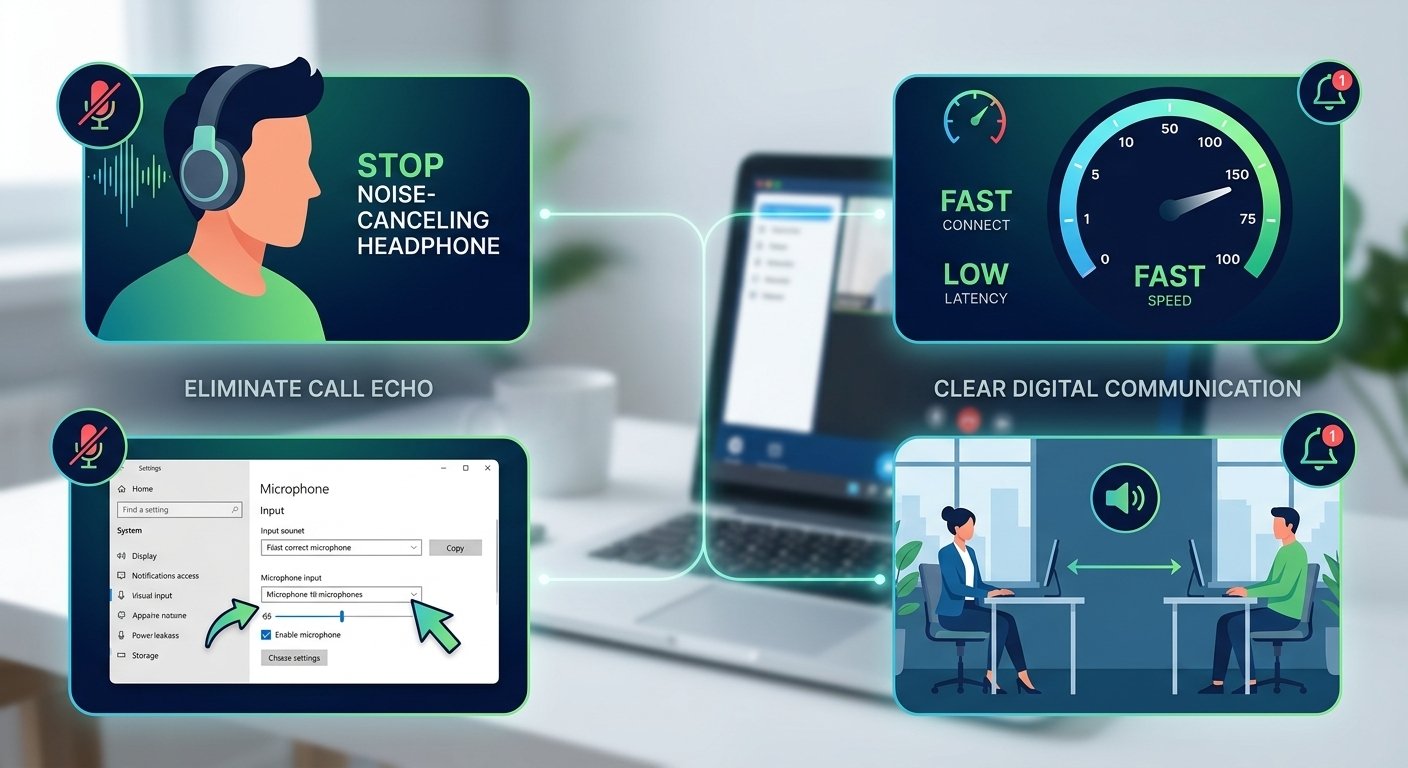
Call echo can be a major problem with digital communications and can spoil critical virtual meetings. The first step to get rid of this annoying audio feedback is to reduce the volume of your speaker so that the microphone does not constantly capture the speaker’s sound. The best way to isolate incoming sounds from the voice you are sending out is to wear a good pair of headphones. Also, you need to check your hardware settings to make sure that the right input device is selected. With these simple technical tweaks, you’ll instantly have better audio and no more unwanted reverberation in your digital chats.
What is Call Echo?
A call echo is when sound from a speaker is picked up by a microphone and sent back to the speaker, resulting in a loop of audio that is repeated. This is a confusing effect, and it is very hard to have a normal conversation, since what you say is echoed back to you a split second later. If you see call echo, it typically means that the hardware setup or the acoustic environment is not separating the incoming audio signal from the outgoing signal.
In order to grasp this issue, it’s important to be aware of the various ways this feedback can be expressed on different communication channels.
-
In order to grasp this issue, it’s important to be aware of the various ways this feedback can be expressed on different communication channels.
-
Acoustic feedback occurs when sound is reflected back and forth among the physical speakers and microphone in the room.
-
Hybrid line feedback is the result of electrical impedances in older telephone networks that come into contact.
The International Telecommunication Union’s research shows that audio loops with a latency of more than 150 milliseconds drastically affect the human perception of the audio loop, leading to major communication failures and unnatural sounding conversations.
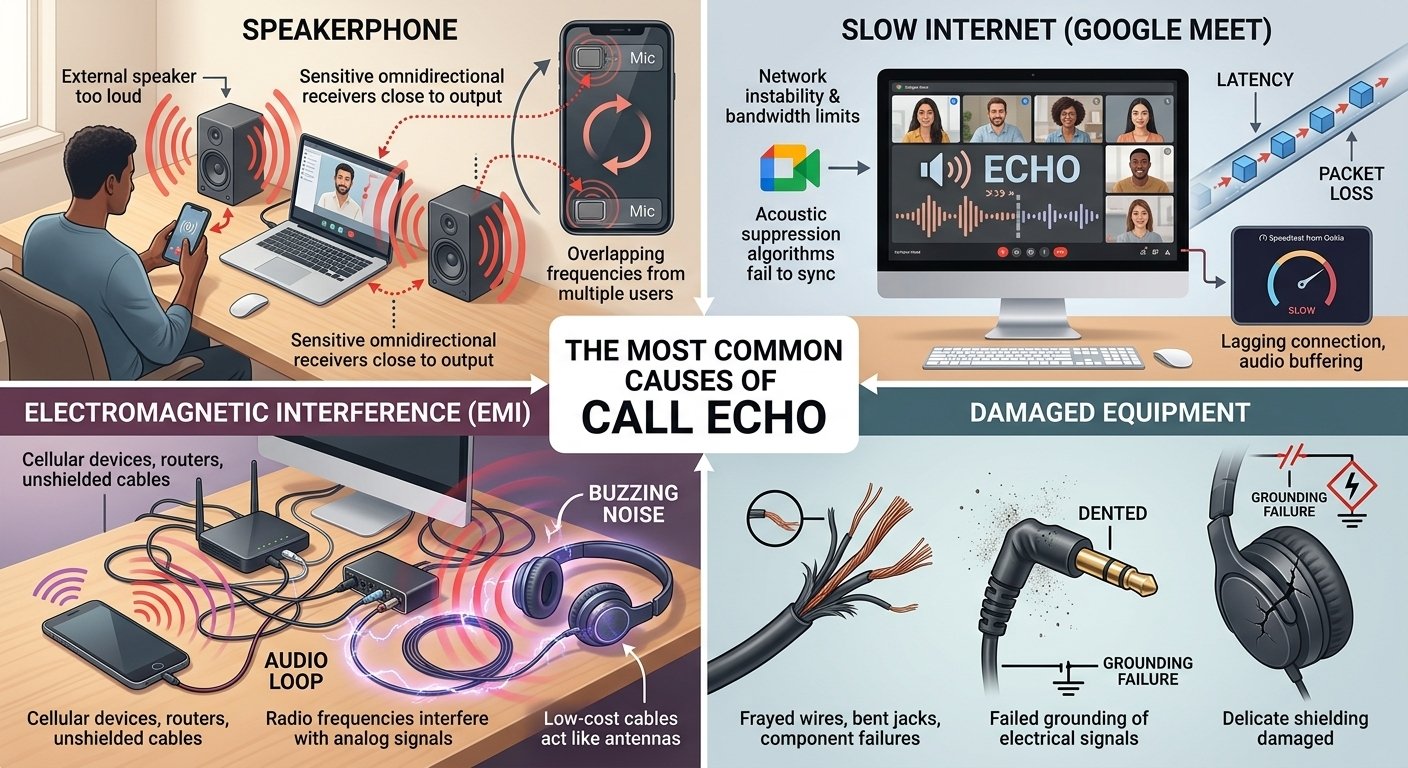
The Most Common Causes of Call Echo
-
Speakerphone
The most common cause of voice echoing on a device is using the external speakerphone. If the volume is turned up too loud, the high volume of sound waves goes directly to the sensitive audio receiver. People always ask, why does my mic echo, when they don’t realize that the two are so close that the system is forced to continuously repeat the same sound wave.
When you’re wondering, why is my microphone echoing, just look around your workstation. Laptops and mobile devices have very sensitive omnidirectional receivers, right next to their audio output channels, which is virtually a sure recipe for interference. If several participants use external speakers at the same time in a call echo situation, the overlapping frequencies exacerbate the situation and result in an unmanageable wall of digital noise.
-
Slow Internet
A major issue with Google Meet that often results in a loud echo is network instability and bandwidth limitations.Network instability and bandwidth constraints are common causes of a loud echo in Google Meet, as the platform has difficulty processing and canceling out background noise in real-time. If you’re sending data packets slowly over your network, the inbuilt acoustic suppression algorithms can’t keep your voice in sync with the incoming video stream. Using a good diagnostic tool such as Speedtest from Ookla can determine where the latency is coming from.
A lagging connection will almost always cause google meet echoing problem, which will result in the platform delivering broken syllables or sentences. If bandwidth drops unexpectedly, the platform tries to make up for it by buffering the audio stream, thus causing the audio to be delayed and looped back. The most long-term solution to these ongoing digital delays is to get a wired Ethernet connection or upgrade your service plan.
-
Electromagnetic Interference
Any cellular devices, wireless routers or unshielded cables in close proximity to your computer can cause serious electromagnetic interference that will eventually cause echoes on the phone while talking. These electronic devices generate radio frequencies that interfere with the analog signals being sent through the wires of your headset, causing a unique buzzing noise and then an audio loop. Many professionals get echoes on their phone because their external audio interface is placed on top of their phone.
If you have a lot of electronics in your immediate vicinity that are causing echo, you can significantly increase the clarity of your signal by removing them. It is important to realize that lower cost cables are like antennas and pick up surrounding electromagnetic radiation and directly echo the phone call. The right type of cables and the proper distance between wireless devices and audio signals will maintain the purity of your sound.
-
Damaged Equipment
When you’re trying to solve echo mic issues, it’s often due to physical damage to your peripherals. The hardware fails to ground the electrical signal correctly, causing a persistent loop, due to frayed wires, bent connection jacks and internal component failures. The delicate shielding inside the headset can be damaged if the headset is dropped or the cord is pulled out of the headset too hard.
If the device is damaged, you may see that the feedback increases when you move the cord around or turn the volume knob. To determine if there is a hardware failure, you need to check each of the following components for any obvious signs of degradation:
-
Rust, bending or too much dust build up metallic connector pins.
-
The entire length of the cable for exposed wiring or sharp kinks.
-
The physical condition of the headset for cracks or loose parts.
If the audio quality is really poor, it may be necessary to use brand new components to get a decent sound.
6 Additional Tips to Diagnose and Eliminate Echoes from Your Calls
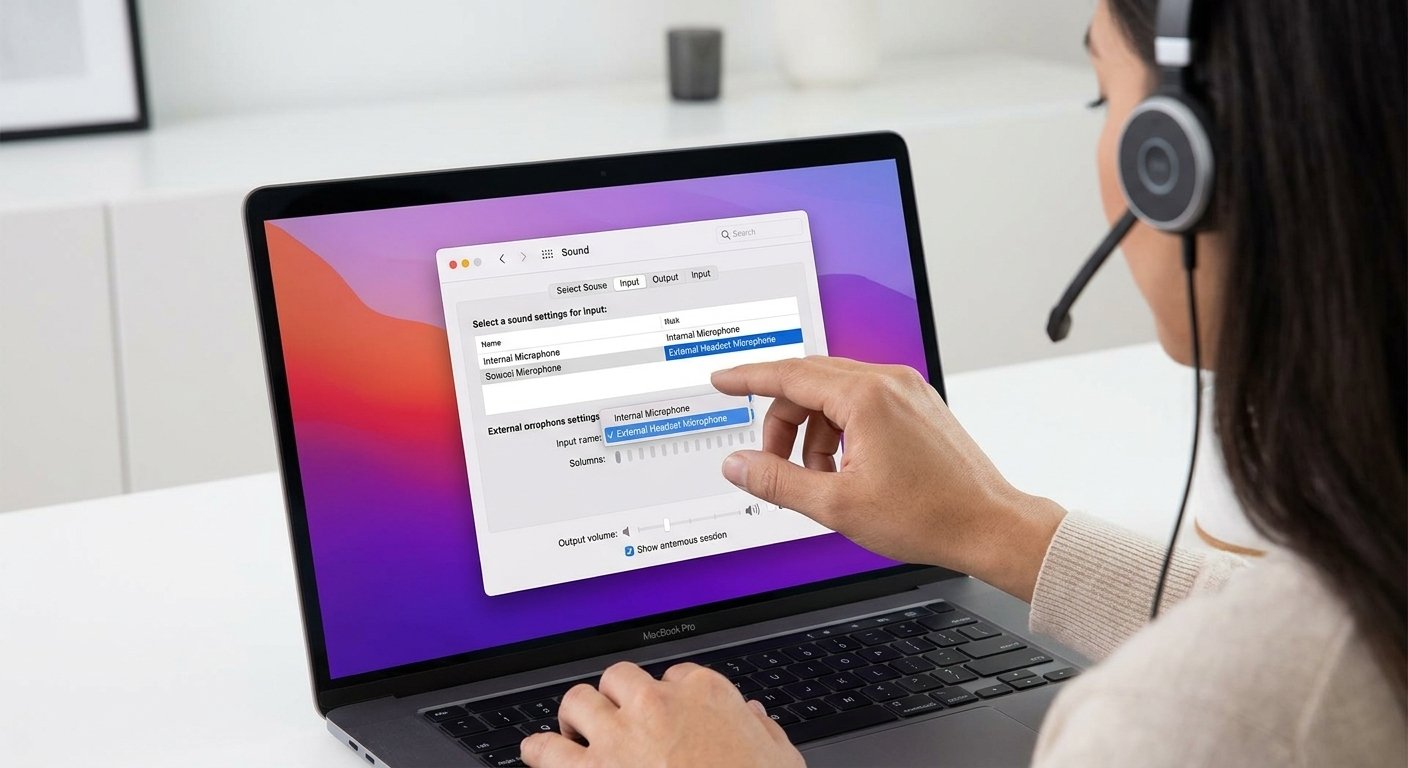
1. Double-check that you’re speaking into the correct microphone
Sometimes the operating system will automatically select the incorrect input for the microphone, and you will be puzzled by how to remove the echo on the microphone setting. You may have a top-notch headset, but your computer may be sucking up audio from the poor built-in webcam receiver across the room. The separation between you and the active receiver pushes the system to amplify the gain to the point where every single echo off your walls is picked up.
Opening the system preferences and manually choosing your preferred device will be the best way to resolve echoing mic issues permanently. Make sure the default communication device is the same as the physical device worn to ensure maximum sound isolation. Using the correct audio input routing, you can readily avoid picking up ambient background noise and unwanted reverb.
2. Wear headphones to eliminate noise creeping into your mic
The best way for anyone to learn how to stop microphone echo is to switch from an external speaker to a dedicated headset. The physical blocking of the incoming sound by the headphones prevents the sound waves from escaping and re-entering the recording device. This is a very easy physical solution that instantly solves the problem, and the software can concentrate 100% on capturing your voice.
For those who attend webinars for work regularly, closed-back headphones will help you to easily mute microphone echo for good. A good headset that features active noise cancellation will also help to separate your voice from any background noise in the environment, which means that you don’t need to worry about any other sounds getting into the mix. This is a straightforward hardware tweak that gives a definite solution for people who are unsure about how to stop the echo from their microphone.
3. Space out attendees attending meetings together
If two people are sitting in the same room, but in different virtual conference, a terrible zoom echo is almost guaranteed. The first person’s computer transmits sound which is instantly broadcast to the air and picked up by the second person’s nearby receiver and thus an immediate loop is formed. This is why is my zoom echoing even if I think I have all the internal settings in perfect order.
If coworkers are in the same office, they should move to separate rooms to avoid a call echo on zoom. When moving is not possible, everyone in the shared physical space will have to use the same, central device for both audio output and input. The hardware is consolidated, which means that there is no confusion between overlapping sound waves and the software and ensures a much smoother collaborative experience.
4. Mute yourself when you aren’t speaking (and encourage other attendees to do the same)
Clicking the mute button is a foolproof way to learn how to eliminate microphone echo, regardless of the situation. If dozens of people are using the audio channels at the same time, the software is flooded with competing background noises, breathing sounds and keyboard clicks. When listening, you turn off your voice and remove your surroundings from the complicated digital equation.
If you have a muting policy for your organization, you’ll find that any pesky echo issues that come up during large group collaborations are solved in no time. Platform administrators should use the “mute all upon entry” feature to keep complete control of the acoustics from the start of the session. This conscious habit can significantly lower the burden on the computer’s noise reduction algorithms, ensuring the entire conversation remains crystal clear.
5. Check for latency issues for remote attendees
People connecting from mobile networks or from remote areas can cause sync delays which result in an awkward facetime user experience. Participants who experience lagged connections will end up hearing audio packets after they have been sent, which will result in their unintentionally sending the same words back to the main channel. To troubleshoot an echo, you need to check the connection status of each individual who is participating in the session at the time.
If you see that a certain user’s video stream is stuttering with an audio loop, then the user has a poor connection and the problem is probably caused by that. A common way to reduce this is to have the person who is having trouble with the video temporarily turn their camera off, thus allowing more bandwidth for audio. Immediate measures to secure data transfer stability are crucial to ensure high-quality communication in the professional field.
6. Consider upgrading outdated hardware and software
If you’re using outdated communication software or operating systems, you have a very limited way to determine how to resolve microphone echo. New virtual meeting software is continually adding new patches that enhance their acoustic suppression capabilities and make them more compatible with modern devices. You can’t get the most important algorithms which are designed to learn to stop echo on android phone or desktop interfaces by running older versions.
In a recent global study on the workforce, Owl Labs discovered that 89% of remote workers say audio clarity is the most important aspect of a successful virtual meeting. A unidirectional boom arm will ensure that the headset you are using can block out background noise. Keeping your vocal equipment and software up to date is the best way to ensure vocal clarity.
Read More: Best IVR System for Small Business in 2026
Final Thoughts
The key to successfully removing a call echo is to have a basic understanding of the environment, selecting the right hardware, and configuring the software. Once you’ve eliminated the possible causes by systematically isolating them, you’ll be able to immediately determine what went wrong with your mic and take the appropriate steps to resolve the problem. By setting up your workstation properly, you can make sure that your colleagues and clients hear your ideas without any distracting reverberations.
Don’t forget that learning how to prevent echoing on my mic is a continuous process of keeping your equipment in top condition and watching your network’s stability. The next time you hear an echo on mic during a critical presentation, you’ll be confident and know how to fix it. Adopt these tried and tested technical solutions to enhance your online presence and ensure effective communication on all your professional platforms.
Frequently Asked Questions
-
How do I stop my video calls from echoing?
This can be easily solved by reducing the master volume of your device and using a separate set of closed-back headphones. This basic physical separation will stop incoming sound waves from reflecting off of your walls and back into your recording hardware.
-
What does an echo call mean?
This is the annoying sound effect in which one can hear oneself’s voice with a slight echo after a time delay. This usually means that a person’s audio output is too loud and is directly interfering with the person’s active input.
-
What makes a call echo?
The main reasons are external speakers set to the highest volume, sitting in very echoey rooms or having extreme internet bandwidth latency. The internal wiring of your headset can also be damaged, which can cause sound to feedback.
-
How to call echo from phone?
There are a number of telecom companies that have a dedicated automated test number that you can call to check the quality of your line and latency. Speaking into the receiver, the automated system plays back your voice immediately, which helps you to detect any static or delays.
-
What are echo calls used for?
The automated testing systems are used by engineers and IT professionals to precisely assess network latency, identify hardware failure and fine-tune suppression algorithms. They offer a controlled setting to ensure that a headset is working properly before participating in a professional conference.
-
How to fix an echo mic on a laptop?
Go straight to the sound control panel of your operating system, find the properties of your device and switch on the built-in acoustic cancellation setting. The overall gain sensitivity will be reduced, too, which will prevent the internal receiver from picking up unwanted background room noise.
-
How to video call with echo show without looping?
Place your smart display away from corner walls or windows because they reflect sound waves directly back to the smart display. The volume of the device should also be reduced and it is best to speak clearly from a reasonable distance so that the software can process the audio correctly.
-
How to remove echo in video call messenger android?
Access your mobile app settings, delete temporary cache data and make sure that the software has exclusive access to audio routing. The easiest solution to overcome the phone’s poor external speaker configuration is to use a standard wired headset with an inline receiver.
-
How to stop echo on phone calls when driving?
Roll up your car windows to remove wind interference and unplug your smartphone from the car’s main Bluetooth stereo system. The single-ear wireless earpiece will help to focus your conversation and make sure the car’s acoustics don’t interfere with the signal.