The best multi-line business phone systems help several people handle business calls without losing customers during busy periods. RingCentral RingEX is our first choice to evaluate for a growing office combining supported desk phones and staff apps. KrispCall and Calilio are alternatives for teams comparing entry subscriptions, while Quo, Talkroute and Grasshopper suit different shared-number and account-pricing needs.
The important decision is how your team answers, holds, transfers and follows up on calls. This guide compares 6 cloud providers, explains physical multi-line phones and models subscription costs as a team grows from 2 to 5 to 10 users.
Key Takeaways
- A multi-line service and a multi-line handset are different purchases. One manages calling; the other is a device that must work with compatible service.
- Count people, numbers and active conversations separately. More business numbers do not automatically add call capacity.
- Choose the handoff workflow before the provider. A receptionist using line buttons has different needs from a remote team sharing an app inbox.
- Price the required feature tier. Transfers, menus, recording and CRM integrations may change the subscription.
- Check growth limits. The next employee can trigger a plan change rather than a simple extra seat.
- Test a fully busy system. Include an additional caller, a transfer, an outgoing call and a connection failure.
What Is The Best Multi-Line Business Phone System?
RingCentral RingEX is our editorial pick for a growing office comparing a broad cloud phone platform. Talkroute is worth considering for monthly account billing, Quo for shared US/Canadian calls and texts, and Grasshopper for multiple business identities on an account plan. KrispCall and Calilio deserve comparison when their tier limits and usage costs fit.
For an office keeping physical analog lines, evaluate compatible equipment separately. VTech’s CM18445 is a 4-line console option; it is not a substitute for subscribed line service or a cloud-platform license.
What Is A Multi-Line Business Phone System?
A multi-line business phone system lets a business manage more than 1 telephone line or active calling path. Traditional systems use compatible line connections and equipment. Cloud services manage calls through hosted software, with numbers, users, devices and call capacity configured separately.
Imagine a repair business with a receptionist and 3 technicians. Customers call 1 main number. The receptionist answers a booking inquiry while another employee speaks to a supplier. Both conversations can happen together if the service has sufficient capacity, even though customers see only 1 published number.
| Term | What You Are Buying Or Configuring | Question To Ask |
|---|---|---|
| Public numbers | Customer-facing contact points for people, departments or locations. | How many numbers are included, and what does each extra number cost? |
| User seats and extensions | Staff access, permissions and internal routing destinations. | Who needs a paid account, and which extensions require a license? |
| Concurrent calls | Independent conversations happening at the same time. | What happens when all required calling paths are occupied? |
| Handsets and apps | Physical or software endpoints used to answer calls. | Which models and devices are supported, and how many active calls can they handle? |
A 6-handset cordless bundle may still use only 1 outside line. A phone advertising several SIP accounts does not include those accounts or their subscriptions. Always match the device specification to the actual service.
Best Provider List: Multi-Line Business Phone Systems Compared

G2 customer ratings appear with each provider below. Our best-fit recommendations reflect the workflows and buying considerations discussed in this guide.
| Provider | Best Fit | Buying Consideration | Pricing & Trial |
|---|---|---|---|
| Growing offices needing app and desk-phone choices | Confirm shared-line provisioning, device models and the required feature tier. | Core: $20/user/month annually; $30 monthly.14-day trial for eligible new subscribers; SMS is excluded.Start 14-Day Free Trial | |
| Small teams comparing entry licensing | Starter stops at 5 users. Transfers and recording are listed in Advance. | Starter: $12/user/month annually; $15 monthly.14-day subscription-only refund; this is not a free trial.View KrispCall Plans | |
| Teams comparing metered usage and routing upgrades | Standard supports up to 10 users. Menus, hours and transfers are listed in Premium. | Standard: $12/user/month annually; $15 monthly.Confirm usage, number rental and current trial availability.Compare Calilio Pricing | |
| US/Canada-focused shared calls and texts | Business adds menus, transfers and selected CRM integrations. | Starter: $15/user/month annually; $19 monthly.A 7-day free trial is advertised.Start 7-Day Free Trial | |
| Small service teams wanting monthly account plans | Included users and numbers vary. Price any extra users, numbers and mailboxes. | Basic: $19/account/month. Plus: $39. Pro: $59.Check the current free-trial and activation terms.View Talkroute Plans | |
| Small teams managing business identities on existing devices | Includes 1 number and 3 extensions. Small Business has a larger number/extension bundle. | Solo Plus: $25/month equivalent annually; $32 monthly.A 7-day free trial is advertised; check eligibility.Start 7-Day Free Trial |






Prices in USD, before applicable taxes, usage, equipment and add-ons. Annual rates are monthly equivalents with annual billing. These entry plans do not have identical features or call allowances. Confirm current checkout terms and the proposed call capacity.
Cloud, Analog And PBX Systems: Which Type Do You Need?
Cloud Multi-Line Phone Systems
A provider hosts the calling platform and staff use supported endpoints. This can reduce onsite equipment management and make distributed access easier. The subscription still needs the right users, routing and capacity, while internet connectivity and device behavior affect the everyday experience.
Traditional Analog Multi-Line Phones
These accept a defined number of compatible line connections. They can suit a small office keeping existing service and a familiar line-button workflow. Expansion depends on the physical equipment and subscribed service. A console limited to 4 analog lines cannot directly terminate a 5th simply because another handset is added.
On-Premises Or Hybrid PBX Systems
A PBX manages internal extensions and connects outside calling through suitable trunks, gateways or services. It can be relevant when an organization must retain equipment or has specialist integration needs. Include installation, configuration, maintenance and responsibility for faults in the comparison.
These are architecture choices. “Cordless,” “VoIP” and “shared number” describe other aspects of the setup and should not be treated as interchangeable system types.
1. RingCentral RingEX: Best For A Growing Office
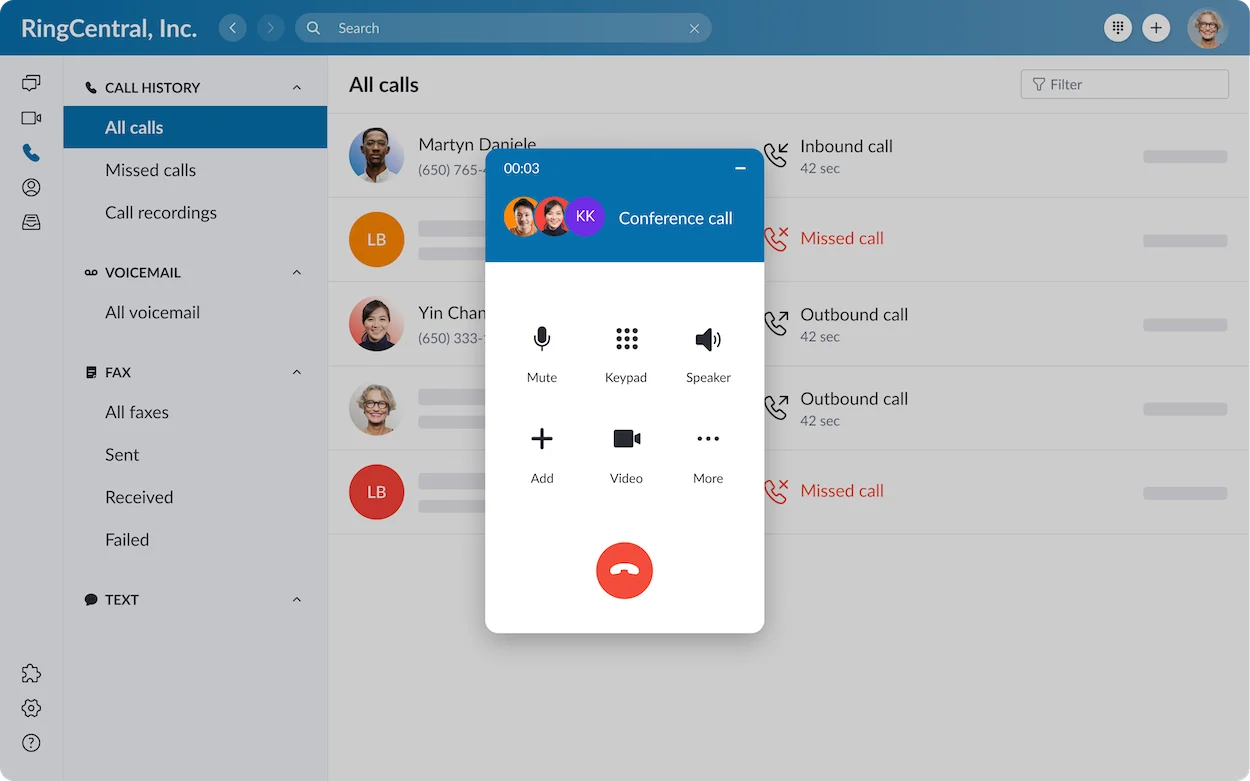
RingCentral is the first option we would evaluate when a business needs a wider office platform and expects to keep some desk-based calling. It is relevant to a receptionist, a team with separate extensions or an organization adding locations.
Best Fit
- An office of 5–50 staff comparing centralized phone administration.
- A reception team that wants a demonstration of shared line keys and handoffs.
- A buyer evaluating staff apps alongside supported desk phones.
Buying Considerations
RingCentral documents shared-line groups for supported desk phones. Ask for a demonstration of hold and pickup on the proposed hardware; that feature should not be assumed to behave identically in a mobile app. Confirm current-plan eligibility and provisioning in the quote.
Also distinguish RingEX from separate contact-center and optional products. Buy the platform and add-ons your workflow requires, rather than assuming the whole product catalog comes with the entry license.
Trade-off: broader administration and configuration can require more owner time than a basic business-number service.
Read our RingCentral RingEX review for more detail.
Core: $20/user/month with annual billing.
14-day trial for eligible new subscribers; SMS is excluded.
2. KrispCall: Best For Comparing Small-Team Subscription Costs
KrispCall deserves consideration for a small team willing to compare an entry subscription against the cost of usage and required upgrades. Its plan boundaries make future headcount an important part of the decision.
Best Fit
- A 1–5-person team comparing Starter.
- A buyer who can estimate calling destinations and monthly usage.
- A team prepared to confirm the tier required for transferring calls.
Buying Considerations
Starter includes an eligible US, Canadian or UK number per user and limited calling/SMS allowances. Advance is $32 per user monthly with annual billing and supports up to 50 users; transferring and recording are listed in that tier.
If the business expects a 6th user, price the larger configuration now. A low per-user entry rate does not establish the cost of a reception workflow or the next stage of growth.
Trade-off: number-country requirements, usage charges and feature upgrades can matter more than the entry license saving.
Read our KrispCall review for more detail.
Starter: $12/user/month with annual billing.
14-day subscription-only refund; this is not a free trial.
3. Calilio: Best For Teams Comparing Usage And Routing Tiers
Calilio is worth evaluating when the team can forecast calls and wants a costed comparison between a basic shared-number setup and a more structured inbound workflow.
Best Fit
- A team of up to 10 users comparing Standard.
- A business that can budget for usage beyond eligible allowances.
- An office evaluating shared answering and different ringing strategies.
Buying Considerations
Standard lists number sharing, simultaneous/sequential/round-robin ringing and limited eligible US/Canada usage. Premium is $28 per user monthly annually or $35 monthly and lists IVR, business hours and transfers. Price that tier if those functions are required.
Confirm the number entitlement, exact destinations and allowance scope on the order. Build a representative call flow and inspect the resulting usage record before forecasting the monthly bill.
Trade-off: a low Standard subscription is not the finished price of every multi-line office workflow.
Read our Calilio review for more detail.
Standard: $12/user/month with annual billing.
Confirm usage, number rental and current trial availability.
4. Quo: Best For Shared Customer Calls And Texts
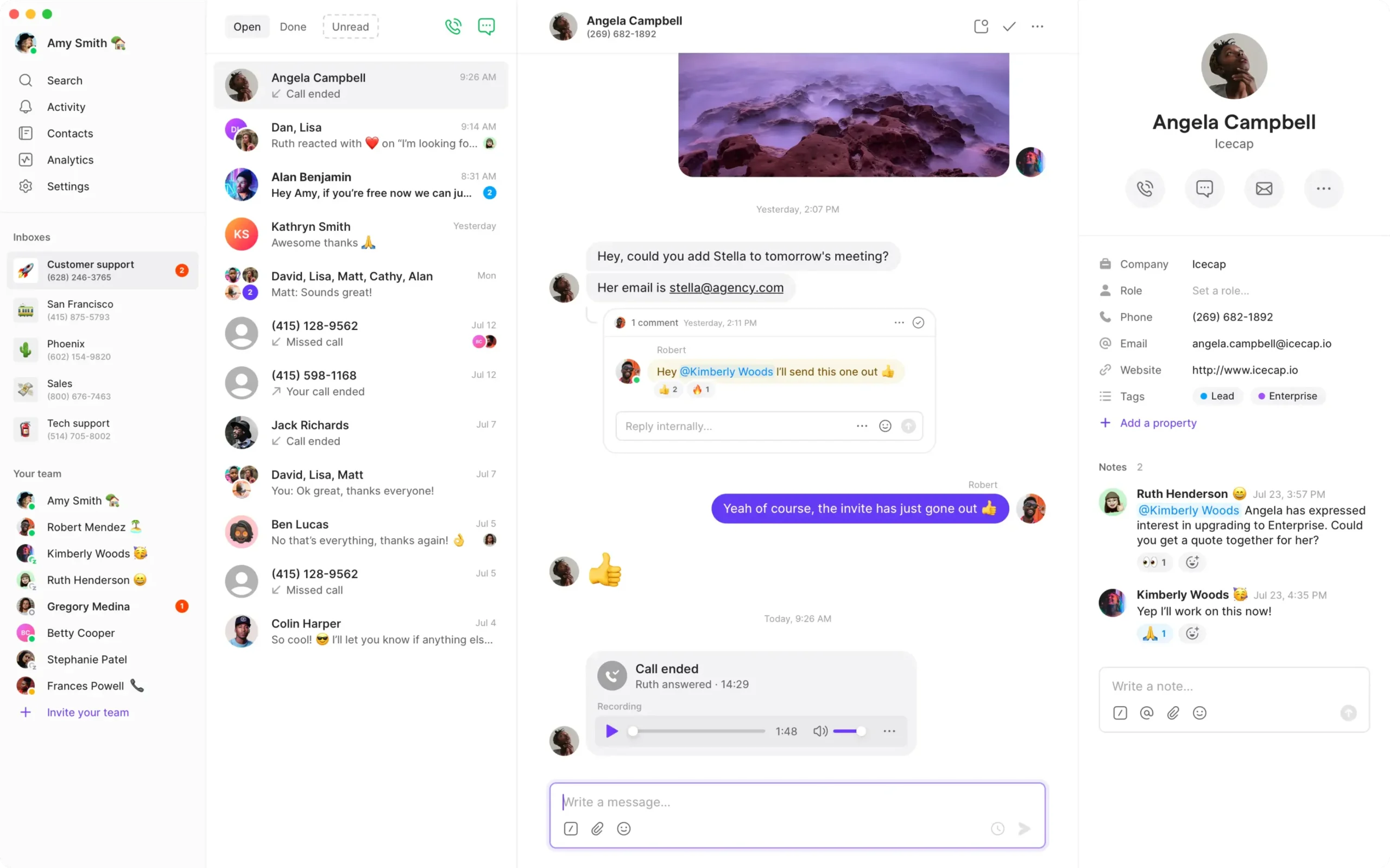
Quo, formerly OpenPhone, is particularly relevant when a small team wants to organize customer calls and messages around shared business communication. Evaluate it around follow-up ownership rather than only the incoming ring.
Best Fit
- A 2–10-person team with US/Canadian number requirements.
- Staff who need context when taking over a customer conversation.
- A business comparing dedicated employee numbers with shared team access.
Buying Considerations
Business costs $23 per user monthly with annual billing or $33 monthly and includes menus, transfers, custom ring orders and listed HubSpot/Salesforce integrations. Each user includes a number; extra numbers cost $5 monthly.
Have 2 colleagues handle the same customer inquiry in sequence. Verify who owns the next action, what history is visible and which number appears on the callback. Confirm message registration, fees and fair-use terms.
Trade-off: Starter pricing is not an equivalent comparison when your required workflow uses Business features.
Read our Quo (Formerly OpenPhone) review for more detail.
Starter: $15/user/month with annual billing.
A 7-day free trial is advertised.
5. Talkroute: Best For Monthly Account Billing
Talkroute is worth comparing when a small service business wants a monthly account plan with separately priced additions. It provides an alternative to multiplying the same license charge by every employee.
Best Fit
- A 2–10-person service team comparing account and seat pricing.
- An office with a main greeting and scheduled call handling.
- A buyer who wants to evaluate larger bundles against individual add-ons.
Buying Considerations
Plus includes 3 users, 2 numbers, a menu, live transfer and hours of operation. Additional users cost $5 monthly each. Pro includes 10 users and 3 numbers, with recording and reporting among its extra tools.
A growing team should calculate both configurations. Adding several users to Plus can cost more than choosing Pro, even before the additional tools are considered. Confirm extra number, mailbox and activation charges.
Trade-off: included users do not prove unlimited concurrent calls, and the cheapest base plan may omit the needed handoff features.
Read our Talkroute review for more detail.
Plus: $39/account/month. Pro: $59/account/month.
Check the current free-trial and activation terms.
6. Grasshopper: Best For Small Teams Managing Multiple Business Identities
Grasshopper is worth evaluating when professional business numbers, greetings and forwarding are more important than a broad office software suite. It can be useful when staff already use mobile phones and computers.
Best Fit
- A small service team comparing account pricing rather than per-user fees.
- An owner managing separate brands or customer contact points.
- A business that wants to separate work and personal phone identity.
Buying Considerations
Small Business starts at $55 monthly equivalent annually and includes 4 numbers, unlimited users and unlimited extensions. Extra numbers cost $9 monthly each. Grasshopper offers US/Canadian numbers; international calling is a separate availability and charge check.
Decide whether Solo Plus’s smaller extension allowance is enough or whether departments need the larger bundle. Test the incoming number label, correct callback identity and shared access.
Trade-off: unlimited users or extensions do not establish unlimited call capacity or compatibility with an existing IP desk phone.
Read our Grasshopper vs RingCentral comparison for more detail.
Solo Plus: $25/month equivalent with annual billing.
A 7-day free trial is advertised; check eligibility.
Best Multi-Line Desk Phone Options: Hardware And Service
The best multi-line desk phone is the model your chosen service supports and your staff can use confidently. Buying a handset first can create provisioning and compatibility problems. Confirm the platform, firmware, power supply and call-handling workflow before ordering.
| Hardware Example | What It Is Designed To Do | Before You Buy |
|---|---|---|
| VTech DS6151 | A 2-line cordless answering-system option. | Requires compatible subscribed line service. Extra handsets do not create extra outside lines. |
| VTech CM18445 | A 4-line console system expandable to 10 stations: 1 console and 9 compatible desksets or handsets. | Equipment cost and phone service are separate. Its 4-line limit is not a 10-call promise. |
| Yealink SIP-T44U | An IP desk phone with up to 12 SIP accounts and dual-port Gigabit Ethernet. | A device example, not a bundled calling service. Ask the provider to approve the exact model, firmware and provisioning. |
These hardware examples are separate from the 6 cloud-provider recommendations. They are not a claim that every listed service supports these devices. Check availability, manufacturer support, warranty and a return option with the actual supplier.
Reception Keys, Headsets And Cordless Coverage
A reception desk may benefit from line or programmable keys, a suitable headset and a clear view of staff availability. A mobile employee may care more about cordless coverage. Demonstrate pickup, hold and transfer with the proposed combination; do not infer the workflow from the number of buttons or accounts in a specification.
How Much Do Multi-Line Business Phone Systems Cost?
Total cost combines user or account subscriptions, number rental, calling and messaging usage, required features and equipment. An advertised per-user rate is a starting point. A business needing transfers and menus should compare the plans that provide them.
| Provider And Plan | 2 Users | 5 Users | 10 Users |
|---|---|---|---|
| RingCentral Core · annual rate | $40/month equivalent | $100/month equivalent | $200/month equivalent |
| KrispCall · annual rate | $24/month equivalent · Starter | $60/month equivalent · Starter | $320/month equivalent · Advance; Starter cannot fit 10 users |
| Calilio Standard · annual rate | $24/month equivalent | $60/month equivalent | $120/month equivalent |
| Quo Business · annual rate | $46/month equivalent | $115/month equivalent | $230/month equivalent |
| Talkroute · monthly account billing | $39/month · Plus | $49/month · Plus + 2 users | $59/month · Pro |
| Grasshopper Small Business · annual rate | $55/month equivalent | $55/month equivalent | $55/month equivalent |
License/account illustrations only, before usage, extra numbers, equipment and applicable fees. Annual rates require an annual payment commitment. Included numbers, extensions, features and allowances differ. Grasshopper’s user pricing is constant here; call capacity must still be confirmed. Quo uses Business because the example needs transfers and menus. Calilio Premium or KrispCall Advance may also be required for those functions.
What Changes The Bill?
- Users versus numbers: some plans bundle a number per user; others include several numbers with an account.
- Feature tiers: a required transfer or menu can change the plan for every relevant user.
- Usage and forwarding: ask about inbound, outbound, toll-free, international and forwarded-call charges.
- Messaging and storage: include registration, recurring messaging fees, recording retention and optional transcription.
- Hardware and setup: include phones, headsets, network upgrades, provisioning and installation.
- Billing terms: compare the upfront invoice, renewal rate, cancellation conditions and temporary overlap with the old service.
For example, 5 annual-rate $20 licenses mean a $1,200 annual license commitment, even though the monthly equivalent is $100. Keep that distinction visible when comparing a monthly account offer.
Features That Matter In A Multi-Line Office
Shared Lines, Ring Groups And Queues
A shared-line arrangement lets compatible endpoints access a common line or number in the configured way. A ring group decides which destinations ring. A queue holds callers for an available person. These tools can work together, but buying one does not prove that the others are included.
Hold, Park And Transfer
Hold keeps a caller waiting within the current call. A supported park function lets an authorized colleague retrieve the parked call. A transfer sends the caller to another destination, with or without an introduction depending on the system. Demonstrate the exact action staff need rather than accept a generic “call management” check mark.
Hours And Overflow
Give each route a defined owner during opening hours and a destination outside them. Decide what happens when every employee is busy, a transfer is unanswered or the relevant device disconnects. A queue only helps if people can answer it within an acceptable time.
Caller Identity And Shared History
Staff should know which business or department the customer dialed and use the right identity for a callback. Shared call history can help the team avoid duplicate follow-ups. Confirm access to voicemail, texts and recordings individually instead of assuming every shared number exposes the same information.
Administration And Integrations
Use authorized individual access, with responsibilities for adding staff, adjusting hours and retaining numbers when employees leave. If a CRM matters, test the desired logging, contact matching and follow-up task in the named integration and plan. The availability of an integration is not proof that every action is automatic.
How Many Lines Does Your Business Need?
Size the system around peak simultaneous conversations and the people available to handle them. Headcount and phone-number count provide context, but neither is a complete capacity estimate.
- A 1–2-person business: prioritize a work number, professional greeting, a second active conversation where needed and a dependable fallback.
- A 3–5-person office: add clear shared answering, handoffs and ownership of missed calls. Reception behavior may be the deciding factor.
- A 6–10-person team: recheck seat caps, extension allowances, administration and the cost of higher tiers.
- A busier support operation: measure queue demand and staffing. Advanced contact-center routing and reporting may require a different product or license.
Review a representative busy period. Count overlapping inbound and outbound conversations, then ask how held, transferred, parked and forwarded calls consume capacity. Agree on the additional caller’s experience before selecting the plan.
For smaller fixed requirements, see our 2-line phone system guide and 4-line phone system comparison.
How To Set Up A Multi-Line Business Phone System
- Map the calls. Record the public numbers, employees, devices, departments and peak conversations. Include opening hours and who handles overflow.
- Inventory existing equipment. List phones, broadband, fax machines, entry systems and anything else using the current lines. Confirm compatibility individually.
- Choose architecture and feature tier. Decide what must stay onsite, which staff need remote access and how handoffs should work.
- Get a configuration and itemized quote. Include licenses, numbers, call capacity, usage, equipment, installation and cancellation conditions.
- Configure test numbers. Set greetings, menus, ring destinations, schedules, voicemail and outgoing identity.
- Run peak-load tests. Keep the required outside conversations active, then place another call. Include an outbound call and a transfer while the system is busy.
- Test everyday devices. Check audio, locked-screen notifications, mobile network changes and supported desk-phone controls.
- Test fallback behavior. Include an absent employee and an office internet or power failure. Confirm what the configured backup can actually receive.
- Train staff and schedule porting. Demonstrate pickup, hold, transfer, voicemail and follow-up. Keep the current service until the ports complete and calls work on every required number.
Retain account ownership and administrator credentials under business control. Before moving a number, check whether the transfer affects broadband or another bundled service.
Common Multi-Line Phone Buying Mistakes
- Buying handsets instead of capacity. More endpoints can share the same limited outside service.
- Choosing by the lowest entry rate. Required transfers, menus or extra users can change the plan.
- Buying desk phones before confirming compatibility. SIP capability alone is not a provisioning guarantee.
- Counting only incoming calls. Outgoing calls, forwarding and transfer legs can also affect limits or usage.
- Skipping overflow. A professional greeting does little for the customer who arrives when everyone is busy.
- Assuming continuity during an outage. Apps, forwarding, local equipment and destination phones depend on different connections and power sources.
The useful buying question is concrete: “Show us how our team handles this call, on these devices, under this plan.” Record the result and resolve any gap before moving established business numbers.
How We Compared These Multi-Line Phone Systems
We reviewed official plan information, user and number limits, published call-handling features, manufacturer specifications and G2 customer feedback. The provider list focuses on service choices; the hardware section separately explains analog and IP endpoints.
The recommendations are editorial assessments of fit. We have not run a standardized network or multi-call benchmark across all providers. The growth table is calculated from published subscription structures and explicitly shows where a different plan is used. A written configuration and practical acceptance test remain necessary for your own office.
Frequently Asked Questions
What Is The Best Multi-Line Business Phone System For Small Business?
RingCentral RingEX is our editorial pick for a growing office evaluating a broad cloud platform. Talkroute is worth comparing for monthly account pricing, Quo for shared calls and texts, and Grasshopper for multiple business identities. Choose by workflow, total cost and verified call capacity.
What Is The Difference Between A Multi-Line Phone And A Phone System?
A multi-line phone is an endpoint with defined connection and call-handling capabilities. The phone system provides or manages the service, routing, extensions and outside calling. A handset purchase alone does not include subscriptions, numbers or the account capacity your business needs.
Can Several Employees Answer The Same Business Number?
Yes, when the service supports the required shared access, routing and simultaneous-call capacity. Configure authorized staff access and test multiple incoming conversations. Check who receives missed calls, voicemail and follow-up responsibility when several people use the same number.
Do I Need A Separate Phone Number For Every Line?
Not necessarily. A supported cloud or PBX configuration can handle multiple conversations through 1 published number. Separate numbers are useful for direct employee contact, departments or locations. Confirm public-number requirements and concurrent-call capacity independently.
Is A 4-Handset Phone A 4-Line System?
No. Handsets are devices; lines are service connections or calling paths. A 4-handset bundle may share only 1 outside line. Check the model’s line capability, the subscribed service and simultaneous-call limits before treating a device bundle as a multi-line setup.
How Much Does A Multi-Line Business Phone System Cost?
Cost depends on users, numbers, calling usage, feature tiers and equipment. Compare the complete team subscription rather than the entry license alone. Add setup, extra number rental, forwarding, messaging fees and taxes, and distinguish annual monthly equivalents from actual monthly billing.
Can I Use My Existing Desk Phones?
Possibly, if the chosen service supports the exact model, firmware and provisioning. Analog devices may require compatible connections or adapters. Obtain approval before purchasing or migrating, and test hold, pickup, caller ID and transfers on the intended configuration.
Can Remote Employees Use A Multi-Line System?
Yes, with a supported cloud or remote-access configuration. Staff can use approved apps or endpoints on appropriate connections. Test notifications, audio, shared history and the correct callback identity on their normal devices. Confirm any country restrictions and forwarding charges.
Does Unlimited Calling Include Unlimited Simultaneous Calls?
No. Calling allowances and concurrent-call capacity are different limits. Ask about account, user and device restrictions and whether transfers or forwarding consume additional call legs. Test the busiest expected scenario and the next caller’s experience.
Will A Multi-Line Phone Work During An Internet Or Power Outage?
It depends on the service, equipment, power and configured fallback. Cloud apps need working connectivity; local phones and network devices need power. A backup route also needs a reachable destination. Test the actual outage scenario rather than assume the number remains answerable.
Can I Keep My Business Numbers When Switching?
Potentially, if the new provider supports porting each number. Confirm account details, ownership and documentation, and schedule the migration. Keep the existing service active until transfers finish and incoming and outgoing calls work. Check impacts on other services before porting.
Do Multi-Line Business Numbers Support Texting?
Only when the number type, provider, plan and required registration support messaging. Check sending, receiving, shared access, fees and limits for each number. Voice support alone does not establish SMS, verification-code or WhatsApp compatibility.
What Customer Feedback Means For Your Decision
Quo’s G2 review summary highlights ease of use and customer support, with some reports of call-connection problems. That makes it sensible to test both the shared-conversation workflow and stability on real staff connections.
Talkroute reviewers describe approachable setup and using existing devices. Critical feedback includes sluggish app behavior and delayed notifications when changing networks. Those are useful acceptance checks for mobile staff rather than reasons to assume every account will perform the same way.
Grasshopper feedback highlights forwarding and keeping business calls separate on personal devices. Some users report call-quality issues and app glitches. Test labels, callbacks and incoming alerts before relying on several customer-facing numbers.
Use customer feedback to identify practical checks, while recognizing that individual reviews describe particular devices, networks and experiences. The strongest buying evidence is a successful demonstration of your own calling workflow and a quote that matches it.
Affiliate Disclosure: VoIPCalling.com may earn a commission if you purchase through links on this page, at no extra cost to you. Recommendations reflect our editorial assessment of provider information, costs and suitability.