
The best DataPhone alternatives depend on what your team uses today. Start with KrispCall for shared customer calls and messages, Calilio for menus and live supervision, or RingCentral RingEX for office calling, apps and collaboration. Compare Aircall if calls need to feed customer records, GoTo Connect if you need a managed phone system with visual routing and fax, or Telnyx if you want a new SIP carrier for a phone system you already manage.
This guide covers DataPhone at dataphone.cloud, the U.S. business VoIP provider based in Brooklyn, New York. Its published service information includes a hosted phone system, apps, business texting, fax and call-center features. It also describes CRM screen pops and reporting. Start by separating the functions you want to keep from the tasks the new vendor needs to take over. An office that uses the main line, fax and desk phones has a different buying decision from a service desk that needs calls logged automatically in its CRM.
What Are You Replacing In DataPhone?
Identify whether DataPhone supplies the hosted PBX, the carrier connection, the user app or all three. Then list the integrations and support tasks that someone needs to own. Use your current invoice as the price baseline. Ask each DataPhone alternative to quote the equivalent seats, endpoints, numbers and features, and request a separate price for anything you want to change.
Hosted Phone System, Extensions And Call Routing
The hosted phone system handles extensions, transfers, call menus, voicemail, queues and the rules that decide where calls go. Map the busiest route from the caller’s perspective. Start at the public number, follow one menu option and record what happens if the first team is busy. Include both weekday and after-hours routes. Then make an outbound callback and check which number the customer sees. Bring these steps to every hosted demonstration.
Count shared devices as well as employees. Two shifts might use the same receptionist’s handset while each person has their own app. Separately count conference phones, common-area devices and lines that only receive calls. Different DataPhone alternatives price these as seats, devices or shared endpoints. Ask the new provider to show how the receptionist’s transfer, hold and line-status functions work with its supported equipment.
Shared SMS, Fax And Published Numbers
Record the local and toll-free numbers customers know, fax numbers, SMS numbers and direct extensions. Write down which staff use each line. A number can handle inbound voice and texts, while its messaging registration and inbox permissions still need their own migration plan. For fax, determine whether the team uses an online inbox, sends faxes by email or relies on an existing appliance. Ask for inbound and outbound tests in the setup you will actually use.
Tell DataPhone competitors which numbers must remain and what features they carry. Ask who takes responsibility for transferring each number, and whether the vendor will confirm messaging, fax and caller ID separately. Include secondary routes that are easy to miss, such as a published toll-free line in an email signature, an old number that still forwards to sales, or a shared inbox that supplies reports to another team.
CRM Screen Pops, Reports And Custom Integrations
DataPhone advertises screen pops, call logging and a dashboard that shows activity such as hold and wait information. Its website displays integrations including HubSpot, Salesforce, Zendesk and HHAeXchange. Ask each replacement how it reproduces the actual workflow in your applications. A logo in a catalogue tells you which products connect. A pilot tells you whether the correct record opens, which fields update and who can see the result.
For a home care office or another team using an industry-specific workflow, ask for written integration details for the exact application and task. The test may need to cover an inbound call that identifies the caller and a follow-up that updates a specific record. Use fictitious test data during evaluation. If the workflow handles protected health information, ask the responsible privacy lead to confirm what the provider can process and any agreement the organization requires.
SIP Trunking For A PBX You Plan To Keep
A SIP trunk connects a compatible PBX to public phone numbers. If the existing PBX handles your calls well, ask the maintainer if switching the carrier could solve the issue. Obtain a quote based on simultaneous calls, number rental, inbound and outbound usage, support and failover. In that project, an app subscription and a carrier connection address different needs.
Compare Six DataPhone Alternatives
Compare the service each provider would take over, then compare prices using the same billing period. Published seat rates are in U.S. dollars. Request written confirmation of numbers, hardware, taxes, usage and any required add-ons. The table links to G2 review profiles. The Telnyx score covers its seller profile across products, while other rows point to their named provider or product profiles.
| Provider | Best Fit | Buying Consideration | Pricing And Evaluation |
|---|---|---|---|
| Shared Customer Calls, Texts And Callbacks | Confirm number portability, messaging eligibility and the plan for transfers and recordings. | US$32/User/MonthAdvance, billed annually. Check number and usage charges.Start A 7-Day KrispCall Free Trial | |
| Call Menus And Live Supervision | Verify queue behavior, live monitoring, recording permissions and usage limits. | US$28/User/MonthPremium with annual billing. US$35 with monthly billing.Request A Calilio Demo | |
| Office Calling, Desk Phones And Collaboration | Confirm tier, handset support, shared devices and routing across sites. | US$20/User/MonthU.S. Core reference with annual billing. Confirm feature tier and seat count.Explore RingCentral RingEX | |
| CRM-Centered Sales And Support | Test record matching, call logging and the integration on the plan you would buy. | US$30/License/MonthEssentials with annual billing. Three licenses start at US$90 per month.View Aircall Plans | |
| Visual Phone Routing And Virtual Fax | Confirm phone, queue and fax requirements, plus availability of any shared endpoints. | Request Phone System PricingQuote dial plans, numbers, devices, fax and any add-ons.View GoTo Connect Plans | |
| Programmable SIP For A Retained PBX | Verify U.S. number coverage, calling rates, capacity and who supports the PBX. | Usage-Based SIP PricingCheck destination rates, numbers and the cost of your PBX or application.View Telnyx SIP Pricing |





Six DataPhone Competitors For Different Business Needs
1. KrispCall For Shared Calls And Messages
KrispCall offers a cloud calling workspace that lets customer-facing teams share access to calls, texts, voicemail and conversation history. Its Advance plan lists US$32 per user per month when billed annually, with features such as call transfers and recording. It is one of the more relevant DataPhone alternatives when the office relies on staff finding and returning shared calls, including when the original employee is away.

The VoIPCalling offer provides Starter features for evaluation and a choice of one U.S., U.K. or Canadian test number. Use the offer to check everyday app behavior. For features you plan to buy on Advance, ask for a walkthrough using the relevant tier. Test which users can see a number’s activity and whether an outbound callback displays the expected company number.
- Best fit. Small and growing app-first sales or support teams with shared number ownership.
- Check first. Confirm number portability, available local or toll-free options, texting eligibility and the tiers for transfers and recordings.
- Useful evaluation. Have one employee log a call and another find the record and call the customer back.
2. Calilio For Call Menus, Business Hours And Live Supervision
Calilio provides a cloud phone system with call routing and shared communications. Its Premium plan lists US$28 per user per month with annual billing, or US$35 with monthly billing. The published feature comparison places IVR menus, business hours, call transfer and live monitoring on Premium. Quote that tier if supervisors or reception staff depend on those actions.

For a team accustomed to DataPhone’s live call view, ask Calilio to demonstrate which queues and conversations a supervisor can see. Verify how supervisors intervene, how staff are notified and which roles can access call recordings. Ask which U.S. or Canadian usage the quote includes and what happens when the allowance runs out.
- Best fit. Reception, sales and smaller service teams that need business-hours routing and live call visibility.
- Check first. Verify queue behavior, transfer controls, number coverage, usage limits and supervisor permissions.
- Useful evaluation. Have one team take a call while a supervisor checks status and helps according to your policy.
3. RingCentral RingEX For Office Phones, Apps And Collaboration
RingCentral RingEX combines business calling, messaging and meetings. RingCentral’s U.S. page lists Core at US$20 per user per month on annual billing in its displayed configuration. Seat count, billing period and feature tier can change the proposal. Ask which plan supports the administration, call reporting, recording, fax and endpoint features you intend to keep.

RingEX is a useful DataPhone alternative when several departments or office sites need the same calling app and supported desk phones. Have the provider recreate a reception transfer between sites and demonstrate staff access from the mobile app. Verify whether your existing handset models can be provisioned and supported. For shared endpoints, check if a separate license applies and who can configure the device.
- Best fit. Businesses that want to consolidate office calling, employee collaboration and device provisioning.
- Check first. Confirm the plan for busy call routes, role management and any fax, messaging, analytics or recording needs.
- Useful evaluation. Test a reception phone, a mobile user and a transfer to another branch on the proposed tier.
4. Aircall For CRM-Centered Sales And Support
Aircall combines call routing with integrations and daily workflows for customer-facing teams. Its pricing page shows Essentials at US$30 per license per month on annual billing, with a three-license starting commitment of US$90 per month. Confirm the plan needed for your CRM and reporting requirements, including any costs for numbers, extra usage and integrations.
Aircall is one of the DataPhone competitors worth testing when account context and call logging matter more than the office desk-phone configuration. Show how a salesperson or support rep works today. Demonstrate an inbound screen pop, click-to-call, adding a note and finding the record after a transfer. Check how failed matches are recorded and which system owns the customer history.
- Best fit. Sales and support teams that spend most of the day in a CRM or help desk.
- Check first. Verify your exact integration, fields, number eligibility, plan minimum and coaching or reporting add-ons.
- Useful evaluation. Test three calls with a known customer, an unknown caller and a caller with multiple possible records.
5. GoTo Connect For Visual Routing And Fax Workflows
GoTo Connect offers a hosted phone system with a customizable dial plan, auto attendants and queues. It also documents virtual fax and VoIP phone options. Its public U.S. pricing page asks buyers to contact sales. Ask for a written price with your number types, devices, dial plans, and any recording and fax service you need.
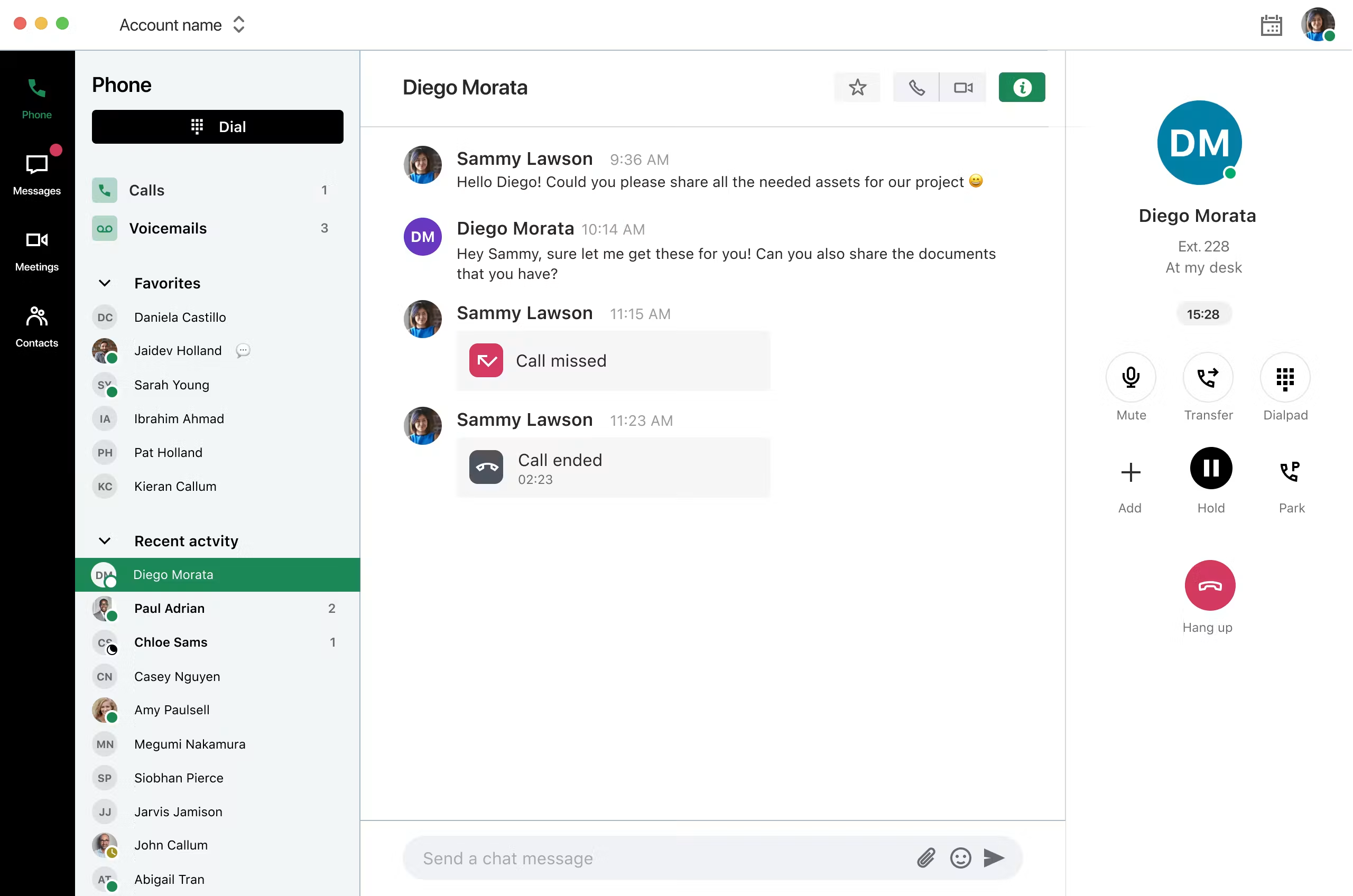
GoTo Connect may suit businesses comparing DataPhone alternatives for office routes that an administrator needs to update. Have that person edit a test dial plan and check where a call goes when the office closes. If your office uses fax, include a test from an outside sender and a return fax from the expected account. Check where documents land and who is authorized to view them.
- Best fit. Teams with managed desk phones, several menus or shared fax workflows.
- Check first. Confirm the devices, call routing, virtual fax, line and support terms included in the quote.
- Useful evaluation. Ask an office administrator to edit a holiday route and verify how to reverse it after a test.
6. Telnyx For Programmable SIP Behind An Existing System
Telnyx sells Elastic SIP Trunking and prices calls by route. It fits a team that owns the PBX or maintains a calling application and needs a carrier behind it. Check the number types you can port, current destination rates and any charges for messaging, support or outbound call capacity. Model the total with your PBX and integration costs included.
Choose this path if you have an internal team or partner to operate menus, queues, user access and fallback. Ask who will trace an incomplete call across the carrier and PBX. If the office wants those workflows hosted, compare a fully managed or app-based option in the table. Document exactly which work the carrier scope covers and who will carry out the remaining steps.
- Best fit. Technical teams making a carrier change while keeping a compatible phone system or application.
- Check first. Confirm rates, capacity, eligible numbers, emergency calling and ownership of call routing.
- Useful evaluation. Connect a test number and trace inbound, outbound and fallback calls with the team that supports the PBX.
Shortlist DataPhone Alternatives By Business Workflow
A Shared Main Number With Callbacks And Texts
Start with KrispCall and Calilio when staff share one customer-facing number and need to see the same history. Ask a teammate to take an inbound call, mark the follow-up, and hand it off. Have a second person find the record and reply by the appropriate approved channel. Include a callback made from a mobile app and an outbound text from the public number. Verify what the customer sees and which actions the rest of the team can see.
Ask the providers to reproduce missed-call ownership as well as the successful call. A queue can show who answered without assigning responsibility for callbacks when nobody answers. Write down who can claim a conversation, whether staff can reopen a closed item, and how a manager finds items that have waited too long. Ask for the plan that supports your process. You can then compare subscriptions with the same responsibilities in scope.
Reception, Shared Handsets And Multiple Locations
Compare RingEX and GoTo Connect if a front desk still uses line keys or if several offices need their own schedules. Give both providers the same example of an inbound caller reaching one office, being transferred to a second location, and returning to the first queue if nobody answers. Test line-status display and call pickup from a physical handset if the receptionist uses these features. Ask how staff can change a greeting temporarily during a closure.
Ask shortlisted DataPhone competitors to define support by site. The office may own the network while the phone provider provisions the devices. If the internet is up and calls sound broken, name the team that takes the first ticket and the information it needs. Write down which employees can use a mobile app or other approved fallback and how calls reach them when an office is unavailable.
CRM Logging, Home Care Software And Specialized Automations
Aircall belongs on the shortlist when a team works in a CRM all day. Compare its available integration against the tasks your staff need and use the same test with other vendors. Start with a known customer, then test an unknown caller and a record with multiple phone fields. Verify which record opens, whether the call is added once, whether a transfer creates a new entry and whether the final outcome appears where managers expect it.
If you rely on DataPhone to connect an industry system such as HHAeXchange, draw the workflow before speaking to a new vendor. Identify where the caller identity comes from, what staff should see, and whether the phone platform writes back to the system or simply links to it. Assign an owner to each step. Ask whether the new provider supplies a supported connector, work by a partner or a custom integration. Include ownership of that connector after updates to either system.
Check what the team can export, whether the vendor can keep previous notes and recordings available on agreed terms and where new records will be stored. If you need to keep two platforms during migration, decide which one creates new customer events and which stays available for reference. A staged rollout might preserve an industry integration while the business moves general-purpose lines. Avoid routing the same event into two production systems if staff will end up with duplicate work.
A Technical Team Keeping An Existing PBX
Compare Telnyx against the SIP features already in use if the PBX will stay. Ask the maintainer how inbound numbers reach the PBX, how callers get to voicemail and which carrier handles outbound calls. Price the trunk, numbers, destination rates and support, then include PBX hosting, maintenance and network connectivity to compare the whole arrangement with hosted DataPhone alternatives.
Have the carrier and PBX maintainer agree on the test and incident handoff. Give them an ordinary inbound call, an outbound callback and a failure in one path. Ask which service changes routes and who can update that decision after hours. For a busy queue, report peak simultaneous calls separately from peaks in new call starts. Include forwarded calls in the count and ask the carrier to explain which paths consume shared capacity.
Compare Quotes From DataPhone Competitors
Put the same users, numbers, sites and features into each quote. Give each of the DataPhone competitors a typical month of voice, messaging and fax usage, plus an estimate for the busiest month. Record whether prices are annual rates shown per month, actual month-to-month rates or quote-only totals. Match contract lengths and the expected date charges begin before comparing the offers.
Separate Seats, Numbers, Usage And Devices
List standard users, supervisors, shared desk phones and common devices. Put local, toll-free, text-enabled and fax numbers on separate lines. Ask which voice destinations and how much usage are included. Record any charges for forwarding, text segments, recording storage and add-on numbers. If several providers offer bundled credits, compare the types of traffic they cover and the cost of the same representative month.
Include any handset purchase, rental, replacement and provisioning fees. Check when hardware payments end and whether the office owns the units. If you need desks, headsets or adapters installed, include the labor and site work in the first-year total. Hold an evaluation phone in reserve until you understand whether current devices can be reused on a supported configuration. Ask for the approved model and provisioning instructions before you transfer the live line.
Quote Integrations And Support As Their Own Line Items
Ask shortlisted DataPhone alternatives to quote the integration you will use and list all required licenses. A connector can require a specific phone plan, a CRM subscription, a partner fee or additional support. Ask who troubleshoots record matching, logging and app updates. If the office takes calls outside business hours, find out when a support ticket reaches a technician and who coordinates if an external provider needs to act.
Ask DataPhone alternatives how they price setup, porting, training and exit. Give all finalist teams the same schedule for running both systems and the same assumption about the time your staff will spend on the change. Confirm which charges repeat after renewal, how you can add or remove users, and whether dedicated help is included. If a provider includes a low introductory rate, budget with the ongoing rate across the relevant months.
Worked Example For 12 Staff And A CRM Integration
Imagine an office needs 12 users, four supervisor tools, a shared text number, fax and a CRM connection. Both hypothetical proposals cover the same tested workflows, with existing handsets reused and taxes excluded. The example shows how setup costs and recurring integration fees affect the comparison.
- Quote A. Twelve users at US$24 cost US$288 per month. Four supervisor add-ons at US$8 add US$32. Texting and fax add US$35 and integration support adds US$90. The recurring bill is US$445. With US$500 for setup and US$260 for overlap, the first-year total is US$6,100.
- Quote B. Twelve users at US$31 cost US$372 per month, with supervisor tools included. Messaging and fax add US$38 and integration support adds US$20. The recurring bill is US$430. With US$950 for setup and US$260 for overlap, the first-year total is US$6,370.
Quote A is US$270 cheaper for the first year. Quote B costs US$15 less each month after setup. If prices and terms stay the same, the totals meet at 30 months, after which Quote B costs less. When comparing DataPhone competitors, run the calculation with your expected term and try it again with higher message usage, more seats or additional integration work.
How To Switch From DataPhone And Keep Your Numbers
1. Audit Numbers, Data And The Current Account
Obtain the latest invoice and list the local, toll-free, direct, text and fax numbers used by the business. Record the account owner, service address and which staff can authorize porting. Track each number’s purpose and any forwarding or secondary destination. For a number used by both voice and texting, ask the receiving carrier how it will confirm each service. Tell it about any existing brand or campaign registrations relevant to U.S. business messaging.
Review the FCC guide to keeping your number when switching providers. Ask the gaining provider to accept the exact number inventory and confirm what documentation it needs. Keep the existing service active through porting and testing. If one number lives behind another account or reseller, verify who can release it and what other services may be affected.
Identify the records you need before you leave the current system. The list may include call logs, prompts, voicemails, routing diagrams, reports and access to old faxes. Ask which records the vendor can export and in which format. Agree on who can receive them and what existing retention policy applies. Preserve the old system as a reference where needed, while newly arrived calls and messages go to their agreed destination.
2. Rebuild And Pilot The New Workflows
Create staff roles, numbers, menus, queues, schedules and voicemail on the replacement system before moving the public line. Start with a separate test number where possible. Use a short call script that covers a live transfer, a missed call, a callback and a call outside business hours. Add your priority CRM workflows. Have a second team member attempt the same tasks so the test reflects how the business will operate without the original setup team in the room.
Give the strongest DataPhone alternatives the same test for any app, device and external integration. Confirm that the caller ID, fax destination, text inbox and CRM record all match expectations. If recording or monitoring is part of the plan, ask the business owner to confirm which calls are in scope and test which roles have access. For emergency calling, ask the provider to confirm 911 support, registered locations and its approved verification process before using the system. Agree on a backup way to call during a power or internet outage.
3. Stage The Port And Plan For Partial Changes
Ask the receiving provider when to submit each group and how it will confirm completion. It may treat a block of local numbers differently from a toll-free number or a number with messaging. Set the test window when the provider, the office and any integration partner can respond. For a large account, decide whether a branch or batch can move first so you can confirm the process with a smaller group.
Prepare an approved fallback that staff can use if incoming calls continue on one route while fax or texts are still being enabled. A working temporary number or an authorized alternate destination can help callers reach the right people. Ask which party can restore a route and what the options are after a number has left the old provider. Give front-line staff the contact and the information to capture if the cutover fails.
4. Accept The Live Services And Reconcile The Bill
After the carrier confirms completion, place inbound calls from at least two outside networks where available. Verify the main number, published toll-free lines, callback caller ID and priority call menus. Test text and fax independently if they are part of the contract. Check the CRM and ensure that a call generates the expected record with the right caller and owner. Capture failed attempts with the relevant time and number when you raise a ticket.
Compare the first invoice and the final charges for transferred services. Look for billing overlap, retained numbers, device fees and extra licenses. Ask the old provider which services remain open before closing any account items. Keep the new number inventory, call-flow notes and escalation contacts where managers can reach them. Assign someone to verify that temporary routes have been removed when they are no longer needed.
Frequently Asked Questions
What Are The Best DataPhone Alternatives?
KrispCall, Calilio, RingCentral RingEX, Aircall, GoTo Connect and Telnyx cover different replacement projects. Compare KrispCall and Calilio for shared customer calling, RingEX and GoTo Connect for office systems, Aircall for CRM-centered workflows, and Telnyx for a SIP carrier behind your PBX.
Which DataPhone Competitors Are Best For CRM Integration?
Aircall is a starting point for sales and support teams that need call logging and customer context inside a CRM. Also evaluate the actual connector from any other finalist. Test record matching, transfer logs, permissions and how the integration behaves when several records use the same number.
Can I Keep My U.S. Phone Number When Leaving DataPhone?
Usually, a number can be transferred when eligible and accepted by the receiving provider. Give that provider the current account details and confirm each geographic and toll-free number. Verify its plan for SMS or fax separately and keep the account active until testing is complete.
Which Alternatives Offer Virtual Fax?
GoTo Connect documents virtual fax and fax-to-email features. Compare the exact plan, number support and delivery format with your current arrangement. Test receiving a fax and sending a reply with the staff roles and destination you will use.
Can I Keep My PBX And Replace Only The SIP Trunk?
Yes, if the existing PBX supports the new carrier and the carrier accepts your numbers and call requirements. Ask the maintainer to pilot inbound, outbound and failover routing. Price the trunk, number fees and ongoing PBX support together.
Will A DataPhone Alternative Work With HHAeXchange?
Confirm the exact workflow directly with the provider or implementation partner. A generic CRM integration tells you little about a specialized home care workflow. Ask the provider to demonstrate the caller match, transfers and any required record updates with fictitious test data.
Choose The DataPhone Replacement That Passes Your Test
Pick two or three DataPhone alternatives that match the service you want to change. Start with the daily call flow, your most valuable phone number and a written quote that covers everything the team needs. If the project depends on fax, messaging or a specialized integration, include those in the pilot and in the agreement for who fixes failures.
Choose the finalist that can support the workflow and has agreed to transfer the numbers you need. Make the decision using the first-year and ongoing costs, then schedule the cutover with the people who will answer calls and own the new setup.
Affiliate Disclosure. VoIPCalling may earn a commission if you buy through a sponsored link. This comparison uses published product information and linked customer review profiles.