

The best SIPPIO alternatives are CallTower for a managed rollout across calling platforms, Pure IP for multinational voice and carrier migration, Bandwidth for carrier connectivity your team administers, and AudioCodes Live Platform for service providers building their own multi-tenant calling offer. Start with the application, carrier model and countries you need to keep.
SIPPIO sells calling connectivity for Microsoft Teams Phone, Zoom Phone and Webex Calling. It also offers tools for partners and carriers to provision and manage services across customers. An enterprise replacing its carrier needs a different quote from a reseller replacing its provisioning platform. Choose SIPPIO competitors that can demonstrate the role you need them to take over.
What Does SIPPIO Do For Your Calling Setup?
SIPPIO’s platform describes activating, managing and supporting voice services across Microsoft Teams Phone, Zoom Phone and Cisco Webex. Its portfolio includes Microsoft Operator Connect and managed Direct Routing, Zoom Provider Exchange, reporting and additional services. Use the SIPPIO platform overview and your current agreement to identify which features and responsibilities the SIPPIO alternatives need to cover.
Microsoft Teams Phone And PSTN Connectivity
Microsoft distinguishes Operator Connect from Direct Routing. Operator Connect uses an approved provider that connects to Teams. Direct Routing uses a certified session border controller (SBC), which may be operated by the customer or by a service provider. For a Teams deployment, inventory the licences, users, resource accounts, numbers, policies and attached systems. Check which SIPPIO competitors support the required connection in each country and which party will administer it.
Zoom Phone And Webex Calling
Zoom Phone Provider Exchange lets customers arrange service from participating providers and provision numbers through their Zoom account. Confirm whether the existing setup uses a cloud carrier connection or premises equipment. For Webex Calling, record whether each location uses Cloud Connected PSTN, a local gateway or another available option. Then ask the SIPPIO alternatives to price the model you want to retain and identify any locations that need a different design.
Partner Provisioning And Carrier Enablement
SIPPIO also promotes services for carriers launching Operator Connect and for resellers managing customer accounts. Its platform brings together tools for quoting, onboarding, number assignment and service management. If your business serves multiple tenants, ask each candidate to identify the carrier of record, who controls the customer relationship, which administrators can change numbers and how a new customer gets support.
Messaging, Analytics, And AI Services
List any SIPPIO messaging, reporting or AI-related services separately from calling. SIPPIO has also introduced AI Connect for voice integration with Microsoft Foundry. A carrier can supply phone numbers and call connectivity while leaving other services with your team or another vendor. Ask SIPPIO competitors to confirm the specific product, country and integration required for each additional workflow.
SIPPIO Alternatives Comparison
The table distinguishes a managed deployment, multinational carrier integration, a carrier-led connection and a service-provider platform. Ask for a quote for your exact locations and handoffs. Ratings describe the named product or company.
| Provider | Best Fit | Buying Consideration | Pricing And Evaluation |
|---|---|---|---|
| Managed Multi-Platform Rollouts | Confirm which application, carrier and migration tasks are included at each site. | Request Partner Or Deployment PricingQuote the carrier plan, porting and rollout support.Request A CallTower Voice Consultation | |
| Multinational Carrier Migration | Check country coverage, portable number types and connection options by site. | Request A Site-Level QuoteInclude the carrier and any retained connections.Explore Pure IP Enterprise Voice | |
| Carrier Connectivity And Number Operations | Confirm setup, locations, number availability and the support boundary. | Request Carrier PricingInclude calling, numbers, usage and implementation.Explore Bandwidth Operator Connect | |
| Carrier And Reseller Enablement | Confirm the operator model, tenant roles and SBC responsibilities. | Request A Partner Platform QuoteInclude the proposed platform, carrier integration and support.Explore AudioCodes Live Platform |




G2’s Bandwidth score covers its wider platform, and Pure IP’s Trustpilot score reflects a small company-level sample. The Gartner Peer Insights score for AudioCodes covers Mediant. Use that product rating to consider SBC experience where relevant and evaluate Live Platform through its own demonstration and references.
Best SIPPIO Competitors By Deployment Type
1. CallTower For A Managed Multi-Platform Rollout
CallTower offers Microsoft Teams Operator Connect, Zoom Phone connectivity and Cloud Connect for Webex Calling. Zoom’s partner information describes CallTower Connect for service provisioning. It is one of the closest SIPPIO alternatives for an enterprise that wants a managed deployment and needs to support more than one calling application.
Best fit: A business with Teams and Zoom groups or a Webex site that needs to coordinate porting and go-live support. Give CallTower two locations with different phone roles and ask it to prepare a plan for both. Include a shared phone and a customer-facing number so you can see how the team handles more than ordinary employee seats.
What to test: Have CallTower demonstrate one user assignment, one main-number route and one support escalation. Ask who monitors the port and what your administrator sees while a number is pending. Give other SIPPIO competitors the same scenario so you can compare provider and customer responsibilities.
Buying consideration: Compare the quoted role at each location. Confirm whether the provider is supplying PSTN access, managing the application or supporting the rollout and ongoing changes. Include any licences, hardware and additional features in the written offer.
2. Pure IP For Multinational Voice And Carrier Migration
Pure IP describes Microsoft Teams Operator Connect and Direct Routing, Webex Calling connectivity and Zoom Phone services. Zoom lists Pure IP as a cloud peering partner. It is one of the SIPPIO alternatives to evaluate for a multinational estate where the current carrier and connection model can differ by country.
Best fit: A team moving a mix of offices, call queues and legacy voice connections. Ask Pure IP to document which locations can use the proposed cloud connection and where it recommends another model. Give it the countries and number types that matter most. Confirm the separately quoted role for any retained local carriers.
What to test: Use a primary office line, a branch needing a different connection, and a user who will stay on an existing number. Ask the shortlist of SIPPIO competitors how each assigns numbers, reports port status and works with other providers during an outage.
Buying consideration: Confirm whether each location is covered by the same support arrangement. Check the actual carrier handoff, number eligibility, requirements for the port and scope of any managed network service. A single provider relationship can still involve different technical arrangements at different sites.
3. Bandwidth For Carrier Connectivity And Number Operations
Bandwidth documents Microsoft Teams Operator Connect, Zoom Provider Exchange and Cloud Connect for Webex Calling on its Universal Platform. It is one of the SIPPIO competitors worth evaluating when your enterprise or service-provider team wants a carrier connection and can operate the corresponding number and application workflows.
Best fit: An organization with dedicated voice administrators and defined responsibility for tenant configuration. Use a test batch that includes different device and number roles. Ask whether the locations and number types on your list are supported under the proposed platform and account.
What to test: Order or assign a test number, confirm its visibility in the collaboration application and place inbound and outbound calls. Have Bandwidth show how administrators can review order status and report a number or routing problem. Use the same operations with other SIPPIO alternatives to estimate the staff time required.
Buying consideration: Confirm which support services and portal workflows are included. If your team needs hands-on assistance with tenancy, complex porting or ongoing administration, have the provider describe the agreed scope before you mark those tasks as covered.
4. AudioCodes Live Platform For Carrier And Reseller Enablement
AudioCodes Live Platform advertises multi-tenant service delivery for Microsoft Teams, Zoom Phone and Webex Calling. It describes onboarding, automation and lifecycle management for service providers. It is one of the SIPPIO alternatives to consider when your business needs to connect a carrier or run a voice offer across customer tenants.
Best fit: A carrier, reseller or service provider whose goal is to preserve control over carrier connections and customer provisioning. List the operations you use with SIPPIO, including quote approvals, number inventory, tenant permissions, porting and support. Ask which AudioCodes products, commercial terms and staff roles the proposal includes.
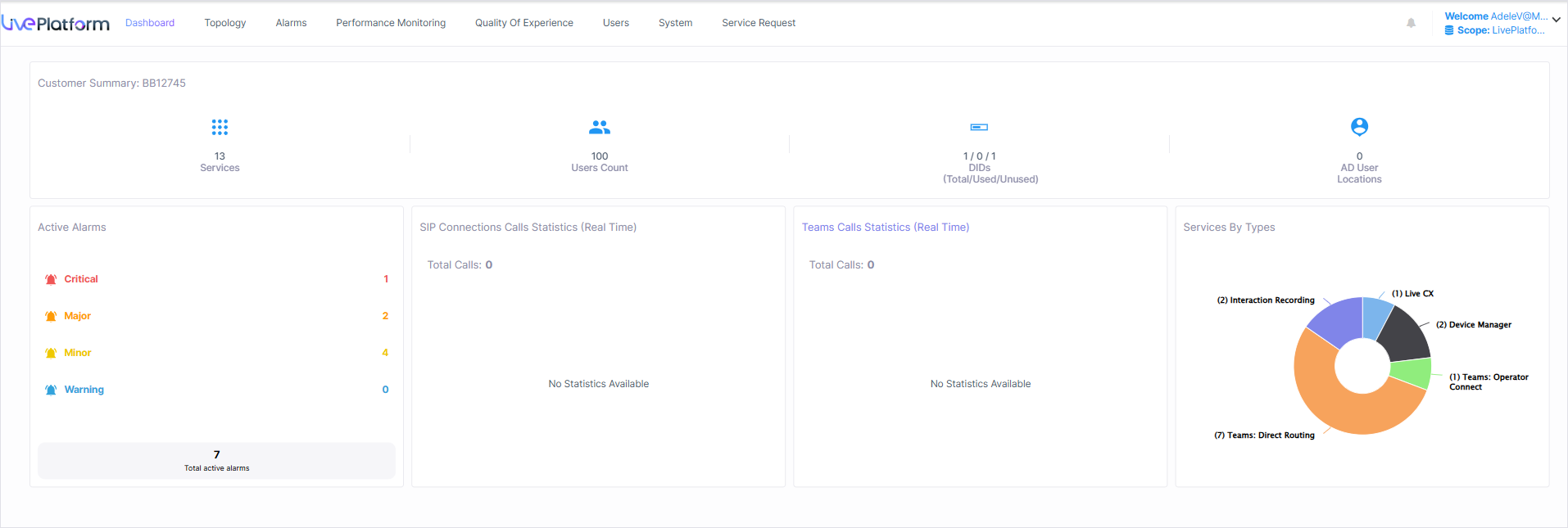
What to test: Create two pilot tenants using the proposed setup. Give each a separate administrator and number pool. Order or assign a number and open a support case. Ask how the provider or your team handles an incomplete provisioning request and which records you can export for billing and service operations.
Buying consideration: Ask whether you are buying a managed calling service, carrier enablement or a platform plus implementation. Document the operator relationship, SBC responsibilities and tenant support boundaries. Give shortlisted SIPPIO competitors the same customer and country mix so you can compare the integration work as well as the subscription. The AudioCodes alternatives guide covers a wider set of SBC and voice options.
Build A Country And Connection Matrix
Create one record for each site and calling application. Include country, service address, local and toll-free numbers, number owners, carrier, expected call traffic and any shared or emergency calling requirements. Give SIPPIO alternatives the same matrix. Ask each provider to confirm four things separately: where it can supply numbers, where it can port your existing numbers, where users can place and receive calls, and where the requested connection is available.
Check Existing Carrier Relationships Before Choosing A Connection
If a local operator supplies numbers or serves a branch with existing commitments, ask whether the provider can work with that carrier. For a Teams tenant, confirm whether the design uses Operator Connect or Direct Routing and who manages the SBC if one is needed. For Zoom or Webex, document how the numbers reach the application. Ask shortlisted SIPPIO competitors to name the proposed operator or integration for each country.
Give the provider any unusual locations or users early. Examples include an office that must retain a local carrier, a shared phone that serves several shifts, and remote workers who move between approved locations. A proposal can contain more than one connection type. Identify the relationship and support boundaries for each site before assuming a common rate or a common support process.
Separate User Numbers From Main Lines And Shared Services
Create distinct lines for employee numbers, shared phones, receptionist numbers, toll-free service and customer queues. Add temporary numbers, fax devices and any nonstandard routes you still rely on. In Teams, record resource accounts used by auto attendants or call queues and verify the required licences and number assignments. Ask the SIPPIO alternatives to price this inventory by role rather than using the total employee count as the only basis.
For a branch with a published main number, document normal hours, holidays, overflow and the path if nobody answers. Check the intended outbound caller ID. Have the SIPPIO competitors reproduce those outcomes in the application you use, with a number type eligible for the proposed service. Ask who can correct the mapping while the number is being moved and how a branch manager can check its status.
Test Messaging And Additional Services By Number
Inventory numbers that send or receive texts and the teams or applications that read those messages. Ask the provider which capabilities it offers, what registration or setup applies to each number, and when to test inbound and outbound messages. If the business depends on call recording, analytics or an AI integration, ask shortlisted SIPPIO alternatives to show the exact data and workflow you need. A voice carrier pilot alone will cover only the calling part.
Confirm who will manage accounts, usage and data access for an added service. If an application consumes call events or reports, include a test that verifies the tenant, number, event and timestamp it receives. Check who reviews failures and where a customer can get support. A different provider can still be a strong match if the remaining integrations have clearly assigned owners and your team can operate them.
What To Test In Teams Phone, Zoom Phone, And Webex Calling
Run the application-specific pilot even if one supplier connects all three platforms. A number may reach the right tenant but still require assignment to the correct user, service or location. Ask SIPPIO alternatives who supplies the carrier connection and who performs the application-side changes. Confirm which team can see the completed assignment and identify errors.
Test Users, Resource Accounts, And Retained Routes In Teams Phone
Start with a normal user who needs a public number and a main number assigned to an auto attendant or queue. Test the resource account, number assignment, outbound presentation and the approved schedule. Ask the SIPPIO competitors to show how the administrators check the user and service settings under the proposed connectivity model. Verify which licenses are required for the roles in your pilot and where the customer gets them.
If a site retains an existing interconnect, have the voice team document the authorized route and who maintains the SBC. Confirm who can change a route and what escalation the operator accepts when Teams works for one site and another site cannot dial out. Give the provider a working call and a failing call in the pilot so it can show how it identifies the issue. Ask how settings are restored if a routine change must be reversed.
Test Carrier Assignment And Site Rollout In Zoom Phone
Use one pilot location with a direct user number and a shared route. Test how a participating carrier is connected and how assigned numbers become available in Zoom. Ask shortlisted SIPPIO alternatives to show who can approve an order, select a number and troubleshoot an assignment that reaches the wrong site. If the deployment uses an existing premises interconnect, request a separate plan for traffic that will stay on it.
Recreate an unanswered call, a transfer and an after-hours action with the people who administer Zoom today. Ask who can change the routing and find the events needed to investigate it. Contact center or messaging features may use different products or number setup. Have the provider identify those responsibilities separately when you need them.
Verify Each Location’s PSTN Connection In Webex Calling
Record the PSTN connection for each location in Control Hub and ask SIPPIO competitors to identify the proposed connection for those sites. Include one location that uses a cloud-connected provider and, where relevant, one that retains a local gateway. Test inbound routing, outbound number presentation and any off-network number that a queue sends to after hours. Confirm who owns gateway configuration and routing changes where a gateway remains.
Before a wider move, share a location-by-location runbook with the people operating the pilot. Record who has access to the application console, carrier ordering and any local equipment. Check the first support response when a call crosses more than one of those systems. Comparing SIPPIO alternatives at this level clarifies which staff are required to run each configuration.
Compare Enterprise, Reseller, And Carrier Responsibilities
An enterprise with its own Teams, Zoom or Webex administrators may need a carrier connection and migration assistance. A reseller needs customer management, brand presentation and a process for onboarding new tenants. A carrier may need operator enablement and a platform that works with its own network. Put the right scenario in your request so SIPPIO competitors price the same work.
Test The Tenant And Operator Handoff
Start with one test organization that has a voice administrator, a help-desk user and a finance owner. Ask the SIPPIO alternatives to show which actions each role can take in the carrier portal and in the application’s administration console. Test who can authorize the connection, order numbers and assign a number to the correct user or service. Verify the process for removing access after the rollout without revoking permissions needed for ongoing support.
For a reseller, repeat the test with a second tenant. Ask the provider to show that customer administrators see only their own inventory and that the partner can find the correct tenant when handling an escalation. Record what appears on invitations, status notices and support tickets. If you sell under your own brand, get a sample of the notifications and confirm who controls sender details and templates for the proposed program.
Check The Commercial And Support Boundaries For Partners
Ask SIPPIO competitors whether the partner or provider signs the customer contract, controls the number inventory and handles port-out approvals. If your business submits orders as an agent for customers, have the provider explain what access and consent that arrangement requires. Confirm who can export service and usage records after a customer leaves and how long staff can access open support or billing cases.
Put the named operator, reseller and platform supplier on the same diagram for the proposed plan. Have the SIPPIO alternatives identify where a fault or billing question should go for each country. Ask what happens if an enterprise customer needs a response before a local carrier replies. Include a reference from a partner that uses the same model if the operator relationship or tenant workflow is essential to the project.
Trace A Number Change To Billing And Support
Ask shortlisted SIPPIO competitors to start with an accepted order, assign a number and show its effect on the account. Add one extra number after activation, then remove it using the process allowed under the agreement. Have finance reconcile the bill while support verifies that the number was actually released or reassigned. Ask what happens if the order was accepted but the application could not complete the assignment.
For a carrier or partner platform, also verify quote approvals, number inventory, usage exports and the handling of bulk orders. Use only a test tenant and approved sample records. Ask what the system displays when an account or number order is waiting for action from another party. Confirm who can perform a manual correction and how it will be reflected in the records sent to your billing or service-desk tools.
Compare The Full Cost Of Calling
Ask each of the SIPPIO alternatives to quote the same inventory and connection model. Separate application licences, carrier plans, numbers, usage and deployment. Include any managed SBC, hardware, support or network service in its own line. Compare steady-state charges and overlap during migrations. Have the provider explain which costs are per user, per number, per site or based on actual usage.
Use One Portfolio To Test Per-User And Usage-Based Quotes
Suppose a group needs 120 connected users plus 25 numbers beyond those included with the users. An illustrative plan charging US$8 for each connected user, US$1.40 for each extra number and US$280 in monthly traffic would cost US$1,275 for those items. A second illustrative plan charging US$10 for each connected user and US$30 in total for those extra numbers, with the example traffic included, would be US$1,230. These prices are hypothetical. Application licences and any implementation, support or additional calling charges are separate in this example.
Ask the SIPPIO competitors for the same breakdown at your actual traffic and number counts. Check what the provider includes in a user plan, how it accounts for shared devices or service numbers, and which destinations have separate pricing. Run the comparison at an ordinary month and a heavier one. This helps you understand whether a less expensive per-user fee remains less expensive at the volumes your business sees.
Quote A Separate Deployment And Overlap Period
List one-time work for porting, carrier connections, phone configuration, user training and cutover support. Estimate any period during which both providers bill you. Ask SIPPIO alternatives how charges start for numbers that are assigned, reserved or waiting to port. Include the effort needed to keep branch or customer administrators informed during the move.
Confirm which changes your team can make after launch and when it has to open a support request. Add the expense of any professional services, managed support or custom reporting that you need. If your deployment has more than one country or application, have the shortlisted SIPPIO competitors identify the sites or workloads that need separate support terms. Keep a list of renewal dates, contract terms and minimum commitments so the cost comparison includes the work and services your organization will actually buy.
Plan The Migration By Application, Site, And Number Group
Use a pilot group that represents the deployment, including at least one ordinary user and one number or location with a meaningful dependency. Record the existing configuration and ask the SIPPIO alternatives to name what is preserved by staying with the same application and what requires a carrier-side change. Where the application is also changing, add the work for user sign-in, endpoint setup, contact flows and training.
Inventory Tenant Objects And Number Ownership
For Teams, capture the numbers, resource accounts, routing policies, emergency locations and service roles you depend on. For Zoom Phone, record sites, users, queues and carrier numbers. For Webex Calling, document Control Hub locations, the PSTN option, numbers and the call flows attached to them. Ask the SIPPIO competitors to use the actual number roles and accounts when they confirm port requirements.
Find the current owner of each local, toll-free and special-purpose number. Verify which information and approvals the receiving provider needs and who will follow up on exceptions. If a private carrier connection or local gateway stays in place, confirm whether the numbers can remain with the carrier and what route configuration must change. Keep approved number records and the provider’s planned cutover contacts together.
Pilot The Routes And Locations Customers Rely On
Run inbound and outbound calls, direct and announced transfers, voicemail, caller ID and a main-number route. Test the after-hours destination and check the behavior when the intended recipient is unavailable. Ask the SIPPIO alternatives to show how their team can see the existing and new route during the overlap. Include a branch using a retained carrier if that is part of the design.
Validate emergency calling settings through the provider’s approved procedure and verify the service address data relevant to each location. Plan separate checks for analog adapters, fax, paging or other special-purpose equipment. Coordinate with the service provider responsible for the attached system. For any number used for texting, confirm two-way messaging and the required setup separately from the voice port.
Check The Handset And Help-Desk Handoff
Choose devices from different locations, including a reception phone and one shared endpoint. Ask SIPPIO competitors who handles device registration and replacement if a phone fails after the move. Test how an administrator can identify the device and its number from a support ticket. Provide the site contact with a short checklist and confirm which requests go to the reseller, the carrier or the collaboration platform’s support team.
Agree On Port Windows And A Fallback Before Moving Production
Confirm the planned port window, the reason numbers are grouped and the person who can approve the next batch. If the carrier accepts only part of a number group, ask shortlisted SIPPIO competitors to show exactly where the remaining calls route and who can apply the planned fallback. Verify what can be restored immediately and what needs a carrier change. Give the service desk a way to reach the provider independently of the affected phone service.
Stage new routes before the planned switch and keep a test number available. Confirm whether outbound calling, inbound service and messaging are accepted together or separately. Update each customer with the timing, the actions people need to take and the temporary support path. If the deployment runs across time zones, make sure the operating hours and local escalation contacts are visible to the people running each batch.
Close The First Batch With An Inventory And Billing Check
Compare the deployed inventory, number assignments, successful route tests and the initial carrier bill. Ask the SIPPIO alternatives to identify any pending ports, unused numbers or disputed charges. Agree on who fixes them and who can delay the next group. Keep necessary call reports, invoices and other records available to approved staff before closing the old service under the agreed porting or cancellation process. Confirm the next scheduled billing check before the migration team hands over the estate. A second invoice can uncover costs that were obscured by temporary numbers, partial-month charges or a short period of billing by both carriers. Give finance the final list of active sites and ask the new provider to explain any items that remain unassigned.
Frequently Asked Questions About SIPPIO Alternatives
What Is The Closest SIPPIO Alternative For Managed Calling?
CallTower is a close fit when you need a provider for Teams, Zoom and Webex connectivity with deployment support. Pure IP is worth evaluating when the main challenge is migrating several countries or preserving different connection types across sites.
Which SIPPIO Competitors Support Teams, Zoom, And Webex?
CallTower, Pure IP, Bandwidth and AudioCodes Live all describe ways to connect those platforms. The available routes, countries and program roles differ. Ask each provider to confirm the exact connection, number type and operating responsibilities for every site.
What Is The Difference Between Operator Connect And Direct Routing?
Operator Connect uses a participating provider with a Teams connection. Direct Routing uses a certified SBC to connect Teams to a carrier or existing voice system. Direct Routing can be customer-run or supplied as a managed service. Confirm responsibilities and availability for your tenant.
Can An Alternative Replace SIPPIO’s Partner Platform?
AudioCodes Live Platform is worth testing for multi-tenant carrier and reseller operations. Pilot two customer tenants and verify the operator relationship, provisioning, roles, billing exports and support. Evaluate the platform under the exact program you would buy.
How Much Do SIPPIO Alternatives Cost?
Request a quote for the connection model and locations you need. Compare application licences, carrier plans, numbers, usage, managed SBC costs and deployment services. Include any overlap while ports and changes are completed.
Can You Keep Your Phone Numbers When Leaving SIPPIO?
Ask shortlisted SIPPIO competitors to confirm ownership, port eligibility and documentation for each number with the relevant carriers. If the current carrier is staying, verify whether the numbers can be routed to the new service. Test messaging and special-purpose lines separately.
Use Review Scores To Pick Pilot Questions
G2 provides CallTower and Bandwidth scores. Pure IP’s Trustpilot score is a company rating from a small sample. Gartner Peer Insights reviews AudioCodes Mediant. Those scores apply to the named products or providers. Match the reviews to the work you need the new provider to perform.
Ask SIPPIO competitors for a reference with the same application and at least one of your difficult countries or sites. Discuss a port exception, the first invoice and the handling of an urgent support case. Then repeat the relevant tasks in your own pilot. Use the same acceptance record for each provider so your voice, help-desk and finance teams can compare the offers.
Affiliate Disclosure VoIPCalling may earn commissions from qualifying affiliate links on the site.