

Signal House, VoIP.ms and Telnyx are the best Vitelity alternatives to evaluate when you want to keep your PBX. Start with Signal House for a programmable SIP trunk, VoIP.ms for BYOD calling and dedicated virtual fax, or Telnyx when number provisioning and routing need to work through an API. If you want to move off the PBX, compare KrispCall for shared calls and Calilio for department queues.
What Do You Need To Replace In Vitelity?
Vitelity’s service status page identifies SIP trunking, local and international calling, vFax, a fax-enabled device service, messaging, emergency calling and its API as distinct services. Sinch directs Vitelity customers to its portal, and Vitelity’s public signup page directs prospective accounts to sales. Use your portal, invoice and current agreement to identify your products and rates. Start with the items your staff or customers use today.
List the direct inward dial numbers, or DIDs, that callers use to reach a person, department or device. A line can be tied to a shared inbox, a SIP route, a fax workflow or a customer account. Check which ones have separate billing or account ownership. Ask whoever manages your PBX to identify the trunk credentials and routing rules. If a customer wants to keep the PBX, much of the change can happen on the carrier side.
Vitelity also has a public affiliate-program portal for voice, fax and SMS. If you use a partner arrangement, confirm account ownership, billing, support and exit terms separately. A new carrier may reproduce the call paths while changing who invoices and supports customers. Map those responsibilities before accepting a proposal for multiple accounts.
Compare Vitelity Alternatives And Competitors
Signal House is the VoIPCalling partner for a carrier-only pilot. KrispCall, Calilio and RingEX cover hosted business phone deployments. VoIP.ms and Telnyx were included for dedicated virtual fax and API-managed carrier service. US-dollar prices are references. Ask for a quote covering your routes, numbers and account model. Suggested team sizes are editorial estimates.
| Provider | Best Fit | Buying Consideration | Pricing & Trial |
|---|---|---|---|
| SIP Trunks For A Retained PBX | Confirm PBX interoperability, emergency calling and fax before ordering. | Request A Voice QuoteQuote origination, termination, number rental and billing increments.Demo AvailableRequest A Signal House Demo | |
| Shared Calls And Follow-Up | Confirm North American number type, usage and app or device requirements. | US$32/user/monthAdvance, billed annually. US$40 with monthly billing. Up to 50 users. Usage and selected add-ons cost extra.7-Day Free Trial for VoIPCalling CustomersStart a 7-Day KrispCall Free Trial | |
| Menus, Business Hours And Live Supervision | Verify which US numbers and call types qualify for the included allowance. | US$28/user/monthPremium, billed annually. US$35 with monthly billing. Number and usage charges can apply.Demo AvailableRequest a Calilio Demo | |
| An Employee Platform For Calling, Meetings And Chat | US Core is the phone plan benchmark. Verify Canadian terms, desk phone models and integrations. | US$20/user/monthCore, billed annually. US$30 with monthly billing on the US pricing page. Canadian quotes may use different currency.Free Trial AvailableStart A RingEX Free Trial | |
VoIP.ms  | BYOD Calling And Dedicated Virtual Fax | Verify fax number eligibility and quote fax and voice separately. | From US$1.10/month per numberNumber starting price. Inbound and outbound usage are separate.Check Paid Account TermsCheck VoIP.ms Rates |
Telnyx  | API-Managed SIP And Number Provisioning | Verify API workflows and port eligibility. G2 covers Telnyx CPaaS. | From $0.005/min outboundLocal outbound starting rate. inbound from $0.0032/min. Numbers and additional services cost extra.Verify Pilot TermsCheck Telnyx SIP Rates |




1. Signal House — Best For Programmable SIP For An Existing PBX
Suggested Team Size. About 5–100 staff on a retained PBX with a designated telecom administrator. Size the trunk by traffic.
Signal House offers programmable voice and SIP trunks for existing PBXs. Its voice profiles can send inbound calls to a trunk or another configured destination. That makes it a practical first pilot if you are keeping your current extensions, menus and phones and only need a new carrier for public calling.
Ask for the available numbers, eligible ports, outbound destinations and emergency calling requirements. Confirm compatibility with your exact PBX version and proposed authentication. Ask whether vFax or any attached messaging workflow will require a separate service, then quote each item on its own line.
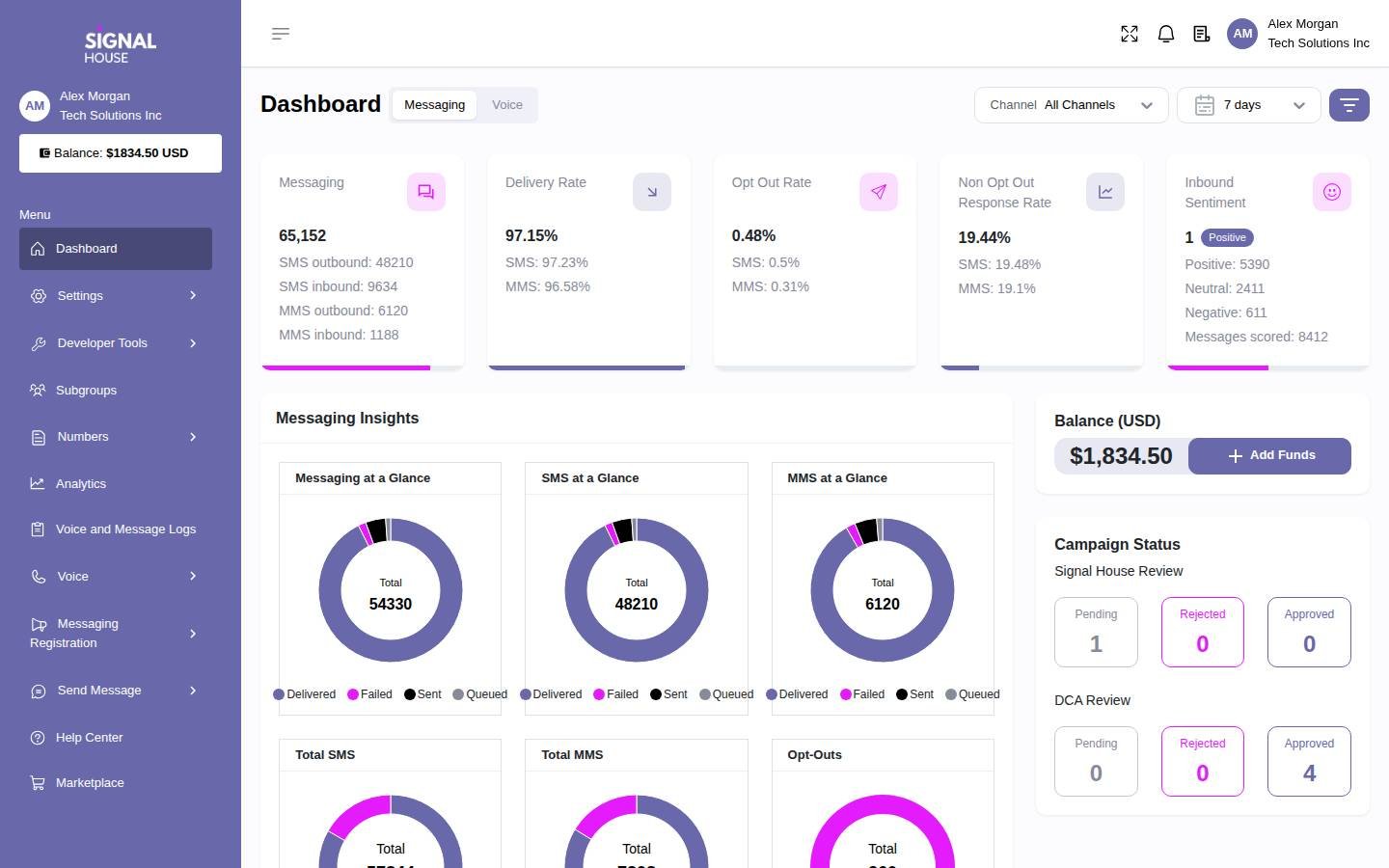
Test a temporary number, a call transfer and a fallback route while the primary PBX destination is deliberately unavailable. Have support show which call records your engineer can use to investigate a failure. The screenshot shows the broader Signal House platform.
2. KrispCall — Best For Shared Business Calls And Callbacks
Suggested Team Size. About 2–20 staff with a main number and shared responsibility for returning calls.
KrispCall fits a small team replacing the phone system with an app. Set up a temporary number for two employees. Let the first employee miss a call, then ask the other to find it and call back under the business identity. Test whether both staff members can see that the caller received a response.
The Advance reference is US$32 per user per month on annual billing or US$40 monthly. Confirm number eligibility, supported devices, usage charges and the plan for menus and transfers. If an analog phone or fax line remains on the old system, test how the app users and that device will coexist before moving the main number.
Use the exclusive VoIPCalling 7-day trial to test the new call workflow. Include a mobile user who is away from their desk, an unanswered call outside business hours and an employee signing in at the start of a shift.

3. Calilio — Best For Department Queues And Call Supervision
Suggested Team Size. About 5–30 staff across sales or support with separate queues and a supervisor.
Calilio is worth testing when the job is to move department menus and queues from a PBX to hosted calling. Use an existing support number as the design reference. Send a test call to the queue, fill the first route and check how the call overflows. Have a supervisor trace the result from the dashboard.
Premium lists US$28 per user per month annually or US$35 monthly. Check eligible US or Canadian numbers, usage and the tier for monitoring and reporting. If you use Vitelity for a mix of desk calls and messaging, ask which numbers support both functions and how port and messaging activation dates are coordinated.
Give the supervisor the same report they use today and ask them to produce a comparable view of the test calls. If your business measures abandoned calls or callbacks, agree on the definitions so the first month of new reports can be interpreted correctly.

4. RingCentral RingEX — Best For Hosted Reception And Supported Desk Phones
Suggested Team Size. About 10–75 staff with reception, desk phones and structured transfers.
RingEX is an office phone platform to evaluate if you want to retire the PBX but keep an attended reception workflow. Test the proposed handset, park a call and have a colleague retrieve it. Confirm that reception can see the intended extension status and distinguish calls to different branches.
RingEX Core has a US$20 per-user monthly reference on annual billing. Quote the applicable tier and the exact handsets and common-area devices. If your existing Vitelity setup includes analog fax, paging or an intercom, ask the installer to identify the supported solution and price it separately.
Use a test day that includes calls handled from a desk and on a mobile app. Check the outbound identity, what happens when a transfer goes unanswered and how reception can restore the route. If your own PBX stays, evaluate a carrier option instead.

5. VoIP.ms — Best For BYOD Calling And Dedicated Virtual Fax
Suggested Team Size. A small office or MSP with a designated administrator for SIP accounts and fax numbers.
VoIP.ms is a useful comparison when you need both BYOD calling and a separately provisioned virtual fax service. Its documentation says Virtual Fax uses dedicated US or Canadian fax numbers and describes porting eligible numbers into that service. A regular voice DID is a different product in that setup. Ask VoIP.ms to verify the exact number type before planning the migration.
The published voice number reference starts at US$1.10 per month. Ask for the rate for the specific number, inbound and outbound usage, and a separate virtual fax quote. If your current workflow uses a physical fax machine, have the vendor confirm the supported method and whether it differs from portal-based fax.
Use a non-production fax number to send and receive a representative document. Confirm the status, the delivered pages and who can retrieve the record. For an MSP deployment, separately demonstrate account access and reporting so one customer’s fax history is visible only to the intended users.
6. Telnyx — Best For API-Managed SIP And Number Provisioning
Suggested Team Size. An engineering team or MSP that can maintain integrations and monitor SIP traffic.
Telnyx is a carrier option if you use Vitelity’s API for number operations and want to preserve automation. Map how you search for a number, place the order, assign it to a connection and check the result. Ask the provider to reproduce those steps and show what happens when a request fails or stays pending.
Its US SIP pricing lists local outbound from US$0.005 per minute and local inbound from US$0.0032. Ask for the rates for your destinations, number types, capacity and support. If fax or messaging is critical, get confirmation for the exact workflow rather than assuming the features follow the voice port.
Have a second engineer check permissions and reproduce a route change without access to unrelated customers. Compare the provider record with your own logs and make sure failed requests can be reconciled before retrying. The G2 score in the table is for Telnyx CPaaS.
How To Choose A Vitelity Replacement
Decide Whether The PBX Stays
If the extensions, desk phones and queues still work, start with a carrier pilot. Give the new provider your PBX model, version and hosting arrangement. Confirm authentication, permitted media and how you present outbound caller ID. Set up a spare number that goes to an isolated extension or menu. That lets you measure whether a new trunk solves the original problem without moving the numbers that customers use.
If you are replacing the PBX as well, start with the people who answer calls. Document how a receptionist transfers a caller and what happens when a queue is full or closed. Include desk phones, paging and devices that are easy to miss in a user inventory. Ask which tier and equipment the hosted vendor proposes. Test the workflows with those items before using the subscription price to compare against Vitelity.
Map The Number, Route And Account Owner
Make a row for every number. Record the customer or department, account ownership, number type, current service and the destination when someone calls. Add the associated features, such as voicemail, SMS, fax or an alternate route. Separate the person who pays the bill from the person who can authorise changes. The gaining provider needs to know which account holds each number and which documentation it will accept.
Mark which lines can move independently. A voice DID may be safe to pilot while the team still relies on a fax number, a separate hosted server or a messaging route. Ask the current and gaining providers to identify any linked services and what happens after a partial port. Record dependencies in the order form so the team knows which accounts and settings must remain active.
Account For Partner Terms And Customer Support
Review your actual Vitelity agreement if you have clients on an affiliate or other partner arrangement. Ask competing providers who bills the end customer, who owns first-line support and who handles any dispute or port authorisation. If the billing model changes, make sure your finance team can reconcile a sample customer invoice with the carrier record and any commissions or credits.
Ask who can see each customer’s records. Pilot with two test accounts and limited access. Have one account’s administrator try to view or change a route, then verify that the other account is isolated. If your staff manage multiple businesses, test whether they can open a support case with only the details they need. Include the handoff in the operating procedure before you move production customers.
Plan A Separate Migration For Vitelity Fax
Identify How Each Team Sends And Receives Fax
Check whether staff sign in to a portal, use an email workflow or work from a physical fax machine. Ask the people who receive the documents to describe the final step. They might print the pages, move them to a shared queue or save the delivery confirmation. A new fax service should preserve the required access and delivery workflow even if its interface changes.
List the number used by each team, whether it also serves voice and who receives alerts. Include any forwarding address, shared login or report needed for a typical week. Ask the gaining provider to confirm the existing number can move into the intended fax product. For example, VoIP.ms documents a dedicated Virtual Fax number and describes porting into that service. Its ordinary voice DID does not provide the same virtual fax function.
Test Portal Fax And Physical Fax Independently
Use a test number and a representative document that is safe to share. Send and receive it, count the pages and verify that the recipient can read the output. Compare what the sender sees with what the recipient actually gets. Test a failed attempt and check how the system communicates the problem. If staff rely on delivery confirmations, verify where they appear and who has access.
If a physical machine must stay, ask the installer to specify the supported device or gateway, wiring and transmission method. Have the provider confirm that it will support that design. Test the actual machine during the pilot rather than substituting an upload from the portal. Save an example of a successful delivery and record what support needs to investigate if the device stops sending.
Decide What Happens To Existing Fax Records
Before changing access to the existing portal, ask which documents, delivery confirmations and logs your organisation needs to retain. Ask how the provider lets you retrieve them and how long access lasts after the move. Assign someone to verify that staff can find a representative historical document in its new location. Keep document access and account permissions in the migration checklist alongside number activation.
Time the fax port around staff availability. Tell regular senders where to reach you during the change if the fax number is critical to their work. After activation, test the number from a separate network and check the destination. If voice and fax ports follow different schedules, give each one its own acceptance milestone and support contact.
Move Business Texting On Its Own Schedule
Take inventory of the numbers that send or receive business texts. Mark which teams use an inbox and which applications send messages through an integration. Ask the new provider what registration, number association or approval it requires for the intended use. Have it confirm the sequence relative to the voice port. If both services cannot go live together, tell staff how customers can reach them during the gap and identify who will answer replies that arrive on the old service.
Test a real workflow with approved test data. Send a reminder, reply from a separate mobile device and check which person or application receives the reply. Repeat with a message that should fail and ask support how the error appears in the portal or API. Confirm how staff will find recent conversations after the cutover. Document the result separately from the phone test so the project team can see whether voice and messaging are both ready.
Shortlist Vitelity Competitors By Deployment
A PBX Administrator Looking For A New Trunk
Start with Signal House if you want to keep the PBX and can test its connection settings. Bring a local number requirement, common outbound destinations and an example of a call that fails today. Run the same scenario through the new trunk. Verify call identity and transfers and compare what appears in the PBX and provider records. Ask for a fallback route and test it before moving a number.
A Small Office That Still Depends On Fax
Compare VoIP.ms if staff can use a dedicated fax service. Ask it to validate the fax number and quote the voice and fax products separately. Have a staff member send and retrieve a test document without help. If the business also wants hosted calling, compare that voice proposal on its own and map the services that will remain separate. Give one person responsibility for checking both activation dates.
An MSP With Number And Routing Automation
Put Telnyx on the shortlist when replacing a carrier means migrating scripts or a provisioning interface. Map the required actions and data fields rather than assuming every API works the same way. Include authentication, order states, failed requests, customer references and the way changes are traced. Ask a second operator to reproduce the workflow and confirm that a retried request cannot leave you paying for an unexpected resource.
An Office Retiring Its Local PBX
Try KrispCall for staff who share calls and callbacks. Ask Calilio to demonstrate separate queues and supervisor access. Include RingEX if reception must keep physical handsets and call parking. Choose a pilot with one call that is answered normally, one that goes to overflow and one that needs to be returned from the main number. Ask staff which steps changed from the old setup and who can correct a route.
A Provider Moving Several Customers In Batches
Choose customers for the pilot by complexity as well as size. A low-risk office can prove ordinary inbound and outbound calling. A second account with fax, messaging or an API-driven route tests whether the template works outside the simplest case. Keep separate number lists and authorisations for each business. Have someone who did not prepare the order compare the intended route with the configuration before the change goes live.
Reconcile the first batch before preparing the next one. Compare the active numbers in the carrier portal with the order confirmations and your own billing inventory. Check for test resources left running and for any number moved to the wrong connection. If an automation step reports success but the route is missing, investigate before retrying. A completed order, a working call path and an accurate billing record are three separate checks.
Give customers a contact who can answer scheduling questions during the move. Ask the incoming provider what information is needed for a port rejection or route fault and keep that detail with each account. If a change cannot proceed on the planned day, have the customer confirm that the existing route still works before setting a new date.
Compare Vitelity Costs With Metered SIP And Hosted Calling
Use the current Vitelity invoice to identify line items and actual destinations. Separate local numbers, toll-free numbers, inbound usage, international routes, fax and messaging. Check whether rates vary by customer account or traffic type. Include support and any services that stay behind after the move. A headline rate for a domestic outbound call covers only one part of a carrier bill.
For an illustration, 10,000 eligible US local outbound minutes at the Telnyx starting rate of US$0.005 per minute would cost US$50 in outbound usage. Twenty standard voice numbers at the VoIP.ms published starting reference of US$1.10 would cost US$22 per month in number rental. These figures illustrate different line items. Request complete quotes for the same destinations and numbers before comparing totals.
For a hosted comparison, count employees, shared devices and public numbers separately. If you buy ten KrispCall Advance licences at US$32 per month on annual billing, the seat charges would be US$320 per month. Include any additional usage, equipment and installation. If you retain fax or the old PBX for some devices, keep those costs visible in the hosted scenario.
Model a quiet and a busy month. Ask each carrier how it bills short calls, forwarded legs and toll-free traffic, and whether simultaneous calls or call starts can trigger additional charges. Compare exact number types and routes. Add implementation charges, the overlap between services and the time needed to train employees. Make sure the quote identifies which prices are estimates and which are in the proposed agreement.
What To Ask Vitelity Competitors Before Signing
- Number Eligibility. Ask the carrier to confirm which local, toll-free and fax numbers it can accept and who can authorise each port.
- Voice Routing. Test your PBX, the intended transport, caller ID, menu input, transfer and fallback with a temporary number.
- Fax And Messaging. Confirm number types, expected activation, device support and any separate setup or approvals.
- Account And API Controls. Ask the vendor to demonstrate customer isolation, least-access roles, number orders and call record exports.
- Emergency Calling. Confirm supported locations and setup. Follow the provider’s approved process to configure and validate it.
- Rates And Capacity. Request destination rates, billing increments, recurring charges and limits for the call patterns in your logs.
- Support Ownership. Establish who handles carrier faults, PBX changes, customer requests and incidents during the port window.
Ask the vendor to show which items were demonstrated and which are still conditional. Write down any third-party equipment or service the quote assumes. If a fax device or API workflow was absent from the demonstration, keep it as a pilot requirement and give it an owner. Use the final scope to decide which group of customers or numbers can move first.
Move Vitelity Numbers And Validate Every Service
- Back Up Records And Settings. Export the number inventory, route settings, relevant reports and any fax records your team needs. Confirm who owns each account.
- Build A Pilot With Temporary Numbers. Configure the actual PBX or hosted workflow. Test outbound identity, local inbound calls, menu entry, transfers and an unavailable destination.
- Confirm Port Eligibility And Timing. Coordinate the window with both providers. Keep the existing account active and record who can make routing changes if a port is delayed.
- Test By Number And Service. Verify calls from several networks, fax in both directions and SMS where applicable. Use the carrier’s approved emergency calling setup and validation procedure.
- Check The First Full Billing Cycle. Match traffic, numbers and service charges to the quote. Resolve missing records or route problems before ending the existing service or moving another customer.
Give testers a simple record with the number dialled, the network the call came from, the time and the result. Have a second person test the same route from a different network if the first attempt fails. If the new service routes to several customer accounts, make sure each test ends at the intended business. Include a temporary forwarding or contact plan for numbers whose loss would disrupt daily work.
Document how to recognise a voice-only success during a partial migration. An incoming call can ring even while the messaging destination is still pending. A fax portal can show an outbound job without proving the recipient got every page. Assign an acceptance decision to the person who uses the service. Have that person verify the result before the project owner closes the old setup.
FAQs About Vitelity Alternatives
What Are The Best Alternatives To Vitelity?
Signal House, VoIP.ms and Telnyx are starting points for retaining your PBX. Compare Signal House for programmable SIP, VoIP.ms for BYOD and dedicated virtual fax, and Telnyx for carrier automation. Consider KrispCall, Calilio or RingEX if you want hosted calling.
What Can Replace Vitelity Virtual Fax?
VoIP.ms Virtual Fax is an option for eligible dedicated US or Canadian fax numbers. Confirm port eligibility and the exact workflow. Ask about a supported device separately if staff still use a physical fax machine.
Can I Switch From Vitelity And Keep My PBX?
Yes, if the new carrier supports your PBX and your administrator can configure the trunk. Test calling, transfers, menu keys and fallback with a temporary number before moving production lines.
Which Vitelity Competitor Supports Carrier Automation?
Telnyx is a candidate for API-based number and routing operations. Verify each action you depend on, including order status, assignment, permissions and reconciliation when a request fails.
Can I Keep My Existing Vitelity Numbers?
You can port eligible numbers through the gaining provider. Check local, toll-free and fax numbers separately. Ask who authorises the port and whether messaging needs a separate activation.
How Much Does A Vitelity Replacement Cost?
Cost depends on numbers, usage, destinations and the services you need to retain. Use actual invoices and call records to compare carrier quotes. Include fax, messaging, emergency service and any hardware or hosted seats.
Do Voice, Fax And SMS Move At The Same Time?
Activation timing varies by provider, number and service. Get separate confirmation for voice, fax and SMS. Test each service before closing the old account.
Use Customer Reviews To Set Pilot Tests
Look for G2 reviews that describe the same service you plan to buy. A carrier platform review might address number management or its API while saying little about fax. A hosted phone review can help you choose reception and shared-line tests. Use the experiences to set questions for the demo and verify the results with your own equipment and numbers.
Give the technical pilot and the first invoice separate owners. Have an engineer reproduce a failed route and have a staff member verify delivery of a fax or message. Then ask finance to reconcile the sample carrier record with the quote. Use the findings to decide whether the next numbers can move under the same plan.
Affiliate Disclosure. VoIPCalling may earn a commission when you purchase through a partner link.


