How Startups Can Integrate Alexa with VoIP Systems
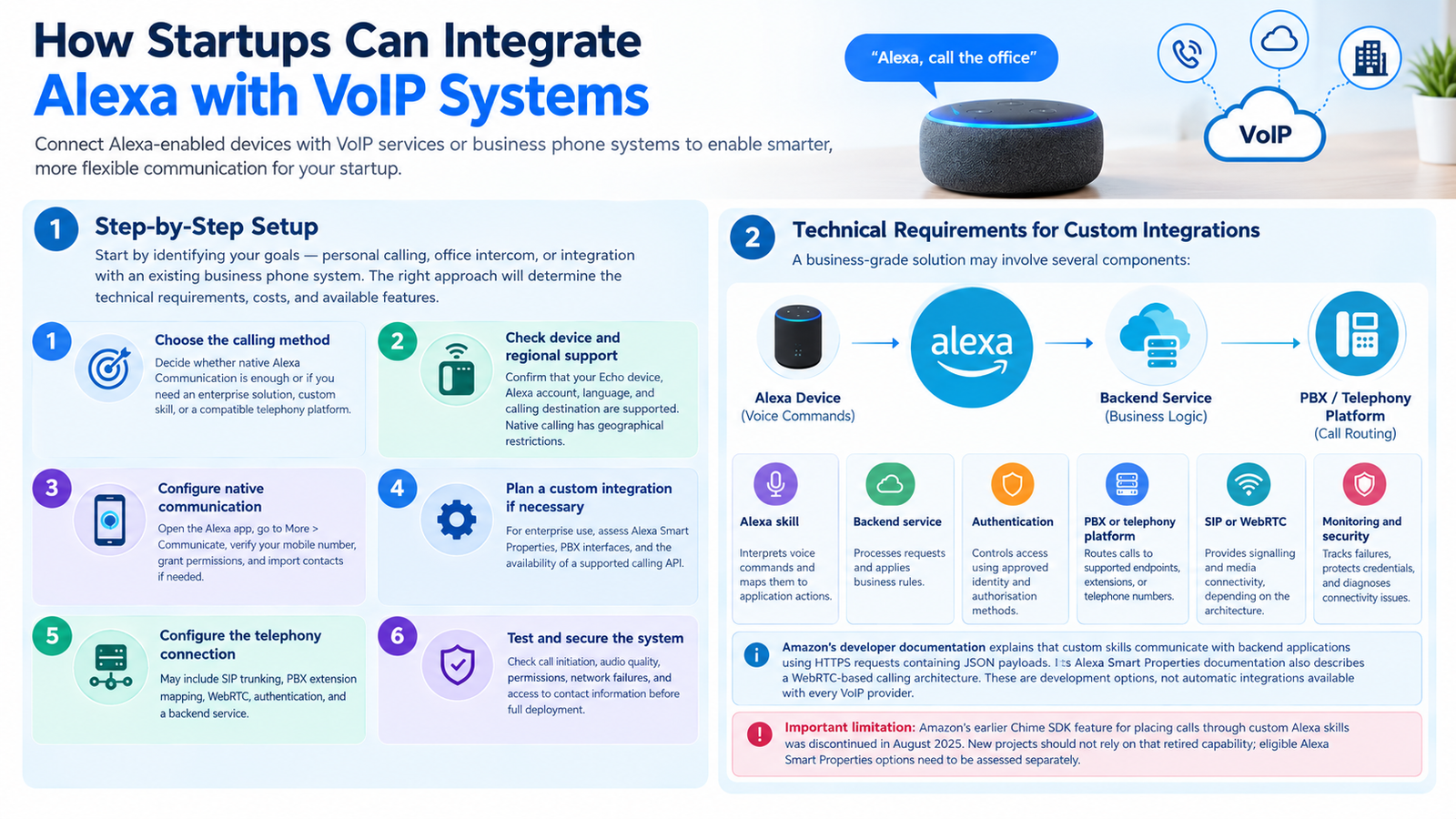
Startups should first identify whether they need personal calling, office intercom functionality, or a connection to an existing business phone system. The implementation method determines the technical requirements, costs, and available features.
-
Step-by-step setup
-
-
Choose the calling method. Decide whether native Alexa Communication is sufficient or whether the project requires an enterprise solution, custom skill, or compatible telephony platform.
-
Check device and regional support. Confirm that the intended Echo device, Alexa account, language, and calling destination are supported. Native calling has geographical restrictions.
-
Configure native communication. Open the Alexa app, select More, then Communicate, and follow the prompts to verify the mobile number and grant the required permissions. Import contacts if needed.
-
Plan a custom integration if necessary. For an enterprise deployment, assess Amazon’s Alexa Smart Properties capabilities, the applicable PBX interfaces, and the availability of a supported calling API.
-
Configure the telephony connection. Depending on the architecture, this may require SIP trunking, PBX extension mapping, a WebRTC connection, authentication, and a backend service.
-
Test and secure the system. Check call initiation, audio quality, permissions, network failures, and access to contact information before wider deployment.
-
Technical requirements for custom integrations
A business-grade solution may involve several components:
| Component | Technical purpose |
|---|---|
| Alexa skill | Interprets supported voice commands and maps them to application actions |
| Backend service | Processes requests and applies business rules |
| Authentication | Controls access using approved identity and authorization methods |
| PBX or telephony platform | Routes calls to supported endpoints, extensions, or telephone numbers |
| SIP or WebRTC | Provides the relevant signaling and media connectivity, depending on the architecture |
| Monitoring and security | Helps track failures, protect credentials, and diagnose connectivity problems |
Amazon’s developer documentation explains that custom skills communicate with backend applications using HTTPS requests containing JSON payloads. Its Alexa Smart Properties documentation also describes a WebRTC-based calling architecture in which a custom skill handles signaling between Alexa devices and connected systems. These are development options, not automatic integrations available with every VoIP provider.
Important limitation: Amazon’s earlier Chime SDK feature for placing calls through custom Alexa skills was discontinued in August 2025. New projects should not rely on that retired capability; eligible Alexa Smart Properties options need to be assessed separately.
What Is Alexa VoIP Integration?
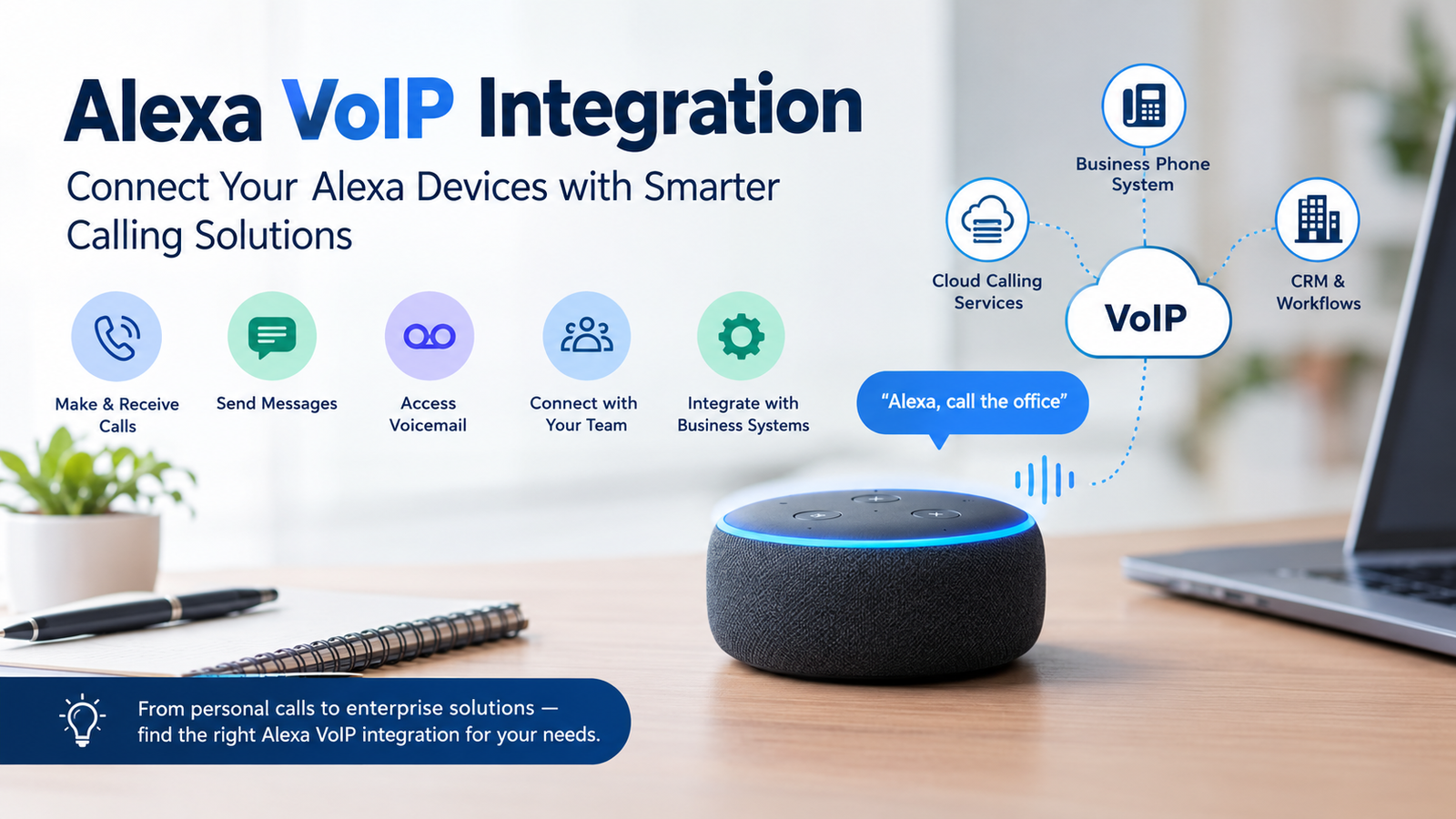
Alexa VoIP integration refers to connecting Alexa-enabled devices with voice communication services that use internet connectivity. Depending on the implementation, this may involve hands-free calls, intercom communication, or a custom voice interface linked to a business telephone platform.
Amazon’s native Alexa Communication supports calls between compatible Alexa devices and calls to certain phone numbers in supported countries. It does not automatically provide a business PBX, CRM synchronization, call recording, or advanced contact-centre features. The main distinction is between these approaches:
-
Native calling: Use Alexa’s built-in communication features for personal contacts and compatible devices.
-
Smart-home integration: Control supported devices through voice commands, such as checking a security system.
-
Custom telephony integration: Develop a voice skill or use an eligible enterprise platform to connect Alexa with a supported calling service.
Why Tech Startups Need Alexa VoIP Integration
Alexa-based calling can help startups simplify communication in environments where hands-free interaction is useful. However, the business value depends on the use case rather than simply owning an Echo device. Common applications include:
-
Office communication: Enable supported intercom workflows between compatible devices.
-
Hands-free operations: Let authorized users initiate supported actions using voice commands.
-
Customer assistance: Explore custom voice interfaces for directing users towards an appropriate support channel.
-
Connected workplaces: Combine compatible voice interfaces with supported smart devices.
-
Product development: Build voice-driven communication experiences for hospitality, residential technology, or other eligible enterprise environments.
Startups should avoid replacing a full business telephone platform with consumer Alexa calling when they need reliable inbound customer calls, extension management, call queues, service-level reporting, or emergency calling.
Key Benefits of Integrating Alexa and VoIP
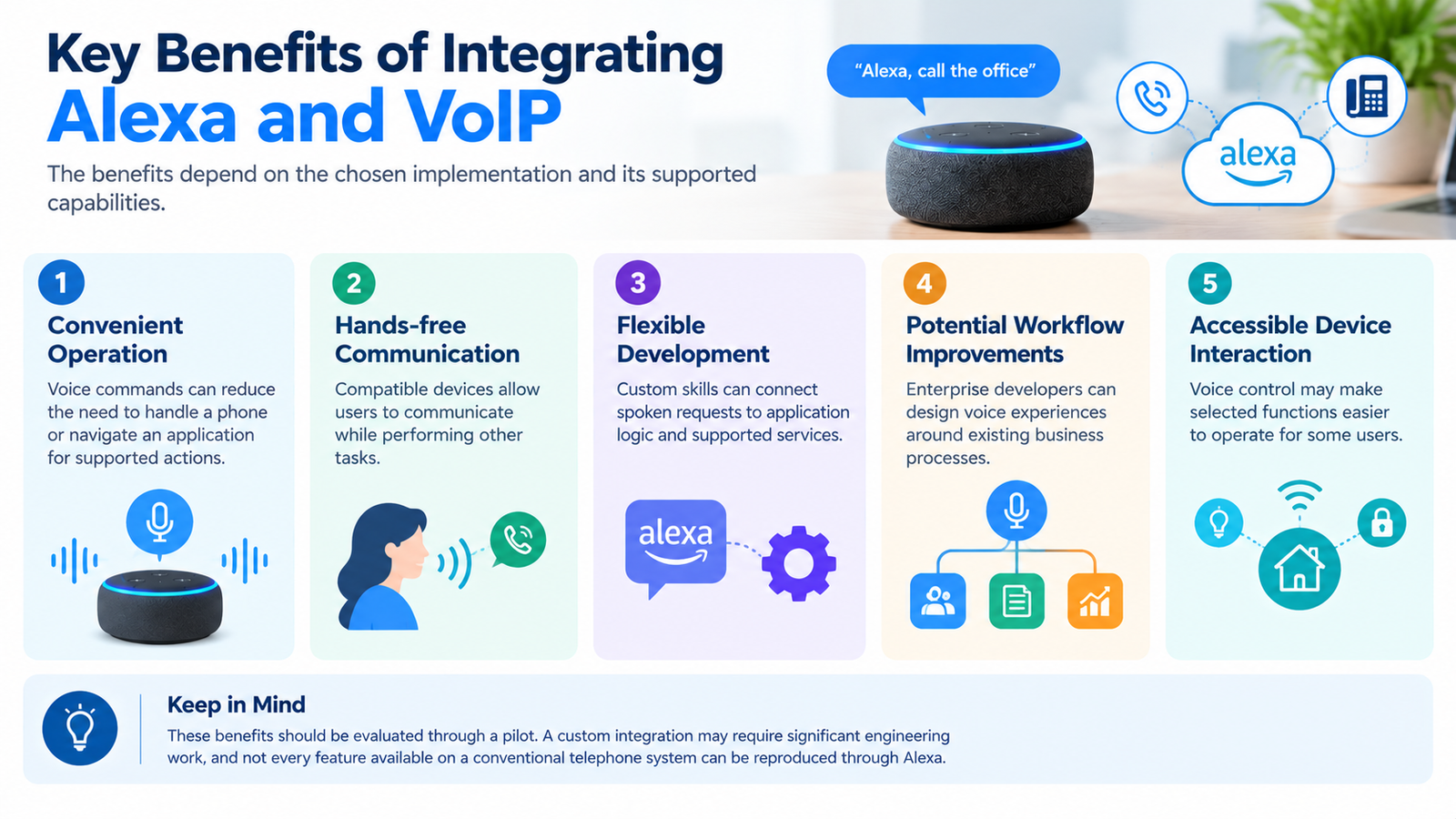
The benefits depend on the chosen implementation and its supported capabilities.
-
Convenient operation: Voice commands can reduce the need to handle a phone or navigate an application for supported actions.
-
Hands-free communication: Compatible devices allow users to communicate while performing other tasks.
-
Flexible development: Custom skills can connect spoken requests to application logic and supported services.
-
Potential workflow improvements: Enterprise developers can design voice experiences around existing business processes.
-
Accessible device interaction: Voice control may make selected functions easier to operate for some users.
These benefits should be evaluated through a pilot. A custom integration may require significant engineering work, and not every feature available on a conventional telephone system can be reproduced through Alexa.
Best Practices for Using Alexa and VoIP
A reliable implementation requires careful planning, particularly when it handles business contacts or customer conversations.
-
Protect sensitive information: Limit access to contacts, account data, and calling functions. Apply appropriate authentication and authorization.
-
Review permissions: Configure Drop In carefully because authorized users can connect to compatible devices without the recipient manually answering.
-
Plan for network failures: Test Wi-Fi coverage, latency, audio quality, and recovery procedures.
-
Keep business calling separate: Maintain an appropriate business telephone service for inbound support, emergency communication, and other functions that native Alexa calling does not support.
-
Check ongoing costs: Include subscriptions, hardware, development, hosting, telephony usage, and support where applicable.
-
Test before deployment: Verify supported commands, user permissions, device compatibility, and call routing in the intended environment.
Top 7 Alexa VoIP Integration Options
| Provider | Alexa integration capabilities | Important considerations |
|---|---|---|
| Dialpad | Hands-free calling, messaging, voicemail, call transfers, recordings, and analytics. | Verify current availability, supported devices, and subscription requirements. |
| RingCentral | Historical Alexa integration for calling, SMS, voicemail, and meetings. | Confirm that the Alexa integration is still available before purchasing. |
| FortiVoice | Supports Alexa voice commands through its Internet of Things (IoT) functionality for configured extensions. | Fortinet documents this capability for FortiVoice Enterprise FVE-100E and above. Check the product version and configuration requirements in the official setup guide. |
Which option should a startup choose?
-
For personal calls: Start with native Alexa Communication if your location and devices are supported.
-
For a connected home or office: Evaluate the specific Alexa-compatible device or security integration.
-
For enterprise calling: Investigate Alexa Smart Properties and confirm eligibility, supported devices, and PBX compatibility.
-
For a specialized product: Assess a custom skill and telephony architecture before committing to development.
Do not assume that a provider’s Alexa compatibility means its business telephone service can place and receive calls through Echo devices. Request written confirmation of the exact calling workflow before purchasing.
Pros and Cons of Alexa VoIP Integration
| Pros | Cons |
|---|---|
| Convenient voice-based operation | Regional and device restrictions |
| Hands-free interaction | Not a full business PBX by default |
| Custom development possibilities | Engineering costs for bespoke solutions |
| Potential integration with enterprise workflows | Limited compatibility across providers |
| Useful for supported intercom scenarios | Privacy and permission concerns |
The main advantage is convenience. The biggest drawback is that business telephony features, reliability requirements, and provider compatibility must be assessed individually rather than assumed.
Which Businesses or Industries Suit Alexa VoIP Integration?
Alexa-based communication is most suitable where voice interaction provides a clear operational benefit.
-
Startups and small offices: Supported intercom or hands-free workflows.
-
Hospitality businesses: Eligible enterprise deployments using Alexa Smart Properties.
-
Smart-home companies: Voice-controlled communication and connected-device experiences.
-
Technology developers: Custom voice applications that connect supported services.
-
Residential care environments: Carefully designed communication systems using eligible devices and enterprise capabilities.
Businesses handling confidential customer information should complete privacy, security, and operational assessments before deploying always-available voice devices.
How Many Users Can Use Alexa VoIP Integration?
There is no single user limit for every Alexa-based calling solution. Capacity depends on the product, account configuration, device support, and telephony architecture. For native Alexa-to-phone calling, Amazon’s documentation specifies a limit of up to 100 phone numbers in supported markets in its general calling guidance, while its Alexa-to-Phone Contacts documentation describes up to 10 selected numbers per household profile. These limits refer to different contact features, not a business PBX’s extension capacity. For a business deployment, confirm the maximum number of devices, users, extensions, simultaneous calls, and supported endpoints with the enterprise solution provider. A custom SIP or WebRTC architecture may have different capacity limits determined by its infrastructure and service configuration.
Read More: Best 5-Line Business Phone Systems (2026)
Final Thoughts
Alexa VoIP integration can make supported communication tasks more convenient, but it is not a universal replacement for business telephony. Start with the required calling workflow, verify the relevant Amazon and provider documentation, and compare total implementation costs before choosing native calling, an enterprise platform, or a custom solution.
FAQs
-
What is Alexa VoIP integration?
Alexa VoIP integration connects Alexa-enabled devices with supported internet-based calling services or custom communication systems. Its features range from native calling to specialized enterprise implementations.
-
Can Alexa make VoIP calls?
Yes, Alexa supports certain internet-based communication features through Alexa Communication. However, calling availability, destinations, and supported functions depend on the device and region.
-
Can Alexa connect to a business phone system?
It may be possible through eligible enterprise solutions or a custom integration. Confirm PBX compatibility, device requirements, and supported calling features before implementation.
-
Does Alexa VoIP integration require a subscription?
Native Alexa Communication does not currently require an additional calling fee for supported calls. Enterprise platforms, telephony services, hardware, and custom development may incur separate costs.
-
Can Alexa receive calls from regular phone numbers?
Native Alexa Communication does not generally support inbound calls from ordinary telephone numbers to Alexa devices. Incoming Alexa calls and supported enterprise implementations operate under different rules.
-
Does Ooma integrate with Amazon Alexa?
Ooma documents Alexa integration for compatible smart-security controls. This should not be treated as proof of native integration between Alexa devices and Ooma’s business calling services.
-
Can Alexa replace a traditional business telephone system?
Not by itself for most organisations that require business numbers, queues, extensions, call reporting, and emergency calling. Those functions require a suitable telephone service or supported enterprise architecture.
-
Is Alexa VoIP integration available worldwide?
No. Native calling features and supported telephone destinations vary by country. Enterprise products and custom integrations can have additional eligibility and regional restrictions.
-
Is custom Alexa VoIP integration expensive?
Costs vary according to development complexity, hardware, telephony usage, hosting, and support. Request a detailed quotation based on the required features and expected call volume.