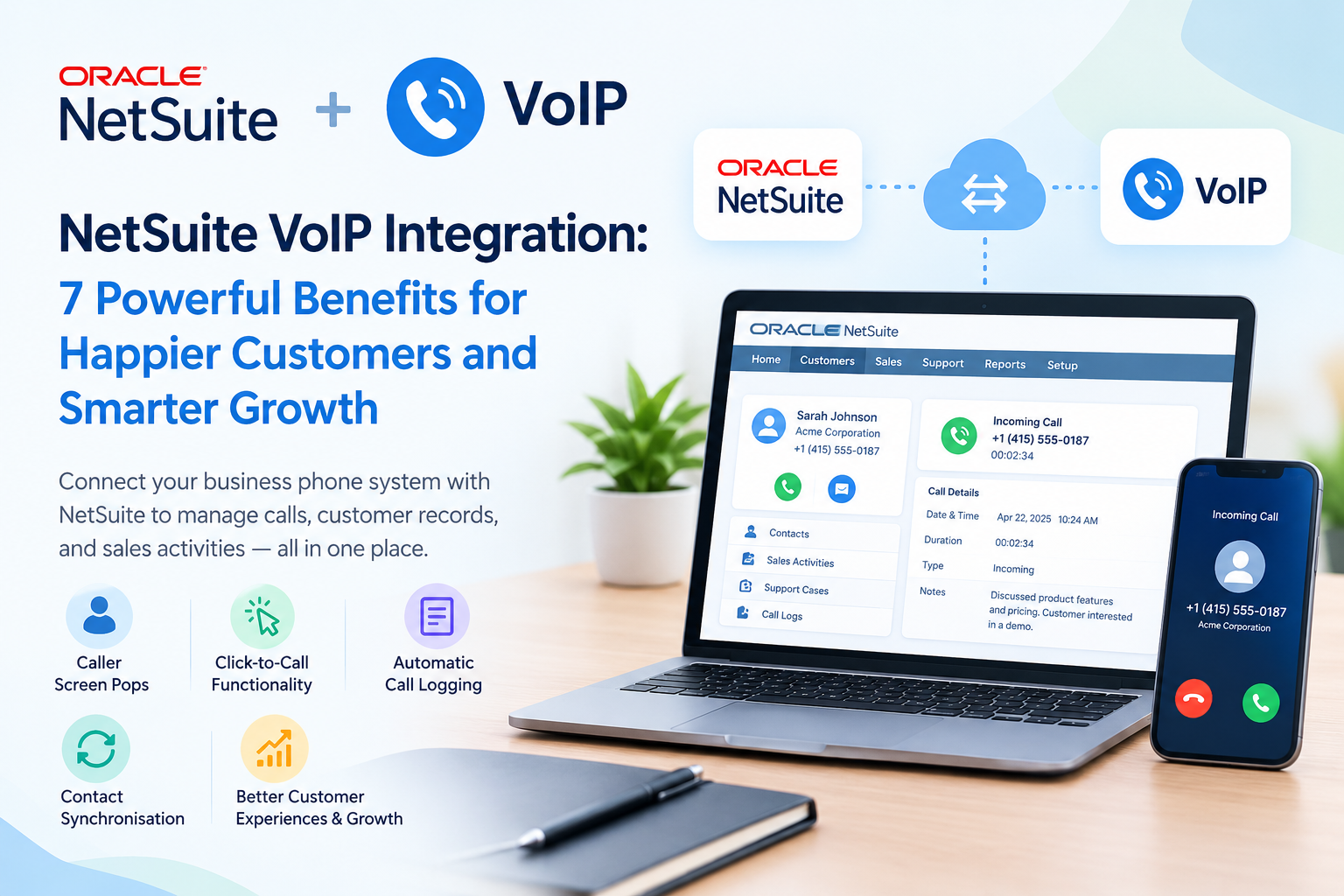
NetSuite VoIP integration connects your cloud-based business phone system with NetSuite, helping teams manage customer calls alongside contact records, sales activities, and support cases. A suitable connection can provide caller screen pops, click-to-call functionality, automatic call logging, and contact synchronisation, depending on the provider and configuration. Startups can implement this through a supported phone-system integration, a third-party connector, or a custom API-based workflow. The right approach depends on team size, technical resources, security requirements, and existing software. This guide explains the setup process, leading providers, benefits, limitations, and practical considerations.
How Startups Can Integrate NetSuite with VoIP Systems
NetSuite phone integration connects telephony software with customer records and business workflows. When an employee receives a call, the system can identify the caller, display a matching NetSuite record, and save call details against the relevant contact, prospect, or customer. Outbound calls may also be initiated through click-to-call links. Available functions depend on the chosen provider, subscription, permissions, and integration method.
For example, Vonage offers a NetSuite connection through its Vonage Integration Suite, with features such as screen pops, call logging, contact synchronisation, and call analytics. Its official documentation also describes account configuration and role permissions required for deployment.
Technical methods for connecting NetSuite and a phone system
-
1. Native or vendor-supported connector
Choose a provider with a supported NetSuite integration. Depending on the product, administrators may install an application, enable required features, authorise access, and configure user accounts. This is usually the most practical starting point for small teams.
-
2. Third-party integration platform
An automation service can transfer selected events or records between compatible applications. Before choosing this route, confirm that the platform supports the required NetSuite records, telephony events, authentication method, and error handling.
-
3. Custom API or SuiteCloud development
Developers can use supported NetSuite interfaces, such as SuiteTalk web services or REST web services, alongside the phone provider’s APIs and event notifications. This approach offers greater flexibility but requires development, authentication, monitoring, and ongoing maintenance.
-
Step-by-step implementation process
-
-
Define the workflow: Decide whether you need caller identification, outbound dialing, call notes, recordings, missed-call alerts, or support-case creation.
-
Check compatibility: Confirm that the provider supports your NetSuite account, relevant records, browser, operating system, and user licenses.
-
Prepare access: Assign an administrator and configure only the permissions and authentication features required by the chosen connector.
-
Install and authorize: Follow the vendor’s current setup instructions to install the connector or establish the API connection.
-
Map records and fields: Match phone numbers to the correct contacts, prospects, customers, or other supported records. Define how call direction, duration, timestamps, notes, and outcomes should be stored.
-
Configure automation: Set rules for logging completed and missed calls, handling unknown numbers, creating records, and preventing duplicate entries.
-
Test before launch: Test inbound and outbound calls, multiple matching contacts, permission restrictions, failed connections, and record accuracy before enabling the integration for everyone.
-
For a custom build, use secure authentication, protect personal data, and establish retry rules and logs for failed requests. Avoid giving a connector unrestricted access to financial or customer records when narrower permissions will suffice.
What Is NetSuite CRM?
Oracle NetSuite is a cloud-based business platform that combines enterprise resource planning (ERP) with customer relationship management capabilities. Its CRM functions help organizations manage leads, customer relationships, sales opportunities, marketing activities, service cases, and interactions throughout the customer lifecycle.
Unlike a standalone contact database, NetSuite can connect customer information with orders, billing, inventory, and other business processes. Adding a phone integration helps employees access relevant customer records while communicating by voice.
For startups, this combination can reduce disconnected workflows. Sales representatives can review account information before following up, while support agents can document conversations alongside existing customer records.
Why Tech Startups Need NetSuite VoIP Integration
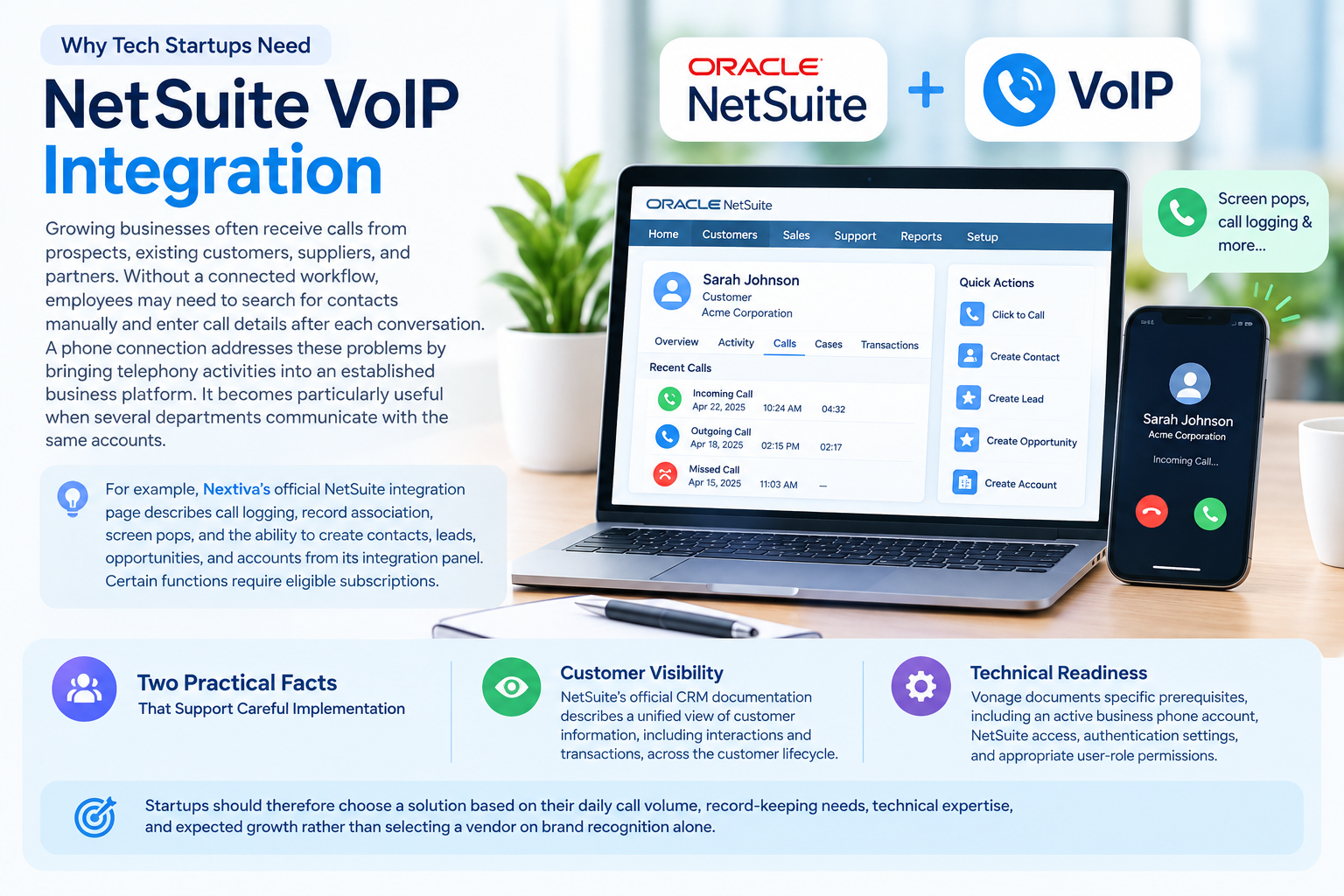
Growing businesses often receive calls from prospects, existing customers, suppliers, and partners. Without a connected workflow, employees may need to search for contacts manually and enter call details after each conversation. A phone connection addresses these problems by bringing telephony activities into an established business platform. It becomes particularly useful when several departments communicate with the same accounts.
For example, Nextiva’s official NetSuite integration page describes call logging, record association, screen pops, and the ability to create contacts, leads, opportunities, and accounts from its integration panel. Certain functions require eligible subscriptions. Two practical facts support careful implementation:
-
Customer visibility: NetSuite’s official CRM documentation describes a unified view of customer information, including interactions and transactions, across the customer lifecycle.
-
Technical readiness: Vonage documents specific prerequisites, including an active business phone account, NetSuite access, authentication settings, and appropriate user-role permissions. This shows that a successful connection involves administration as well as software selection.
Startups should therefore choose a solution based on their daily call volume, record-keeping needs, technical expertise, and expected growth rather than selecting a vendor on brand recognition alone.
Key Benefits of Integrating NetSuite and VoIP
A properly configured connection can improve customer-facing workflows and reduce repetitive administration. The actual results depend on which features are enabled and how consistently staff use them.
-
Faster caller identification: Screen pops can display a matching customer or prospect record when a call arrives, reducing manual searches.
-
Less administrative work: Automatic logging can save call details and notes against supported records, limiting repetitive data entry.
-
Improved follow-ups: Representatives can review earlier conversations and create reminders or tasks when the integration supports these functions.
-
Better customer service: Agents can access relevant account details before discussing an order, payment, or service issue.
-
More organized reporting: Stored call activities can help managers review communication history and evaluate team workflows.
-
Simpler contact management: Supported connectors may allow employees to create new records or synchronise contacts without repeatedly switching applications.
-
Room to scale: A documented integration workflow can support additional employees as the business expands, provided licences and technical capacity are sufficient.
These advantages are not automatic. Duplicate records, incorrect phone numbers, missing permissions, or inconsistent note-taking can undermine the results.
Best Practices for Utilizing NetSuite and VoIP
Follow these practices to keep the connection useful, secure, and manageable.
-
Standardize phone numbers. Use a consistent international format wherever practical so incoming calls match the correct customer record.
-
Set clear logging rules. Decide which calls should create activities, how missed calls are handled, and which fields employees must complete.
-
Apply least-privilege access. Give the integration only the NetSuite permissions it needs. Review access when employees change roles or leave.
-
Protect recordings and notes. Check consent requirements, retention periods, access controls, and applicable privacy laws before enabling recording or transcription.
-
Test unusual scenarios. Check unknown callers, shared phone numbers, duplicate contacts, failed API requests, and calls involving multiple related records.
-
Monitor integration health. Review failed synchronizations, authentication problems, and incomplete call logs. Establish a process for correcting errors.
-
Train employees. Show staff how to associate calls with the correct records, document outcomes, and create useful follow-up tasks.
Avoid assuming that every connector synchronises all data in both directions. Confirm exactly which fields and events are supported before launch.
Top VoIP Providers That Integrate with NetSuite
The following providers have relevant published NetSuite integration information. Feature availability, supported devices, licensing, and implementation requirements should be confirmed before purchasing.
| Provider | Published integration capabilities | Important consideration |
|---|---|---|
| Nextiva | Screen pops, click-to-call, call logging, notes, and association with NetSuite records | Software integration requires a Nextiva Professional or Enterprise license; the browser extension requires Enterprise. Additional integration charges may apply. |
| Vonage | Incoming and outgoing screen pops, contact synchronization, call logging, notes, and call analytics | Requires a supported browser, Vonage Integration Suite, an active Vonage Business account, and NetSuite access. |
| RingCentral App | Click-to-dial, incoming caller information, and call logging through its integration framework | The current integration requires NetSuite 2024.1 or later and REST Web Services enabled. NetSuite OneWorld users may need additional subsidiary permissions. |
| RingCX | Inbound voice and digital interactions within NetSuite, customer record matching, screen pops, and ticket creation or updates | Best suited to teams needing contact-centre functionality. Confirm the required RingCX subscription and available channels. |
| Zoom Phone NetSuite Integration | Click-to-call, incoming caller record matching, call logging, and options to create or update records | The listed SuiteApp describes a specific NetSuite integration. Verify its current availability, compatibility, and licensing before purchasing. |
What about other integration options?
Other telephony platforms or integration partners may support custom NetSuite connections. However, do not assume that a vendor offers a maintained, ready-to-install connector without checking its current documentation.
Likewise, NSIP (NetSuite Integration Platform) should not be treated as a verified, standard VoIP product name based on the information available here. If a supplier uses this abbreviation, ask for its full name, documentation, supported telephony vendors, and maintenance arrangements.
Pros and Cons of NetSuite VoIP Integration
| Pros | Cons |
|---|---|
| Customer information can appear during calls | Some connectors require higher-tier subscriptions |
| Supported calls can be logged automatically | Initial configuration takes time |
| Click-to-call can reduce manual dialing | API connections require technical maintenance |
| Shared interaction history supports follow-ups | Incorrect matching can create inaccurate records |
| Call activities can support management reporting | Recording and personal-data rules need attention |
| Contact creation can reduce repetitive work | Vendor changes may affect compatibility |
For startups, the biggest benefit is having a consistent record of customer communications. The main drawback is the effort required to configure, secure, test, and maintain the connection. A vendor-supported connector is usually a sensible first option unless the business needs specialized workflows that require custom development.
Which Businesses or Industries Suit NetSuite VoIP Integration?
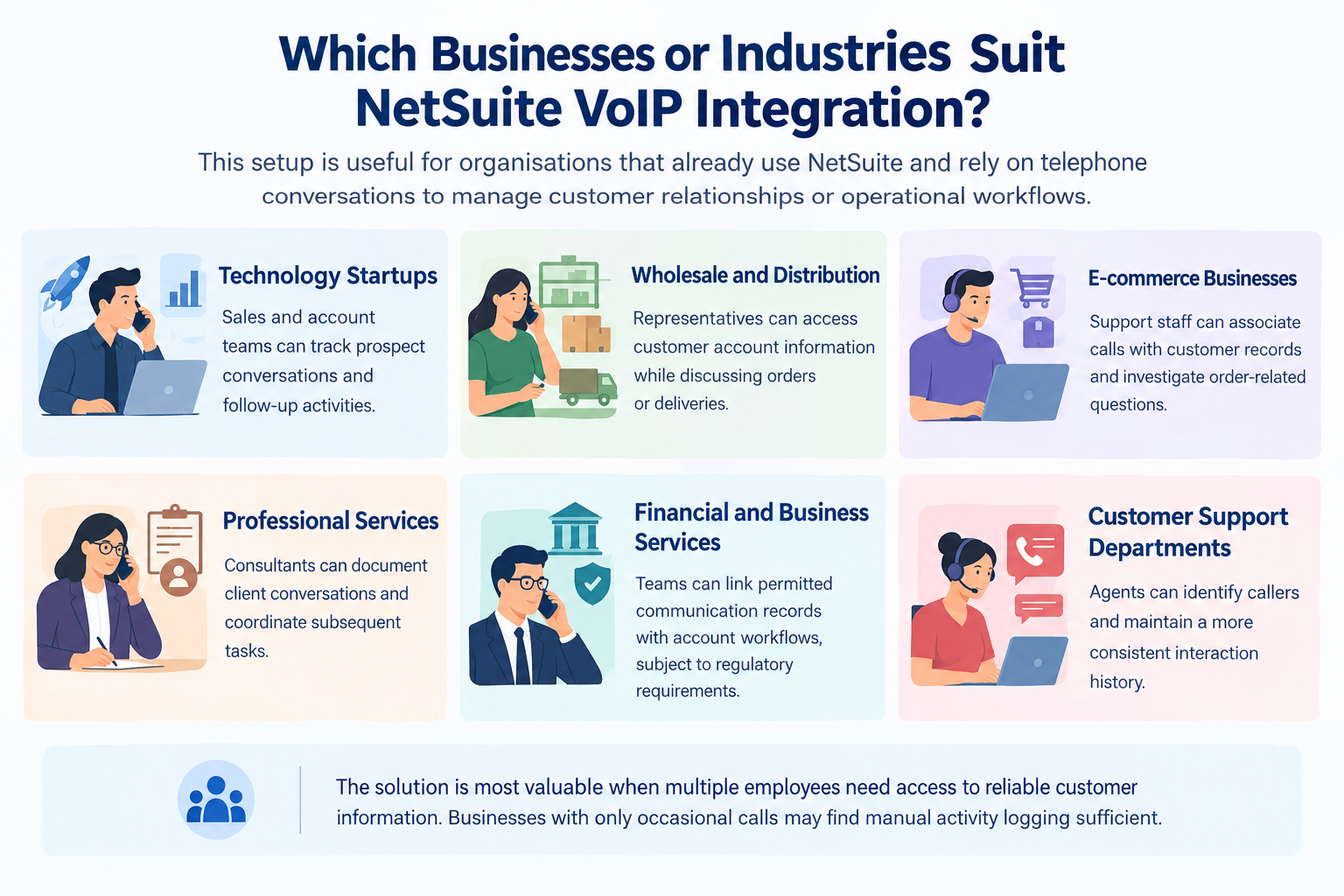
This setup is useful for organizations that already use NetSuite and rely on telephone conversations to manage customer relationships or operational workflows.
-
Technology startups: Sales and account teams can track prospect conversations and follow-up activities.
-
Wholesale and distribution: Representatives can access customer account information while discussing orders or deliveries.
-
E-commerce businesses: Support staff can associate calls with customer records and investigate order-related questions.
-
Professional services: Consultants can document client conversations and coordinate subsequent tasks.
-
Financial and business services: Teams can link permitted communication records with account workflows, subject to regulatory requirements.
-
Customer support departments: Agents can identify callers and maintain a more consistent interaction history.
The solution is most valuable when multiple employees need access to reliable customer information. Businesses with only occasional calls may find manual activity logging sufficient.
NetSuite VoIP Integration: How Many Users Does It Support?
There is no single user limit that applies to every NetSuite phone integration. The number of supported employees depends on the telephony package, connector licensing, NetSuite access rights, and the provider’s technical restrictions.
A startup with 5–10 employees might priorities a straightforward connector with basic call logging. A company with 20–50 users may need stronger administrative controls, consistent record matching, and reporting. Larger teams should assess concurrent call capacity, contact-centre requirements, API limits, and support arrangements.
These figures are planning examples, not published limits or guaranteed compatibility ranges. Confirm the maximum supported users and total licensing costs directly with the chosen vendor.
Read More: 6 Best 3-Line Phone Systems for Small Business (2026)
Final Thoughts
NetSuite VoIP integration can help startups connect customer conversations with sales, service, and account-management workflows. Nextiva and Vonage both publish supported integration options, but their features, subscription requirements, and setup procedures differ. Before choosing a solution, confirm compatibility, calculate the full cost, and test record accuracy and security. A well-configured connection can reduce manual administration and give employees better access to customer history without introducing unnecessary technical complexity.
FAQs
-
What is NetSuite VoIP integration?
NetSuite VoIP integration connects a business phone service with NetSuite customer records and workflows. Depending on the provider, it can support screen pops, click-to-call, call logging, and contact management.
-
How do I set up NetSuite phone integration?
Start by selecting a compatible provider and confirming subscription requirements. Configure permissions and authentication, install or activate the connector, map relevant records, and test calls before enabling the workflow for all employees.
-
Does Nextiva integrate with NetSuite?
Yes. Nextiva publishes a NetSuite integration that supports call logging, screen pops, record association, and other functions. Its software integration and browser extension have different licence requirements, so verify the applicable package before signing up.
-
Does Vonage support NetSuite screen pops?
Yes. Vonage documents incoming and outgoing screen-pop functionality for its NetSuite connection. The displayed information and available actions depend on the integration configuration and matching customer records.
-
Can NetSuite automatically record phone calls?
Supported integrations can automatically create call activities and save relevant details, such as call direction and duration. The available fields and logging rules depend on the provider and configuration.
-
Does NetSuite VoIP integration require coding?
Not always. A supported connector may require administrative configuration rather than custom development. API-based integrations usually require technical expertise to manage authentication, field mapping, error handling, and ongoing maintenance.
-
What is the difference between NetSuite VoIP integration and NetSuite Mailchimp integration?
VoIP connectivity links telephony activities with business records, whereas a Mailchimp connection focuses on exchanging data for marketing workflows. They serve different purposes and require separate compatibility checks.
-
What does NSIP mean in NetSuite integration?
NSIP may refer to a particular integration platform or a supplier-specific term. Confirm its full name and documentation before treating it as a supported NetSuite VoIP connector.
-
How much does NetSuite phone integration cost?
The total cost depends on the phone subscription, connector licence, NetSuite access, implementation, and any custom development. Nextiva and Vonage have different activation and configuration requirements, so request a tailored quotation rather than relying on a universal price.