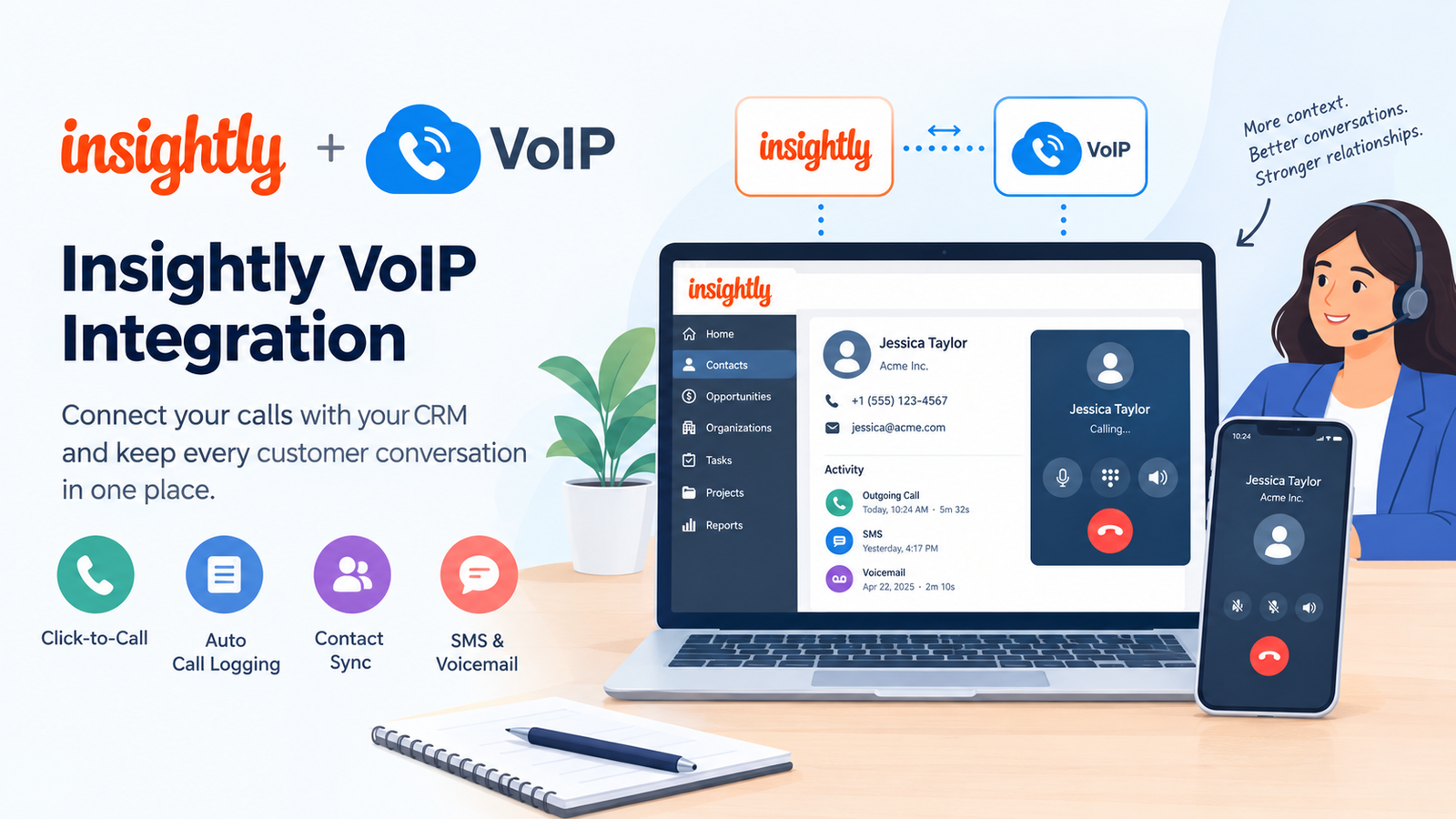
How Startups Can Integrate Insightly with VoIP Systems
Startups can connect Insightly to a cloud phone service through a supported integration, Insightly AppConnect, or a custom API-based workflow. The appropriate method depends on the provider, available features, subscription requirements, and the level of automation needed.
-
Steps to Set Up Insightly VoIP Integration
-
-
-
Choose a compatible phone provider. Review the official Insightly integration pages for options such as KrispCall and RingCentral. Confirm that the proposed features are available for your account and region.
-
Check your subscription and permissions. Ensure you have the necessary Insightly and telephony subscriptions, administrator access, and integration permissions.
-
Connect the applications. Follow the provider’s installation instructions or configure a workflow through Insightly AppConnect, where supported. Authorise access using the approved sign-in process.
-
Map customer information. Match phone numbers and relevant contact fields between both systems. Define how new contacts, updated details, and duplicate records should be handled.
-
Configure call activities. Enable supported features such as click-to-call, incoming and outgoing call logs, SMS synchronisation, or voicemail records. Choose which activities should be saved against contacts, opportunities, or projects.
-
Test before launch. Make test calls, check contact matching, verify timestamps and activity records, and confirm that permissions work as intended.
-
-
Technical Details Startups Should Know
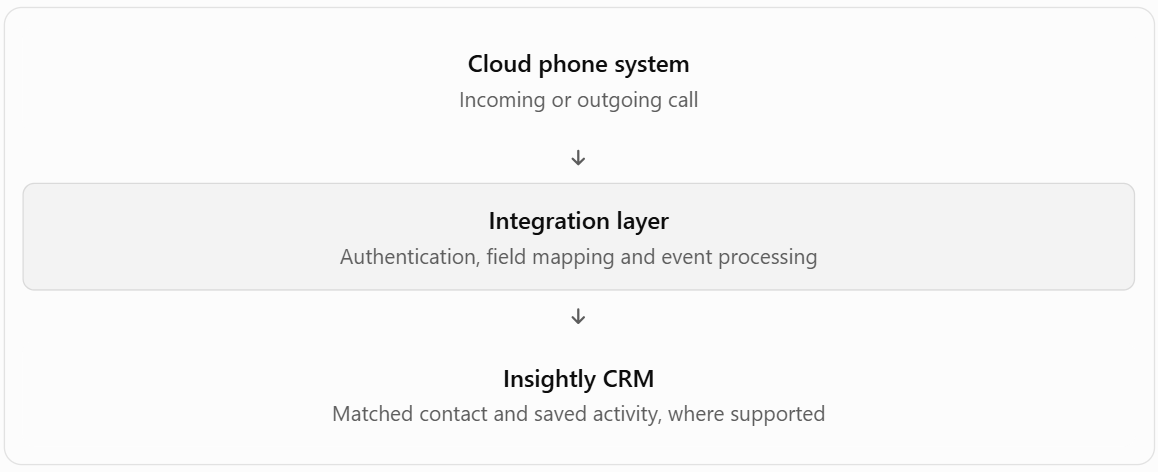
Insightly AppConnect provides a workflow builder for connecting applications, mapping fields, transforming data, and automating business processes. For more specialized requirements, developers can investigate Insightly’s Web API and supported integration mechanisms.
A typical workflow follows this sequence:
-
-
- Cloud phone system
- Incoming or outgoing call
- Integration layer
- Authentication, field mapping and event processing
- Insightly CRM
- Matched contact and saved activity, where supported
-
The exact behavior varies by connector. Do not assume that call recording, real-time synchronization, or every activity type is included in every plan. Review data-access permissions and retention policies before enabling customer communications logging.
What Is Insightly CRM?
Insightly CRM is a cloud-based platform that helps organizations manage leads, customers, sales opportunities, tasks, and projects. It provides a central place to track business relationships and monitor progress from initial contact through post-sale delivery. Its main capabilities include:
-
Contact management: Store customer details and link them with organizations, opportunities, and related activities.
-
Sales pipelines: Monitor deals as they move through different stages.
-
Task management: Create reminders, to-do lists, and follow-up activities.
-
Project tracking: Organize work after a deal closes, including onboarding and service delivery.
-
Reports and dashboards: Review business performance using relevant metrics.
Insightly is useful for startups that want customer management and project coordination in one platform. Adding a compatible phone service can extend this setup by linking telephone interactions with existing business records.
Why Tech Startups Need Insightly VoIP Integration
Technology startups often manage product enquiries, sales demonstrations, onboarding calls, and technical support requests simultaneously. When telephone conversations remain separate from customer records, employees may need to switch between applications or manually enter details after every interaction.
A connected phone system helps bring these activities together. Sales representatives can review relevant customer information before calling, while support teams can use previous interaction records to understand unresolved issues. This is especially valuable for growing companies where several employees communicate with the same prospect. Shared records help reduce duplicated work and make customer handovers easier.
Research also supports the broader importance of maintaining strong customer relationships. Bain & Company has reported that a 5% increase in customer retention can increase profits by 25% to 95% in some businesses, although outcomes vary by industry and company circumstances. This is not a measured result of CRM-phone integration; it illustrates why consistent customer experiences matter.
Key Benefits of Integrating Insightly and VoIP
When the chosen connector supports the required functions, linking both platforms can improve daily operations in several ways.
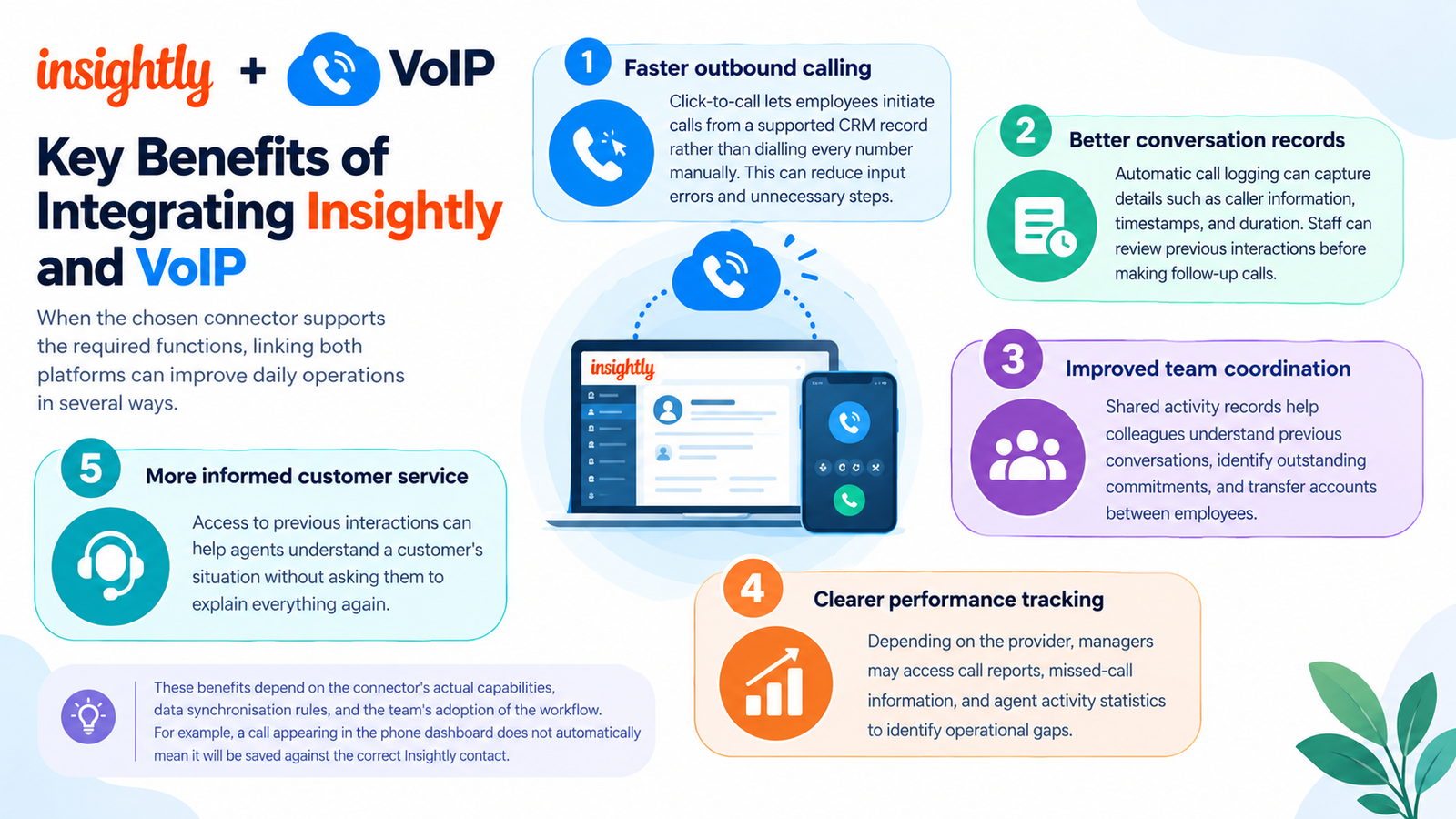
- Faster outbound calling: Click-to-call lets employees initiate calls from a supported CRM record rather than dialling every number manually. This can reduce input errors and unnecessary steps.
- Better conversation records: Automatic call logging can capture details such as caller information, timestamps, and duration. Staff can review previous interactions before making follow-up calls.
- Improved team coordination: Shared activity records help colleagues understand previous conversations, identify outstanding commitments, and transfer accounts between employees.
- Clearer performance tracking: Depending on the provider, managers may access call reports, missed-call information, and agent activity statistics to identify operational gaps.
- More informed customer service: Access to previous interactions can help agents understand a customer’s situation without asking them to explain everything again.
These benefits depend on the connector’s actual capabilities, data synchronization rules, and the team’s adoption of the workflow. For example, a call appearing in the phone dashboard does not automatically mean it will be saved against the correct Insightly contact.
Best Practices for Utilizing Insightly and VoIP
A reliable implementation requires more than installing an application. Startups should establish clear rules for data quality, access, and follow-up activities.
-
Standardize phone numbers: Use consistent international formats to improve contact matching.
-
Define logging rules: Decide whether answered, missed, inbound, and outbound calls should create separate activities or notes.
-
Prevent duplicate contacts: Set matching rules before enabling automatic contact creation.
-
Protect customer information: Limit access to recordings and call logs, and establish retention policies that meet applicable privacy requirements.
-
Review performance regularly: Monitor missed calls, follow-up completion, and record accuracy rather than relying on call volume alone.
-
Test workflow failures: Check what happens when authentication expires, a contact cannot be matched, or a synchronization request fails.
Insightly’s official documentation explains its available integrations and workflow options. Review the Insightly integrations guide before selecting a connection method.
Top VoIP Providers That Integrate with Insightly
The following providers have published Insightly integration information. Their advertised capabilities provide a useful starting point, but availability, pricing, and setup requirements should be confirmed directly before purchase.
| Provider | Published integration capabilities | Suitable use |
|---|---|---|
| KrispCall | Click-to-call, contact synchronization, and automatic call logging through the documented AppConnect integration | Startups seeking connected calling and CRM records |
| RingCentral | Calling, SMS, voicemail, click-to-call, and access to call history through its Insightly integration | Teams needing broader communication features |
| NUACOM | Published guide describes click-to-call and logging inbound, outbound, and missed calls through a Zapier workflow | Businesses exploring phone automation through a third-party connector |
How to Choose the Right Provider
Compare more than the advertised monthly rate. Check whether the solution supports your required Insightly records, whether call logging is automatic, how contact updates are handled, and whether additional integration fees apply.
Also review international calling rates, number availability, recording policies, support options, and the minimum number of licenses. Features listed on a vendor’s general product page may not all be included in its Insightly connector.
Pros and Cons of Insightly VoIP Integration
Combining a CRM with business telephony offers practical advantages, but the overall value depends on implementation quality and operating costs.
| Pros | Cons |
|---|---|
| Reduces manual call-record entry | May require paid subscriptions for multiple services |
| Makes previous interactions easier to review | Incorrect field mapping can create duplicate or misplaced records |
| Supports faster outbound calling | Advanced workflows may need technical configuration |
| Improves visibility across sales and support | Some features may be unavailable on particular plans |
| Can support reporting and follow-up automation | Internet or service outages can disrupt calling |
Overall: This setup is most valuable when employees make frequent customer calls and need reliable interaction histories. A business with limited telephone activity may find a simpler, manual process sufficient.
Which Businesses or Industries Suit Insightly VoIP Integration?
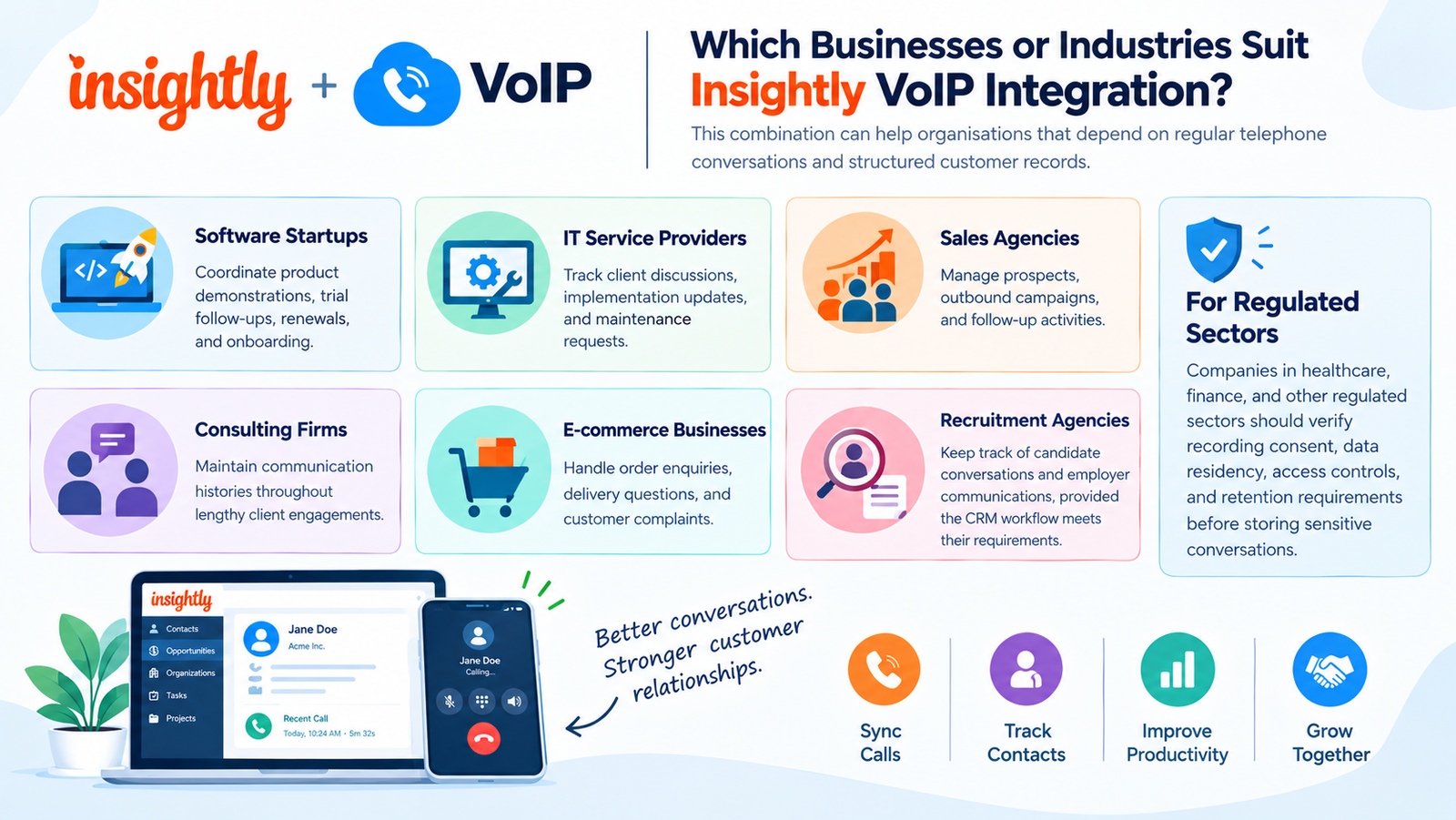
This combination can help organizations that depend on regular telephone conversations and structured customer records.
-
Software startups: Coordinate product demonstrations, trial follow-ups, renewals, and onboarding.
-
IT service providers: Track client discussions, implementation updates, and maintenance requests.
-
Sales agencies: Manage prospects, outbound campaigns, and follow-up activities.
-
Consulting firms: Maintain communication histories throughout lengthy client engagements.
-
E-commerce businesses: Handle order enquiries, delivery questions, and customer complaints.
-
Recruitment agencies: Keep track of candidate conversations and employer communications, provided the CRM workflow meets their requirements.
Companies in healthcare, finance, and other regulated sectors should verify recording consent, data residency, access controls, and retention requirements before storing sensitive conversations.
How Many Users Can Benefit from Insightly VoIP Integration?
There is no single user limit for every Insightly-phone configuration. The practical capacity depends on the CRM subscription, telephone plan, connector licensing, and any usage restrictions.
| Team size | Recommended approach |
|---|---|
| 1–5 users | Start with a straightforward connector and essential calling features |
| 6–20 users | Establish shared logging rules, contact matching, and role-based access |
| 21–50 users | Evaluate reporting, workflow automation, support coverage, and licence costs |
| 50+ users | Review API requirements, integration monitoring, security, and scalability |
These ranges are planning suggestions, not official product limits. Confirm supported user counts with the vendors before committing.
Insightly’s published CRM pricing lists Plus at $29 per user per month, Professional at $49, and Enterprise at $99 when billed annually. These are CRM subscription prices, not the total cost of a telephone integration. Phone service, connector fees, calling charges, and additional licenses may increase the final amount.
Read More: 6 Best 4-Line Phone Systems for Small Business (2026)
Final Thoughts
Insightly VoIP integration can help startups connect customer records with everyday telephone activity, making follow-ups easier to manage and conversations simpler to track. KrispCall, RingCentral, and NUACOM are worth evaluating because each has published information about connecting its phone service with Insightly. Before choosing a solution, verify the supported features, subscription requirements, security controls, and total cost. A well-tested setup can improve team coordination without adding unnecessary complexity to daily operations.
FAQs
-
What is Insightly VoIP integration?
Insightly VoIP integration connects a business phone service with Insightly CRM. Depending on the connector, it can provide click-to-call, call logging, contact synchronization, and access to communication records.
-
Does Insightly have a built-in phone system?
Insightly offers integrations with external telephony providers, including KrispCall and RingCentral. The available calling features depend on the selected service and configuration, so verify the current options before subscribing.
-
Which VoIP providers work with Insightly?
KrispCall and RingCentral have dedicated integration pages on Insightly’s website. NUACOM also publishes a guide describing a Zapier-based connection. Compare supported functions and commercial terms before selecting one.
-
Can I automatically log calls in Insightly?
Yes, supported integrations can save incoming and outgoing call details to CRM records. Confirm which call types are included and whether activity logging requires additional configuration.
-
Can I use click-to-call with Insightly?
Yes, the documented KrispCall and RingCentral integrations advertise click-to-call functionality. This lets users initiate a call from a supported customer record without manually dialing the number.
-
Can Insightly synchronize phone contacts?
Yes, the KrispCall integration documentation describes contact synchronization. Check the direction of synchronization, supported fields, update frequency, and duplicate-handling rules for your chosen setup.
-
Is Insightly VoIP integration suitable for small startups?
Yes, it can suit small teams that regularly call leads or customers. Start with essential functions, then expand automation when the time saved justifies additional subscription and configuration costs.
-
Does Insightly VoIP integration support call recordings?
Recording support depends on the phone provider, subscription, and connector. RingCentral’s integration page references call recordings, but confirm whether recordings can be accessed or linked directly within your specific Insightly setup.
-
How much does Insightly VoIP integration cost?
The total cost varies by CRM plan, phone subscription, connector, and usage. Compare the combined monthly expense, including setup charges and calling rates, rather than considering the CRM license alone.