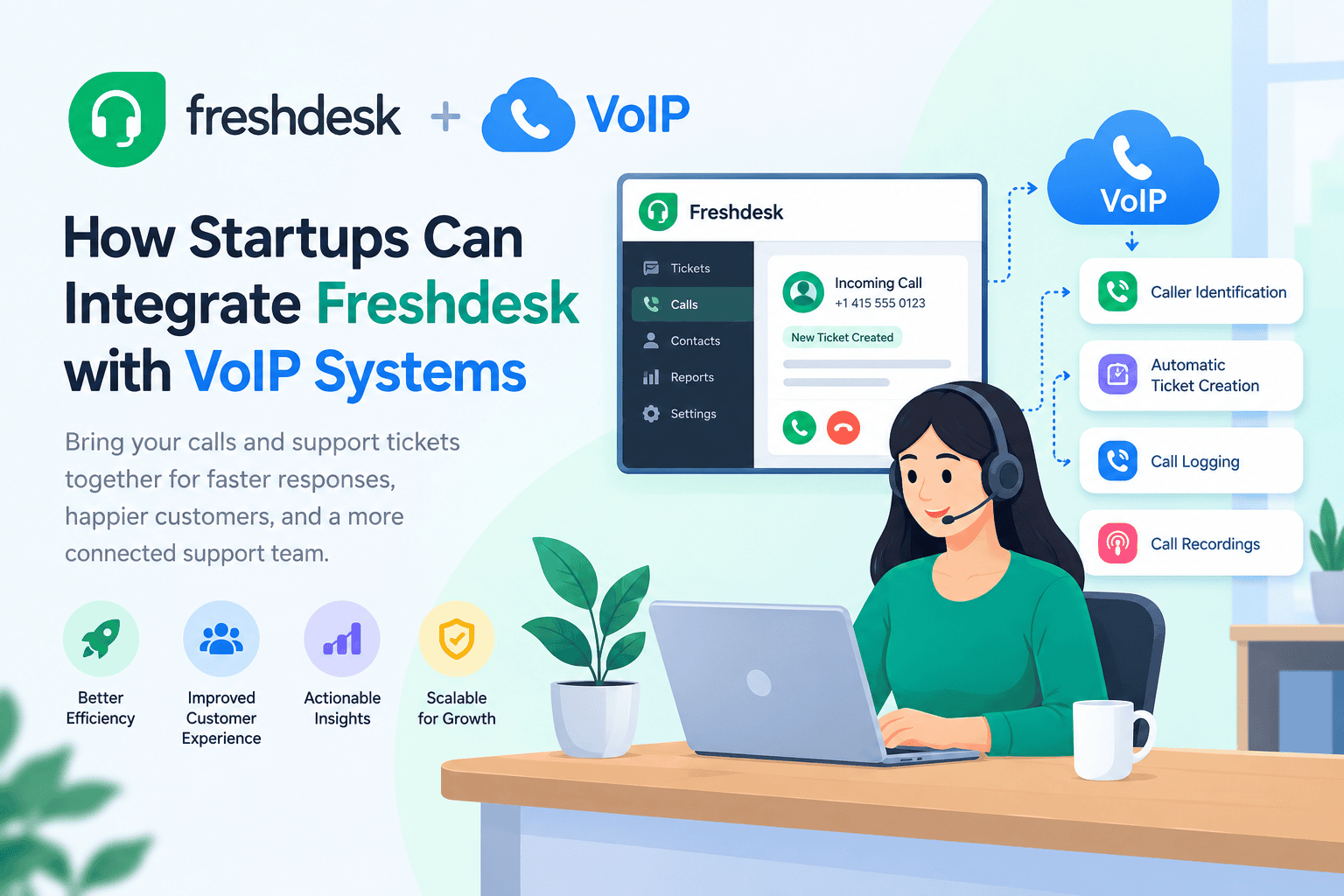
Freshdesk VoIP integration connects a help desk with a cloud phone system, helping support agents manage customer calls alongside tickets and contact records. Depending on the plan and provider, features may include caller identification, automatic ticket creation, call logging, and recordings. Businesses can choose Freshdesk’s built-in phone channel, a partner extension, or a custom API workflow. This guide covers setup requirements, provider options, costs, and suitability for different support teams.
How Startups Can Integrate Freshdesk with VoIP Systems
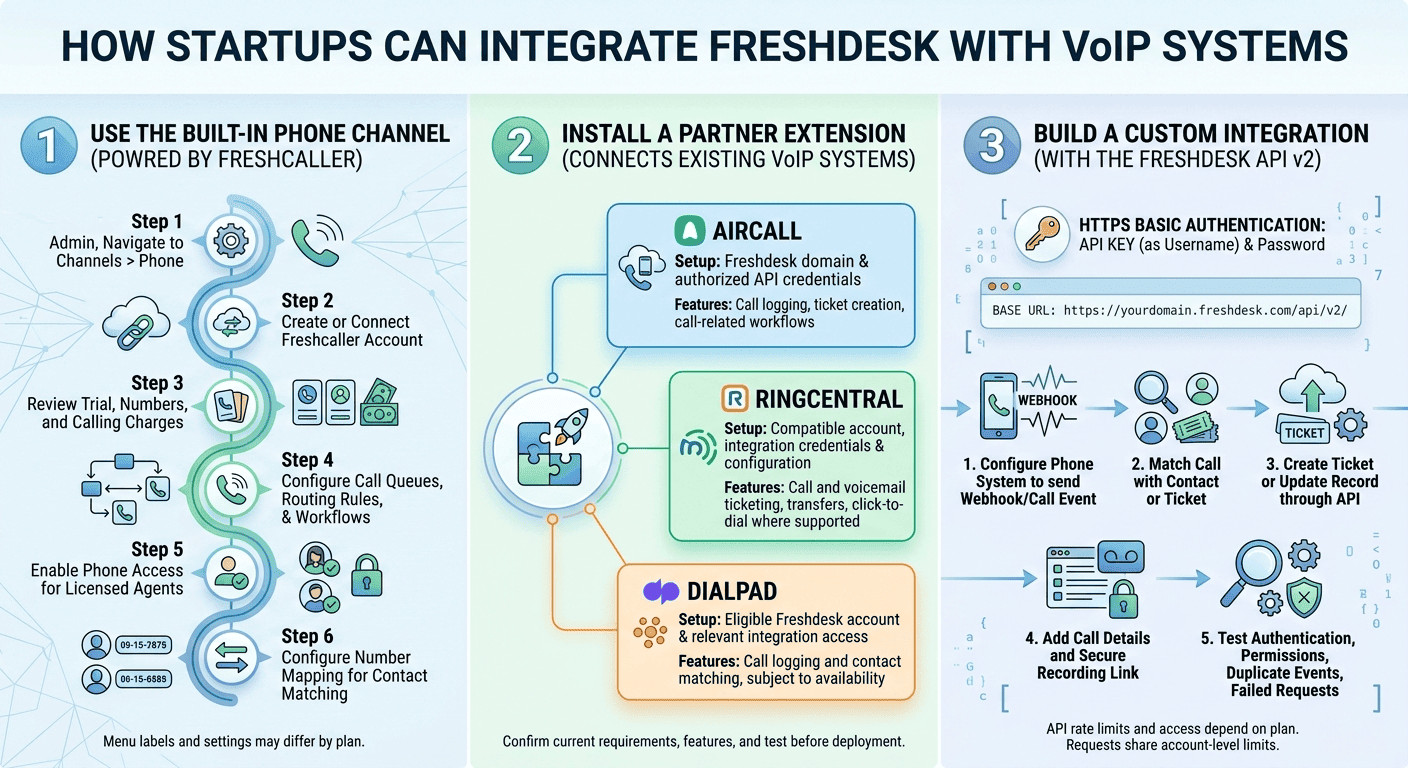
Startups can connect Freshdesk with a phone system in three main ways: the built-in phone channel, a partner extension, or a custom integration using the Freshdesk API.
Option 1: Use the Built-In Phone Channel
Freshdesk’s phone channel is powered by Freshcaller. Availability and administration options depend on your Freshdesk plan and account configuration.
Follow these steps to get started:
- Open Admin and navigate to Channels > Phone, if available in your account.
- Follow the instructions to create or connect a Freshcaller account.
- Review the available trial, phone-number options, and calling charges.
- Configure call queues, routing rules, and workflows.
- Enable phone access for agents who need to handle calls, subject to available licenses.
- Configure number mapping to help match incoming calls with existing contacts.
Menu labels and available settings may differ by plan. Check your current Freshdesk administration interface before following these steps.
Option 2: Install a Partner Extension
Partner integrations can connect an existing phone system with Freshdesk without requiring a completely custom build.
| Provider | Setup requirements | Potential features |
|---|---|---|
| Aircall | Freshdesk domain and authorized API credentials, following the provider’s instructions | Call logging, ticket creation, and call-related workflows |
| RingCentral | Compatible account, integration credentials, and configuration | Call and voicemail ticketing, transfers, and click-to-dial where supported |
| Dialpad | Eligible Freshdesk account and access to the relevant integration | Call logging and contact matching, subject to availability |
Feature availability can change by provider, subscription, and integration version. Confirm current access requirements and test the specific features you need before deployment.
Option 3: Build a Custom Integration with the Freshdesk API
Businesses with developers can use Freshdesk API v2 to create tickets or update records when their phone system generates call events.
Freshdesk API v2 uses HTTP Basic Authentication, with the API key as the username and a placeholder password. The base URL follows this format:
https://yourdomain.freshdesk.com/api/v2/
A typical custom workflow involves:
- Configuring the phone system to send a webhook or another supported call event.
- Matching the call with the appropriate contact or ticket.
- Creating a ticket or updating an existing record through the API.
- Adding call details and, where appropriate, a secure recording link.
- Testing authentication, permissions, duplicate events, and failed requests.
API rate limits and access depend on your Freshdesk plan. Requests share account-level limits, and unsuccessful requests may also count. Check the current Freshdesk API documentation for the applicable limits before building the integration.
Understanding Freshdesk VoIP Integration
Freshdesk is a customer support platform for managing tickets and customer interactions. VoIP, or Voice over Internet Protocol, enables calls over an internet connection.
When connected, the two systems can bring phone activity and customer support records together. Depending on the setup, agents may be able to view recent calls, identify contacts, create tickets, and review call notes from the help desk.
Freshcaller also provides phone-related reporting, although available metrics and features depend on the subscription. A connected workflow helps support managers understand call volume, waiting times, and recurring customer issues.
Why Tech Startups Need Freshdesk VoIP Integration
Startups often operate with small support teams, making it important to resolve customer issues without losing context between communication channels. When calls and tickets are disconnected, agents may need to search multiple systems for previous conversations.
Integrating Freshdesk with VoIP can help agents access relevant customer history, document phone interactions, and follow up on unresolved issues. It can also help teams identify missed calls and make sure unanswered inquiries receive attention.
The benefits depend on the integration’s configuration. Businesses should measure response times, missed calls, ticket resolution, and customer satisfaction to determine whether the setup improves their support process.
Key Benefits of Integrating Freshdesk and VoIP
- Centralized customer records: Keep supported call details alongside tickets and contact information.
- Faster access to context: Help agents review relevant customer history while handling inquiries.
- Better missed-call management: Create or update tickets for missed calls and voicemails when the integration supports it.
- Improved coaching: Use available call recordings and metrics for quality reviews, subject to consent and access rules.
- Flexible working: Allow agents to handle calls through supported desktop or mobile applications.
- More useful reporting: Compare phone activity with ticket volume and other support channels.
Best Practices for Using Freshdesk and VoIP
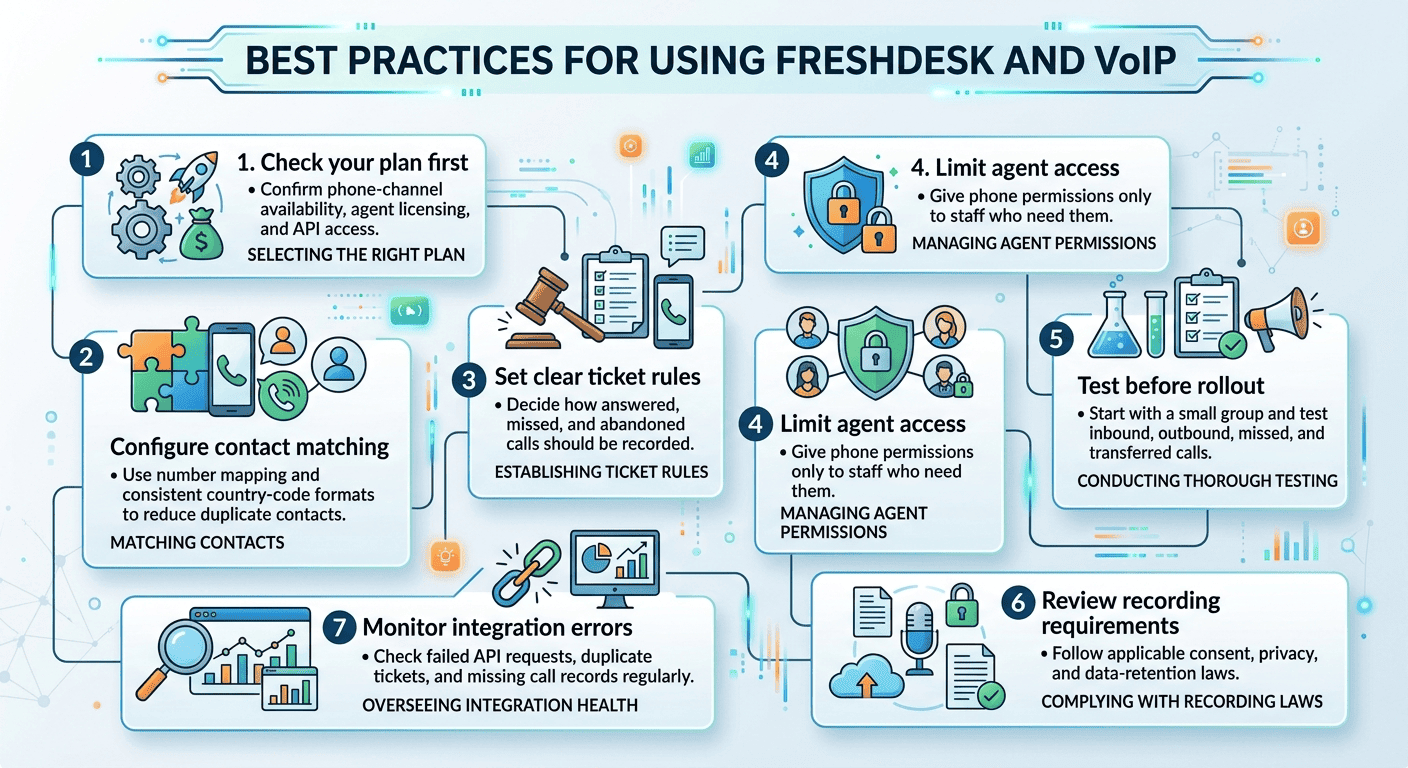
- Check your plan first. Confirm phone-channel availability, agent licensing, and API access.
- Configure contact matching. Use number mapping and consistent country-code formats to reduce duplicate contacts.
- Set clear ticket rules. Decide how answered, missed, and abandoned calls should be recorded.
- Limit agent access. Give phone permissions only to staff who need them.
- Test before rollout. Start with a small group and test inbound, outbound, missed, and transferred calls.
- Review recording requirements. Follow applicable consent, privacy, and data-retention laws.
- Monitor integration errors. Check failed API requests, duplicate tickets, and missing call records regularly.
Top VoIP Providers That Integrate with Freshdesk
The following options are worth evaluating. Verify current availability and included features directly with each vendor.
| Provider | Type | What to check |
|---|---|---|
| Freshcaller | Built-in phone solution | Plan eligibility, trial terms, phone numbers, and calling rates |
| Aircall | Cloud phone system | Call logging, ticket creation, notes, and recording links |
| RingCentral | Business communications platform | Ticket creation, voicemail handling, transfers, and click-to-dial |
| Dialpad | Cloud phone system | Freshdesk eligibility and current integration availability |
| JustCall | Business calling platform | Automatic call logging and ticket creation capabilities |
Do not assume every provider offers the same functions or that all integrations are available to every customer. Ask for a demonstration using your Freshdesk plan and preferred phone workflow before committing.
Pros and Cons of Freshdesk VoIP Integration
| Pros | Cons |
|---|---|
| Connects calls with support tickets | Features vary by subscription |
| Reduces manual call documentation when automation is available | Some setups require additional configuration |
| Supports call-related workflows and reporting | Phone subscriptions and calling charges may be separate |
| Offers partner integrations and API customization | API limits may affect custom workflows |
| Can support call reviews and staff training | Recording creates privacy and compliance responsibilities |
Which Businesses and Industries Suit Freshdesk VoIP Integration?
| Business or industry | Why it may benefit |
|---|---|
| SaaS and technology startups | Agents can investigate technical problems with ticket history available |
| Ecommerce | Support teams can manage order, delivery, and refund inquiries |
| Fintech and insurance | Agents can connect customer calls with existing support records, subject to security requirements |
| IT service providers | Phone conversations can be documented alongside support incidents |
| Remote support teams | Cloud-based calling can help distributed agents work from different locations |
This integration is less useful for businesses that receive very few phone inquiries or operate entirely through self-service and chat. Those teams should compare the cost of phone functionality with their actual support needs.
How Many Users Can Freshdesk VoIP Integration Support?
There is no single user limit that applies to every Freshdesk VoIP integration. The number of agents you can support depends on your Freshdesk plan, phone-provider subscription, licensing arrangements, and technical configuration.
Small startups may need only a few agents and one shared support number. Larger teams may require multiple numbers, call queues, role-based access, advanced reporting, and more extensive automation.
Before rollout, confirm agent limits, phone-number allowances, concurrent-call capacity, and any API or automation quotas with the relevant vendors.
How Much Does Freshdesk VoIP Integration Cost?
The total cost depends on the chosen phone system and integration method. Expenses may include per-agent subscriptions, phone numbers, usage-based calling charges, partner software, and custom development.
Some providers offer trials or include selected integration features in eligible plans, but availability and terms can change. Check the official pricing pages and request a written quote that separates subscription fees from calling charges and optional services.
Final Thoughts
Freshdesk VoIP integration helps startups connect customer calls with their support records and reduce manual work. Start by checking your plan, then compare the built-in phone channel with partner extensions and custom API options. Test the complete workflow before expanding it to the whole team, and review costs, access permissions, and recording requirements. The best setup is one that reliably records customer interactions and fits your support team’s needs.
FAQs
-
What is Freshdesk VoIP integration?
It connects Freshdesk with a cloud phone system so agents can manage calls alongside customer tickets and contact records. Depending on the provider, it may support call logging, ticket creation, caller identification, and recordings.
-
Does Freshdesk have a built-in phone system?
Freshdesk offers a phone channel powered by Freshcaller. Availability and setup options depend on your plan and account configuration, so check the Phone section in your administration settings.
-
Is Freshcaller the same as Freshdesk Contact Center?
Some third-party sources use Freshdesk Contact Center as a product name associated with Freshcaller. Product naming can change, so verify the current name and available features in official Freshworks documentation.
-
Which VoIP providers work with Freshdesk?
Aircall, RingCentral, Dialpad, and JustCall are options to investigate. Confirm the current integration status, plan eligibility, and supported features with each provider.
-
Can I connect my own VoIP provider?
Yes, if your provider offers a compatible integration or exposes suitable APIs and webhooks. Developers may be able to use the Freshdesk API to create or update tickets in response to call events.
-
Does Freshdesk automatically create tickets from calls?
This depends on the phone system and its configuration. Some integrations support automatic ticket creation, while other workflows require agents to link a call to an existing ticket or create one manually.
-
Does Freshdesk VoIP integration work with every plan?
No. Phone-channel access, agent licensing, integration availability, and API limits may vary. Check your current plan and confirm requirements before selecting a provider.
-
Is it legal to record support calls?
Call-recording requirements depend on the applicable jurisdiction and circumstances. Review consent, notification, security, and retention requirements before recording or storing customer conversations.