Choose AT&T Business Fiber for a suitable permanent wired office, Internet Air for a wireless hub at an approved fixed business address, or Wireless Broadband for permitted portable and temporary-site needs. Start with the connection method, then choose the tier and compare the complete cost.
This AT&T Business Internet Packages guide covers those three core products, their current U.S. offer references and practical purchasing checks. It also explains when a dedicated or managed enterprise proposal is needed. Recommendations assess published information and business requirements; we have not conducted firsthand network tests.
Affiliate notice: VoIPCalling.com may earn a commission through it, at no additional cost to you.
AT&T Business Internet Packages: Quick Overview

| Package | Connection and location | Our recommended use |
|---|---|---|
| Business Fiber | Physical fiber line to an eligible fixed premises. | First choice for a suitable permanent office with calls, meetings and uploads. |
| Internet Air for Business | Tower-fed internet through a hub. Approved service address only. | A fixed office wants wireless access instead of installing a fiber or cable line. |
| Wireless Broadband | Portable hotspot/router connectivity with maximum speed tiers. | On-the-go, permitted pop-up operations and appropriate emergency access. |
A wireless access method does not automatically permit mobility. Internet Air stays at the approved address. Wireless Broadband is the separate portable product. Confirm permitted uses and coverage for the actual plan.
G2 Customer Review Snapshot

Individual customer example: 5/5. Belinda C., Practice Administrator, May 1, 2026, described dependable internet and phone service.
The review does not identify which internet package she uses. This is an individual rating, not a product-specific aggregate or proof of performance at your premises. Use reviews to frame questions about installation, support and billing.
1. AT&T Business Fiber: Wired Internet for Offices
Business Fiber is our starting recommendation for an eligible permanent office. Its symmetrical upload proposition is useful when outgoing calls, meetings, backups and cloud transfers overlap. It requires a physical fiber access connection.
| Fiber tier | Standalone online reference | With eligible Business wireless |
|---|---|---|
| 300 Mbps | $60 | $40 |
| 500 Mbps | $100 | $60 |
| 1 GIG | $140 | $90 |
| 2 GIG | $185 | $135 |
| 5 GIG | $285 | $235 |
Current official Fiber offers have location, ordering-channel and eligibility conditions. The wireless service is paid separately. “+ taxes” is table shorthand; obtain fees and the complete written proposal too.
The offer includes a Wi-Fi gateway, no data caps and no annual internet contract. An online installation waiver has conditions. Published speeds are based on suitable wired equipment, and the 5 GIG single-device wired maximum is 4.7 Gbps.
Which Fiber tier should you choose?
Assess simultaneous traffic, especially uploads, rather than selecting a tier from employee count. Basic transactions and browsing can need less capacity than constant video collaboration or large file transfers. Measure existing working-hour use when possible.
Buy capacity the network can use. Router ports, switches, access points, cabling and client hardware can limit results. For multi-gig work, confirm the whole wired path supports the intended speed.
Fiber includes options beyond the access circuit
Eligible 1 GIG-and-higher offers include integrated wireless backup with the required gateway and coverage. Its restrictions are explained below. Calling services, static-IP arrangements and managed network features require separate confirmation.
Review Business Fiber availability and offers and read our dedicated Business Fiber review.
2. Internet Air for Business: Fixed Wireless with a Hub
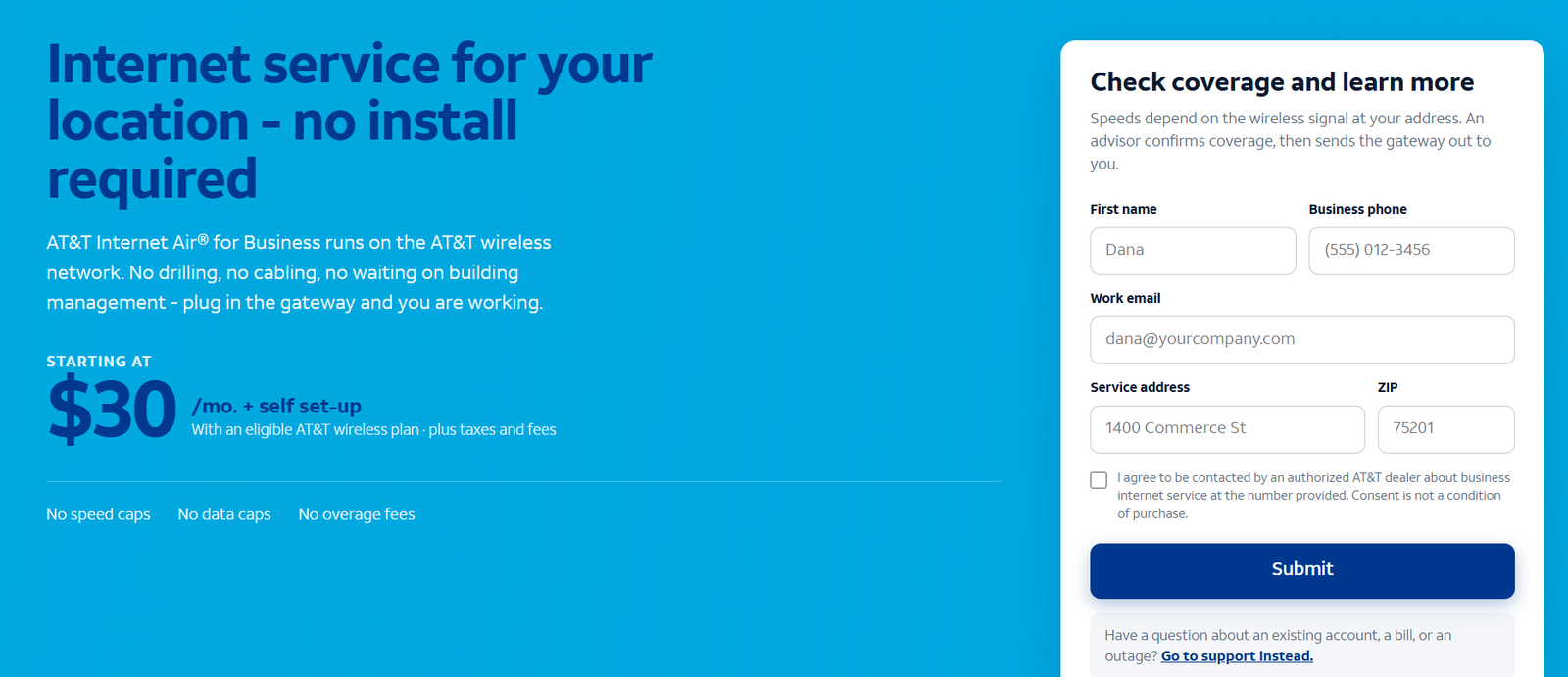
Internet Air uses AT&T’s cellular towers instead of a physical cable or fiber line running into the office. Its hub must stay at the specific approved service address. Do not move it between offices or treat it as a portable hotspot.
| Plan | Without eligible wireless bundle | With eligible Business wireless |
|---|---|---|
| Standard | $50 | $30 |
| Premium | $80 | $60 |
The cited Official Air offer includes AutoPay/paperless conditions and a $10 new-customer credit for 36 months. The prevailing price can change during or after that period. The device is sold separately. Confirm its purchase or payment arrangement and the full bill.
Standard vs Premium
Air advertises no speed caps, data caps or overage charges, but actual wireless performance varies. Premium includes 250GB of AT&T Turbo for Business treatment for eligible traffic. After that threshold, data can be slowed temporarily when the network is busy; Standard is subject to busy-network slowing for its usage.
250GB is a traffic-treatment threshold, not a hard monthly data cap. Turbo does not put the traffic ahead of every other traffic class or provide preemption. Ask what practical difference the Premium plan makes at the service address.
Qualify the location, place the hub according to guidance and test the actual applications. Lack of a advertised maximum speed cap is not a promise of unlimited throughput or Fiber-equivalent uploads.
Choose Air when a fixed wireless hub meets the office need and installing wired access is unsuitable. Explore Internet Air for Business and read our dedicated Air overview.
3. Wireless Broadband: Portable Business Connectivity
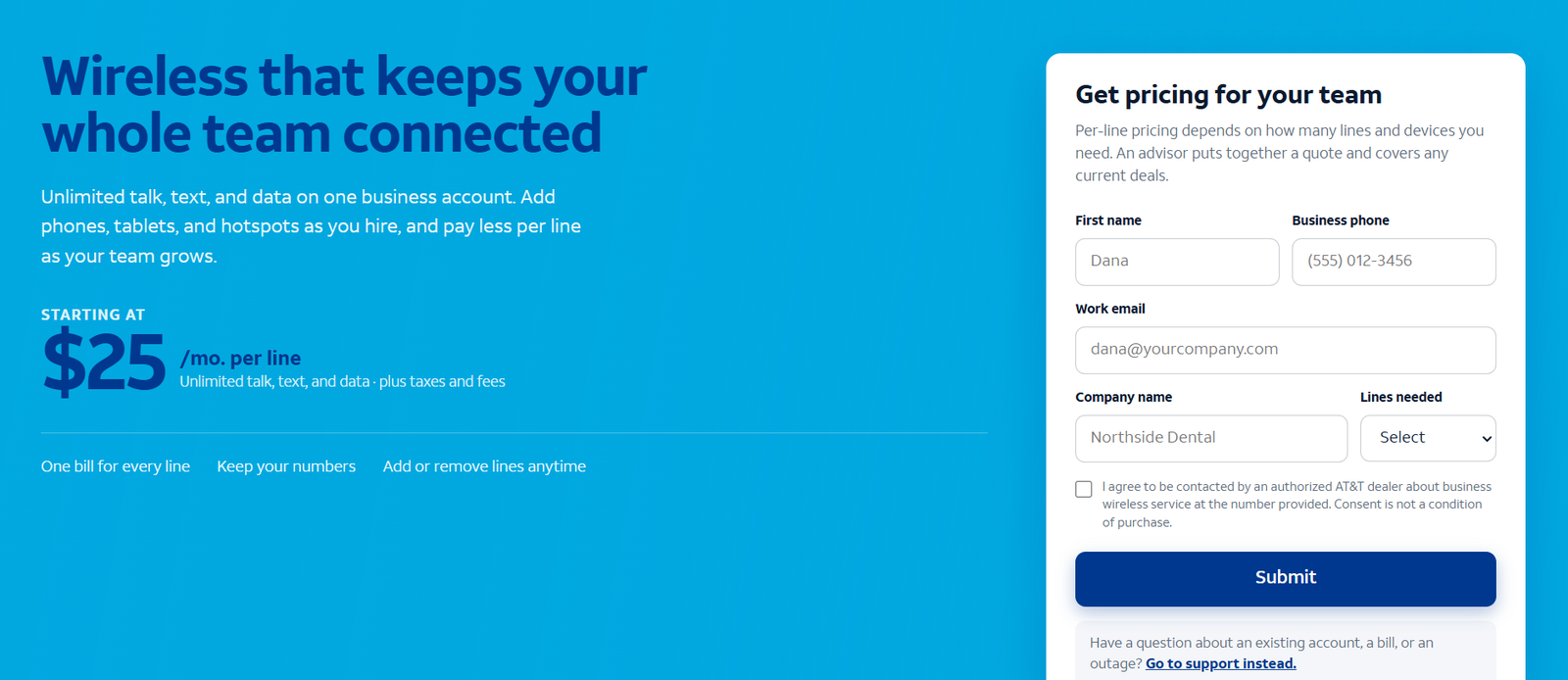
Wireless Broadband is portable. A suitable hotspot or router can serve on-the-go activity, permitted temporary pop-up sites and emergency mobile needs. It is a different product from Internet Air and an employee smartphone subscription.
| Plan and maximum speed | Without eligible wireless bundle | With eligible wireless plan |
|---|---|---|
| Standard: up to 25 Mbps | $70 | $50 |
| Advanced: up to 50 Mbps | $80 | $60 |
| Premium: up to 100 Mbps | $100 | $80 |
The official Wireless Broadband page lists these references after a $5 AutoPay/paperless discount, with eligibility conditions. Confirm the compatible device, its cost and when discounts begin. The accompanying qualifying wireless subscription has its own bill.
Unlimited data is capped by the selected maximum speed tier. Actual results can be lower because of reception, equipment and congestion. A 100 Mbps tier does not guarantee that result everywhere it is used.
Published restrictions exclude public or guest Wi-Fi, consumer entertainment applications, continuous video streaming and web hosting. Confirm the intended business activity before using the product at an event or temporary site.
For emergency access, test coverage at the locations involved and verify how devices will reconnect. Buying a portable subscription does not automatically create an office failover system.
Explore Business Wireless options and read our dedicated Wireless review.
Which Is More Reliable: Fiber or Internet Air?
For a permanent upload-heavy office, our starting choice is suitable Fiber. Its access connection does not depend on indoor cellular reception and local tower capacity. This is an access-type recommendation rather than a guarantee that Fiber never fails.
Air can still serve a business well where the approved location and gateway position produce adequate working-hour results. Qualifying for an offer is different from validating the workload. Test calls, meetings and uploads together.
Wireless Broadband answers a different problem: permitted mobility or temporary access. Compare it against the requirements of that role rather than assuming it should replace a suitable permanent wired circuit.
Equipment and power matter to all three. Begin troubleshooting with a wired device where possible. If one room has poor Wi-Fi while Ethernet works well, improve the internal network before changing the access package.
Bundles: Discounted Internet Is Not a Free Phone Plan
Eligible AT&T Business wireless subscriptions can reduce the listed internet line. The price tables separate those references so the lower bundle charge is not mistaken for standalone pricing.
Calculate the complete spend: internet, required mobile service, devices and any selected extras. A bundle can be useful if the business already needs qualifying wireless service. Adding unnecessary phone lines can outweigh the internet saving.
For example, Fiber 300 at the $60 standalone reference produces $720 over twelve months before extras or changes. Its $40 eligible bundle reference produces $480 in internet-line charges, but the qualifying mobile bill is additional. The difference is not the total bundle saving until both subscriptions are counted.
Ask what happens when a qualifying component changes or ends. Retain the accepted offer and discount conditions rather than relying only on a promotional screenshot.
What You Really Pay: Equipment, Installation and Add-ons
Request the complete quote for the specific product. Include access service, devices, activation, installation, equipment payment obligations, static IPs, security, calling, managed Wi-Fi, backup and applicable taxes and fees.
For Fiber, verify the gateway and installation arrangement in the accepted offer. For Air, include the separately sold hub. For Wireless Broadband, confirm a compatible hotspot/router and its own purchase or financing terms.
An included gateway does not automatically mean unconditional ownership or no return requirement. Ask what must be returned, what happens if equipment is damaged and what remains payable when service ends.
Keep conditional reward cards and credits separate from recurring costs. Compare the bill during the promotion and the expected rate afterwards. “No annual internet contract” does not mean the future price cannot change or that every equipment agreement ends without a remaining obligation.
Backup: What Eligible Fiber Recovery Does and Does Not Cover
Eligible Fiber 1 GIG-and-higher integrated backup needs the required gateway and wireless coverage. It can switch to wireless when the primary access fails, but power remains necessary.
AT&T’s published FAQ says static IPs and AT&T VoIP do not fail over to the integrated wireless backup. The gateway does not include a battery backup. Confirm third-party calling, VPN and payment behaviour separately.
Power the entire required recovery path, including the router, switches, access points and essential terminals. A powered gateway alone cannot operate a payment device whose own power has failed.
Run a controlled failure and restoration test with essential applications active. Record whether sessions reconnect, calls drop or staff must intervene. An advertised backup feature is useful when the complete workflow can recover.
If you need a different continuity design, request it explicitly. A standalone Wireless Broadband subscription or second connection does not automatically provide seamless switching without suitable routing and configuration.
Clear Winners by Business Requirement
| Requirement | Best package to evaluate | Reason |
|---|---|---|
| Permanent wired office with calls and uploads | Business Fiber. | Our preferred starting access method where eligible. |
| Wireless hub instead of installing a wired access line | Internet Air. | Fixed wireless at the approved service address. |
| Permitted on-the-go or temporary-site access | Wireless Broadband. | Portable equipment and defined maximum speed tiers. |
| Frequent large file transfers or cloud backups | Business Fiber. | Assess symmetrical capacity and concurrent traffic. |
| Medium business with sustained calling and cloud work | Suitable Fiber plus a recovery design. | Size by actual workload and acceptable interruption. |
| Budget-conscious fixed office without suitable Fiber | Air to evaluate. | Compare device cost and validate working-hour reception. |
| Public or guest Wi-Fi | A suitable fixed internet and Wi-Fi design. | Do not select Wireless Broadband for its prohibited guest use. |
| Enterprise requiring contractual performance | Dedicated or managed proposal. | Specify SLA, routing, security and support scope. |
| Emergency connectivity | A tested recovery or permitted portable service. | Confirm applications, addressing and power. |
No package should be selected solely from “five-person” or “twenty-person” labels. Concurrent outgoing traffic, location, allowed use and recovery requirements provide a better purchasing basis.
Enterprise Options Beyond These Three Packages
AT&T Dedicated Internet is a separate proposition from ordinary Business Fiber. Request it or a managed connectivity proposal when contractual performance, specialized routing or a wider enterprise design is required. See Dedicated Internet.
The Fiber page also describes Enhanced Internet as an additional-charge proposition for active management across Fiber and wireless. Do not assume that buying ordinary Fiber automatically includes the enhanced service.
Ask the provider to specify SLA definitions, monitoring, escalation, security and service scope. A larger broadband speed tier alone does not turn the access into a dedicated connection or satisfy every enterprise requirement.
U.S. Offers vs International Business Connectivity
The prices above concern eligible U.S. service locations. They should not be assumed to apply to an office outside the United States.
AT&T describes a wider global business networking portfolio across 200+ countries and territories. International locations need a separate availability assessment and a custom proposal based on the service, bandwidth, local infrastructure and other requirements.
Businesses outside the U.S. can submit their requirements so AT&T can advise on suitable availability and delivery. Where local access is involved, a local provider’s engineering team may handle the survey or installation. Some global solutions use carrier- and transport-agnostic arrangements.
Do not promise that a standard domestic Fiber, Air or portable plan is available abroad. State the exact location and intended use in the inquiry and ask for the appropriate local arrangement.
How to Request the Correct Package
- Identify the role: permanent primary access, fixed wireless, portable use or recovery.
- Provide the location: full address and suite for fixed service; intended locations for portable use.
- Describe the workload: concurrent calls, meetings, uploads and essential applications.
- Request the complete quote: equipment, extras, discounts, future rates and obligations.
- Validate operation: test normal work and the recovery arrangement before migration.
After submitting an inquiry through the supplied referral route, you can typically expect a response within 24–48 business hours. This is an expected response window, not a guaranteed activation, installation or repair deadline.
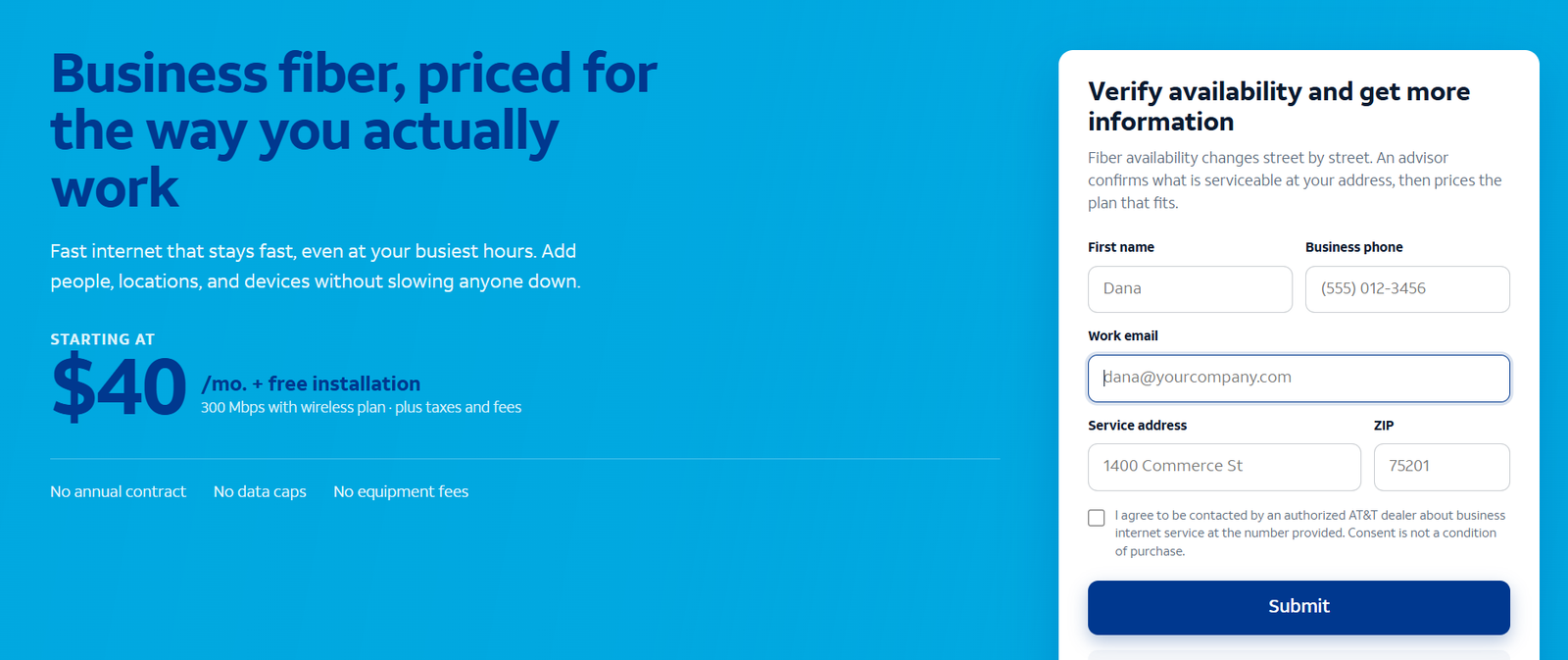
Request an AT&T Business Fiber Proposal
Open the Business Fiber inquiry page to submit the requirement and confirm the applicable offer.
Read the dedicated Business Fiber review before selecting the package.
Request an AT&T Internet Air Proposal
Open the Internet Air inquiry page to submit the requirement and confirm the applicable offer.
Read the dedicated Internet Air overview before selecting the package.
Request an AT&T Business Wireless Proposal
Open the Business Wireless inquiry page to submit the requirement and confirm the applicable offer.
Read the dedicated Business Wireless review before selecting the package.
Customer Reviews: Use Product and Location Context
Belinda’s individual 5/5 G2 example is positive feedback about internet and phone service, but it does not identify which package she uses. A general carrier review should not establish the performance of a specific new office circuit.
Look for recent reports from businesses using the same access type in a comparable location. Ask about installation, working-hour uploads, support follow-up, unexpected charges and recovery. A portable hotspot report is not an equivalent Fiber review.
Use customer experiences to frame practical questions. Let the exact quote, allowed use and application checks decide the purchase.
Frequently Asked Questions
What AT&T business internet packages are available?
The three core products in this guide are Business Fiber, Internet Air for Business and Wireless Broadband. Dedicated and managed enterprise options require separate proposals. Availability varies by location.
Which package is best for a permanent office?
Start with suitable Business Fiber for regular uploads, meetings and calling. Evaluate fixed wireless when installing an appropriate wired service is unsuitable.
Can I move the Internet Air hub?
No. Use it at its approved service address. Select a permitted portable service for changing locations.
Is Wireless Broadband unlimited?
It offers unlimited data with maximum speed tiers and permitted-use restrictions. Coverage and congestion can reduce actual speed.
Does Air Premium stop after 250GB?
No. Its 250GB Turbo threshold concerns eligible traffic treatment. Afterwards, busy-network slowing can apply; it is not a hard data cap.
Does the bundle price include the mobile plan?
No. The discounted internet charge and the separately paid qualifying wireless subscription must both be counted.
Is equipment included?
Fiber’s offer includes a gateway. Air’s hub is sold separately. Wireless Broadband needs compatible equipment with its own quoted arrangement. Confirm obligations and returns.
Does Fiber backup preserve static IPs and AT&T VoIP?
The published FAQ says those services do not fail over. Verify every essential application and power requirement.
Is Business Fiber dedicated internet?
No. Dedicated Internet is a separate purchase. Request it when the business needs that contractual service scope.
Can an international office use the U.S. prices?
No. Request an international availability assessment and location-specific proposal.
Final Recommendation
Business Fiber is our first choice for a suitable permanent office. Internet Air fits an approved fixed location needing wireless access. Wireless Broadband fits permitted portable or temporary-site needs.
Choose the access method first, then size the workload and compare the complete bill. Review restrictions, equipment, addressing and recovery before accepting the package.
AT&T and its product names are trademarks of their respective owners. VoIPCalling.com is an independent publisher.
Affiliate disclosure: VoIPCalling.com may earn a commission if you purchase through it, at no additional cost to you.