
AT&T Business Fiber is our recommended starting choice for a permanent office where it is available. Starlink is the stronger alternative when the office cannot obtain suitable wired internet and has a clear view of the sky. For resilience, a carefully configured Fiber-plus-Starlink setup can be more useful than choosing only one connection.
This guide compares Starlink business connectivity with AT&T Business Fiber for offices. It focuses on uploads, voice calls, cloud applications, availability and total cost. Recommendations are editorial assessments of published features and business needs.
Affiliate notice: VoIPCalling.com may earn a commission through it, at no additional cost to you.
Starlink vs AT&T Fiber: Quick Overview

| Buying factor | Starlink Business | AT&T Business Fiber |
|---|---|---|
| Connection | Satellite access through an outdoor terminal. | Physical fiber connection to an eligible premises. |
| Best reason to choose | A remote office lacks suitable wired access. | A permanent office needs strong upload capacity. |
| Buying model | Confirm the current Priority data allowance, hardware and local quote. | Choose an available speed tier and confirm offer eligibility. |
| Main site requirement | Clear sky, safe mounting and an approved installation. | Service qualification for the exact business address. |
| Main limitation | Obstructions and Priority data management need attention. | Availability and the installation path can limit access. |
| Our office winner | Winner for a suitable remote office without wired access. | Overall starting winner for an eligible permanent office. |
The winner depends on the location and workload. This is not a nationwide outage ranking. Check AT&T Business Fiber availability and Starlink business options for the actual premises.
Customer Rating Snapshot

Individual AT&T review: 5/5. Belinda C., Practice Administrator, May 1, 2026, reported dependable internet and phone service on G2’s general AT&T listing. Its score is an individual customer example, not a Fiber aggregate rating or a head-to-head score against Starlink.
Pricing: AT&T Fiber Tiers and Starlink’s Total Cost
| AT&T Business Fiber tier | Online reference | With eligible Business wireless |
|---|---|---|
| 300 Mbps | $60 | $40 |
| 500 Mbps | $100 | $60 |
| 1 GIG | $140 | $90 |
| 2 GIG | $185 | $135 |
| 5 GIG | $285 | $235 |
These AT&T references require applicable eligibility and offer conditions. The wireless subscription is paid separately. “+ taxes” is table shorthand; ask for fees and the complete bill as well. U.S. domestic offers should not be treated as international prices.
Why Starlink needs a separate quote
For Starlink, obtain a current U.S. business quote showing the service plan, Priority data, terminal, shipping, mounts and any installation labour. We have not verified a current address-specific U.S. Starlink checkout price, so this guide does not present an older price sheet or another country’s rate as a 2026 U.S. offer.
Priority plans allow data blocks in 50GB or 500GB increments. Those figures describe data volume, not a 50 or 500 Mbps speed tier. Confirm which allowance your quote includes, how additional blocks are purchased and what happens when the allowance runs out.
Build a twelve-month comparison: recurring service plus extra data, hardware, mounting, installation and support. Include a second connection if it is part of your continuity plan. A low headline monthly price can lose its advantage once the office’s real usage is included.
For example, AT&T’s $60 reference produces $720 in internet charges over twelve months before taxes, fees or offer changes. Compare that with the complete Starlink proposal rather than only its smallest data allowance. This is budgeting arithmetic, not a guaranteed annual bill.
Starlink vs AT&T Fiber Speed and Uploads: The More Useful Office Comparison
AT&T advertises equal upload and download speeds, tiers up to 5 GIG in eligible areas, and no data caps. Its published speeds are based on a wired connection; the 5 GIG single-device wired maximum is 4.7 Gbps.
For upload-heavy office work, Fiber is our starting winner. Sending design files, cloud backups and meeting video can put more pressure on the outgoing connection than ordinary browsing. A large download headline alone does not answer that requirement.
Starlink performance varies with the service, network conditions and installation. Confirm the current expected upload and download ranges for the proposed plan. We do not treat a global marketing headline or a performance estimate from another market as a guaranteed office result.
Test an Ethernet-connected device first, then the office Wi-Fi. A weak access point or slow router can limit either service. Compare simultaneous calls, a meeting and a representative upload during the working day, rather than relying on a single quiet-hour speed test.
Starlink Priority Data: What Happens When It Runs Out?
Starlink’s published business-plan terms describe reduced service of up to 1 Mbps download and 0.5 Mbps upload after Priority data is exhausted, unless more Priority data is added. Confirm the current rule for the precise plan and market in your quote. See Starlink business service plans.
That reduced connection should not be budgeted as normal capacity for an office full of meetings or cloud transfers. Decide who can approve additional data and whether automatic purchases are enabled before staff depend on the service.
Illustratively, a workload averaging 20GB per working day uses 440GB over 22 days, before other traffic. A 50GB allowance would be a very different purchase from a plan sized around that workload. Use measured consumption from the existing router when available.
Separate essential activity from background transfers. Backup software, operating-system downloads, guest Wi-Fi and synchronization can all consume data without staff noticing. For a backup-only Starlink link, prevent routine traffic from silently using the recovery allowance.
Starlink vs AT&T Fiber: Latency, VoIP and Video Meetings
Calls need stable packet delivery as well as enough bandwidth. Latency, jitter, packet loss and interruptions matter when several staff speak at once. Assess the actual calling application and VPN, not only a speed-test result.
Starlink’s low-Earth-orbit service can support real-time applications, but a partially obstructed terminal can interrupt them. Its support guidance identifies obstructions as a cause of outages that are particularly noticeable in video calls. Check Starlink’s obstruction guidance.
Our recommendation for a phone-dependent office is suitable Fiber as the primary connection. If Starlink is the available option, validate calls over a representative working period and resolve obstruction alerts before committing the whole office.
Schedule nonurgent bulk transfers around critical calls where practical. Ask the network administrator to review traffic management and the calling provider’s requirements. An internet subscription does not automatically include a business phone system.
Starlink vs AT&T Fiber Installation and Availability
AT&T must qualify the exact address and arrange the physical fiber connection. Ask about the suite, building entry, equipment position and installation date. A nearby building having service does not prove your own premises can order it.
For Starlink, start with the official installation guide and app obstruction tool. Check the sky view before ordering mounts. Obtain landlord permission and plan safe cable routing, weather protection and access for maintenance.
A roof or outdoor mounting location can be inconvenient in a leased office, even when the area qualifies for satellite service. Conversely, a remote office may have an excellent sky view but no viable fiber installation. Those practical differences often determine the winner before price does.
Do not promise a universal installation deadline. Confirm the provider’s actual lead time, hardware delivery and any building work. Keep the old connection active until the new service has passed acceptance checks where a transition can be arranged.
Starlink vs AT&T Fiber Reliability, Backup and Enterprise Requirements
Fiber is our preferred primary office access; Starlink can add a useful alternative access path. Satellite connectivity can reduce dependence on a local cable route, but both connections still rely on powered equipment at the office.
Starlink publishes a 99.9% network-availability SLA for eligible Priority service. Check hardware eligibility, exclusions and credit procedures; its Priority transition document excludes Mini from that SLA. A network SLA does not guarantee uninterrupted Wi-Fi or every application session.
AT&T Business Fiber is different from AT&T Dedicated Internet. Ask for a separate dedicated or managed proposal when the business needs contractual performance commitments. A higher broadband speed tier alone does not turn shared access into a dedicated circuit.
Eligible AT&T Fiber 1 GIG-and-higher plans advertise integrated wireless backup with the required gateway and coverage. It needs power. If you are considering Starlink as an additional recovery path, ask what it improves beyond the included backup and how the router will use it.
Test failure and restoration with payments, calls and VPNs active. Some sessions may need reconnection after the external address changes. Specify which applications must recover automatically and which can tolerate manual recovery.
For enterprise use, request the SLA text, escalation route, reporting, IP addressing and managed equipment scope. Starlink’s published public-IP option should not be assumed to guarantee a permanent static address. Verify the requirements of hosted services and allowlists.
Starlink vs AT&T Fiber: Support and Security
Confirm who owns each support responsibility: provider access, rooftop installation, internal Wi-Fi, router configuration and application faults. If Starlink comes through a reseller, ask which company handles the account and escalation.
For either service, document the support channel, replacement-hardware process and any onsite response agreement. A ticket channel or priority support promise is not automatically a guaranteed onsite repair time.
Use an appropriate firewall, secure Wi-Fi configuration, updates and separate guest access. Review remote-access and payment requirements with the responsible administrator. Choosing satellite or fiber does not by itself establish compliance for the business.
Starlink vs AT&T Fiber: Pros and Cons Compared
| Service | Advantages | Limitations |
|---|---|---|
| Starlink | Useful for remote sites; an alternative to local wired access; potential backup role. | Sky-view and mounting requirements; variable performance; Priority data budget. |
| AT&T Fiber | Strong upload proposition; no data caps; included gateway; no annual internet contract. | Address-dependent availability; physical installation; separate continuity planning remains important. |
Starlink vs AT&T Fiber: Clear Winners by Business Requirement
| Business requirement | Clear winner | Why |
|---|---|---|
| Permanent office with eligible Fiber access | AT&T Business Fiber. | Our preferred starting point for uploads and everyday office traffic. |
| Remote office without suitable wired internet | Starlink, if the site and plan qualify. | Satellite access addresses the availability problem. |
| Cloud backups and frequent large uploads | AT&T Business Fiber. | The symmetrical, uncapped proposition suits this workload. |
| Budget-conscious office with both options | AT&T Fiber as the first quote. | Its entry offer is a useful baseline; compare the complete Starlink bill. |
| Medium business with sustained calling and cloud work | AT&T Fiber as primary, where suitable. | Validate concurrent traffic and design a recovery connection. |
| Enterprise needing contractual performance | A dedicated or managed connectivity proposal. | Evaluate contractual requirements separately from these broadband choices. |
| Backup independent of the local fiber route | Starlink as a candidate second link. | Assess routing, power, sky view and allowance before deployment. |
| Highest practical office resilience | Fiber plus a tested alternative link. | Diversity helps when shared failure points and recovery are addressed. |
Employee count alone does not select the connection. Choose around simultaneous outgoing traffic, outage tolerance, location and the applications that must stay usable.
Request an AT&T Business Fiber Inquiry
Use the AT&T Business Fiber inquiry page to check the office address and request a current proposal. Include the full suite, upload needs, static-IP requirements and backup expectations.
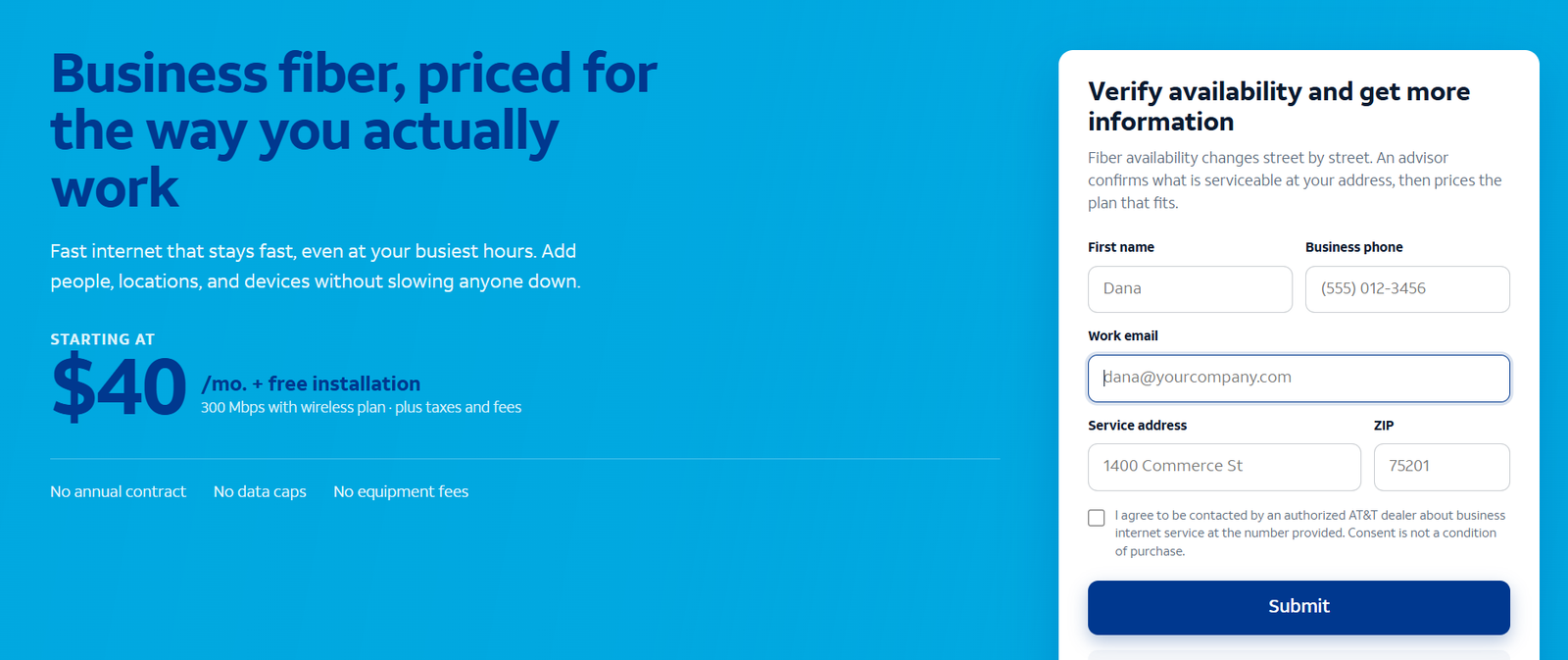
After submitting an inquiry, you can typically expect a response within 24–48 business hours. This is an expected response window, not a guaranteed installation or activation deadline.
Read our AT&T Business Fiber review for the dedicated product overview.
Starlink vs AT&T Fiber Customer Reviews: How to Use Them
Belinda’s 5/5 G2 review is a positive customer example, but it does not establish Fiber performance at your building. The general AT&T listing mixes services and should not become a product-specific score.
For Starlink, look for recent reports using comparable hardware and plans in a similar location. Obstruction-free rural results may not predict a roof surrounded by taller buildings. Check whether the reviewer uses a residential, roaming or Priority plan before applying the experience to your office.
Use reviews to form questions about support, interruptions and installation. Let the address-specific proposal and your own acceptance checks decide the purchase.
Frequently Asked Questions
Is Starlink better than AT&T Fiber for an office?
Usually, suitable AT&T Business Fiber is our first choice for a permanent office. Starlink is the stronger option when adequate wired access is unavailable and the installation has a clear sky view.
Is Starlink suitable for a business phone system?
It can be, but test calls, uploads and meetings together. Obstructions, reduced service after the Priority allowance and network conditions can affect real-time work.
Does Starlink business service include unlimited full-speed data?
Do not assume that. Check the Priority allowance and the current reduced-service rule after it is exhausted, plus the cost of additional data.
Does 500GB mean 500 Mbps?
No. GB measures data volume; Mbps measures transfer speed. Compare both when sizing the connection.
Can Starlink back up AT&T Fiber?
Yes, with compatible routing and a suitable plan. Test automatic switching, power protection, IP-dependent applications and recovery.
Is AT&T Business Fiber a dedicated circuit?
No. AT&T Dedicated Internet is a separate product. Request it or another suitable managed service when contractual requirements call for it.
Which is cheaper?
Compare the actual total quotes. AT&T’s published U.S. entry reference is $60 per month + taxes, subject to terms. Starlink also needs hardware, installation and allowance costs included.
Do these U.S. prices apply internationally?
No. Confirm country-specific availability, service terms and local pricing. AT&T’s domestic Fiber offers apply to eligible U.S. locations.
Final Recommendation
Choose AT&T Business Fiber for an eligible permanent office where uploads, meetings and everyday cloud work drive the decision. Choose Starlink for a suitable remote office that cannot obtain adequate wired access.
For critical operations, consider a tested primary-and-backup design. Obtain the complete quotes, check installation feasibility and verify how essential applications behave during normal use and recovery.
AT&T and Starlink are trademarks of their respective owners. VoIPCalling.com is an independent publisher.
Affiliate disclosure: VoIPCalling.com may earn a commission if you purchase through it, at no additional cost to you.