Yes—AT&T Internet for Business can be a good choice for a small business, especially when Business Fiber is available at its premises. Fiber is our first choice for a permanent office needing dependable uploads and daily cloud work. Internet Air is worth evaluating when you want internet through a wireless gateway at one approved address. Business Wireless serves mobile employees; its separate Wireless Broadband service can provide portable hotspot or router internet.
The important buying decision is the connection you need: wired fiber, fixed wireless internet, or portable connectivity. A low advertised bill is useful only when the service supports your work, equipment and location. This review explains where each option makes sense, what it costs and the limitations to check before ordering.
Affiliate notice: VoIPCalling.com may earn a commission through the product links below, at no additional cost to you.
Our ATT Verdict and Customer-Satisfaction Evidence
Best overall for a permanent small-business office: Business Fiber, where available. It is the strongest starting point when uploads, meetings and consistent office connectivity matter. Internet Air is an alternative to evaluate at an eligible fixed location. Portable wireless is useful for work away from that premises and emergency access.
J.D. Power: highest-ranked small-business internet provider in the 2026 U.S. Business Internet Satisfaction Study, according to AT&T’s July 2026 announcement. The ranking covers the provider’s overall small-business internet experience; it is not an individual Fiber or Internet Air product score.
Our recommendation combines published specifications, current offer terms and practical buying criteria. It does not claim firsthand speed testing at your address. Local availability and application performance still decide whether the service is good for your business.
AT&T Internet for Business: Quick Review

| Product | Connection and mobility | Best need | Price and next step |
|---|---|---|---|
| Business Fiber | Wired fiber and gateway. Fixed at the installed premises. | A permanent office needing predictable uploads and downloads. | $60/month for 300 Mbps; $40 with eligible Business wireless + taxes. Check Fiber availability |
| Internet Air for Business | Gateway receives 4G LTE/5G/5G+ tower internet. No new fiber or cable access line; approved address only. | Internet through a wireless device at one office or storefront. | Standard $50/month; $30 with eligible Business wireless + taxes. Check Internet Air |
| Business Wireless and portable options | Phone plans for employees; separate Wireless Broadband for hotspot/router internet. Portable service can travel. | Mobile work, temporary pop-up sites and emergency internet access. | Phone pricing varies by plan and lines. Broadband has up-to-25/50/100 Mbps tiers. Request a Wireless quote |
These are eligible U.S. offer references, with billing and promotional conditions. Device and other applicable charges need a written quote. Internet Air cannot be taken on the road. For portable internet, specifically request Wireless Broadband and confirm that the inquiry route supports that separate service.
Is Fiber or Internet Air More Reliable?
Fiber is generally the more predictable primary connection for a permanent office. Its access link does not depend on indoor cellular reception or competition for local tower capacity. Internet Air can be useful at the right address, but signal quality, gateway placement and busy-hour congestion influence its performance.
This is an assessment of the connection types, not a guarantee of uninterrupted service. Both require powered equipment. A fiber outage, a failed router or a power cut can still stop work unless you have a tested continuity plan.
For a small office, reliability should mean that the applications you need remain usable throughout the working day. Assess payment processing, voice calls and uploads alongside a speed test. A high download result alone does not establish that every workflow is dependable.
Business Fiber: The Strongest Fit for a Permanent Office
Business Fiber offers symmetrical upload and download speed tiers from 300 Mbps to 5 GIG. The supplied partner briefing lists unlimited data, no annual contract and no equipment fees; installation offers depend on the ordering channel. Ask for the exact installation arrangement in your quote.
Its main practical advantage is upload capacity. A business sending design files, backing up documents or hosting several meetings generates outgoing traffic as well as downloads. Symmetrical capacity is worth assessing before paying for a faster service with limited upstream bandwidth.
Choose capacity from the workload
Begin with your normal busy hour. Count simultaneous meetings, large transfers, cloud backups and guest-network traffic. If the workload is moderate, evaluate the entry tier before assuming a gigabit plan is necessary. If uploads routinely interrupt other work, investigate capacity and local-network configuration together.
A small creative studio may need more upload headroom than a much larger office doing mainly email. That is why this review recommends products by the overall connection requirement rather than assigning plans to five-person or twenty-person teams.
What Fiber does not solve automatically
A faster subscription will not repair poor Wi-Fi coverage, old network switches or overloaded devices. For time-sensitive calls, use a suitable wired connection where practical and test the network with normal office activity running. Separate the provider connection from problems inside the premises.
Pricing: What a Small Business Really Pays
| Plan | Without eligible wireless | With eligible wireless |
|---|---|---|
| Fiber 300 Mbps | $60 + taxes | $40 + taxes |
| Fiber 500 Mbps | $100 + taxes | $60 + taxes |
| Fiber 1 GIG | $140 + taxes | $90 + taxes |
| Fiber 2 GIG | $185 + taxes | $135 + taxes |
| Fiber 5 GIG | $285 + taxes | $235 + taxes |
| Internet Air Standard | $50 + taxes | $30 + taxes |
| Internet Air Premium | $80 + taxes | $60 + taxes |
The Fiber figures match the current published offers and the supplied briefing. Internet Air Premium’s current public offer is lower than the older briefing. See live Fiber pricing and see live Internet Air pricing before ordering; eligibility, online offers and account conditions apply.
The public Internet Air promotion includes AutoPay/paperless billing and a $10 monthly credit for 36 months; eligible wireless adds a further discount. Credits may take several bills to appear, and the then-prevailing rate applies after the promotional period. Its gateway/device is sold separately.
Compare the complete cost, not just the internet discount
A wireless bundle makes sense when you already need the qualifying service. It does not automatically save money if you add mobile lines solely to reduce the internet bill.
Illustrative calculation: Fiber 300 drops from $60 to $40 with an eligible wireless bundle, a $20 monthly internet saving. If the wireless service adds more than $20 to what you would otherwise spend, the combined bill rises. Compare both services against the subscriptions they actually replace.
Request the internet charge, mobile-line charge, device payment, installation cost, promotion expiry and any additional fees separately. The price table uses “+ taxes” for readability; applicable equipment and other charges can still affect the final quote. No annual internet contract does not necessarily remove a separate device-financing obligation.
Internet Air: Good When a Fixed Wireless Gateway Fits
Internet Air delivers business internet through AT&T’s cellular towers rather than a physical access cable running to the premises. The gateway must remain at the specific approved service address; it is not a portable travel hub. Self-setup can avoid coordinating a new wired installation.
Standard is the base option. Premium advertises uploads up to 25% faster than Standard and 250GB of Turbo priority data. Both provide unlimited data, but congestion management can apply; Premium’s 250GB figure is a priority allowance, not a total-data cap. Speeds are not guaranteed.
For a shop or office evaluating Air, test reception where the gateway can realistically stay. Check transactions, a normal video meeting and a file upload during business hours. Repeat at a busier time before treating a quiet-hour result as representative.
Review permitted-use terms if you run servers, continuous broadcasts or unusually bandwidth-intensive applications. A plan described as unlimited can still have restrictions on how the connection is used.
Choose Air when it meets the fixed-location requirement and the actual experience is acceptable. Choose a portable product if your connection must accompany the business to changing locations.
Business Wireless: Mobile Work and Portable Internet
AT&T Business Wireless includes business smartphone lines and eligible connected devices. Phone-plan pricing depends on the plan, line count and discounts; hotspot allowances and device payments need separate attention. It complements office internet when employees work away from their desks.
For portable hotspot or mobile-router internet, evaluate the separately named AT&T Wireless Broadband service. It offers unlimited data with maximum speed tiers of up to 25, 50 or 100 Mbps. Actual performance can be lower, including during congestion. These tiers are not the speed limits of every Business Wireless phone plan.
Portable broadband can support a temporary pop-up location, mobile work or emergency access when the primary internet connection fails. Verify coverage and the compatible device before depending on it, and check the allowed-use terms: the plans are not intended for public/guest Wi-Fi, continuous video streaming or web hosting.
During a backup event, prioritise the essential work. Keeping a payment terminal and a few calls running is a different requirement from maintaining every workstation’s normal transfers. Test that reduced workload on the chosen hotspot or router.
ATT Backup and Outage Protection: Important Limits
Eligible Fiber plans at 1 GIG and above include integrated wireless backup with the required gateway and coverage. The current FAQ says static IP and AT&T VoIP do not fail over to that included backup. It also states that the gateway does not include a battery backup.
The integrated-backup terms include data restrictions after 250GB and limits on video quality. Do not assume the backup reproduces the primary circuit’s capacity or preserves every service.
AT&T’s Business Guarantee offers credits for qualifying outages, subject to restrictions and exclusions. A credit may reduce the bill after a disruption; it does not keep your checkout or meeting online during it.
Build a continuity plan around essential tasks
- List the applications that must remain available during an outage.
- Confirm which devices and services can use the backup route.
- Provide power for the gateway, router, switches and essential endpoints.
- Test a primary-link interruption and restoration.
- Record what fails and who will handle recovery.
If you use two AT&T connections, consider shared carrier dependencies. A second access technology can help, but it is not automatically a completely independent network. Ask your IT provider whether carrier diversity is appropriate.
ATT Pros and Cons for Small Businesses
| Area | What is good | What to check |
|---|---|---|
| Office performance | Fiber provides symmetrical capacity for uploads and downloads. | Exact-address availability and the local Wi-Fi/network. |
| Fixed wireless setup | Air avoids a new wired access connection. | Approved-address restriction and busy-hour performance. |
| Portable work | Wireless options support work beyond one office. | Choose the correct phone or broadband service and device. |
| Budget | Qualifying bundles can reduce the internet charge. | Complete bill, promotion expiry and device costs. |
| Continuity | Eligible Fiber tiers offer integrated backup. | Power, application compatibility and backup restrictions. |
| Support | Business support and outage-credit programmes are available. | Escalation process and qualifying-outage conditions. |
Who Should Choose It—and Who Should Look Elsewhere?
| Your overall need | Recommended starting choice | Reason |
|---|---|---|
| Permanent wired office internet | Business Fiber wins, if available. | The most suitable starting point for upload-heavy office work. |
| Internet through a device at one approved premises | Internet Air wins for the fixed wireless requirement. | No new access fiber/cable line; validate local performance. |
| Portable connection for pop-up or mobile work | Wireless Broadband wins for portability. | Use a suitable hotspot/router; verify allowed use and coverage. |
| Employee smartphone calls and data | Business Wireless phone plans win. | Mobile lines serve a different job from an office circuit. |
| Strict performance commitments or specialist hosting | Request a specialist business-network assessment. | Do not select ordinary broadband on headline speed alone. |
Consider another available provider when AT&T cannot serve your address, indoor reception is weak or its written terms do not support your workload. Obtain a comparable quote for the same upload requirement, equipment and continuity design. Compare like-for-like service rather than the cheapest headline number.
For medium businesses and enterprises, site consistency, service commitments and escalation arrangements become more important. These domestic SMB offers should not be treated as a substitute for a tailored multi-site or international network proposal.
ATT Availability, Installation and Support
Check the full street address, suite and business premises before planning installation. A nearby business having Fiber does not establish availability in your own unit. Confirm building access and any landlord arrangements that could affect the appointment.
For Air, confirm the approved location and equipment, then follow the current setup instructions. For Wireless, verify that the chosen service supports the device and places where you need coverage. Keep the existing connection until the replacement has been activated and checked.
Ask support how to distinguish a local Wi-Fi fault from an access-network issue, who owns the case and how urgent incidents are escalated. Save the account details and recovery instructions somewhere staff can access without relying on the office connection.
The wider AT&T global business portfolio serves international networking requirements, but the U.S. prices and referral offers here apply to eligible U.S. locations. A business outside the U.S. should request an international assessment with location-specific availability and custom pricing. Local access delivery and installation responsibilities should be set out in that proposal.
Submit a Product-Specific Inquiry
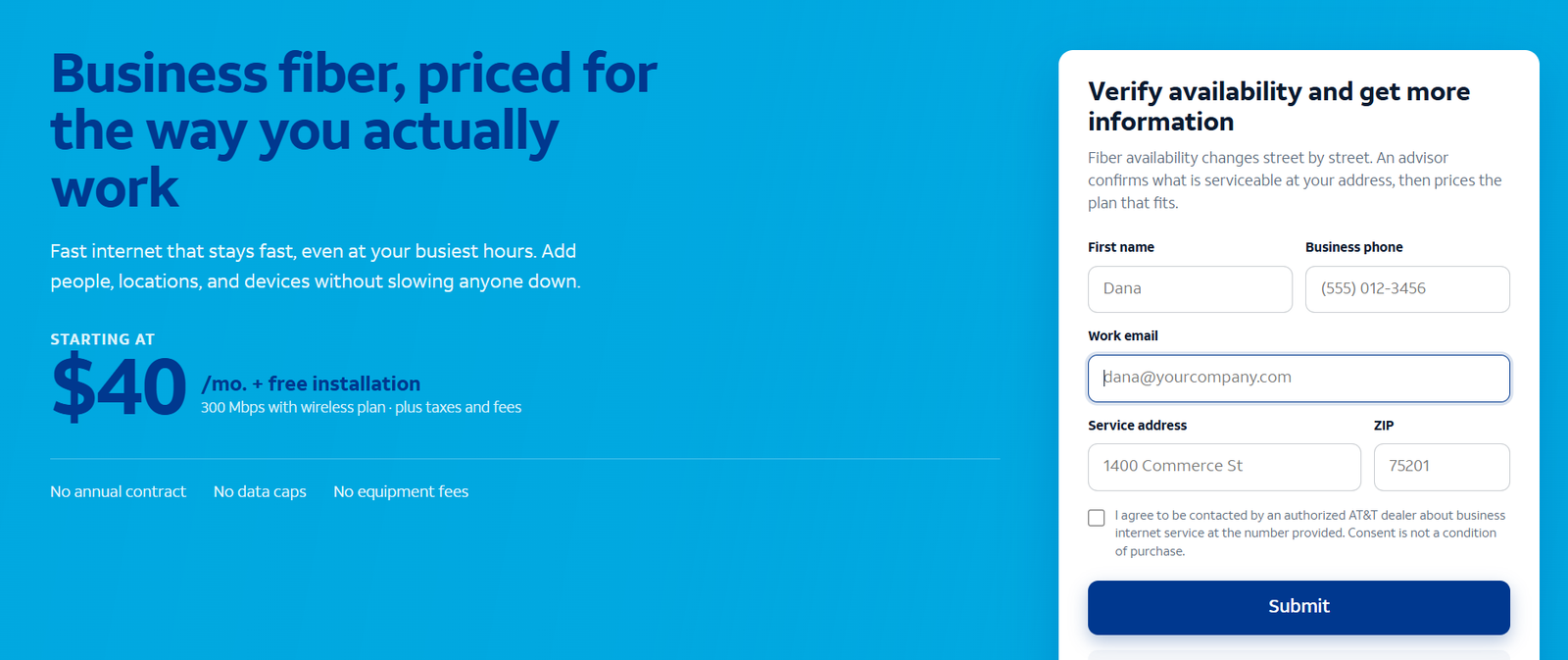
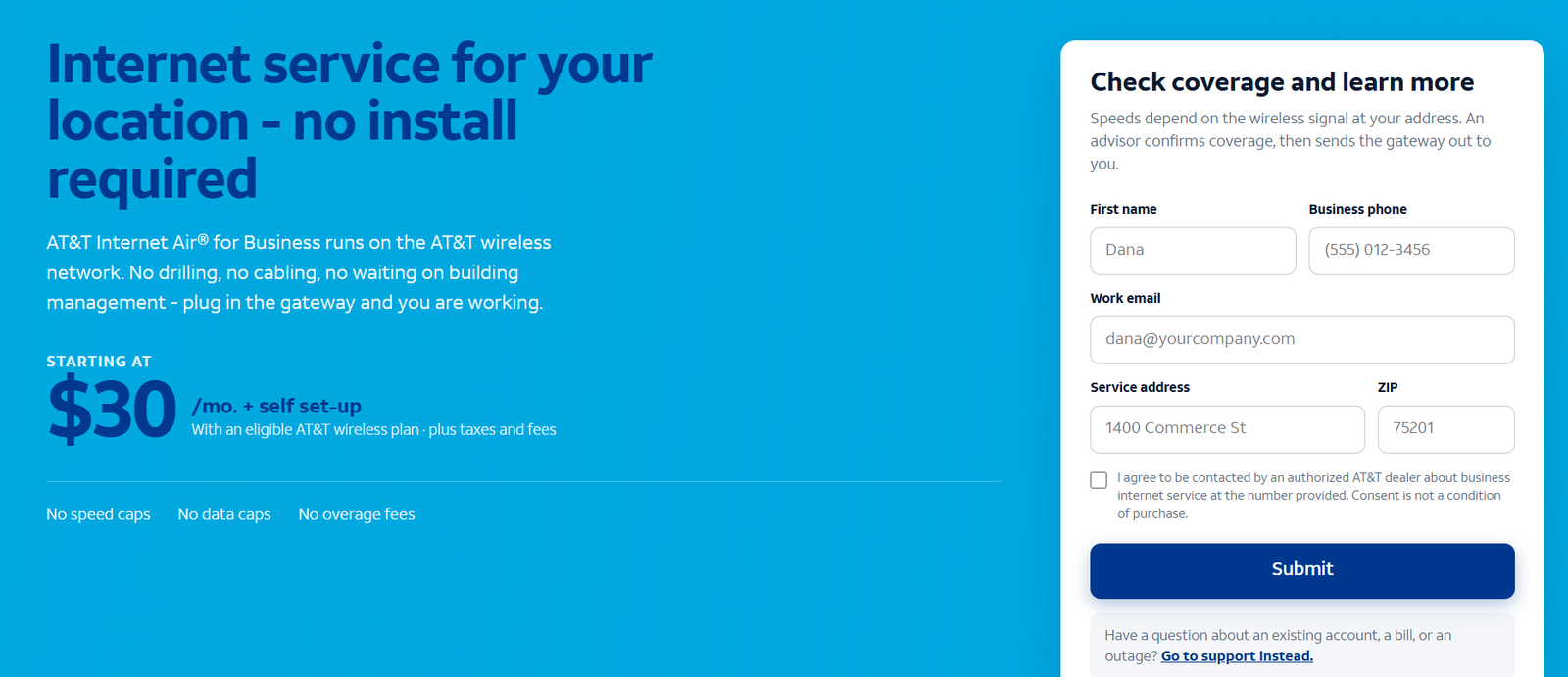
Choose the inquiry matching your requirement. The supplied forms are sample screenshots, not interactive forms embedded in this article.
Business Fiber
Internet Air for Business
Business Wireless
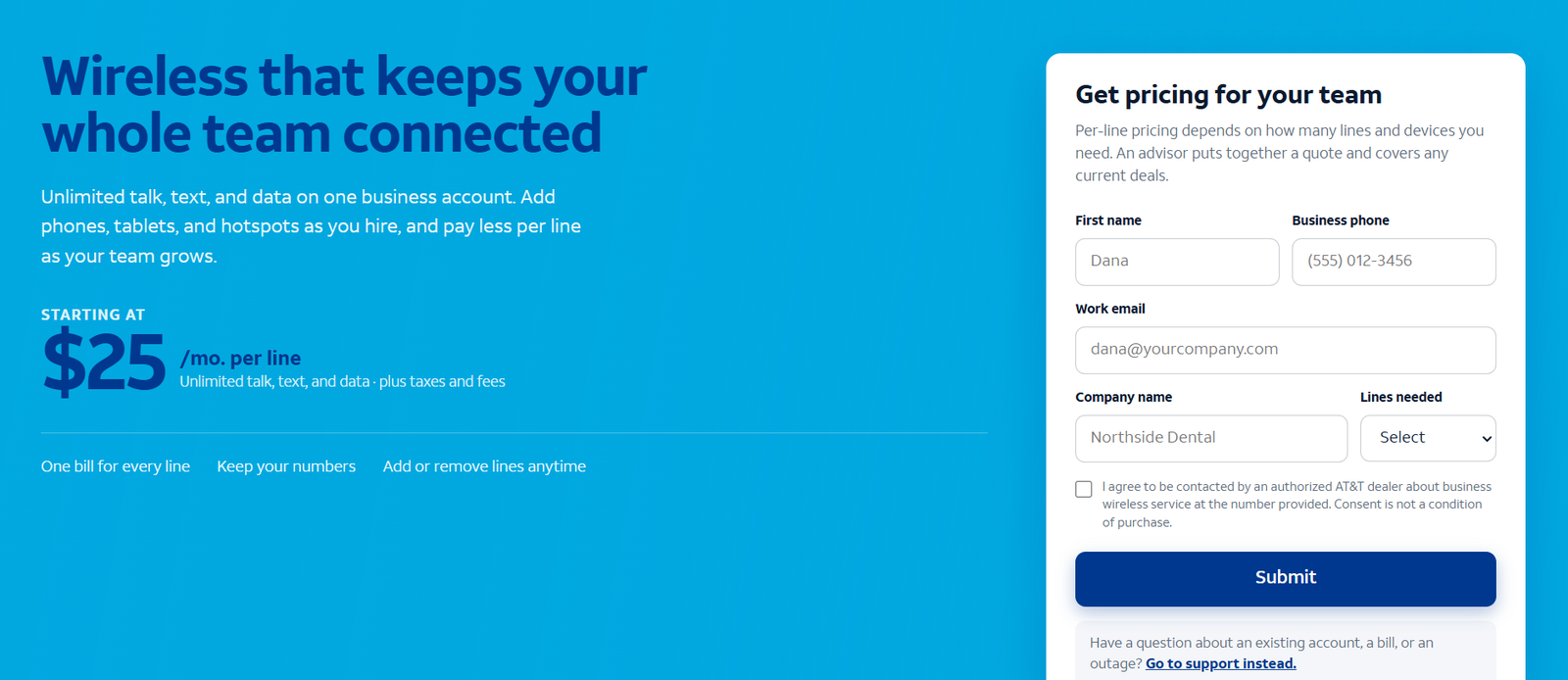
Provide your address, desired connection type, essential applications, current service and preferred start date. For portable internet, explicitly state Wireless Broadband and the hotspot/router requirement.
Expected response: typically 24–48 business hours through the supplied referral route. This expectation is not a guaranteed response or installation deadline. The AppDirect marketplace sales team can follow up to clarify availability and requirements; submitting a form does not confirm an order.
Frequently Asked Questions
Is AT&T business internet worth it for a small business?
It can be, especially where Fiber meets the office’s upload, availability and budget requirements. Internet Air is worth evaluating for fixed wireless needs; portable work requires the appropriate Wireless service. Compare the written quote and test essential applications.
What is the cheapest starting internet option?
Current public offers show Fiber 300 at $60/month and Air Standard at $50/month without eligible wireless, + taxes. Eligible bundles lower those references to $40 and $30. Include the paid wireless service and device costs when comparing totals.
Can I take Internet Air to a different location?
Internet Air is fixed wireless and must be used at its qualified service address. Choose an appropriate portable broadband product for work that moves between locations.
Is unlimited wireless data the same as unlimited speed?
No. Wireless Broadband offers unlimited data within up-to-speed tiers. Internet Air has no advertised speed cap, but actual speeds vary and congestion management can apply.
Does an internet plan include a complete business phone system?
Do not assume it. Network access and a business calling subscription are separate requirements. Confirm numbers, calling features, voice fees and compatibility with the backup connection.
Do I need 1 GIG for a small office?
Not automatically. Evaluate simultaneous traffic, upload requirements and backup value. More bandwidth will not fix an unsuitable router or poor Wi-Fi coverage.
Final Recommendation
Start with Business Fiber for a permanent office, Internet Air for internet through a gateway at an approved fixed address, and the right Wireless service for portable needs. Fiber is our overall starting recommendation for a small business with regular uploads and cloud work, subject to availability and the complete price.
Before signing up, obtain a written quote, confirm the equipment and restrictions, and test the functions you cannot afford to lose. A useful connection is one that meets the business’s daily work and recovery needs—not simply the plan with the largest speed number.
ATT Customer Feedback and Review Evidence

Positive G2 customer feedback: dependable internet and phone service
Belinda C., Practice Administrator — 5/5 on G2, May 1, 2026.
Belinda described AT&T’s internet and phone service as dependable and reported being happy with the service, without identifying a downside in her review.
This review appears on G2’s general AT&T listing and does not specify Business Fiber or Internet Air. It offers a positive customer example while leaving the choice of connection dependent on your own address and requirements.
AT&T’s July 2026 announcement reports the highest small-business internet satisfaction ranking in J.D. Power’s 2026 study. The study surveyed 4,091 business internet customers across all business-size segments; that total is not the number of AT&T small-business reviews. It assesses the provider experience rather than guaranteeing an individual address’s performance.
For balance, the independently published 2025 J.D. Power study placed AT&T joint second in small-business internet satisfaction at 654/1,000, behind Spectrum Business. The year matters when discussing rankings; the earlier result should not be passed off as the 2026 score.
Use this feedback as context, then ask customers using the same local service about installation, busy-hour performance, support follow-up and billing. A broad consumer-carrier review page can mix mobile and residential experiences, so it may not answer whether a particular business connection fits your office.
AT&T and its product names and logo are trademarks of AT&T Intellectual Property. VoIPCalling.com is an independent publisher. Availability, pricing, features and terms may change.
Affiliate disclosure: VoIPCalling.com may earn a commission if you purchase through affiliate links in this article, at no additional cost to you. Qualifying referrals under the supplied programme are limited to eligible U.S. business and government customers.