
Calilio integrates with Pipedrive for documented click-to-call and call logging, and with Pabbly Connect for documented call-log automation. Its directory also lists LeadHeed and HubSpot. However, some directory, marketing and Helpdesk descriptions conflict, so buyers should verify the exact live function rather than assuming every listed app supports full two-way syncing.
This guide explains CRM, help desk and business-app workflows, how to connect the documented integrations, what they can cost and how to evaluate an essential workflow before moving customer communications.
Calilio Customer Rating

G2: 4.7/5 from 94 reviews. Integration-related customer feedback appears near the end.
Calilio Integrations: Quick Overview

| App or capability | Published position | Buying interpretation |
|---|---|---|
| Pipedrive | Setup guide and dedicated product page | Evaluate click-to-call and logging; advanced sync functions remain marked coming soon |
| Pabbly Connect | Setup guide and automation page | Call-log sync is the Helpdesk’s documented scope; verify broader marketing claims |
| LeadHeed | Integration directory listing | Advertised lead import; request a live demonstration of direction and fields |
| HubSpot | Directory advertises calling and logging; plan guide says coming soon | Conflicting status; confirm release and account availability |
| Salesforce, Zoho and Slack | Plan guide marks integrations coming soon | Do not rely on production availability without confirmation |
| Zendesk and other help desks | Names appear in general promotional sections | A logo is not proof of a native ticketing connector |
| API and webhooks | Enterprise pricing marks access coming soon | Custom development needs separate written confirmation |
What an Integration Should Actually Do
An integration moves a specific event or piece of data between tools. For business calling, this might mean starting a call from a CRM record, saving its outcome or creating a follow-up task. Each action needs its own verification.
A CRM usually holds customer and sales records. A help desk holds support requests and ownership. An automation tool can connect events to actions across applications. These serve different jobs, even when their names appear together in a provider’s integration catalogue.
| Function | Question to answer |
|---|---|
| Click-to-call | Does clicking a CRM number launch the intended business calling workflow? |
| Call logging | Which incoming, outgoing and unsuccessful events are recorded? |
| Contact matching | Which existing customer record receives the activity? |
| Contact synchronisation | Does data move one way or both ways, and how are conflicts handled? |
| Ticket creation | Can the event create or update the right support request? |
| Notification | Who receives it and what customer data does it contain? |
For example, saving a call log does not prove contact synchronisation. A successful missed-call alert does not prove that every callback will be attached to the same ticket. Write the desired result before selecting the connector.
Our VoIP and CRM integration guide explains how to define the connection between calling and customer records.
Pipedrive: Calling and Activity Logging
Calilio’s Pipedrive Helpdesk guide identifies click-to-call and automatic logging of incoming, outgoing, missed and busy calls. It provides connection routes through Calilio settings and the Pipedrive Marketplace.
The dedicated product page separately marks unified contact management, bidirectional contact syncing and calling directly inside Pipedrive as coming soon. Treat click-to-call through a calling workflow as distinct from an embedded dialer operating entirely within the CRM.
How to connect through Calilio
- Sign in to the appropriate Calilio workspace.
- Open Settings and the Integration tab under Application Settings.
- Select Pipedrive and choose Connect.
- Sign in through the Pipedrive authorisation screen.
- Review the requested permissions and complete Allow and Install.
- Test a call and inspect the matching CRM activity.
The Helpdesk also describes searching for Calilio in the Pipedrive Marketplace and authorising it there. Confirm current availability and account permissions before choosing that route.
What to test before your sales team relies on it
Use one contact with an international number, one with more than one phone field and one deliberately duplicated record. Check which activity receives the call and what happens when there is no matching contact.
Then ask a representative to start a call from their usual screen. Verify the outgoing number, audio and resulting record. If the business requires notes, recordings or deal-level association, demonstrate those separately; the presence of a call event does not prove every field is included.
Pabbly Connect: Documented Call-Log Automation
Pabbly Connect is an automation route between Calilio and other applications. Its broad app catalogue does not mean Calilio has a native integration with every app in that catalogue.
Calilio’s Pabbly Helpdesk guide, updated November 21, 2025, documents call-log sync only and says SMS and contact synchronisation will be added later. The newer product page makes broader contact and workflow claims. Confirm the currently exposed triggers and actions in your account before depending on those extra functions.
| Field | Meaning |
|---|---|
| From / To | Caller and receiver numbers |
| Start / End | Call timestamps |
| Direction | Incoming or outgoing |
| Duration | Call duration |
| Status | Call result, such as completed, missed or failed |
| ID | Unique call identifier |
The marketing setup sequence uses Calilio as a trigger application, selects a destination app and then tests and activates the workflow. Verify that the real trigger supplies the fields your destination action requires.
Illustrative workflow: missed call to callback task
A possible design is: receive a call-log event, filter for missed incoming calls, match the customer, then create a callback task with an owner. This is a workflow to evaluate, not a guarantee that the required destination connector and action are available in every account.
Decide what happens when the caller has no matching record. A safer business process may place the event in a review queue rather than create several customers from repeated calls. Test repeated events so one missed call does not produce duplicate tasks.
LeadHeed and HubSpot: Verify the Advertised Scope
LeadHeed
Calilio’s directory advertises importing new LeadHeed leads into Calilio and tracking engagement. That establishes an advertised use case, not the complete setup or field mapping. Ask to see the lead created, transferred and available to the intended employee.
Check whether existing leads transfer, whether updates follow new records and how duplicate numbers are treated. If the business uses custom fields, demonstrate those rather than assuming an imported name and phone number cover the full requirement.
HubSpot
The current integration directory advertises calling HubSpot contacts and logging calls, notes and outcomes. However, the plan-wise Helpdesk still marks HubSpot coming soon. This conflict needs account-specific confirmation.
Ask whether the connector has launched, whether it is generally available or limited to selected accounts, which tier enables it and where setup instructions are provided. Use a live HubSpot record to prove the action required before making it a purchase condition.
If a provider confirms availability verbally, request the scope in the written order or implementation plan. That is particularly useful when several employees depend on the connector from their first working day.
Salesforce, Zoho, Slack and Zapier
The plan guide marks Salesforce, Zoho and Slack integrations coming soon, with planned access on higher packages. Paying for a higher tier does not prove a future function is released.
Zapier and other names appear in promotional integration sections. The reviewed dedicated guides establish Pipedrive and Pabbly workflows; those promotional names alone do not establish a production-ready Zapier connector or a complete supported action list.
For any essential app, request three things: the current setup guide, the supported triggers/actions and a demonstration using your account type. Ask whether the connection is direct or requires a third-party automation service.
A planned release can be useful roadmap information. It should not carry a business-critical launch unless the currently available product already meets the requirement or the business accepts the delay explicitly.
Help Desk Integrations: Ticketing Needs More Than a Call Log
Zendesk, Crisp and other support-tool names appear in general Calilio promotional sections. The reviewed materials do not establish a dedicated native connector with confirmed ticket-creation and update behaviour for each one.
A Pabbly workflow may provide a route to a supported help desk when the required connector, action and Calilio event are available. Evaluate this as a specific automation design rather than describing it as a native integration.
| Requirement | What a demonstration should establish |
|---|---|
| Match the requester | The caller attaches to the correct customer, not another record sharing a number |
| Create or update a ticket | The event uses the intended existing request or creates a new one under defined rules |
| Assign ownership | The right team or employee receives the work |
| Include useful context | Direction, time and outcome appear without exposing unnecessary information |
| Handle repeats | Repeated events do not flood the queue with duplicate tickets |
| Handle failures | An owner can identify and recover missed updates |
Consider a customer who phones twice about an existing request. Creating two new tickets might be technically successful automation but poor support. The desired outcome is a coherent customer timeline and a clear next action.
If the help desk is where every agent works, ask whether calls can be answered there or whether the employee switches to Calilio. Logging activity and handling the call within the help desk are separate capabilities.
Business Apps: Spreadsheets, Email and Reporting
Call-log data can support reporting or follow-up through an automation connector when the destination action is supported. A spreadsheet row, internal email or task is a practical design to test using the available payload.
For reporting, define the timestamp timezone and whether duration includes the measure you want. Completed calls, missed calls and failed attempts should not be mixed into one count without explanation.
For notifications, choose the useful minimum: customer identifier, outcome and a link or instruction for follow-up. Sending complete transcripts or sensitive notes to every employee is rarely necessary for a simple callback alert.
For marketing workflows, avoid automatically treating every caller as a new marketing subscriber. Decide the business rule and required permissions separately from whether the automation can technically create a contact.
Callbox, Recordings and AI Data
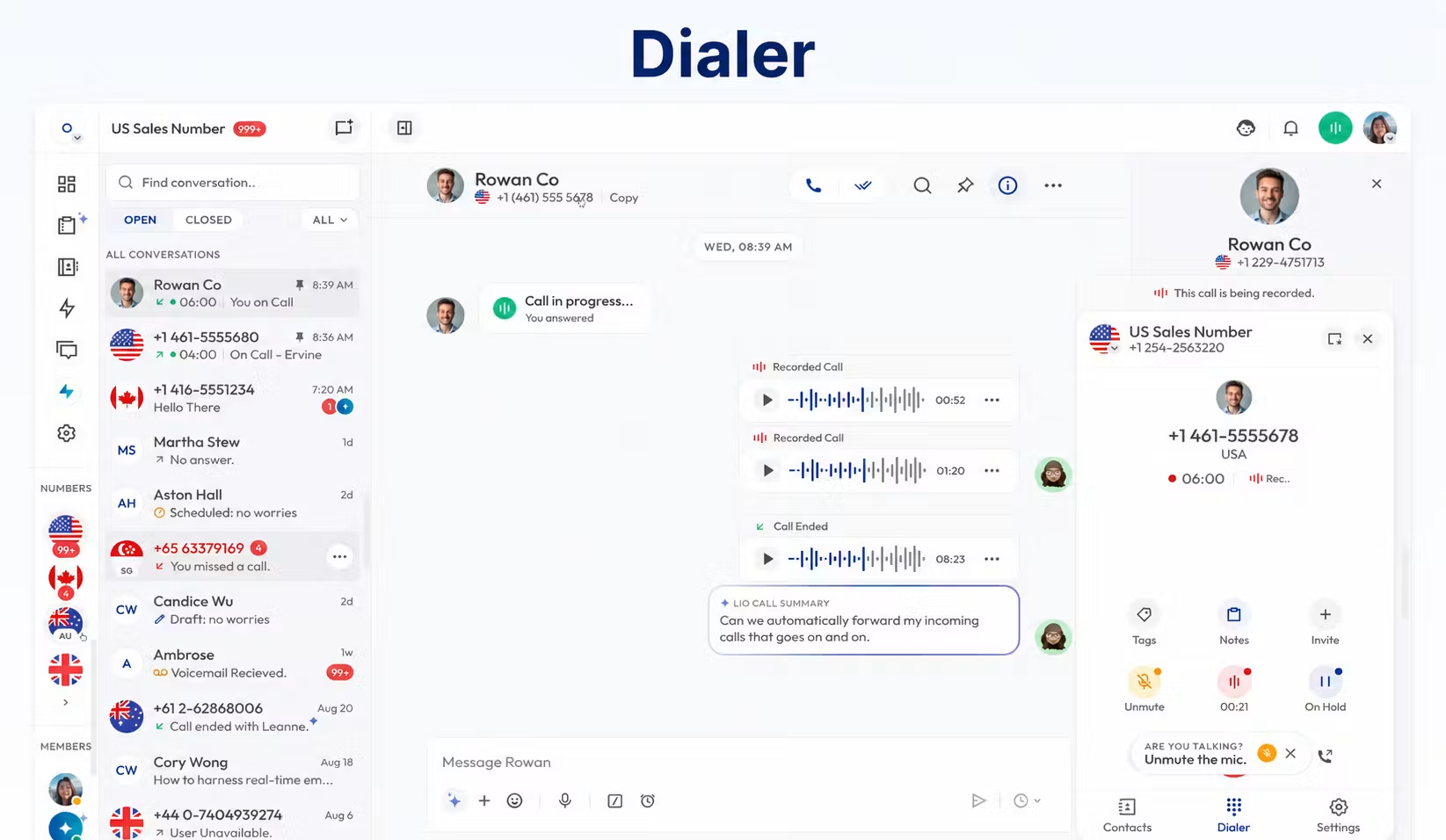
Callbox is the internal communications workspace. A CRM connector or automation moves selected information to another application. An employee seeing a recording or summary in Calilio does not prove it is automatically exported.
The Pabbly Helpdesk’s documented payload lists call metadata, not transcript text, recording URLs or full AI summaries. Request a sample event to confirm any richer data requirement. Do not promise AI-summary delivery to a help desk based only on the presence of AI features in Calilio.
If a connector supplies a recording link, ask who can open it, how long access lasts and what happens after the recording is removed. Test from an ordinary recipient account, not only the administrator’s signed-in browser.
API and Webhooks: Custom Development Needs Confirmation
Calilio’s Enterprise pricing marks API and webhook access coming soon. Do not budget a bespoke production integration on the assumption that public developer access is already available.
Ask for current developer documentation, authentication, supported events, limits and support arrangements. Confirm whether the proposed route is a released customer API, an existing packaged connector or a private implementation offered by the provider.
A packaged Pabbly integration can exist even when general-purpose API access is not publicly released. These are different products and should not be treated as interchangeable.
For a custom project, define the acceptance result and owner before commissioning work. A promise to connect two platforms needs an agreed data model, failure process and maintenance arrangement to become a usable business service.
Pricing: Budget for Both Sides of the Integration
| Plan | Monthly billing | Annual commitment |
|---|---|---|
| Standard | $15/user/month | $144/user/year; $12 monthly equivalent |
| Premium | $35/user/month | $336/user/year; $28 monthly equivalent |
| Enterprise | Custom quote | Custom quote |
The plan guide lists Pipedrive and Pabbly across all three packages. Confirm the current connector entitlement in checkout or the written offer; advanced calling functions can still require a higher tier.
The full integration budget can include Calilio seats, calling/message usage, number rental, your CRM or help desk licences, an automation subscription and implementation work. Do not assume Calilio’s subscription pays for the connected applications.
Illustrative five-user budget
Five Standard seats cost $75 on monthly billing or $720 for a year on annual billing. Five Premium seats cost $175 monthly or $1,680 annually. These figures cover Calilio subscriptions only. Add your actual CRM/automation costs and communication usage.
Ask the automation vendor how your workflow is measured and what happens when its allowance is exhausted. The reviewed Calilio material does not establish a universal free integration budget or task limit.
A Practical Integration Pilot
- Choose one result. For example, log a completed call against the correct customer and create a callback task only when needed.
- Confirm the live connector. Check account eligibility, the plan and supported actions.
- Authorise with suitable permissions. Use the company’s intended administrator and review access.
- Map the fields. Specify customer matching, phone format, status and timezone.
- Test normal events. Include an incoming and an outgoing call.
- Test edge cases. Try an unknown caller, duplicate contact and repeated event.
- Inspect both tools. Confirm the activity and next action appear where staff expect them.
- Assign maintenance. Someone must own failures, reauthorisation and changes.
This is a suggested evaluation process, not a claim of firsthand testing. Complete it with your actual CRM fields and employee permissions before rolling out to the whole team.
Troubleshooting and Ongoing Ownership
| Symptom | Checks to make |
|---|---|
| No event arrives | Connection authorisation, live trigger, selected workspace and event type |
| Activity reaches the wrong contact | Phone-number format, duplicate records and matching rules |
| Several tasks appear | Repeated delivery, workflow loops and duplicate protection |
| Only some calls are logged | Filters, direction/status coverage and account permissions |
| A field is empty | Whether the event actually supplies it and whether mapping is correct |
| The workflow stopped | Expired/revoked authorisation, app limits and recent configuration changes |
Keep a sample event and the expected destination record for support. Include the call ID, event time with timezone and the step that failed. Avoid sharing passwords, API secrets or unnecessary customer information.
Decide who notices failures. A phone call can succeed while the CRM update fails, leaving employees with an incomplete record. Periodically compare a small sample of call history with destination activities to catch gaps.
Which Integration Approach Fits Your Business?
| Business | Recommended starting approach | Essential proof |
|---|---|---|
| Small Pipedrive sales team | Evaluate the documented direct connector | Click-to-call and correct activity matching |
| Budget-conscious SMB | Start with one useful logging workflow | Complete cost and manageable maintenance |
| Medium business | Pilot direct connections and selected automation | Ownership, duplicates and failure recovery |
| Support operation | Demonstrate the actual ticket workflow | Requester matching and ticket update behaviour |
| Enterprise | Written integration and security assessment | Required APIs, permissions, support and availability |
| Business dependent on a coming-soon connector | Choose only after release and workflow confirmation | Live capability rather than roadmap wording |
Calilio is easier to evaluate when the requirement matches its documented connector scope. If the business needs broad two-way contact sync or a deeply embedded help desk experience, make that requirement decisive instead of assuming automation will fill every gap.
Frequently Asked Questions
Does Calilio integrate with Pipedrive?
Yes. It has a dedicated connection guide for click-to-call and automatic call logging. Advanced contact-management and embedded-calling functions are separately marked coming soon on the product page.
Does Calilio integrate with HubSpot?
The directory advertises it, but the plan guide still says coming soon. Confirm current release, tier and the exact live functions before relying on it.
Can Pabbly sync Calilio contacts and SMS?
The Helpdesk limits its documented integration to call-log sync and marks those additions as future functions. Broader marketing claims should be confirmed against the current connector.
Is there a native Zendesk integration?
A promotional mention alone does not verify one. Request a dedicated setup guide and live ticket demonstration, or evaluate a supported automation route.
Are thousands of apps native Calilio integrations?
No. That wording describes an automation platform’s wider catalogue. Actual Calilio workflows depend on available events and destination actions.
Can I build an API integration?
Enterprise pricing lists API/webhook access coming soon. Request current developer access and documentation before commissioning a project.
Does an integration cost extra?
Confirm Calilio’s entitlement and any separate CRM, help desk, automation or implementation charges. The complete cost is more than one connector’s listing.
Final Recommendation
Start with the documented Pipedrive calling/logging workflow or a narrowly defined Pabbly call-log automation. Verify newer directory claims and coming-soon functions using the account and applications your employees will use.
A useful integration leaves the right information on the right customer record and gives someone a clear next action. Buy for that demonstrated outcome, then assign an owner to keep the workflow working.
Sources: Calilio integration directory; Pipedrive and Pabbly product pages; Pipedrive setup guide dated December 12, 2025; Pabbly guide dated November 21, 2025; plan-wise feature guide and current pricing; G2 reviews; Trustpilot’s Calilio listing.
Customer Reviews: Integration Requests Matter
Lucy B.’s July 15, 2026 G2 review praised several calling features but requested more integrations. Claire G.’s June 14, 2026 review also wanted a broader integration selection while describing useful routing, analytics and support.
Those comments are relevant to a business with an essential CRM or support application. Use them to focus the demonstration on the specific action required rather than assuming the catalogue meets every workflow.
Review feedback does not establish that a connector has or has not launched since the review. Confirm today’s availability directly. Trustpilot currently shows no available Calilio rating because of a stated guidelines breach.
Affiliate disclosure: VoIPCalling.com may earn a commission when you purchase through affiliate links in this article, at no additional cost to you.