

The best UJET alternatives depend on how customers contact you and what agents need to see when they answer. Compare RingCentral RingCX or Zoom Contact Center if you want a dedicated agent platform with voice and digital channels. Evaluate Dialpad Support if transcripts and coaching matter most. If the team can move to simpler phone support, start with KrispCall for shared calls and Calilio for menus and supervision.
If you use UJET inside a customer app, make identity, mobile context and media sharing separate requirements. A supplier can pass a basic routing demo while leaving those parts of the customer journey uncovered. Test the actual workflow before choosing the plan.
What Does Your UJET Replacement Need To Cover?
UJET is a cloud contact center platform. Its public package page lists Basic at US$65 per user per month, Pro at US$99 and Enterprise at US$120. It lists Digital separately at US$69. Basic covers PSTN voice, standard reports and CRM adapters. Pro adds features including the mobile SDK and Smart Actions. Enterprise adds chat, email, SMS and social channels. Digital has its own channel mix, including in-app voice. Confirm what your current agreement includes and which offers apply to your account.
UJET also announced a channel-led Google Cloud CCaaS managed offering in April 2026. If your agreement involves Google Cloud or a reseller, identify the named platform, service owner and separately billed components. An alternative’s public price is most useful when compared with the part of the existing order it would replace.
Review how customers begin a support request. For a phone-only queue, a replacement might need business hours, skills, voicemail and callbacks. For in-app support, document what identity and context agents receive and whether a customer shares an image, video or screenshot. Review how those details appear in the CRM and who can retrieve them later. If an agent currently sends a request using Smart Actions, include the entire request and response in the demo brief.
List service commitments with the features. Ask who updates routing, supports the CRM connection and takes the first ticket when agents cannot access a queue. If part of the service is managed, compare the implementation and support work explicitly. A user licence only tells you part of the cost.
Compare UJET Alternatives And Competitors
All six providers are VoIPCalling partners. The table distinguishes shared voice tools from contact center products. US-dollar figures are public references for the named tiers. Confirm billing frequency, eligible regions, usage, seats and implementation. The ranges in the profiles suggest where to start a pilot and are separate from vendor seat rules.
| Provider | Best Fit | Buying Consideration | Pricing & Trial |
|---|---|---|---|
| Shared Voice Support For A Small Team | Confirm queues and CRM support. Evaluate in-app support separately. | US$32/user/monthAdvance, billed annually. US$40 with monthly billing. Up to 50 users. usage and selected add-ons cost extra.7-Day Free Trial for VoIPCalling CustomersStart a 7-Day KrispCall Free Trial | |
| Voice Menus And Live Call Supervision | Premium is the comparison tier. Verify digital channels and integration needs separately. | US$28/user/monthPremium, billed annually. US$35 with monthly billing. Number and usage charges can apply.Demo AvailableRequest a Calilio Demo | |
| Voice And Digital Contact Center Queues | Standard is the pricing benchmark. Quote quality tools, usage and implementation separately. | US$65/user/monthStandard, billed annually. US$75 with monthly billing. Quote region, usage, implementation and minimum seats.Demo AvailableRequest a RingCX Demo | |
| A Zoom-Based Agent Workspace | Quote the exact channels, integrations and named or concurrent licensing. | Request Contact Center PricingQuote Essentials, Premium or Elite for the required channels, outbound workflow and licensing model.Demo AvailableRequest a Zoom Contact Center Demo | |
| Contact Center Transcripts And Coaching | Confirm the required agent tools, routing and retention in the Support tier. | US$89/user/monthSupport Essentials public pricing reference. Confirm billing term and the current proposal.Contact Sales For A DemoAsk About Dialpad Support | |
| Phone And Contact Center Routing | Quote Contact Center separately. G2 score covers GoTo Connect. | Custom Contact Center PricingQuote the required GoTo Connect Contact Center package, users, integrations and regional usage.Demo AvailableRequest A GoTo Connect Contact Center Demo |






1. KrispCall — Best For Shared Voice Support
Suggested Team Size. Roughly 2–20 staff with one or two shared customer lines, straightforward routing and a clear callback owner.
KrispCall fits a team that can move from an agent platform to a shared business phone workflow. Have one employee answer, transfer to another and leave a second call unanswered. Ask someone else to return it. Check what the customer sees and whether the shared call history shows who took responsibility. This is a useful test if the service desk currently uses UJET mainly for phone calls.
Advance lists US$32 per user per month on annual billing or US$40 monthly. Ask about the number, routes, usage and CRM integration you need. If a customer normally reaches support from inside a mobile app, run that part as a separate evaluation. Ask how identity and conversation context would reach staff on the proposed workflow.

2. Calilio — Best For Menus And Live Supervision
Suggested Team Size. Roughly 5–30 staff with separate service routes and a supervisor who needs to observe calls and review outcomes.
Calilio is a candidate among UJET alternatives for voice queues with menus and live monitoring. Give the demo team a sample business-hours rule, two departments and an overflow destination. Have a supervisor find the call after it moves to the second group. Check whether they can see only their team or the whole account and which reports the quote includes.
Premium lists US$28 per user per month on annual billing or US$35 monthly. Its published included calling and texting bundle applies to US and Canadian numbers. Get a written quote for your number types and destinations. If customers rely on digital channels or app-based identity, check how those requirements would be handled before comparing it with a full contact center.

3. RingCentral RingCX — Best For Voice And Digital Queues
Suggested Team Size. Roughly 15–150 agents who need skills-based routing and a supervisor workflow across voice and digital channels.
RingCX Standard lists US$65 per user per month on annual billing or US$75 monthly. It includes voice and digital channels, skills-based routing and agent screen recording. Ask which channel connections, usage and storage your quote includes. Evaluate the higher tier if your quality monitoring and agent assistance needs go beyond Standard. Keep employee phone licences separate if people outside the contact center also need business calling.
Bring a case that begins in chat, needs a callback and ends with a supervisor review. Have an agent transfer it to a second queue and ask the supervisor to find the outcome. Include the same CRM and customer fields you use with UJET. If the case begins in an app, ask the supplier to explain how the identity and attachments reach the agent and quote any required implementation.

4. Zoom Contact Center — Best For A Zoom-Based Agent Workspace
Suggested Team Size. Roughly 15–200 agents, especially when employees already use Zoom and want a dedicated customer service workspace.
Ask for a quote for Zoom Contact Center with the specific channels, queues and agent tools you need. Identify whether the proposal uses named or concurrent licensing. Request separate lines for any Zoom Phone service, numbers, usage and implementation. Include workforce or quality tools only if you need them and ask which tier supplies them.
Test a customer who changes channels midway through an interaction. Check whether the next agent sees the same case, where transcripts and recordings are stored, and what a supervisor can see. If your UJET replacement must work inside your customer app, ask the Zoom team to demonstrate the intended app integration instead of relying on a standard web or voice demo.
5. Dialpad Support — Best For Transcripts And Coaching
Suggested Team Size. Roughly 10–100 agents whose managers rely on coaching, searchable interactions and consistent follow-up.
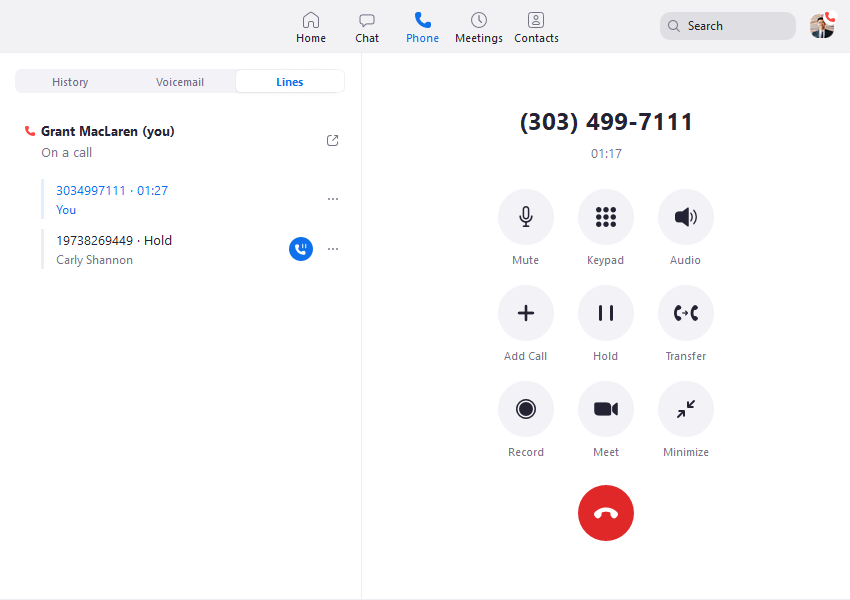
Dialpad’s main pricing page displays Support Essentials at US$89 per user per month. Confirm the billing term in the written quote. Ask for the Support tier that covers your queues, CRM, coaching and retention. Dialpad Connect is the employee communications product and has different pricing and entitlements. Use the paid Support configuration for any agent and supervisor test.
Simulate a customer call that includes an order change and a transfer. Have a second agent retrieve the interaction and confirm the new details against the recording. Ask a manager to show how they review or coach that agent. Then have an administrator explain who can export transcripts and how retention affects the records your team needs.
6. GoTo Connect Contact Center — Best For Office And Agent Routing
Suggested Team Size. Roughly 10–75 people across reception, service desks and one or more branches that share overflow.
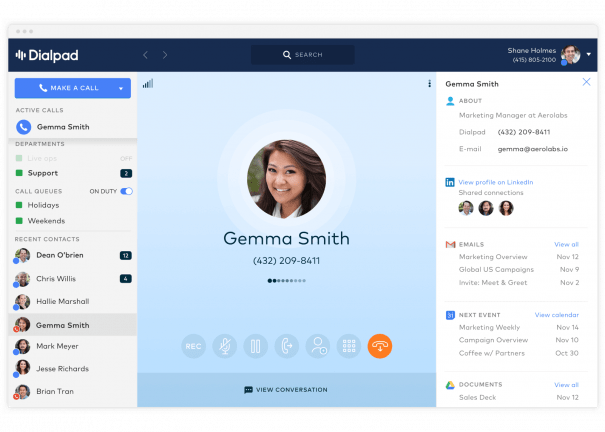
Request a GoTo Connect Contact Center quote. Its pricing page separates Phone System from contact center offers. Ask which agent and supervisor functions are included and which channels require a separate tier. The G2 rating shown is for GoTo Connect. Use a demo on the actual proposed contact center package to judge the workflow.
Give the vendor a route that starts in one office, overflows to an agent group and changes after business hours. Check how each team views the interaction and who can edit the rule. If digital conversations or in-app support are a requirement, ask for a separate demonstration of those channels and the way agents receive customer context.
How To Choose A UJET Replacement
Decide Whether You Need A Contact Center Or Shared Calling
Begin with the work agents do on a typical day. List the channels, the ways callers enter queues, the information agents see and the reports supervisors use. Give each capability an owner. If customers mainly call one number and staff transfer or return missed calls, a shared phone system may cover the workflow. If agents work across digital channels, record cases and receive work based on skills, compare dedicated contact center products first.
Test the hardest common case rather than the longest feature list. A voice support team may need a receptionist to route a call, a remote employee to answer and a second person to follow up. An agent team may need to resume an open chat after a transfer, retrieve the caller’s CRM record and log the disposition. Ask the vendor to show who owns the interaction throughout the test. Use the result to decide whether the platform category fits.
Separate office staff from agents when requesting a quote. A finance employee may need an extension and voicemail without access to agent queues. A supervisor may need reporting and coaching without taking calls for an entire shift. Give providers the number of people in each role and ask which licences they need. That lets you compare UJET alternatives using the same operating model.
Recreate The In-App Customer Experience
Trace a support request that starts while the customer is signed in. Note which screen the customer uses, what information the app sends and what the agent must verify before helping. List attachments and actions individually. An agent might need to request a photo, receive it in the same interaction and attach a reference to the case. Ask the supplier to identify which step its platform handles and which step needs work in your app or CRM.
Include a customer whose session has expired and one who is using an older supported app version. Ask what the agent sees when identity cannot be passed through. Confirm whether the customer must repeat any information and how the team safely hands off to another channel. Use fictional customer details and sample attachments in the demo. Have the product owner verify which details are retained and how support staff find them.
Ask for a concrete implementation plan. Identify which team changes the app, who maintains the SDK or connector and how you will test a release before publishing it. If a vendor proposes a web chat instead of embedded support, have a customer follow the proposed path from inside the app. Document any extra steps and decide whether that experience is acceptable before comparing costs.
Verify Agent Routing, Overflow And Callbacks
Give each vendor the same map of queues and skills. Include normal hours, overflow, voicemail and what happens when the longest wait exceeds your chosen limit. Set up a test in which one agent is unavailable, another is on a call and a customer requests a callback. Ask how the platform assigns the callback and which team gets the work when the first group closes.
Check the supervisor view alongside the caller experience. Have a supervisor look up the call after it moves between queues. Verify the waiting time, the agent who answered and the outcome. Ask how the report handles abandoned calls and accepted callbacks. If your managers use these measures to staff shifts, request the report definitions and compare them with your current UJET dashboard before trusting the numbers.
Use the busiest representative queue when you test. A quiet demo can miss a rule that matters only when agents are busy. Ask the technical team to run a controlled burst or simulate agents being unavailable in a test account. Record the result and agree which limits the production configuration needs to handle.
Plan For Repeat Contacts Across Channels
Use a customer who opens a chat about an existing case and calls the next day about the same problem. Ask whether the agent can see the earlier interaction, how a new phone number is matched and what happens when two agents open the case at once. Give the supervisor the same record and ask which queue receives credit for the outcome. This test helps distinguish an alternative that offers several channels from one that preserves the context agents need across them.
Test The CRM And Supervisor Workflow
List the CRM events that should open, update or create a record. Include an inbound caller with two records, a chat that moves to a phone call and a case handed to a different department. Ask staff to check who owns each activity and where the recording, disposition and notes appear. Verify which permissions an ordinary agent needs and what happens if an administrator changes them.
Ask what happens when the integration is unavailable. On a test account, place a call while the connector is disabled and restore it afterward. Check whether the missing activity appears later or needs manual entry. Have an administrator explain how to find affected interactions and whether replaying them could create duplicate records. Include the support contact for integration problems in the proposed handover.
If managers review transcripts or coach agents, have them try the feature as a supervisor. Ask them to find a conversation by agent and date, verify a transcript detail against the recording and check which teams they can see. Where a summary feeds a CRM field, test how an agent can correct it before it becomes part of the case. Verify any storage or export charges in the quote.
Shortlist UJET Competitors By Support Scenario
A Small Team Moving To Phone-First Support
Start with KrispCall if the team mainly shares calls and returns messages. Compare Calilio if staff use a menu and a supervisor needs to review how calls are handled. Give both the same normal route and after-hours route. Have an employee answer on desktop, transfer to mobile and return a second missed call. Check the business number displayed and the record left for the supervisor.
Decide what happens to any channels the new phone service would leave behind. If chat lives in another tool and a phone callback is enough, document the handover between those tools. If the same agent needs voice, chat and case history in one queue, move the comparison to dedicated contact center plans. Price the staff time needed to maintain any split workflow alongside the subscription.
An Omnichannel Desk Replacing UJET Enterprise
Compare RingCX and Zoom Contact Center on the channels customers use. Start with one case that begins in chat and ends on a call. Give the agent the same permissions, then check whether the supervisor can see both pieces of the interaction. Quote messaging accounts, numbers, routing, reporting and integrations separately when they fall outside the base tier.
Ask for a plan for transferring channel ownership. A public phone number may need a port, while a digital channel may need new permissions or credentials. Identify which channels can be tested on spare accounts and which need a scheduled switch. Ask who validates each one and who manages it after launch.
A Support Team Prioritizing Coaching And Quality
Include Dialpad Support and the appropriate RingCX or Zoom tier when coaching or quality monitoring is central to your search. Give a supervisor three tasks: find an interaction, verify its recording and give feedback to an agent. Ask whether the proposed tier includes the required review tools. If quality or workforce management is separately priced, keep it visible in the quote.
Ask whether team leads can work without administrator access and whether reports can separate locations or shifts. Compare the definition of a handled call, an abandoned interaction and a transfer. Check those definitions before migrating any reporting targets. Otherwise, a change in how the platform counts work can look like a change in agent performance.
An Office And Contact Center Sharing Coverage
Evaluate GoTo Connect Contact Center if calls commonly move between reception, branches and an agent queue. Give the vendor a route that starts at a branch, goes to overflow and reaches a supervisor after hours. Ask for separate counts for office users and agents, then confirm how those roles share numbers and reports on the proposed plans.
If part of the team remains on its existing phone system, include a transfer across the two systems in the demo. Verify caller ID and reporting on both sides. Ask who handles the first ticket when a caller reaches one system but fails to get through to the other. Add that responsibility to the service handover.
How Much Does A UJET Replacement Cost?
Build each quote around agents, supervisors, channels and volume. Include any employees who only need a phone extension and confirm how they are billed. Ask how named and concurrent seats work on the proposed plan. A named seat generally follows a user. A concurrent model typically depends on how many people use it at once. Ask the vendor how it counts supervisors, overlapping shifts and seasonal access.
For a public-price example, 20 UJET Enterprise users at US$120 per user per month give a US$2,400 monthly seat subtotal. Twenty RingCX Standard users at the advertised US$65 annual-billing rate give a US$1,300 monthly equivalent. The US$1,100 difference applies to the seat figures. Compare the written channel, implementation and support scope before using that difference to make a decision. Ask which plan provides the same features your team depends on.
For a voice-only example, five KrispCall Advance users at the displayed annual rate of US$32 give a US$160 monthly equivalent. Five Calilio Premium users at US$28 give US$140. Add number and usage charges and confirm billing currency, eligible destinations and whether call monitoring and reports are included. Price any remaining digital work separately if you plan to keep it in another tool.
Include startup and continuing costs. A rollout can involve number ports, routing design, CRM configuration, app work, training and time with both services running. Add data retention, recording storage and any optional quality or workforce tools. Request a first-invoice estimate and a normal month. Ask how the quote changes when seasonal staffing increases and when agents leave at the end of a busy period.
Get the proposal to identify every assumption. For example, if the vendor quotes the CRM connector but expects your team to configure it, put the work on the migration budget. Ask who supports the connector after setup. If the vendor has priced an alternative to an in-app workflow, record how that changes the customer’s steps and the work an agent does. Compare the whole change before comparing the price.
What To Ask UJET Competitors In A Demo
Send each candidate the same brief with a sample customer journey, case record and staffing profile. Specify the channels you actually use, peak times and who manages each queue. Ask the vendor to identify which tier and settings it will show. Have someone from operations, the CRM team and the app team join the demonstration where their work is involved.
- Customer entry. Start from the phone number, web page or app screen customers use. Check what information the customer must enter and what agents receive.
- Routing. Run a normal call, an overflow and an after-hours case. Check how agents accept work and which queue retains ownership after a handoff.
- Records. Verify how calls, messages, media and notes appear in the CRM. Ask how to find or export an interaction and how long it remains available.
- Administration. Have a supervisor change a greeting or find a report. Ask who owns configuration, support and ongoing integration maintenance.
- Commercial terms. Request the quoted tier, minimum seats, usage, implementation, billing currency and support in writing.
Score each task as passed, needs configuration or needs a separate product. Record any feature that worked only on another tier. Ask for a revised quote if the demo revealed additional requirements. Keep a copy of the results for the implementation team so it can reproduce the parts that passed.
Move Numbers, Queues And Customer Context In Stages
- Inventory numbers, channels and integrations. List public numbers, queues, messaging accounts, CRM connections and any in-app entry points. Identify who owns access to each one.
- Confirm what can move. Ask the receiving provider to verify number eligibility and channel requirements. Decide which recordings, reports, scripts and case records need to be exported or retained.
- Pilot a representative queue. Use a spare number and sample records. Test an external call, overflow, callback, CRM entry and any in-app identity or media workflow that the project requires.
- Assign cutover and fallback. Name who manages porting, routing, CRM and app changes. Agree on a temporary route for priority calls. Use the receiving provider’s approved process to validate emergency calling configuration where applicable.
- Validate the live workflow. Test each moved number and channel, then have an agent and supervisor check the record. Verify that staff know how to reach the right support team before closing the old route.
Use separate sign-offs for telephony, digital channels and customer context. For example, an inbound call might reach the right team while a customer attachment still fails to appear. Give the app owner a test for the attachment and the carrier owner a separate test for the call. Confirm both before moving the next queue.
Ask each team to sign off the reports it relies on. Compare a set of test interactions with what the platform records. If a report uses different fields or definitions, document the change and train supervisors to interpret it. Before you close UJET access, verify that the people responsible for audits or historical reporting can still find the records they need.
FAQs About UJET Alternatives
What Are The Best Alternatives To UJET?
RingCX and Zoom Contact Center are good starting points for dedicated voice and digital queues. Compare Dialpad Support for coaching and transcripts, or KrispCall and Calilio for phone-first support. Test the exact channels, CRM workflow and any in-app requirements before selecting a plan.
Which UJET Alternative Suits A Small Support Team?
Start with KrispCall for shared calls and callbacks, or Calilio for menus and live supervision. Both are better suited to a phone-first evaluation. If agents need a unified queue across voice and digital channels, quote a dedicated contact center platform.
Which UJET Competitor Can Replace Smart Actions?
Verify Smart Actions replacements workflow by workflow with the vendor. Ask for a live test covering identity, media sharing, agent access and the CRM record. Confirm which steps require app development or a separate integration.
How Much Does A UJET Replacement Cost?
Dedicated contact center pricing depends on agent licences, channels, usage and implementation. As a US reference, RingCX Standard lists US$65 per user per month on annual billing. Add your numbers, integrations, implementation and support before comparing with the UJET renewal.
Can I Keep My Phone Numbers When Switching From UJET?
Yes, if the receiving provider confirms that the exact numbers can port. Check account ownership and any number-range dependencies. Agree the port date and test a spare route before cancelling the old service.
Can I Keep My CRM And Customer History?
You can keep the CRM if the replacement supports the required connector or integration. Verify activity mapping and recording access. Export or retain the records you need and test whether old links still work after the account closes.
Should I Move All Queues At Once?
Start with a representative queue and expand after its tests pass. Validate voice, digital channels and CRM updates separately. Assign a support owner and agree on a fallback before moving a production number or channel.
Use Customer Reviews To Choose Pilot Tests
Use G2 ratings to decide which questions to take into the demo. Read product-specific feedback for RingCX, Zoom Contact Center and Dialpad Support. The GoTo score applies to GoTo Connect overall. Ask supervisors and agents to repeat the work discussed in reviews on the exact plan you are considering.
Have a customer tester, agent and supervisor score the pilot separately. Ask the customer to complete a request, the agent to finish the case and the supervisor to locate the result. Compare those findings with the quoted scope before deciding among UJET alternatives.
Affiliate Disclosure VoIPCalling may earn a commission when you purchase through affiliate links in this article. Recommendations consider provider suitability, pricing and service limits.


