
KrispCall and Calilio are the best Dial 9 alternatives to try for a small UK team moving to hosted app-based calling. Start with KrispCall for shared calls and callbacks, or Calilio for department queues and supervision. Compare RingEX and GoTo Connect for reception and branches. If you are keeping a PBX or moving a partner account, evaluate the carrier, account controls and billing work separately.
Which Dial 9 Service Are You Replacing?
Dial 9 offers Business Phone through Dial 9 Connect, SIP trunks for a separate PBX and a partner platform. Its Business Phone page lists queues, groups, fax to email and conference rooms, plus its Anywhere mobile app. A small office may use the hosted service directly, while an MSP may manage several customer accounts and a PBX owner may only buy the carrier connection.
Business Phone is advertised from £4.99 per phone per month. The pricing page shows five phones at £24.95 before the selected calling option and lists pay-as-you-go, bundles and unlimited-minute choices. Confirm the current allowance, term, VAT and device count in your order. Ask how a physical phone and an app assigned to the same employee are counted in your actual setup.
The SIP page lists £3 per month for four channels and numbers from £1.50 per month. Its introductory £4.50 amount is consistent with a trunk plus one number at those starting rates, but confirm the quote rather than assuming the example covers your needs. The partner platform adds account and billing work that a retail phone subscription does not automatically supply.
Compare Dial 9 Alternatives And Competitors
Seven options come from the VoIPCalling master sheet. Telnyx adds programmable carrier and partner evaluation. The table distinguishes hosted calling from a retained-PBX proposal. US-dollar prices are references. Request the UK numbers, usage, billing currency and support required for your deployment. Suggested team sizes are editorial estimates.
| Provider | Best Fit | Buying Consideration | Pricing & Trial |
|---|---|---|---|
| Shared Calls And Mobile Callbacks | Verify UK number eligibility, destinations and charges. | US$32/user/monthAdvance, billed annually. US$40 with monthly billing. Up to 50 users. Usage and selected add-ons cost extra.7-Day Free Trial for VoIPCalling CustomersStart a 7-Day KrispCall Free Trial | |
| Department Queues And Call Supervision | Quote UK numbers and usage. Published allowances refer to eligible US and Canadian numbers. | US$28/user/monthPremium, billed annually. US$35 with monthly billing. Number and usage charges can apply.Demo AvailableRequest a Calilio Demo | |
| Calls With Transcripts And Useful Recaps | Standard includes transcripts and summaries. Quote the UK plan, required CRM and retention. | US$15/user/monthStandard US-dollar reference. Request the GBP price, billing term and UK account conditions. Pro lists US$25.14-Day Free TrialStart A 14-Day Dialpad Connect Trial | |
| Reception And Teams Calling Evaluation | Confirm supported hardware and the exact integration. | Request UK RingEX PricingQuote the current UK plan, devices, calling destinations and optional Teams integration.Free Trial AvailableStart A RingEX Free Trial | |
| Branch Routing And Shared Reception | Quote UK sites, supported devices, setup and ongoing support. | Custom PricingRequest a UK Phone System proposal for users, numbers, destinations, implementation and add-ons.Demo AvailableRequest A GoTo Connect Demo | |
| Zoom Workplaces And Teams Calling | Verify UK number type, regional plan and licences for Teams or shared devices. | Request Current Phone PricingRequest the UK/Ireland regional plan, billing currency, numbers, usage and any required add-ons. Broadband remains separately scoped.Demo AvailableRequest Zoom Phone Pricing For 1–50 Users | |
| SIP For A Retained PBX | Obtain written UK number coverage, port eligibility and interoperability before ordering. | Request A Voice QuoteQuote origination, termination, number rental and billing increments.Demo AvailableRequest A Signal House Demo | |
Telnyx  | Programmable SIP And Partner Evaluation | Confirm the reseller model and support scope. G2 covers Telnyx CPaaS. | Request UK SIP And Partner PricingQuote UK numbers, destination rates, capacity and partner terms separately.Check Pilot And Account TermsCheck Telnyx SIP Pricing |







1. KrispCall — Best For Shared Calls And Mobile Callbacks
Suggested Team Size. About 2–20 staff sharing a main number and answering from desktop or mobile apps.
KrispCall fits a business that wants staff to see and return shared calls through one workspace. Give two employees a temporary number. Have one miss a call and the second return it using the business identity. Check whether both can tell the caller was handled before the next employee starts a duplicate callback.
Advance lists US$32 per user per month on annual billing or US$40 monthly. Ask for UK numbers and destination charges, and confirm the tier for menus and transfers. If you currently pay Dial 9 per phone, have the vendor price the named users and shared devices in your proposed workflow.
Use the exclusive 7-day VoIPCalling trial to include a mobile employee with a locked screen and someone answering at a desk. Test after-hours voicemail and the first callback the next morning. Get written confirmation for any physical phone or specialist device.

2. Calilio — Best For Department Queues And Supervision
Suggested Team Size. About 5–30 staff with sales or support routes and a supervisor.
Calilio fits a team rebuilding menus and queues on a hosted platform. Bring a Dial 9 route with an overflow destination and closed-hours greeting. Send a call to a busy department and ask a supervisor to find the result. Then return an abandoned call and check what the agent and supervisor can see.
Premium lists US$28 per user per month annually or US$35 monthly. Its published calling and text bundles refer to eligible US and Canadian numbers. Ask for UK number and destination pricing, plus the tier for monitoring or reporting. Confirm whether forwarding adds a separately billed leg.
Run the demo with the user roles planned for production. Have an administrator change a single holiday and test the route from outside the office. If the team uses the report to plan staffing, compare it with the calls placed during the test.

3. Dialpad Connect — Best For Transcripts And Follow-Up
Suggested Team Size. About 5–40 staff who review calls or hand customer requests to colleagues.
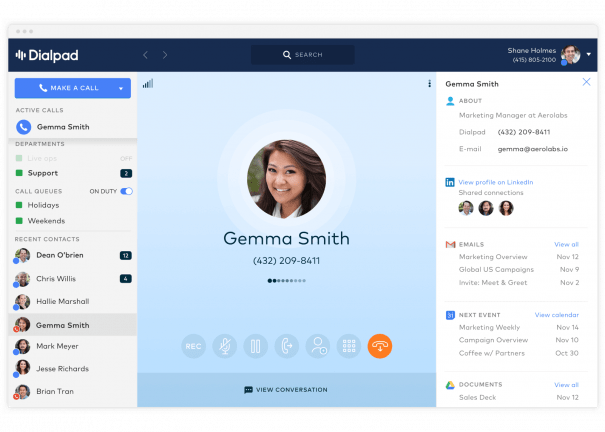
Dialpad Connect is worth testing if employees need searchable call history and summaries. Place a call with a customer name, an order reference and a promised next step. Have a second employee find the recap and check it against the recording before updating the CRM. If staff use voicemail to email, demonstrate that workflow as well.
Standard has a US$15 per-user monthly reference on annual billing. Request a UK quote, the tier for your CRM, recording and the language and retention settings the team needs. Ask who can export records and what happens to a departed employee's calls.
Use supervisor and ordinary-user roles during the test. Have both look for the same interaction and verify which information each can access. If an integration is required for the follow-up, use the actual connector and include its entitlement in the final order.
4. RingCentral RingEX — Best For Reception And Supported Office Phones
Suggested Team Size. About 10–75 staff with reception, physical phones or office collaboration.
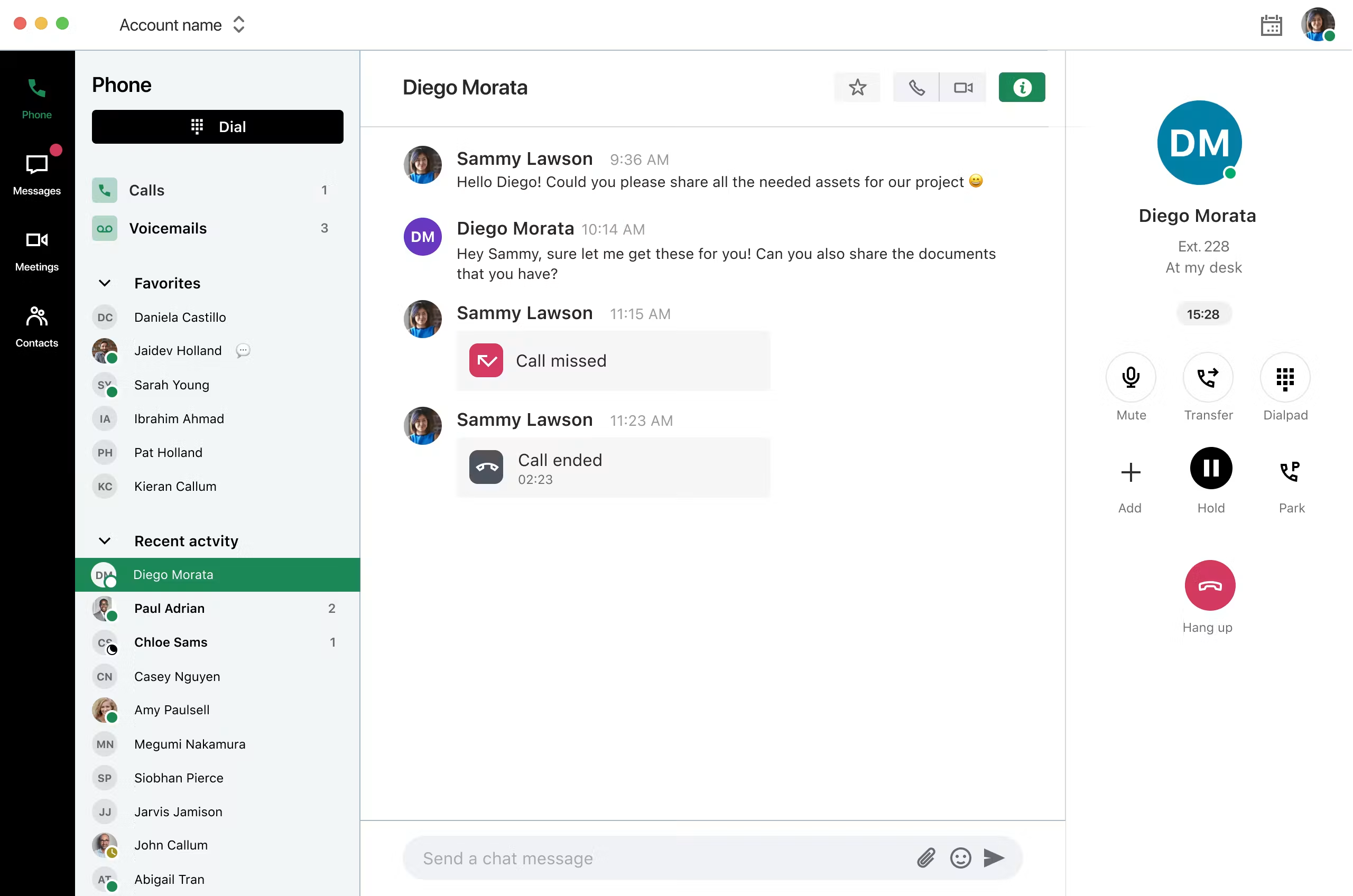
RingEX fits a company moving reception and desk calling to a hosted platform. Provide the model, firmware and ownership of the phones you want to keep. Ask reception to park an incoming call, transfer to a busy extension and retrieve it. Verify the number shown when answering for another branch.
Request current UK pricing for the tier that covers your devices, recording, integrations and destinations. Ask who provisions handsets and handles firmware support. Include common-area devices and any local installation needed to make the office ready.
If users make public calls from Microsoft Teams, have the vendor demonstrate the specific integration and required licences. Test the actual client staff will use. Quote any fax or analog device separately from employee calling.

5. GoTo Connect — Best For Branch Routing And Shared Reception
Suggested Team Size. About 10–75 staff across sites with different hours or common overflow.
GoTo Connect fits an office that needs several locations under one dial plan. Give the vendor two branch schedules, a holiday and a shared receptionist. Have a local manager update one location and check calls to both. Confirm what appears to the receptionist when the original branch cannot answer.
Request a UK Phone System proposal with local numbers, supported devices, usage, implementation and support. Ask which changes staff can make and what requires a ticket. If a current Dial 9 fax-to-email number stays important, have the vendor validate and quote that requirement.
Simulate an unavailable site and check the fallback, caller identity and voicemail. Ask who can restore normal routing and which records support uses to investigate a call that went to the wrong place.
6. Zoom Phone — Best For Calling In A Zoom Workplace
Suggested Team Size. About 10–100 staff already using Zoom or wanting a common calling client.
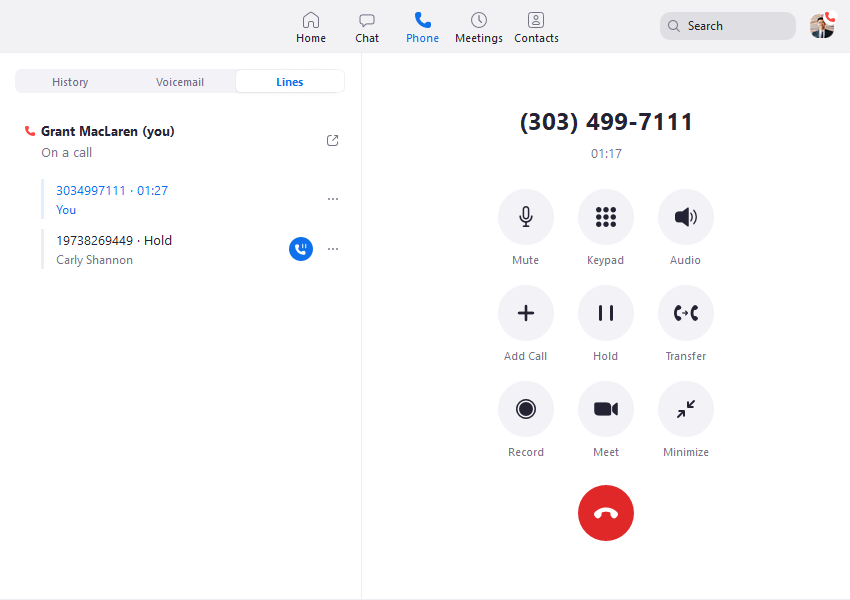
Zoom Phone is worth comparing if employees already spend time in Zoom. Receive a call while a user is in a meeting and return it from a mobile device. Test transfer recovery and shared reception. Ask the provider to identify which functions need a different queue or contact center product.
Request the UK regional plan and separate shared devices from named users. Confirm number type and capabilities for each line you want to move. If you need fax or Teams calling, scope and test the specific feature and licensing. Include the phones you will actually deploy.
Have an ordinary employee find voicemail and call history and ask a supervisor to review the route. Verify the outgoing identity and which support team owns a device or integration fault.
7. Signal House — Best For SIP For A Retained PBX
Suggested Team Size. A technical team supporting roughly 5–100 people on a PBX it can administer. Size channels from traffic.
Signal House documents SIP trunks and programmable inbound routing. Consider it if you want to keep your own PBX and replace the Dial 9 carrier connection. Obtain written UK number coverage, port eligibility and interoperability for the exact version, authentication and media setup before ordering.
Ask the maintainer to test a temporary number, inbound caller identity, menu digits and transfers. Then make the primary endpoint unavailable and verify where the call lands. Compare the provider records with the PBX log and ask which information support needs during a fault.
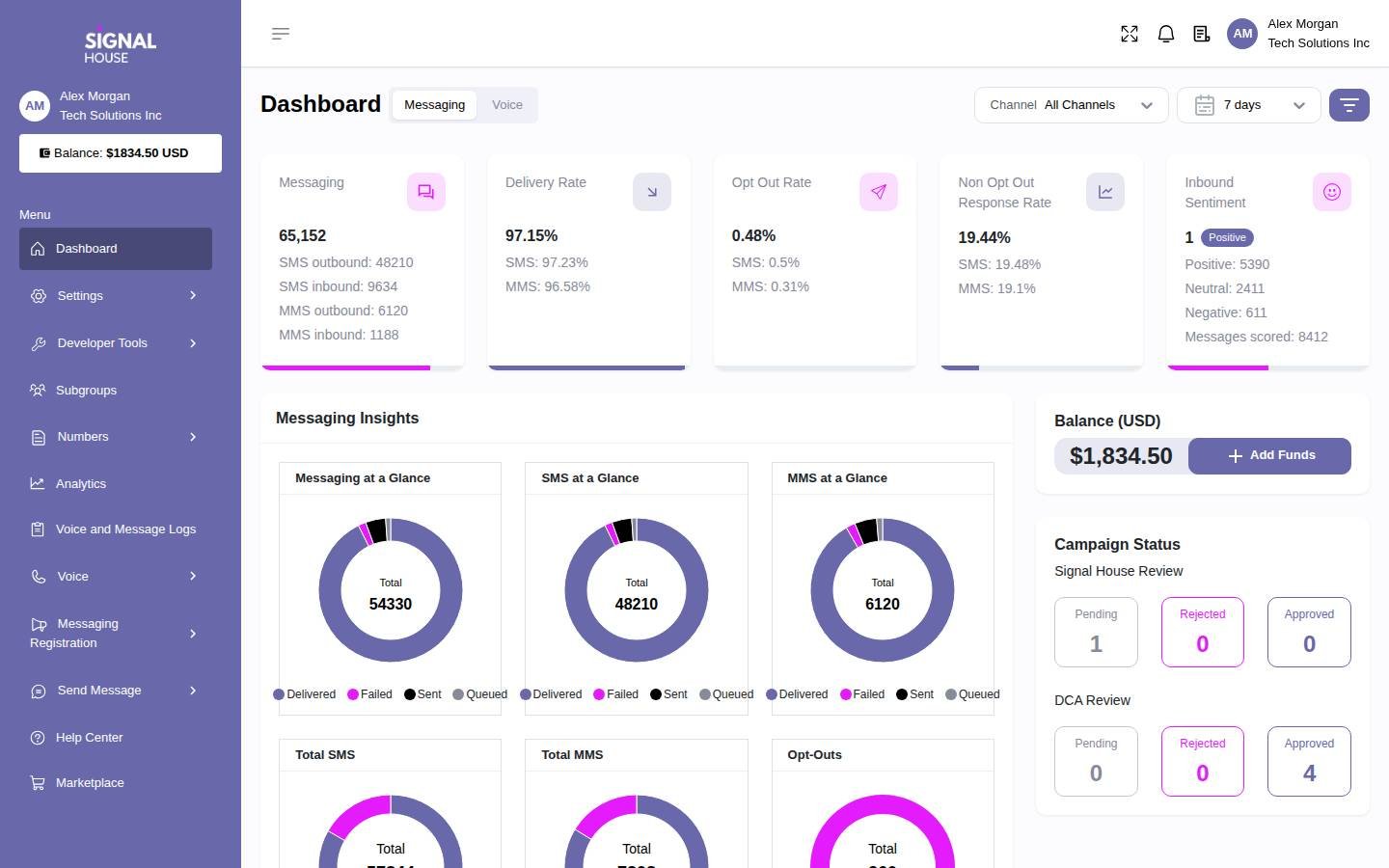
Quote number rental, destinations, capacity and support. Confirm emergency calling, fax and any messaging requirement for the deployment. Identify who maintains the PBX and rebuilds any route currently hosted by Dial 9. The dashboard shows the broader Signal House platform.
8. Telnyx — Best For Programmable SIP And Partner Evaluation
Suggested Team Size. An engineering-led business or MSP that can own provisioning, carrier setup and integration work.
Telnyx offers SIP service and a partner programme with reseller and referral paths. It belongs on the shortlist when you need programmable numbers or want to assess a different commercial relationship. Request the UK number, destination and capacity scope and ask the partner team which account model applies.
Dial 9 partners can use its automated billing or take data into their own systems. Ask Telnyx to demonstrate the billing data, customer access and payment responsibilities you need. Identify which functions it supplies and which require your own software or operations team.
Pilot a temporary customer account and a number change. Check permissions, pending requests and reconciliation before retries. Request a quote for UK usage, numbers, support and any commitments. The G2 score is for Telnyx CPaaS and spans services beyond SIP.
How To Choose A Dial 9 Replacement
Identify The Product And Who Runs It
Start with the account, invoice and device configuration. A Business Phone customer uses Dial 9's hosted platform for extensions and call routes. A SIP customer maintains a separate phone system and uses Dial 9 for the public connection. A partner can own the customer-facing account and billing process. Record which arrangement applies before comparing quotes so each candidate is pricing the same work.
Make a list of public numbers and their current destinations. Include local lines, freephone, fax and numbers that only forward to an employee. Ask staff to verify which are still published and used. Then record where menus, schedules, voicemail and recording are configured. If a route lives in the Dial 9 platform, assign a place and owner for it in the new design even if the PBX or phones remain.
Write Down How People Use The Phones
Count named employees, desk phones, apps and shared devices separately. Ask how the existing account bills those items. One person may use an app and a physical phone, while a reception handset may serve several people over different shifts. Have the new provider show how it licences the same setup. Include shared-room or work-area phones in the device list rather than assuming they are covered by employee seats.
Run a normal inbound call, an unanswered transfer and a callback during the pilot. Ask reception to recover a call when another person is busy. Have someone using a mobile app return a call with the company identity. Check what the customer sees and where staff find missed-call history. Record the plan, device and role that produced the accepted result.
Decide What Changes Your Team Will Own
Review recent requests to the current support team. They may include a holiday greeting, adding a device or fixing a number that routes incorrectly. Ask each candidate to demonstrate who handles the same tasks. Have the proposed administrator change a test schedule and inspect the result. If the business wants the provider to do that work, request its scope and contact process in writing.
Identify the systems connected to calling, such as a CRM, fax inbox or site paging equipment. Ask the owner of each to approve the proposed route. A successful call in an app does not establish that an old analog device works. Keep a separate test and owner for each dependency before you move the primary number or retire hardware.
Compare Per-Phone, Per-User And SIP Channel Costs
Count The Same Deployment In Each Proposal
Dial 9 Business Phone advertises per-phone pricing, while several alternatives use named-user subscriptions. Ask each provider to count your actual desk and app arrangement. A quote with ten employee licences and one shared phone can differ from one based on eleven phone registrations. Verify how many people can use the service and which device needs its own licence or configuration.
Use the small-office example from Dial 9's page as a starting point. Five phones at £4.99 give £24.95 per month for the listed phone component. Ask what the displayed 60-minute inclusion covers, whether allowances pool and which charges or taxes apply. Add the calling option and equipment on the actual order. Compare that complete amount with a replacement quote for the same staff and call flows.
Model Calls Separately From The Subscription
Export a normal and a busy month of call records. Separate UK landline, mobile, international, freephone and forwarded calls. Ask the new provider to apply its allowance, rounding and overage to that sample. If the plan advertises unlimited calling, confirm the eligible destinations, fair-use terms and whether the calls are made through the app or an externally forwarded route.
For a per-user example, five KrispCall Advance seats at US$32 per month on annual billing would total US$160 in monthly seat fees. Five Calilio Premium seats at US$28 would total US$140. Both require a UK number and usage quote. Record the actual billing currency, exchange assumptions for a budget and VAT treatment separately from the contracted rates.
Size A SIP Quote By Its Traffic
The Dial 9 SIP page lists four channels for £3 per month and additional channels at 75p each, alongside number rental. Using those published figures, six channels and one number starting at £1.50 would give £6 per month before calls and any other applicable charges. Confirm the exact account terms and whether the proposed channel count covers the way your PBX uses transfers and external forwards.
Ask the competing carrier to price the same numbers and destinations with the same busy-hour demand. Measure concurrent calls and bursts of new calls. A provider can set separate limits for those conditions. Include ongoing PBX licensing, hosting and maintenance in the retained-system comparison. A low carrier component does not cover the work of running the phone system.
Review Dial 9 Partner Accounts And Automated Customer Billing
Map The Customer Journey From Order To Payment
Dial 9 describes partner APIs and configurable automated invoicing, with Stripe and GoCardless integrations for collecting payments. If your business uses those features, record every step they perform today. Include setting the retail plan, assigning resources, generating the bill, taking payment, issuing a credit and restricting access when an account changes. Have finance review that list alongside the technical team.
Ask any alternative partner provider to demonstrate the same sample customer account. Telnyx advertises reseller and referral paths, so confirm which applies and what it supplies. Establish who bills the end customer and which tasks your own software must handle. A carrier usage export can feed a billing system while invoice generation and collections remain with your team. Include the cost and support for that work.
Test Permissions And Billing Reconciliation
Create two example customers and give one a limited administrator. Check which numbers, records and settings they can see. Ask your own account team to update the second customer without exposing its data to the first. Then compare a sample usage export with the expected customer invoice. Verify how numbers, channels and any part-month changes are identified so finance can reconcile them.
Include a failed payment or disputed call in the demonstration. Ask who communicates with the customer, which services can be restricted and how a correction reaches the next bill. Check whether the partner sees the customer's payment information or only a status. Record the support handoff for an invoice issue separately from the process for a voice fault.
Move One Customer Before Migrating The Portfolio
Choose a small account that still represents your normal work. Test order entry, number provisioning, call routing and the first invoice. Then try a more complex account with several numbers, a shared queue or a specialty service. Check that your staff can repeat the process using written instructions. Fix the template when a problem is shared across customers rather than copying the issue to the next batch.
Keep port authority and account ownership clear for each customer. Record who signs forms, who accepts the service and who can approve a route change during cutover. If a provisioning request remains pending, reconcile its state before retrying. Keep an inventory of the resources that actually became active and compare it with your own customer records.
Keep Your PBX And Replace The Dial 9 SIP Trunk
Verify The New Connection On The Actual System
Give the carrier and maintainer the PBX model, version, hosting and current trunk details. Confirm supported authentication, transport, media and how the dialled number reaches the PBX. Ask whether a template applies to that exact version. Use an isolated extension or menu for a temporary-number pilot and compare provider and PBX records for the same call.
Test inbound calls from several networks, outbound identity, menu keys and transfers. Include an external forward and verify which number appears to its recipient. Ask what the carrier sees when the PBX is busy or unreachable and what it can send to an alternate destination. Record which changes your maintainer can make and which require the carrier.
Keep Fax And Other Attached Services On The Checklist
Dial 9 lists fax-to-email among its hosted features. Ask staff how they use the fax line, which inbox receives it and what confirmation they need. Have the gaining provider verify the number and the intended fax product. Test sending and receiving a representative document and check the delivered pages. If a physical machine stays, have the installer confirm and test the supported connection.
If a number also receives texts, confirm its messaging capability and activation schedule separately. Send a message and a reply from a different mobile device and verify where staff find them. Ask the new provider for the approved emergency calling setup and validation procedure for each relevant number and site. Assign a person to maintain the location records after launch.
Plan Number Ranges And Remaining Services
Dial 9's porting guidance describes rejections involving mismatched address details, associated numbers and other attached services. Ask the gaining provider to check the exact number list and authorising account before submitting an order. Include ranges and numbers you want to leave behind. Verify what the losing provider needs to keep the rest of the account working after a partial move.
Keep existing service active while the port is validated and agree who can enable an alternate route. If a number depends on a separate circuit or specialist service, obtain the responsible supplier's transition advice. Test the numbers that remain on the old account as well as the ones that move. Record the result before cancelling a product or closing the account.
Shortlist Dial 9 Competitors By Deployment
A Small Office Sharing One Number
Start with KrispCall for calls and callbacks and compare Calilio for menus and supervision. Use a spare number during a normal shift. Ask a second employee to handle a caller after the first is unavailable. Check how they know the call was returned and which business identity the customer sees. Verify UK number and destination eligibility before submitting a port.
A Team That Reviews Calls Or Uses A CRM
Include Dialpad Connect if staff need transcripts and summaries. Give the demo a name, an account reference and a follow-up date. Ask another employee to check the recap and find the related customer record. Confirm the CRM tier and retention settings. If a transcript is inaccurate, test how staff review or correct the information before acting on it.
A Multi-Site Business With Reception
Compare RingEX and GoTo Connect using two real branch schedules, the proposed handset and an overflow destination. Have reception transfer between sites and recover an unanswered call. Include a holiday at one location and verify the report retains the originally dialled number. Quote the supported devices and the people who will install and maintain them.
A Business Using Zoom Or Keeping Its PBX
Test Zoom Phone with a normal user, reception and a shared device if the team already works in Zoom. For a retained system, pilot Signal House after written UK coverage and interoperability checks. Include Telnyx if programmable carrier service or the partner model is part of the decision. Give both carriers the same traffic and number brief and verify the support boundary with your maintainer.
Build The Complete Cost Of A Dial 9 Replacement
Combine the subscription and calling estimates with the services the office needs. Include local and freephone numbers, fax, recording, device licences and support. Put setup, hardware, integration work and training in a one-time column. Add any overlap between old and new services. Ask which charges change if staff or channel capacity rise or fall.
For a partner business, add the work needed to replace automated customer billing and provisioning. Include software, payment services, reconciliation and staff time. Ask the vendor for sample records that your finance team can use. Price the route that actually passed the technical and account pilot, then compare it with the current order and a typical recurring invoice.
Use a free trial to answer the most important operational questions. A temporary number can prove shared callback, queue and app behaviour. The paid number port and first invoice establish other parts of the deployment. Ask which features the trial enables and which need a different order. Collect staff feedback before the deadline and request the final quote for the accepted plan.
What To Ask Dial 9 Alternatives Before Signing
- Account Model. Confirm hosted users, devices, SIP channels or partner responsibilities covered by the proposal.
- UK Numbers And Calls. Check exact number types, ranges, destinations, bundles and out-of-bundle rates.
- Routing And Hardware. Test menus, schedules, transfers, fallback and the actual handset or app.
- Partner Billing. Demonstrate customer access, usage exports, invoicing, payments and credits where required.
- Attached Services. Confirm fax, SMS, records and emergency calling setup for the intended deployment.
- Support And Terms. Request billing currency, VAT treatment, commitments, setup and escalation contacts in writing.
Ask the supplier to identify what it proved in the demo and what depends on another plan or company. Give each open number, equipment or billing requirement an owner. The accepted order should name the setup and support responsibilities your team tested, so the implementation team can reproduce them.
Move Dial 9 Numbers And Validate The New Routes
- Inventory The Account. Save numbers, users, devices, schedules, integrations and customer-billing dependencies.
- Build A Temporary Route. Pilot the intended hosted app or SIP setup with staff and equipment planned for production.
- Verify Port Eligibility. Confirm account and address details, associated ranges and effects on remaining services.
- Coordinate The Window. Keep current service active and agree who can restore routing or activate a temporary contact path.
- Test Each Service. Verify calls from several networks, caller ID, voicemail, fax and texting where used. Follow the provider's approved emergency calling validation process.
- Reconcile Resources And Billing. Check the first invoice and active numbers against the quote. Resolve open issues before moving more customers or closing the original service.
Give testers a record with the time, originating network, number and expected outcome. Ask the carrier and PBX maintainer to locate the same attempt if a call fails. Have a staff member verify the route without administrator help and ask finance to check the billing example. Keep the support contacts and fallback instructions available to the people on duty.
FAQs About Dial 9 Alternatives
What Are The Best Alternatives To Dial 9?
KrispCall and Calilio are starting points for small UK hosted-phone teams. Compare Dialpad Connect for transcripts, RingEX or GoTo Connect for reception and branches, and Zoom Phone for a Zoom workplace. Assess Signal House or Telnyx separately for carrier requirements.
Can I Keep My PBX And Replace Dial 9 SIP Trunks?
Yes, if you control the PBX and the new carrier supports its configuration. Test a temporary number, transfers, caller ID and fallback before moving production numbers.
Which Dial 9 Competitor Fits A Partner Account?
Telnyx is a candidate for programmable SIP and partner terms. Ask it to demonstrate the customer access and billing data you need. Identify who provides invoice generation, collections and support before migrating.
Can I Keep My Dial 9 Phone Numbers?
You can retain eligible numbers through a port arranged by the gaining provider. Check the exact numbers, ranges and account details. Keep existing service active through the port and route tests.
How Much Does A Dial 9 Replacement Cost?
Cost depends on phones or users, numbers, traffic and support. Compare a complete hosted or SIP quote with the current account. Include devices, bundles, VAT and any partner-billing work.
Can I Reuse My Dial 9 Desk Phones?
You may be able to reuse them if you control the devices and the new platform supports their models, firmware and provisioning. Test transfers, parking and shared-device use before budgeting for reuse.
Does Porting A Number Move Fax And SMS Too?
Fax and messaging depend on the gaining provider, number type and activation process. Confirm each service separately and test it before closing the old account.
Use Customer Reviews To Set Pilot Tests
Look for experiences relevant to the deployment you need. A shared-line review can help plan callback tests, while a carrier review may explain support and routing. For a partner account, ask the vendor to demonstrate the billing and operational model directly. Use reviews to prepare questions and verify the results with your own users and records.
Have reception, the administrator and finance record the outcomes they own. Check what needed vendor help and whether the final quote includes that work. Resolve the remaining number, device or billing questions before moving the next group of services.
Affiliate Disclosure. VoIPCalling may earn a commission when you purchase through a partner link.