
Cisco Webex Calling deserves a close look when your business already uses Cisco communications, needs flexible carrier connectivity or is planning a staged migration from an existing phone system. RingCentral RingEX is a strong shortlist for businesses seeking employee calling, collaboration and business-app integrations in a packaged cloud service. Compare the completed deployment rather than choosing from a brand name or meeting-app experience.
This guide compares Webex Calling with RingCentral RingEX for business telephony in 2026. Webex Meetings, Webex Contact Center and RingCentral RingCX are distinct products or workloads; their features should not be assumed to come with every calling subscription.
Customer Ratings at a Glance

TrustRadius: Webex Calling 8.8/10 from 473 reviews and ratings · RingCentral RingEX 8.8/10 from 542 reviews and ratings.
Webex Calling vs RingCentral: Quick Overview
| Decision factor | Cisco Webex Calling | RingCentral RingEX |
|---|---|---|
| Starting fit | Cisco-oriented businesses and organizations assessing carrier or hybrid migration choices | RingCentral for an employee communications service with business-app integration options |
| Phone connectivity | Cisco Calling Plans, cloud-connected PSTN or premises-based local gateway, subject to availability | Confirm calling, numbers and usage in the RingEX package and regional quote |
| Administration | Control Hub for the Webex environment | RingCentral administration for users and communications workflows |
| Integrations | Salesforce integration and Cisco Call for Microsoft Teams are documented | Salesforce and Microsoft Teams integrations, plus developer APIs |
| Pricing approach | Get the exact calling license, PSTN service and implementation priced together | Get subscriptions, eligible inclusions, usage and additional services quoted together |
| Contact-centre requirements | Assess Webex Contact Center separately | Assess RingCX separately from employee RingEX service |
What Does Each Phone System Provide?
Cisco Webex Calling

Webex Calling supplies cloud business telephony within the Webex ecosystem. Cisco documents calling licenses for Professional, Standard and Workspace use. The right license depends on the person or shared location and the functions required.
The Webex environment can include calling, meetings and messaging, but a meeting account or the ability to call another Webex user does not by itself establish that an employee has a business phone number and external telephone calling.
Control Hub is central to managing the environment. A deployment can also involve a carrier or Cisco partner, so establish who owns the calling service, connectivity and ongoing support.
RingCentral RingEX

RingEX brings employee calling, messaging and meetings into a business communications service. Its apps and administration are relevant to teams that want to replace an employee phone system and connect calling with their business tools.
Package selection still matters. Confirm integrations, recording, analytics and customer-engagement capabilities against the specific order rather than assuming the lowest-priced subscription includes every advertised function.
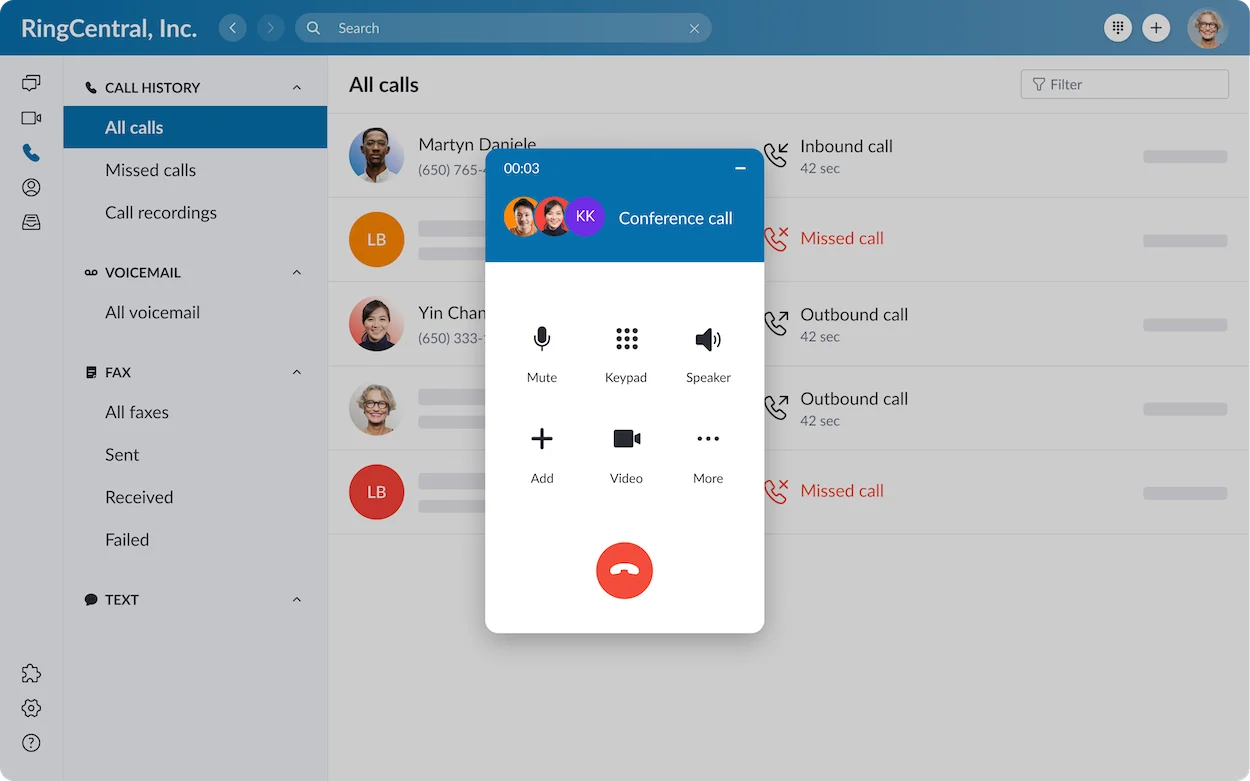
Read our RingCentral review for the wider product overview.
Pricing: Get the Calling Service and Connectivity on the Same Quote
There is no useful universal price winner without matching the deployment. Webex can be purchased through different commercial arrangements, while RingEX pricing depends on factors such as user count, region, commitment and selected package.
What to Request for Webex Calling
- The license type and quantity for employees and shared workspaces.
- The PSTN option for each location, including the carrier or Cisco Calling Plan.
- Number rental, included calling and destination-based usage charges.
- Gateway hardware and maintenance when retaining premises-based connectivity.
- Device conversion or replacement, deployment and support costs.
- Recording, customer-assistance tools and other optional services.
The public Webex calling page currently directs enterprise buyers to sales. Older $17 or $25 Webex promotional references should not be treated as universal current prices for an enterprise Webex Calling deployment. Ask for a dated quote with the applicable country and contract.
What to Request for RingEX
Get monthly and annual subscription quotes for the same users and required workflows. Eligible US/Canada calling is described in RingCentral’s published calling terms, while international destinations and additional usage need separate checks.
Its current pricing page also lists services such as AI Receptionist and customer-engagement additions. Have sales identify which are included in your proposed bundle and which incur an additional charge. Include taxes, equipment, number fees and implementation.
| Cost item | Webex quote should clarify | RingEX quote should clarify |
|---|---|---|
| Employee service | Professional or Standard licenses matched to user requirements | Selected employee subscription and commitment |
| Shared locations | Workspace licensing and device requirements | Applicable shared-device or location licensing |
| External calls | PSTN agreement and included destinations | Eligible included calling and additional usage |
| Existing equipment | Supported devices, conversions, gateways and replacements | Supported devices, provisioning and replacements |
| Customer workflows | Required assistance or contact-centre entitlements | Required boosters, bundles or RingCX licensing |
| Ongoing operations | Provider/partner support and retained infrastructure | Support scope, add-ons and renewal terms |
A Simple Total-Cost Comparison for a 25-Person Team
Separate recurring operating cost from one-time migration cost. A lower seat price can lose its advantage if the project retains another carrier bill or requires hardware work.
Consider this hypothetical budgeting example, not provider pricing:
- Quote A: $600/month for calling licenses plus $180/month for separate connectivity = $780/month.
- Quote B: $725/month for the required licenses and eligible connectivity = $725/month.
- Recurring difference: $55/month, or $660 over twelve months.
If Quote B requires $1,000 more upfront migration work, it is still $340 more expensive in the first year before other differences. This is why seat prices alone are not enough.
For your actual comparison, use: first-year cost = twelve months of recurring charges + one-time implementation + equipment + expected usage and fees. Repeat the calculation over your intended contract term and review renewal pricing.
PSTN Options: A Key Webex Deployment Decision
The PSTN connects your cloud phone system with ordinary telephone numbers. Cisco documents three main connection choices for Webex Calling:
- Cisco Calling Plans: Use Cisco-provided calling connectivity where the relevant service is available.
- Cloud-connected PSTN: Choose an eligible cloud-connected provider without deploying a premises gateway solely for that connection.
- Local gateway: Connect premises-based PSTN service, such as an existing carrier arrangement, through supported gateway infrastructure.
This flexibility can help a business migrate locations in stages or accommodate different carrier arrangements. It also creates planning questions: who maintains the gateway, which provider handles a fault and what is included in each bill?
For RingEX, ask how the proposed service will handle each country, current carrier commitment and number port. Compare the actual proposal against your required architecture rather than assuming either product always uses the same model everywhere.
Calling Features: Compare the Everyday Workflow
| Workflow | Webex Calling | RingEX |
|---|---|---|
| Call handling | Published calling features include forwarding, holding, transfer and visual voicemail | Business calling workflows; confirm entitlements and app behavior |
| Reception and routing | Auto attendants, hunt groups and queues are documented; license and configuration matter | Confirm available routing, queue and receptionist functions in the proposed package |
| Recording | Supported in the license feature matrix; check provider, retention and configuration | Verify automatic/on-demand entitlement, access and retention |
| Shared phones and lines | Workspace and line requirements need the correct license and supported device | Specify shared-device, line and delegate requirements before quoting |
| Reporting | Verify that the required call detail and supervisor reports are available | Verify report scope, export access and any analytics additions |
| Customer support operations | Customer Assist and Contact Center requirements must be assessed separately | Customer-engagement additions and RingCX requirements must be assessed separately |
Do not repeat the claim that Webex Calling cannot record calls. Cisco’s current feature matrix includes call recording. The meaningful comparison is whether each proposal includes the recording workflow, retention and permissions your business needs.
Salesforce, Microsoft Teams and Other Integrations
Salesforce
Cisco documents a Webex App integration that enables calling, messaging and meetings within a Salesforce record. RingCentral also offers a Salesforce integration. Both deserve testing against your CRM edition and actual sales or service process.
Ask for a demonstration of contact matching, inbound screen display, call logging and follow-up activity. Check what happens when a telephone number matches multiple records or when an employee lacks permission to view a record.
Microsoft Teams
Cisco Call for Microsoft Teams provides a documented calling integration, with deployment handled through Teams administration and the relevant Cisco environment. RingCentral also offers Teams integration routes.
Confirm the exact user experience: where employees dial, which application handles the call, how voicemail is accessed and what licenses are required. The presence of an integration logo does not answer those questions.
Custom Workflows
Both ecosystems provide developer tools. For a custom requirement, specify the event or action you need, the permissions involved and who will maintain the connection. Prefer a supported prepared integration when it meets the workflow; budget custom work when it does not.
Migrating Cisco Phones and Existing Sites
Webex Calling is particularly relevant when a business is assessing a migration from Cisco Unified Communications Manager. Cisco provides migration tools, but existing Cisco equipment should not be assumed to work unchanged.
Check every device model, hardware revision and firmware requirement against the current support and migration guidance. Some supported phones can be converted to the appropriate firmware; others may require replacement or a different deployment approach.
For either shortlist, inventory desk phones, shared-area devices, fax equipment, paging, door entry and specialist lines. Have the implementation partner explain how each will be supported, replaced or retained.
- Document the current numbers, extensions and routing.
- Identify carrier contracts and porting dependencies.
- Test a representative office and remote employees.
- Validate specialist devices and emergency-location configuration.
- Schedule the cutover with a fallback route and named support owner.
A successful pilot should cover a realistic working day, including lunch breaks, after-hours routing and calls transferred between locations.
Global Availability, Security and Call Quality
Separate number availability, calling destinations and employee service eligibility. Webex’s connectivity options can support different geographic arrangements, while RingCentral also supports international business communications. Confirm every required country rather than relying on a global marketing statement.
For security, request the documents that apply to the exact product, region and deployment. Review identity controls, administrator permissions, recording access, retention, data handling and any required agreement. A certification for one workload does not automatically establish coverage for every configuration.
Call quality depends on the end-to-end environment. Test office broadband, remote Wi-Fi, headsets and real customer destinations. Measure the problems users notice: one-way audio, interrupted transfers, delayed ringing and dropped calls.
Ask what remains available during an internet outage and what local infrastructure, if any, is needed for the proposed resilience plan.
Pros and Cons
Cisco Webex Calling
- Strength: Relevant to businesses already invested in Cisco communications and devices.
- Strength: Multiple documented PSTN options support different migration strategies.
- Strength: Control Hub and integrations can bring calling into the wider Webex environment.
- Trade-off: License, carrier, gateway and partner responsibilities need careful coordination.
- Trade-off: Existing phone support and firmware must be checked before assuming hardware savings.
RingCentral RingEX
- Strength: A packaged employee calling and collaboration service with business-app integrations.
- Strength: A practical shortlist for businesses replacing a phone service without a requirement to retain a Cisco architecture.
- Trade-off: Upgrades, customer-engagement additions and usage can increase the complete cost.
- Trade-off: Specialized equipment and integration workflows still require validation.
Which Is Better for Your Business?
A Cisco-Based Organization Migrating in Stages
Start with Webex Calling when Cisco expertise, eligible equipment and a workable PSTN strategy provide a concrete migration advantage. Compare that advantage with the full RingEX proposal, including replacements and transition costs.
A Small Business Replacing a Basic Phone Service
RingEX is a sensible shortlist when the priority is employee calling, clear administration and integration with existing business apps. Webex remains worth considering if its complete partner or direct offer is competitive and meets the same workflows.
A Multi-Site Business With Different Carriers
Webex’s documented connectivity options warrant a closer architectural review. Have both vendors explain the country-by-country solution, migration sequence and support ownership.
A Customer-Service Operation
Define whether employee phone queues are sufficient or whether you need a contact centre. Compare Webex Contact Center with RingCX for the latter, rather than assuming all agent and supervisor tools are included in the employee subscription.
For additional packaged services, explore our RingCentral alternatives and business VoIP provider comparison.
Frequently Asked Questions
Is Webex Calling the same as Webex Meetings?
No. Meetings and telephone calling are different workloads. Confirm the calling license, number and PSTN service needed for your employees.
Is RingCentral cheaper than Webex Calling?
It depends on the complete proposal. Compare licenses, connectivity, hardware, implementation, optional services and expected usage over the same contract period.
Does Webex Calling support call recording?
Yes, Cisco’s license feature matrix includes recording. Confirm the applicable provider, configuration, retention and entitlements for your deployment.
Can I keep my Cisco desk phones?
Possibly. Check exact model, hardware and firmware eligibility. Cisco branding alone does not establish compatibility with the proposed Webex or RingEX deployment.
Can both work with Salesforce and Teams?
Both have documented integrations. Verify the specific route, licenses, permissions and required workflow during a pilot.
Is contact-centre software included?
Do not assume it is. Webex Contact Center and RingCX require separate product and licensing assessment.
Final Verdict
Webex Calling is especially worth evaluating when Cisco migration and carrier flexibility solve real business requirements. RingEX is a strong shortlist for an employee communications deployment with relevant business-app integrations. Choose the proposal that covers your users, locations, devices and workflows with clear pricing and support ownership.
RingCentral can be evaluated against your employee phone requirements. For Webex, request a complete calling-and-connectivity proposal for the actual sites you need to serve.
Customer Reviews: What Users Praise and What to Test
The following examples paraphrase reviews published on TrustRadius.
Webex Calling
8/10, September 29, 2026: A reviewer identified as an IT engineer and reseller praised local-gateway integration and cloud PSTN options. The same review criticized confusing menus and the difficulty of understanding the overall dial plan.
Buyer takeaway: Ask your administrator or partner to demonstrate the complete routing design and the changes they will manage after launch.
RingCentral RingEX
10/10, September 24, 2026 — marked incentivized: A telecommunications specialist described straightforward deployment across multiple dental sites and dependable voice when the network was configured correctly. The review also raised concerns about first-line support and built-in analytics.
Buyer takeaway: Validate reporting and support arrangements alongside everyday calling. A favorable overall score can still contain important limitations for your deployment.
Affiliate disclosure: Some links in this article are affiliate links. If you purchase through them, VoIPCalling may earn a commission at no additional cost to you.