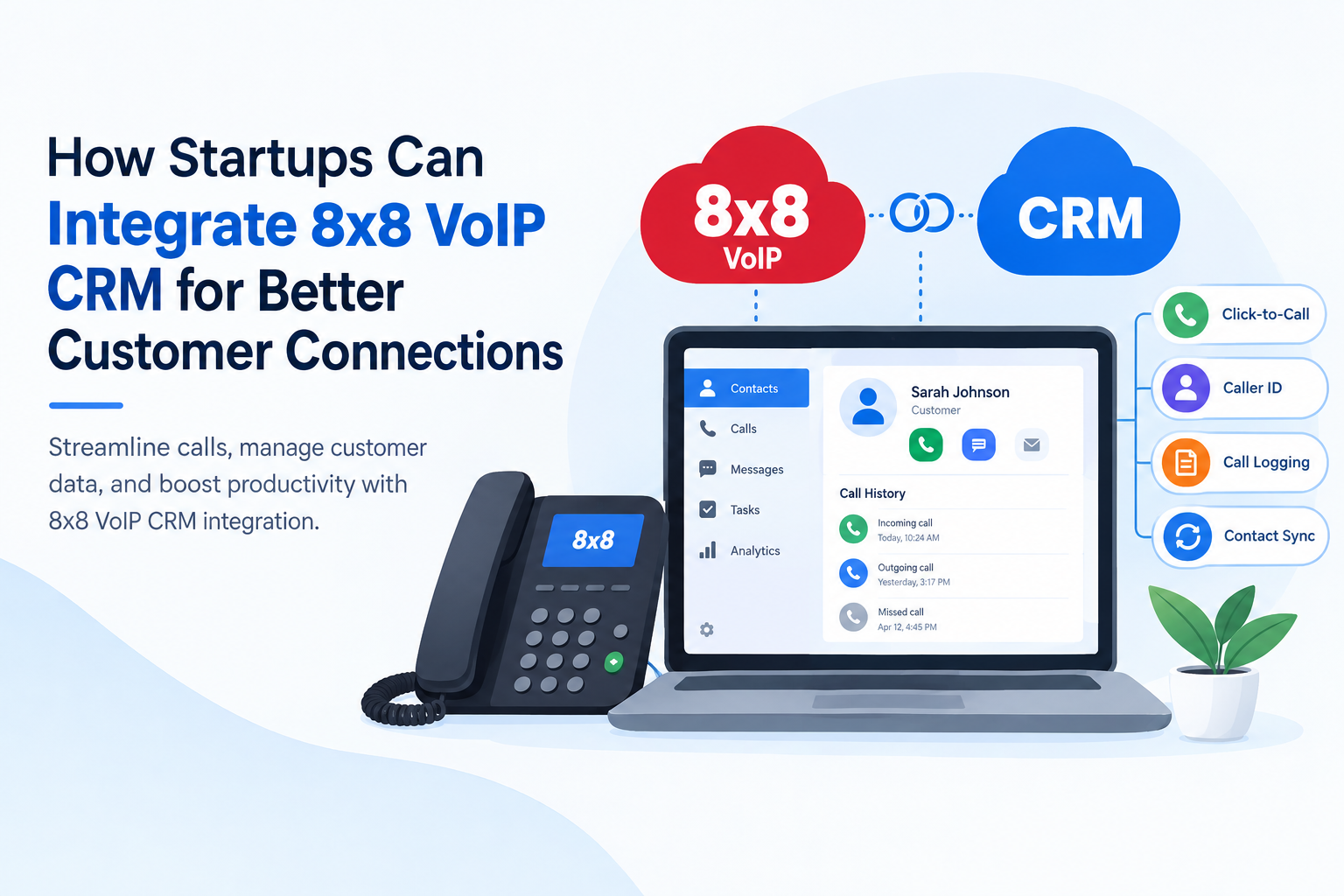
8×8 VoIP CRM integration connects 8×8 business phone services with compatible customer relationship management (CRM) platforms. Depending on the selected product and connector, teams can use features such as click-to-call, incoming caller identification, and call activity logging. 8×8 supports integrations with several business applications, including Salesforce, Microsoft Dynamics, HubSpot, Zoho CRM, and other platforms. Startups should confirm product compatibility, subscription requirements, regional availability, and supported features before choosing an integration.
What Is 8×8 VoIP CRM Integration?
8×8 is a cloud communications provider, not a standalone CRM platform. Its business phone and contact centre products can connect with compatible CRM applications, allowing employees to handle supported calling tasks and access customer information through connected workflows. Its business phone services, including 8×8 Work and 8×8 Contact Center, can connect with compatible CRM platforms to bring telephone activities closer to customer records.
The integration can display caller details, enable calls directly from CRM records, and save interaction histories. Depending on the selected product and connector, businesses may also access chat information, agent status, and other communication features. Available functions depend on the 8×8 product, CRM platform, connector version, subscription, and configuration.
How Startups Can Integrate 8×8 CRM With VoIP Systems
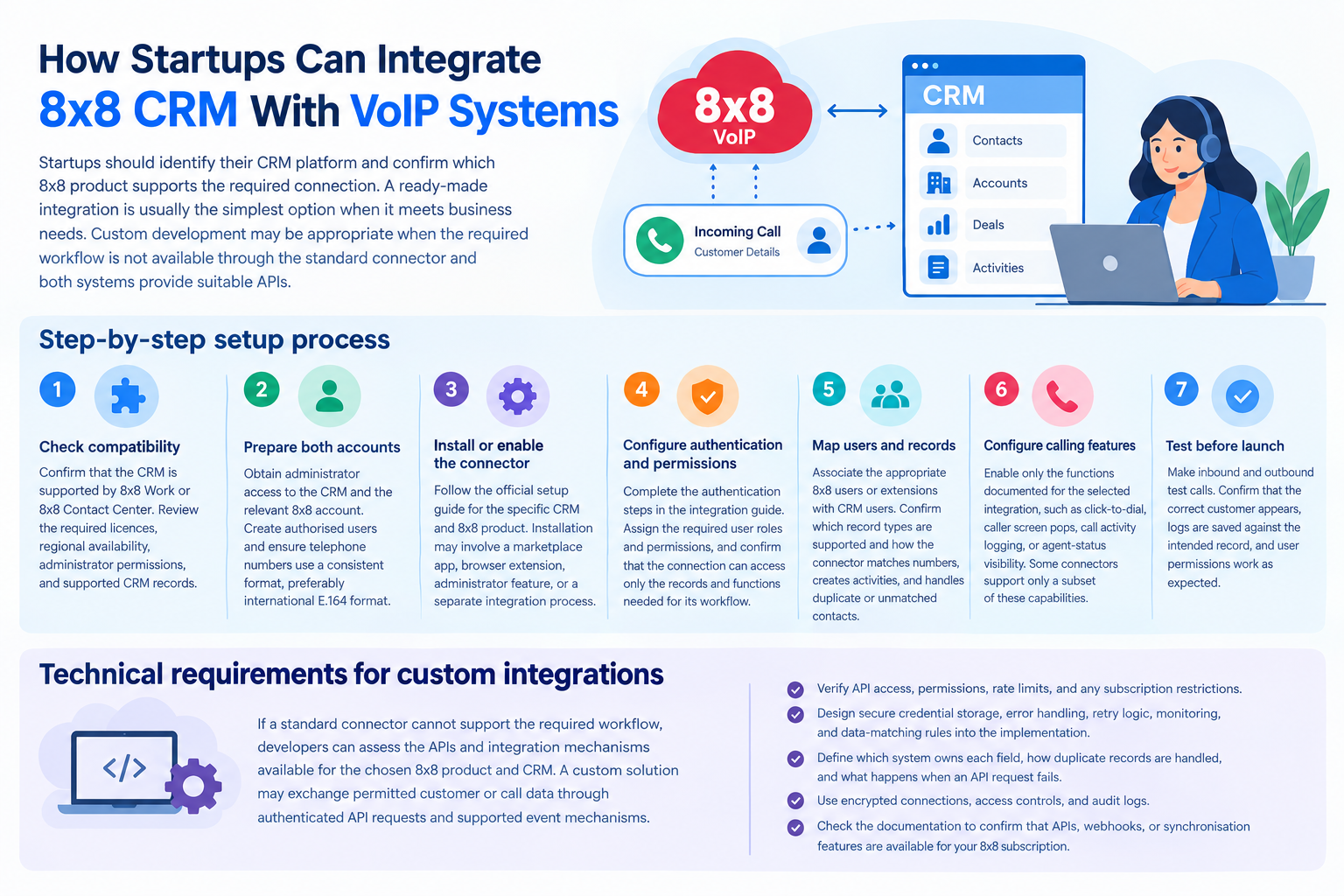
Startups should identify their CRM platform and confirm which 8×8 product supports the required connection. A ready-made integration is usually the simplest option when it meets business needs. Custom development may be appropriate when the required workflow is not available through the standard connector and both systems provide suitable APIs.
-
Step-by-step setup process
-
-
Check compatibility: Confirm that the CRM is supported by 8×8 Work or 8×8 Contact Center. Review the required licenses, regional availability, administrator permissions, and supported CRM records.
-
Prepare both accounts: Obtain administrator access to the CRM and the relevant 8×8 account. Create authorized users and ensure telephone numbers use a consistent format, preferably international E.164 format.
-
Install or enable the connector: Follow the official setup guide for the specific CRM and 8×8 product. Installation may involve a CRM marketplace application, a browser extension, an administrator-enabled feature, or a separate integration process. Do not assume that every platform uses the same installation method.
-
Configure authentication and permissions: Complete the authentication steps specified in the integration guide. Assign the required user roles and permissions, and confirm that the connection can access only the records and functions needed for its intended workflow.
-
Map users and records: Associate the appropriate 8×8 users or extensions with CRM users where the integration requires it. Confirm which record types are supported and how the connector matches telephone numbers, creates activities, and handles duplicate or unmatched contacts.
-
Configure calling features: Enable only the functions documented for the selected integration, such as click-to-dial, caller screen pops, call activity logging, or agent-status visibility. Some connectors support only a subset of these capabilities.
-
Test before launch: Make inbound and outbound test calls. Confirm that the correct customer appears, logs are saved against the intended record, and user permissions work as expected.
-
-
Technical requirements for custom integrations
If a standard connector cannot support the required workflow, developers can assess the APIs and integration mechanisms available for the chosen 8×8 product and CRM. A custom solution may exchange permitted customer or call data through authenticated API requests and supported event mechanisms. Before development, verify API access, permissions, rate limits, and any subscription restrictions. Design secure credential storage, error handling, retry logic, monitoring, and data-matching rules into the implementation.
The integration should define which system owns each field, how duplicate records are handled, and what happens when an API request fails. Use secure credential storage, encrypted connections, access controls, retry handling, and audit logs. Never assume that an API, webhook, or synchronization feature is available for every 8×8 subscription; verify the relevant documentation first.
Why Tech Startups Need 8×8 VoIP CRM Integration
Tech startups often manage sales calls, customer enquiries, and support requests with small teams. Connecting 8×8 calling services to a compatible CRM can reduce application switching and help employees maintain customer interaction records. The value depends on call volume, existing workflows, and the capabilities of the selected integration. The value depends on the team’s workflow rather than company size alone. A startup handling frequent sales enquiries or support requests may benefit more than a small team that makes only occasional calls.
Key reasons to adopt this connection include:
-
Better visibility: Supported screen-pop features can display matching customer records during incoming calls.
-
Consistent records: Supported connectors can save call activities against matching CRM records.
-
Simpler follow-ups: Employees can review previous interactions before contacting a customer again.
-
Flexible expansion: Teams can assess additional users, queues, and communication channels as demand increases.
Key Benefits of Integrating 8×8 CRM and VoIP
A well-configured connection makes customer communication easier to manage and provides useful context for sales and service teams. The exact capabilities depend on the chosen CRM and 8×8 product.
-
Click-to-call: Start an outbound call from a supported customer record without manually entering the number.
-
Incoming caller identification: Display a matching record when a customer calls, where the connector supports screen pops.
-
Call activity logging: Supported connectors can save call details to CRM records, reducing manual entry when the feature is enabled and configured correctly.
-
Centralized interaction history: Give authorized employees a clearer view of previous customer conversations.
-
Improved service workflows: Help agents prepare for enquiries using available contact details and case information.
-
Reporting opportunities: Use available call and CRM activity data to review workloads, follow-up patterns, and service performance.
Official 8×8 documentation describes features such as click-to-dial, caller record pop-ups, and call logging for supported Salesforce integrations. Other CRM connections may provide different functions or impose additional restrictions. Check the documentation for the exact product and connector before promising particular capabilities.
Best Practices for Utilizing 8×8 CRM and VoIP
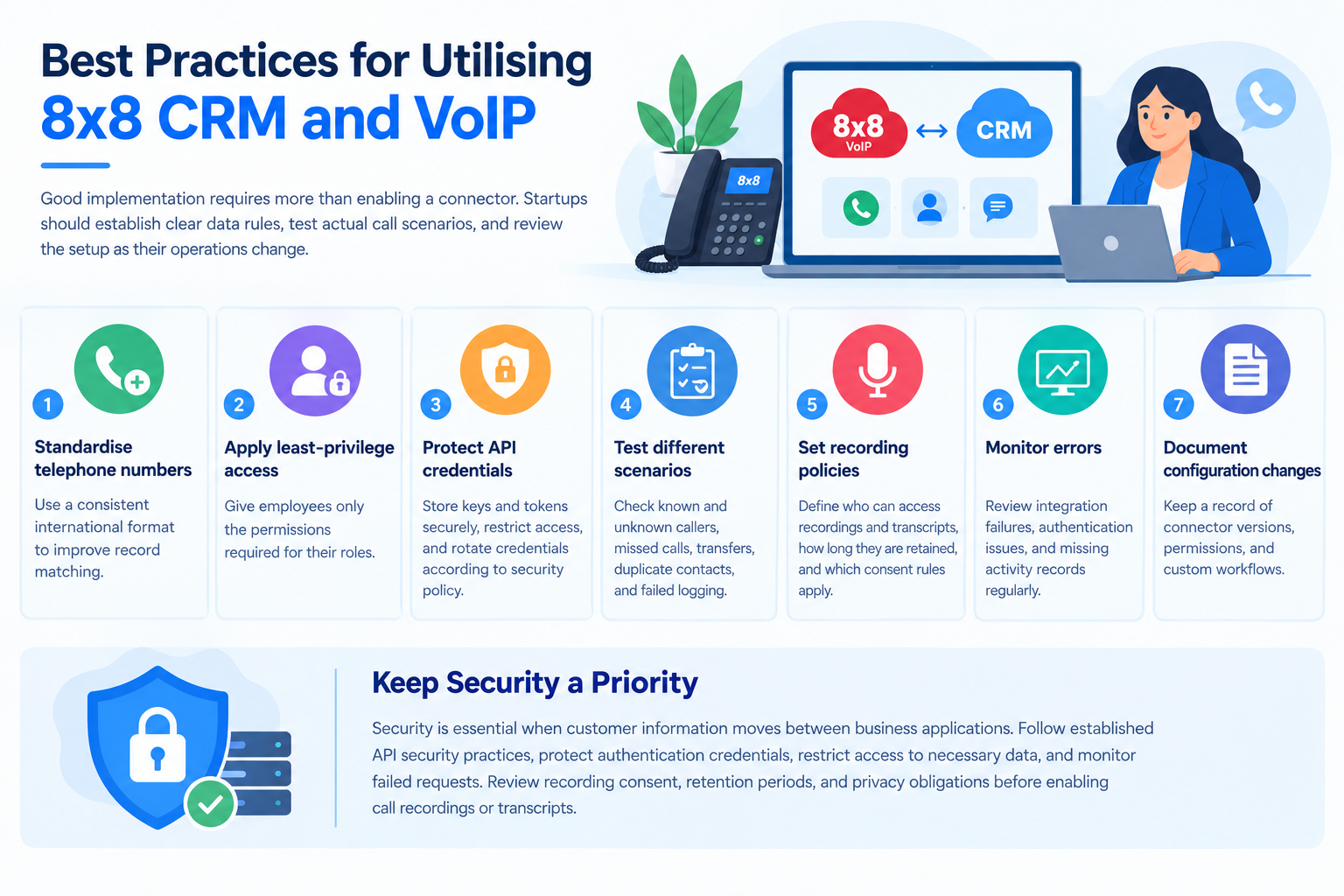
Good implementation requires more than enabling a connector. Startups should establish clear data rules, test actual call scenarios, and review the setup as their operations change.
-
Standardize telephone numbers: Use a consistent international format to improve record matching.
-
Apply least-privilege access: Give employees only the permissions required for their roles.
-
Protect API credentials: Store keys and tokens securely, restrict access, and rotate credentials according to security policy.
-
Test different scenarios: Check known and unknown callers, missed calls, transfers, duplicate contacts, and failed logging.
-
Set recording policies: Define who can access recordings and transcripts, how long they are retained, and which consent rules apply.
-
Monitor errors: Review integration failures, authentication issues, and missing activity records regularly.
-
Document configuration changes: Keep a record of connector versions, permissions, and custom workflows.
Security is essential when customer information moves between business applications. Follow established API security practices, protect authentication credentials, restrict access to necessary data, and monitor failed requests. Review recording consent, retention periods, and privacy obligations before enabling call recordings or transcripts.
Top CRM Platforms That Integrate With 8×8 VoIP
8×8 offers integrations across its communications products, but support and functionality differ by platform. The table below provides a starting point for evaluating compatibility; it does not mean every listed CRM supports every feature through every 8×8 product.
| CRM platform | Integration considerations |
|---|---|
| Salesforce | Check supported calling features, the integration method, and the Open CTI transition timeline. |
| Microsoft Dynamics | Confirm supported versions, regional availability, and available call-handling functions. |
| Zendesk | Verify whether the required workflow uses 8×8 Contact Center or another supported product. |
| NetSuite | Confirm the relevant connector, supported records, and required configuration. |
| HubSpot | Review supported contact recognition, call logging, screen pops, and click-to-dial limitations for the specific integration. |
| Zoho CRM | Check supported record types and the distinction between individual-record dialing and list-view dialing. |
| Pipedrive | Verify whether the required connection is available through 8×8 Work, 8×8 Engage, or another supported route. |
| Bullhorn | Confirm the applicable 8×8 product and support for recruitment-specific workflows. |
Salesforce compatibility note: Salesforce has announced the retirement of Open CTI for February 28, 2028. Organizations using an 8×8 integration based on Open CTI should review the vendor’s migration guidance and confirm the supported replacement before planning future deployments. Check 8×8’s latest documentation for the availability and status of alternative integration methods.
Pros and Cons of 8×8 CRM VoIP Integration
8×8 CRM integration can simplify customer communication, but its value depends on compatibility, licensing, and implementation quality. Evaluate the supported features and ongoing maintenance requirements before choosing a setup.
| Pros | Cons |
|---|---|
| Reduces manual call logging | Some setup requires administrator support |
| Speeds up supported outbound calls | Features differ between CRM platforms |
| Provides caller context during eligible calls | Browser and extension requirements may apply |
| Improves visibility into customer interactions | Custom development can increase maintenance work |
| Supports business communication workflows | Extra licenses or services may be required |
| Allows custom workflows when suitable APIs are available | Custom integrations may require ongoing development and maintenance |
One important limitation is that the CRM integration panel does not necessarily provide the audio service itself. For example, 8×8’s documented Zoho and Pipedrive integrations work alongside 8×8 Work applications or compatible desk phones. Businesses should therefore verify device, software, and license requirements before deployment.
Which Businesses and Industries Benefit Most?
8×8 CRM integration is most useful for businesses that handle regular customer calls and need communication records linked to their CRM. Suitability depends on the available connector, the team’s workflow, and the information employees need during conversations.
-
Technology startups: Manage product enquiries, sales conversations, and customer support.
-
Sales teams: Connect outbound calls with lead and opportunity records.
-
Customer service departments: Access available customer details while handling incoming requests.
-
Recruitment agencies: Link candidate communication with recruitment records in Bullhorn.
-
E-commerce businesses: Support customer enquiries, order-related conversations, and service follow-ups where the CRM stores relevant data.
-
Professional services firms: Keep client communications organized across account and contact records.
Businesses in regulated sectors should also review recording consent, data retention, privacy obligations, and access controls before enabling call recording or transcription. An integration alone does not guarantee regulatory compliance.
How Many Users Can Use 8×8 CRM VoIP Integration?
There is no single user limit for all 8×8 CRM integrations. Capacity and eligibility depend on the selected 8×8 service, subscription, CRM licences, and any product-specific restrictions. Businesses should confirm these requirements with the vendors before deployment.
| Team size | Recommended approach |
|---|---|
| 1–10 users | Start with a supported connector and test core calling workflows. |
| 11–50 users | Review user provisioning, permissions, reporting, and shared call-handling processes. |
| 51–200 users | Evaluate centralised administration, integration monitoring, and more complex routing requirements. |
| 200+ users | Assess enterprise licensing, API capacity, security controls, and vendor-supported deployment options. |
These are planning categories, not official 8×8 capacity limits or guaranteed licence tiers. Before purchasing, request written confirmation of supported concurrent calls, user licensing, CRM object limits, API restrictions, and any regional requirements. A small team may need a straightforward connector, whereas a larger organisation may require custom workflows and additional administration.
Read More: The Best 7 NICE CXone Alternatives & Competitors (2026)
Final Thoughts
8×8 VoIP CRM integration can help startups connect telephone communication with customer information, making sales and support workflows easier to manage. The best approach is to select a compatible CRM, verify the exact features and licence requirements, and test the complete process before rolling it out. For standard needs, a ready-made connector is often the simplest starting point; custom development is worth considering when specific business requirements justify the added complexity.
FAQs
-
What is 8×8 VoIP CRM integration?
It connects 8×8 business phone services with compatible CRM software. Depending on the connector, users can identify callers, initiate calls from records, and save interaction details.
-
Does 8×8 have its own CRM?
8×8 is primarily a communications provider rather than a standalone CRM platform. Its calling products integrate with external applications such as Salesforce, HubSpot, Zoho CRM, and Microsoft Dynamics.
-
Does 8×8 integrate with Salesforce?
Yes. The documented integration supports features such as click-to-dial, incoming caller record pop-ups, and call logging. Eligibility depends on the applicable 8×8 license and configuration.
-
Can 8×8 integrate with HubSpot?
Yes. 8×8 offers a HubSpot integration for supported products, but feature limitations apply. Its current documentation identifies contact recognition as a supported function and states that click-to-dial is unavailable.
-
Does 8×8 CRM integration require coding?
Not necessarily. Supported connectors can often be configured through documented administrative steps. Custom API development may be necessary when a business needs workflows that the standard integration does not provide.
-
Can 8×8 automatically record customer calls in a CRM?
Supported integrations can automatically log call activities, but logging is not the same as recording audio. Audio recording depends on the selected service, configuration, permissions, and applicable policies.
-
Does 8×8 CRM integration work on mobile devices?
Device support depends on the specific connector and calling application. Some integrations rely on 8×8 Work for desktop or mobile, while others require a supported browser, extension, or desk phone.
-
How much does 8×8 CRM integration cost?
There is no universal integration price. The total depends on the 8×8 subscription, CRM licence, required features, and any custom development or additional services. Confirm current costs with the relevant vendors before budgeting.
-
Can startups build a custom 8×8 CRM integration?
Yes, provided the selected 8×8 service and CRM expose the necessary supported APIs or integration mechanisms. Developers should plan authentication, data mapping, error handling, monitoring, and security before deployment.