
Call Hold
VoIP Call Hold is a phone system feature that temporarily pauses an active call without disconnecting it. While the call is on hold, the employee can check information, speak with a colleague, or complete another task before returning to the caller. Depending on the phone system, the caller may hear music, announcements, or another configured audio source while waiting.
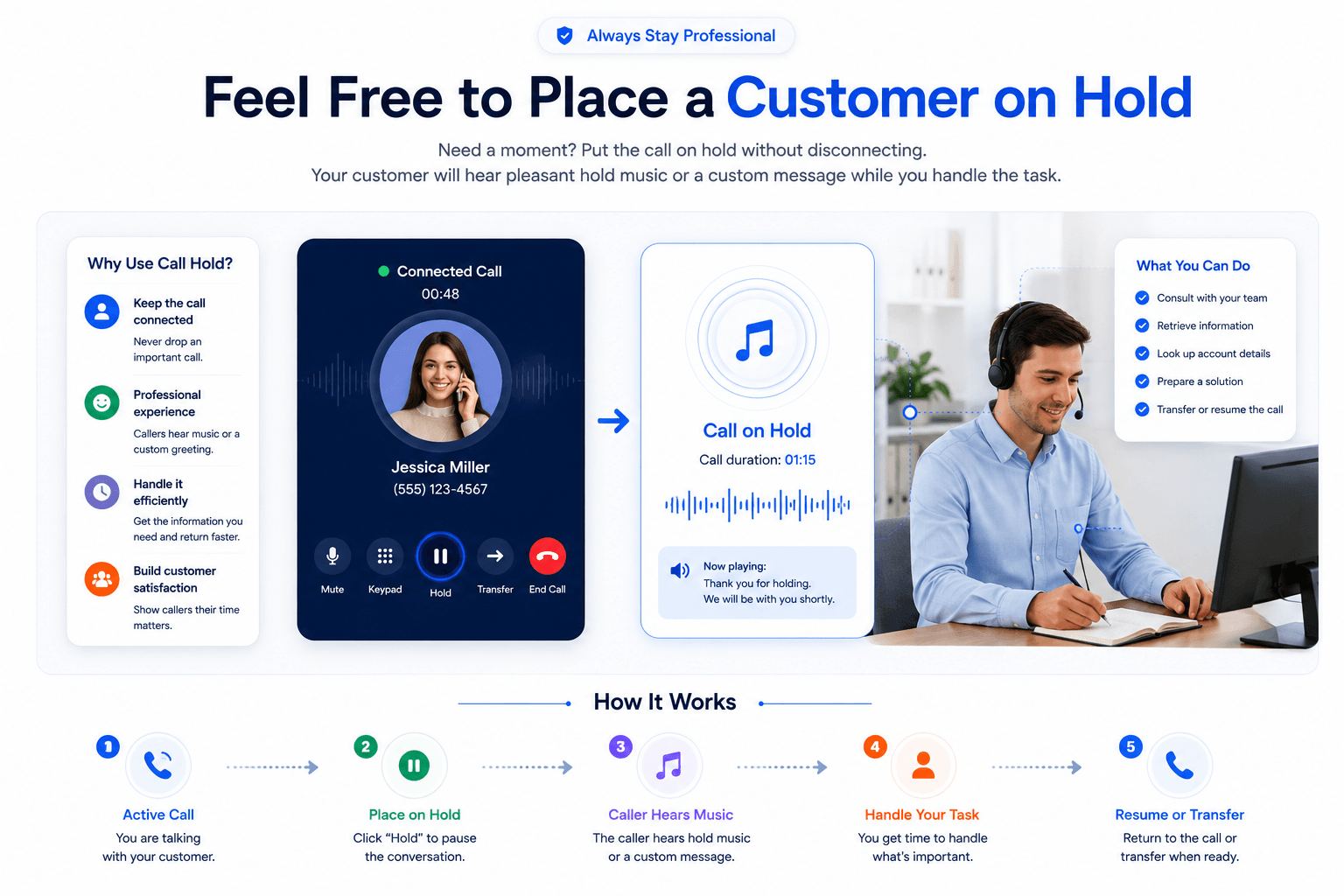
Put Calls on Hold When You Need More Time
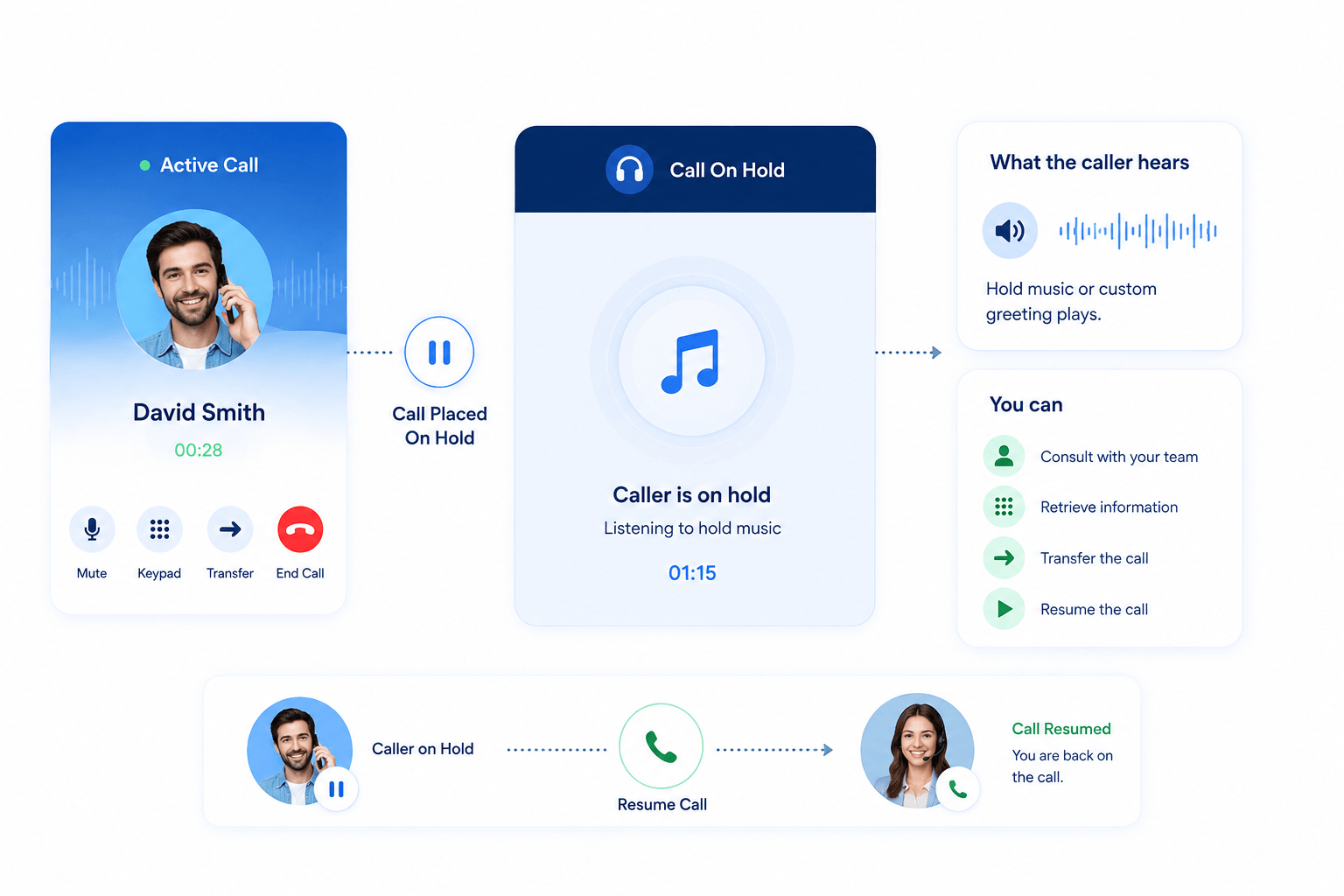
Call Hold lets you temporarily pause an active conversation without ending the call. It can be useful when you need to check account information, speak with a colleague, find a document, or complete another short task before continuing the conversation.
The caller remains connected while waiting. Depending on your phone system’s configuration, they may hear music, a recorded announcement, or another audio source until you resume the call.
Users can place an active call on hold using the available controls on their IP phone, desktop application, or mobile app. When music or announcements on hold are configured, callers can hear audio while they wait instead of silence.
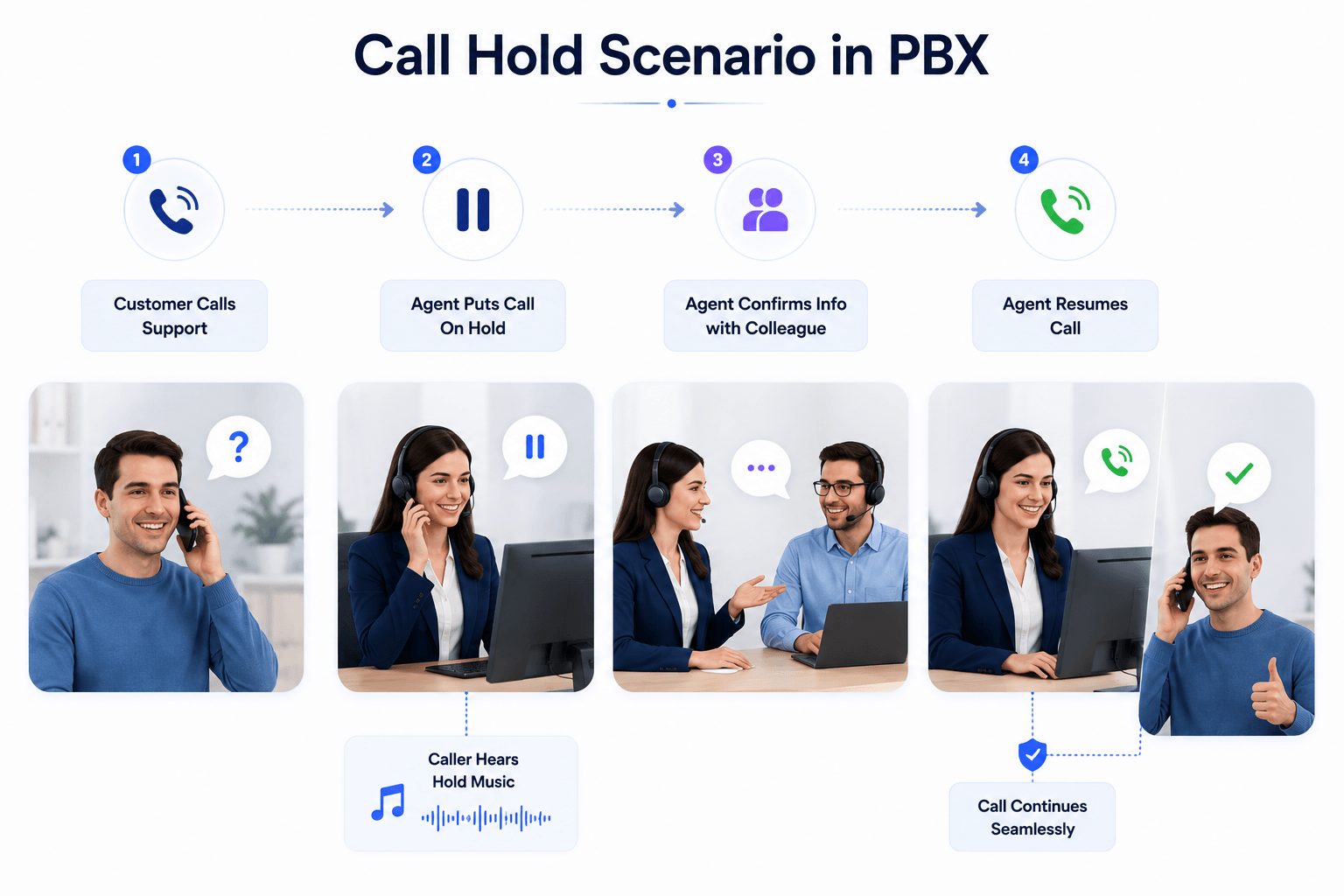
Call Hold Example in PBX
Suppose a customer calls Support with a technical question. The agent needs to confirm some information with a colleague before answering. Instead of ending the call, the agent places the customer on hold, checks the information, and then resumes the original conversation.
The customer remains connected to the call throughout the process, while any configured hold music or announcements can play in the background.
How Does VoIP Call Hold Work?
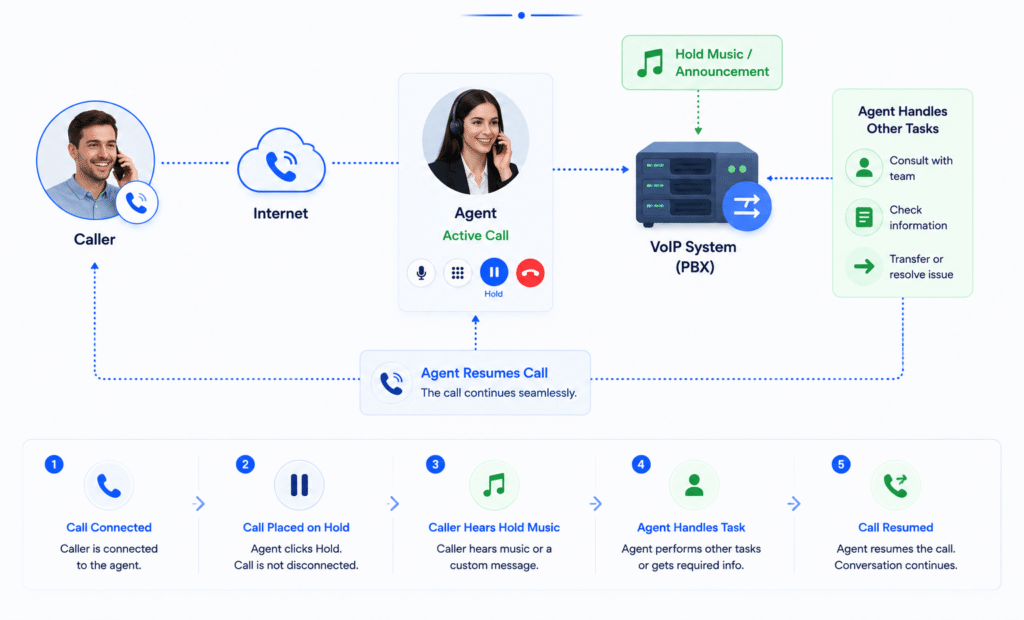
1. Answer the Call
The employee answers an incoming call or is already speaking with the caller.
2. Place the Caller on Hold
The user selects the Hold option on their supported phone, desktop application, or mobile app.
3. The Call Remains Connected
The caller stays connected to the phone system but can no longer continue the active conversation until the call is resumed.
4. Resume the Call
When the employee is ready, they select Resume or the appropriate control to continue the conversation.
Call Hold Features
One-Touch Hold
Place an active call on hold using the available control on your IP phone or calling application. The exact controls vary by device and VoIP provider.
Resume Calls
Return to a held call when you’re ready to continue the conversation. The caller remains connected while the call is held.
Music on Hold
Play music to callers while they’re waiting when supported and configured by your phone system. Businesses should also ensure they have appropriate rights to any music they use.
Custom Hold Announcements
Some phone systems allow businesses to play recorded announcements while callers are on hold. These can include useful information, service updates, or general business messages.
Multiple Call Handling
Some business phone systems allow users to place one call on hold while answering or handling another. The exact number of simultaneous or held calls depends on the provider, device, and plan.
Hold Timer
Some systems display how long a caller has been on hold, helping employees keep track of waiting time and return to the conversation promptly.
Call Hold vs Call Park
| Feature | Call Hold | Call Park |
|---|---|---|
| Main purpose | Temporarily pause a call | Place a call in a shared location for retrieval |
| Who normally resumes it? | Usually the same user | Another authorized user may retrieve it |
| Best for | Short pauses during a conversation | Moving calls between employees or locations |
| Caller stays connected | Yes | Yes |
| Retrieval | Resume from the original call/device | Retrieve using a park location, extension, or system control |
| Typical example | Checking customer information | Parking a call for a colleague to pick up |
Call Hold and Call Park both keep a caller connected, but they serve different purposes. Call Hold is generally used when the same employee intends to return to the conversation. Call Park places the call in a shared system location so it can be retrieved by another authorized user or from another supported phone.
Call Hold Best Practices
Call Hold can annoy customers if badly used.
- Tell the caller why you need to place them on hold.
- Ask before putting them on hold when appropriate.
- Keep hold times as short as practical.
- Return periodically if the wait is longer than expected.
- Offer another option when possible, such as a callback.
- Use appropriate music or announcements if supported.
Call Hold vs Call Park
| Feature | Call Hold | Mute |
|---|---|---|
| Caller hears you | No | No |
| You hear caller | Usually not as an active conversation | Yes |
| Caller may hear hold music | Yes, if configured | No |
| Call remains active | Yes | Yes |
| Best for | Temporarily pausing the conversation | Preventing your microphone from transmitting |
Mute only stops your microphone from sending audio while you can generally continue hearing the caller. Hold temporarily pauses the active conversation and may play configured audio to the caller.
Benefits of the Call Hold Feature
Better multitasking
Temporarily place a caller on hold while checking information, consulting a colleague, or completing another short task without ending the original call.
Manage Waiting More Professionally
When music or announcements on hold are configured, callers can hear audio while they wait. This can provide a clearer indication that the call is still connected.
Improved customer service
Agents can use hold time to check account details, confirm information, or consult another team member before returning to the caller with a more informed response.
Call Hold FAQs:
What is VoIP Call Hold?
VoIP Call Hold is a feature that temporarily pauses an active phone conversation without disconnecting the call. The user can later resume the call and continue speaking with the same caller.
Can the caller hear me while on hold?
No, once a call is placed on hold, the caller cannot hear or speak to you until you resume the call.
When a call is properly placed on hold, the caller doesn’t hear your conversation while waiting. Instead, they may hear hold music, an announcement, or silence depending on the phone system’s configuration.
What Does a Caller Experience While on Hold?
The majority of clients judge your business based on the experience they have when they contact your company whether in person or on call. This feature allows your customers to have a pleasant experience of calling as it allows you to play recordings, many and other professional messages.
Does Call Hold have negative effect on sales?
It can if callers are kept waiting too long or placed on hold repeatedly. Call Hold itself is useful when an employee needs time to find accurate information, but businesses should keep hold times reasonable and return to the caller as soon as possible.
Can I customise a message to play during Call Hold?
Some VoIP and PBX systems support custom music or recorded announcements for callers on hold. Available formats, message controls, and customization options vary by provider.
Can Businesses Play Marketing Messages While Calls Are on Hold?
Some phone systems allow businesses to play recorded announcements or promotional messages while callers are on hold. These might highlight opening hours, services, support options, or current offers. However, businesses should avoid making the hold experience overly promotional or repetitive.