
The best sipcall alternatives for an Austrian business depend on what needs to change: the calling app, the hosted telephone system, or the SIP trunk connecting an existing PBX. Start with KrispCall for shared customer conversations and Calilio for incoming call management. RingCentral RingEX, Zoom Phone, Ringover, JustCall and Dialpad Connect provide other application options. Easybell Austria, fonira, HostProfis, A1 and Drei are considered separately below for local hosted telephony or a retained-system SIP trunk.
This guide covers Austria’s sipcall.at, including its virtual PBX, business telephony, SIP trunking and telephone-number services. Austrian offers and requirements are the basis of this comparison; Swiss-franc prices from sipcall.ch do not apply here.
Quick Recommendation: Evaluate KrispCall first if your main problem is fragmented customer follow-up. Evaluate Calilio second if reception, routing and supervision matter most. For a retained PBX, shortlist Austrian SIP trunk services separately. Customer ratings below describe the named products overall; they do not measure Austrian carrier performance. Confirm number eligibility, porting and the complete quote before choosing.
What Does Sipcall Offer In Austria?
sipcall.at describes a web-managed virtual PBX for businesses that want a telephone system without operating their own PBX hardware. Its published description includes softphones, desk phones, multiple locations and keeping existing numbers or ordering sipcall numbers. Number acceptance still needs confirmation for the actual account and transfer.
The separate SIP trunk service connects a compatible telephone system through a main registration. The PBX then assigns calls to the relevant extensions. sipcall also explains that multiple sites and numbers can share a trunk, with a limitation on separate billing by site. See the official virtual PBX description and SIP trunk description.
Why Businesses Compare Sipcall Competitors
A business may want clearer ownership of missed calls, fewer manual customer-record updates, easier administration or a different support arrangement. Another may be satisfied with its telephone system and simply want to compare the carrier connection. These are different purchasing decisions, even when both start with a search for sipcall alternatives.
Write down the problem before requesting demonstrations. For example, “reception cannot see whether sales returned yesterday’s enquiry” calls for a workflow test. “Our existing PBX needs more simultaneous external calls” calls for a capacity and compatibility check. A long feature list does not answer either question by itself.
Best Sipcall Alternatives And Competitors Compared
The table prioritises approved partner products with verified product-specific G2 ratings and supplied assets. These seven options address the calling application. The separate Austrian provider section covers local hosted telephony and retained-PBX connectivity where those requirements call for a different shortlist.
Prices below are published reference components. US-dollar subscriptions and euro service packages have different billing units and inclusions. Confirm Austrian numbers, traffic, setup, commitment, tax and the required feature tier in a written quote.
| Provider | Best Fit | Buying Consideration | Pricing & Trial |
|---|---|---|---|
| Shared Customer Conversations | Application Replacement Qualify Austrian numbers, routing and paid-plan features. | US$32/User/MonthAdvance, Billed Annually. Up to 50 users. Austrian numbers, traffic, extras and tax additional.Exclusive To VoIPCalling CustomersStart A 7-Day KrispCall Free Trial | |
| Reception And Supervision | Premium Feature Boundary IVR, transfers, business hours and live monitoring require Premium. | US$28/User/MonthPremium, Billed Annually. US$35 monthly. Austrian numbers, usage and applicable extras additional.Request A Calilio Demo | |
| Employee Communications | Global RingEX Configuration Confirm Austrian numbers, licences and devices; RingCX is separate. | Request Austrian PricingConfigured RingEX Quote. Include users, number types, calling, implementation and required add-ons.Request Product-Specific Evaluation TermsCheck RingEX Pricing | |
| Teams Already Using Zoom | Austria Number Requirements Qualify address documents and porting; Meetings and Contact Center differ. | Request Austrian PricingConfigured Phone Quote. Include the Phone plan, numbers, calling and required queue functions.Request Phone Evaluation TermsExplore Zoom Phone: 1–50 UsersExplore Zoom Phone: 50+ Users | |
| CRM-Connected Customer Teams | Country And Plan Eligibility Confirm Austrian number access, calling bundle conditions and integrations. | Request Austrian PricingConfigured Regional Quote. Confirm currency, minimum seats, commitment and required add-ons.Up To 5 Users And 300 Outbound Minutes; Confirm Austrian Eligibility.Start A 7-Day Ringover Free Trial | |
| Structured Customer Follow-Up | Paid Tier Versus Trial Access Qualify Austrian numbers and destination allowances before migration. | Request Austrian PricingConfigured Plan Quote. Confirm seat minimum, region, dialer entitlements and extra usage.Includes SalesPro Access; Confirm Austrian Number Eligibility.Start A 14-Day JustCall Free Trial | |
| Distributed Employee Calling | Connect Product Scope Confirm Austrian number setup, language support and purchased entitlements. | Request Austrian PricingConfigured Connect Quote. Include numbers, traffic, integrations and implementation.Request Connect Evaluation TermsCheck Dialpad Connect Pricing |







1. KrispCall: First Choice To Evaluate For Shared Customer Calling
KrispCall is our first sipcall alternative to evaluate when staff need customer conversations in one workspace. Its Unified Callbox brings calls, messages, voicemail, notes and contacts together. The Austrian number page advertises numbers from US$4 monthly, subject to number type and availability.
Published annual-billing references are US$12 per user monthly for Starter and US$32 for Advance. Advance supports up to 50 users and lists recording, transfers and a power dialer. Austrian numbers cost extra; the advertised outbound allowances for selected countries should not be treated as Austrian domestic calling bundles. Check the current plan details and Austria number page.
Where It Fits And What To Test
Test a missed enquiry, an assigned callback and a handover between two employees. Ask each person to explain what happened without checking a private notebook. If a CRM matters, demonstrate the complete customer-record update. Confirm the paid tier and released status of every critical feature. KrispCall should be assessed as the proposed calling application; compatibility as a replacement trunk for your retained PBX has not been established here.

For a wider product overview, read our KrispCall review.
2. Calilio: Worth Comparing For Reception And Call Supervision
Calilio is our second option for businesses comparing sipcall alternatives around incoming calls. Its pricing table places IVR, business hours, transfers and live monitoring on Premium. Standard is US$12 per user monthly with annual billing, or US$15 monthly; Premium is US$28 annually billed, or US$35 monthly.
The Austrian number page lists local numbers at US$1.50 monthly, mobile numbers at US$7.50 and toll-free numbers at US$30. These are paid additions to the application subscription. Austrian traffic is separately rated; the page’s US/Canada bundles do not make Austrian calls free. Confirm stock, documents and porting eligibility for the exact number. See Calilio pricing and its Austria number information.
Where It Fits And What To Test
Use a reception scenario: an employee is unavailable, the caller chooses a department, and a colleague transfers the conversation. Then test after-hours handling. Ask the supervisor to show the needed permissions and reporting. Price recording, storage and transcription overages separately. Compare Calilio as a calling workspace; do not assume it supplies a compatible trunk for an existing PBX.

Explore the product further in our Calilio review.
3. RingCentral RingEX: Wider Employee Communications
RingCentral RingEX is worth evaluating when the project extends beyond customer calls to communications across departments and offices. RingCentral lists Austria within Global RingEX coverage. The exact local number arrangement, purchased features and implementation remain quotation questions. The G2 score here belongs to RingEX; it should not be applied to RingCentral’s separate RingCX contact-center product.
Which Teams Should Consider It?
A company with reception, sales, administration and remote staff can use the evaluation to assess whether one employee communications environment meets their different needs. Compare the proposed design with what staff actually use today. Adding a wider suite has value only when the business needs its functions and can administer the resulting licences.
What Should You Validate?
Ask for a configured Austrian proposal rather than applying an entry price from another market. Include public numbers, extensions, desk phones, mobile use and the necessary integrations. Have reception demonstrate a call transfer while a remote employee is using the proposed device. Check who can change opening hours and who can recover access when an administrator is absent.
For a retained telephone system, ask the supplier to explain the proposed architecture. RingEX application coverage alone does not establish a compatible replacement for the existing sipcall trunk.

4. Zoom Phone: A Calling Option For Existing Zoom Teams
Zoom Phone is a relevant sipcall alternative when employees already work in the Zoom environment and want to evaluate external business calling there. Zoom’s Austrian number requirements distinguish number types and capabilities, including different treatment of mobile number porting. A Zoom Meetings subscription should not be assumed to include the required Phone service.
Which Teams Should Consider It?
Consider it for a team that wants to examine one familiar environment for work conversations. Count the people needing telephone service, rather than licensing every meeting participant automatically. Our supplied partner routes distinguish businesses with 1–50 users from those with 50+ users; choose the route matching the intended deployment.
What Should You Validate?
Give the supplier the actual Austrian numbers and business address before planning a move. Ask which documents are required for the desired number category and whether the existing numbers can be transferred. Then test reception, transfers, voicemail and absence cover using the purchased Phone configuration.
Keep Zoom Phone, Meetings and Contact Center entitlements separate in the quote. For example, a successful meeting-room demonstration says little about how a public telephone enquiry reaches the correct employee. Test that complete customer path and ask what changes when the office internet connection is unavailable.
5. Ringover: CRM-Connected Sales And Recruitment Calling
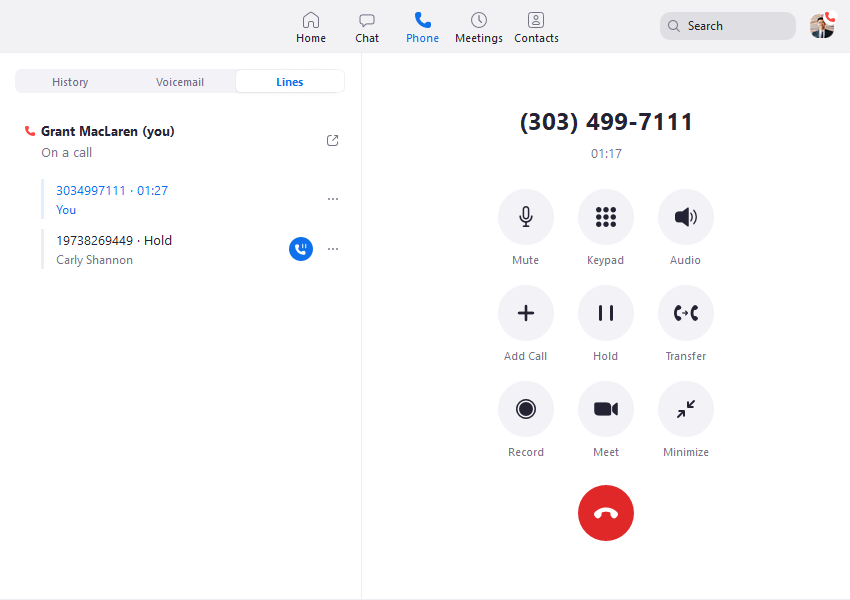
Ringover combines cloud calling with customer-system integrations and supervision features. Its Austrian number page describes local number access and qualifying Austrian calling allowances. Confirm the originating-number conditions and the purchased plan; a country appearing in an included-destinations list does not establish every possible route as included.
Which Teams Should Consider It?
Sales, recruitment and customer service teams should examine whether the proposed integration removes specific manual work. Define what must happen when a known customer calls: identify the record, display useful context and save the agreed outcome. Evaluate the exact CRM or applicant-tracking system used by staff.
What Should You Validate?
Run the demonstration with realistic records and permissions. Test a duplicate contact, a missed call and an employee handing the enquiry to a colleague. Check whether each step depends on a different subscription or add-on. Ask the supplier to include minimum seats, commitment and currency in the quote.
The public seven-day trial allows up to five users and 300 outbound minutes, with limitations on some capabilities. Confirm Austrian eligibility and use the trial to examine the workflow rather than assuming every production feature is enabled. Obtain the paid-plan configuration before making a migration decision.
6. JustCall: Structured Customer Follow-Up
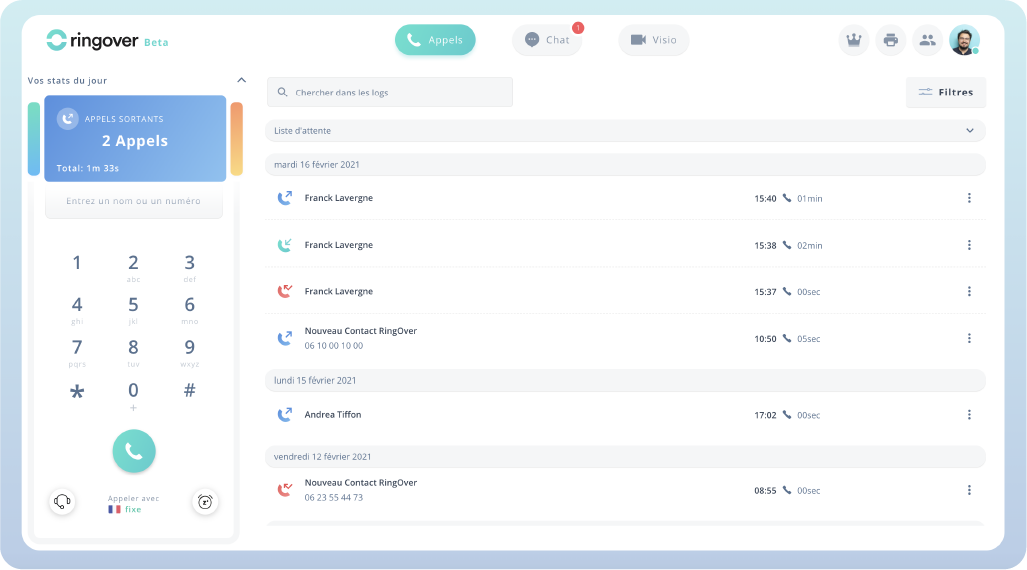
JustCall combines calling, messaging and customer-system integrations. It is worth evaluating when a team needs a repeatable process for recording outcomes and completing the next action. Qualify Austrian number access and traffic separately before treating it as a replacement for sipcall.at.
Which Teams Should Consider It?
A sales or support team with recurring callbacks can use the evaluation to test how enquiries move between employees. Choose a small set of outcomes that mean something to the business, such as an appointment booked, a quotation requested or a callback assigned. Avoid adding labels that nobody uses to make decisions.
What Should You Validate?
Ask an employee to complete an ordinary conversation, record its outcome and assign the next action. Then have a second employee continue the work. Check the information saved in the customer system and whether the supervisor can find incomplete follow-up without manually reading every record.
JustCall advertises a 14-day free trial with SalesPro access. Trial access can be broader than the eventual subscription. Request a written list of the dialer, integration and reporting functions included in the selected paid plan. Confirm seat requirements, Austrian numbers and the relevant destination bundle before comparing the total with other sipcall competitors.
7. Dialpad Connect: Distributed Employee Calling
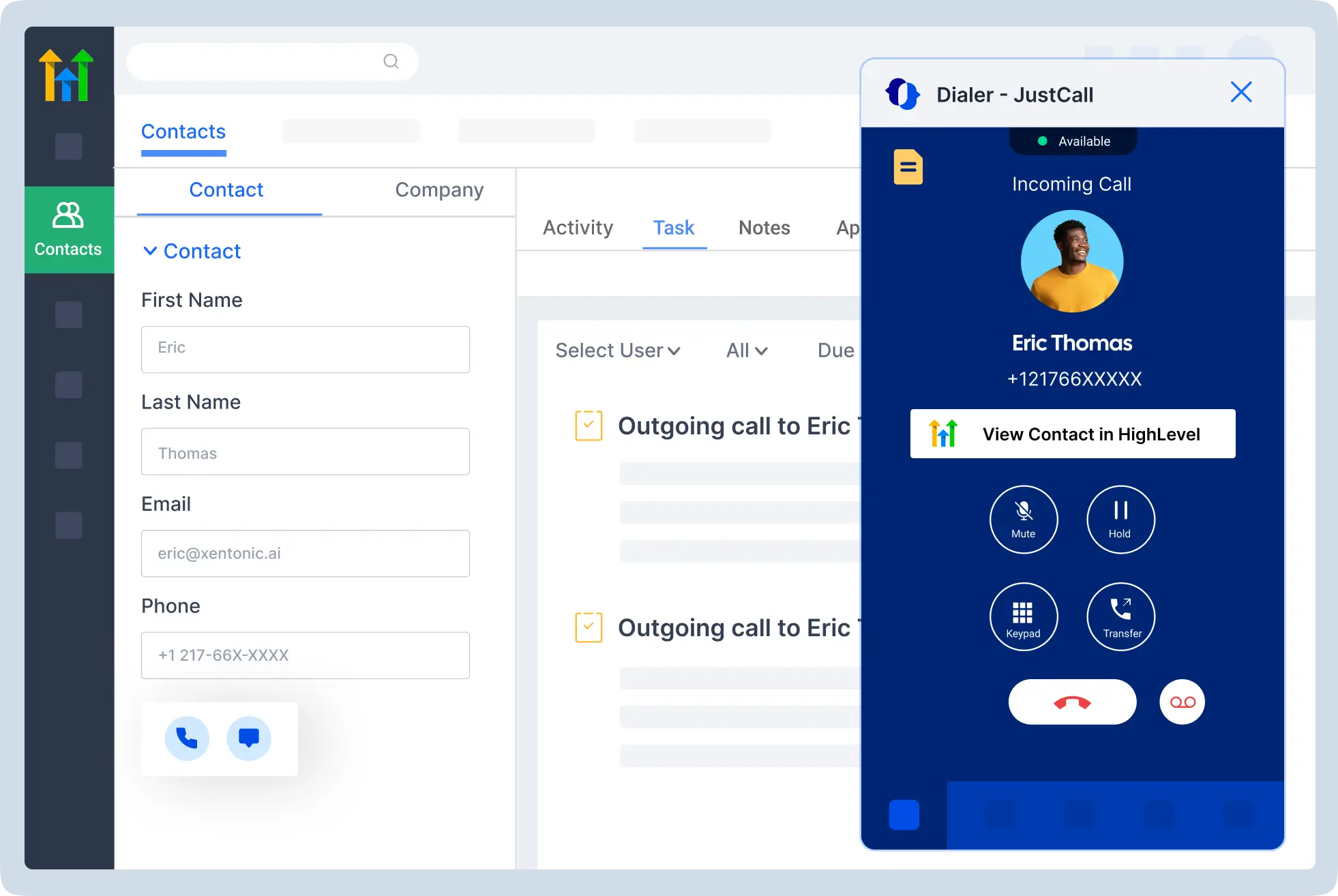
Dialpad Connect brings employee calling, messaging and meetings into one application and describes AI-assisted conversation context. Its product scope differs from Dialpad Support and Dialpad Sell. Use Connect-specific features and commercial terms when evaluating it as a sipcall alternative.
Which Teams Should Consider It?
A business with employees working across locations can assess whether the application supports their normal communication patterns. Include office staff and remote workers in the same pilot. A successful administrator demonstration is insufficient if the people answering customers use different devices or have different permissions.
What Should You Validate?
Have Dialpad confirm the Austrian number category, provisioning and portability requirements for the proposed account. Then test the language and accuracy of any transcription or summary functions the business intends to use. A feature being available does not establish that it handles the team’s actual conversations well enough.
Specify what information should be retained after a call and how staff can correct an incomplete summary. Include purchased integrations, administrative controls and support in the quote. Ask for Connect-specific evaluation terms rather than assuming that a trial or advertised price for another Dialpad product applies to this deployment.
When You Need An Austrian Hosted PBX Or SIP Trunk
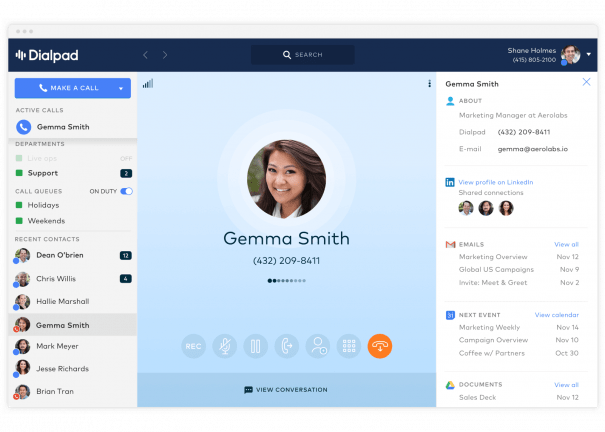
The seven partner products above address the calling workspace. If you need a locally supplied telephone system or want to keep a compatible PBX, compare the Austrian services below against that specific requirement. Their service descriptions are not assigned unrelated G2 application scores.
Easybell Austria: Cloud PBX And SIP Trunks In One Shortlist
Easybell Austria offers a cloud telephone system and Business SIP Trunk, with monthly cancellation advertised. Its cloud offering includes IVR, ring groups and multi-branch features. The trunk starts at two channels and includes a Basic cloud PBX option.
The published references are €1 per voice channel monthly, with a two-channel minimum, and €10 per ten seats monthly for Classic or €15 for Pro, excluding VAT. Ordering the cloud PBX also adds an Easybell trunk with at least two channels. Consequently, a seat headline is only part of the configured cost. The 30-day offer waives the stated base fees; usage remains chargeable under the published conditions. See Easybell Austria’s product and pricing notes.
Where It Fits And What To Test
This is a useful local comparison when deciding between retaining a PBX and adopting a hosted system. Separate employee seats, configured devices and simultaneous external calls in the quote. Ask which package supports the actual routing design. If Teams is required, have the supplier identify connector costs and Microsoft licences before comparing totals.
Fonira: Austrian Virtual PBX And Existing-System Connectivity
fonira supplies both a virtual telephone system and SIP trunks. Its hosted PBX page lists three device accounts as standard, web administration, site linking and external-device support. It advertises monthly cancellation. Its SIP trunk page lists four simultaneous calls as standard, number portability and monthly cancellation.
These services provide two distinct ways to compare sipcall competitors. The hosted system is relevant when replacing the telephone application and its administration. The trunk is relevant when keeping a compatible PBX. Obtain the current configured price from fonira rather than treating one service’s base charge as the price of both. Consult the virtual PBX and SIP trunk pages.
Where It Fits And What To Test
Count devices as well as people: a desk phone and a mobile endpoint may affect account requirements differently. Ask how the proposed package handles shared phones, extensions and extra capacity. For a retained PBX, have the integrator confirm the exact model and software version, then test inbound routing, outbound identity and concurrent calls.
HostProfis: Locally Hosted Telephony With Multiple Billing Models
HostProfis offers CloudFon+, CloudFon Pro/3CX and SIP trunks. It describes hosting in Vienna and assistance with Austrian number transfers. CloudFon+ is extension-based, while the Pro/3CX route uses a channel-based model. This makes it relevant when the charging model matters as much as the feature list.
Its product page lists CloudFon+ from €14.90 monthly for one extension, with €9.90 per extension from two extensions. Pro/3CX starts at €72.90 monthly and the SIP trunk at €9.90. Treat these as starting references: request the complete quote and confirm tax, usage, setup and contract conditions. See HostProfis telephony options.
Where It Fits And What To Test
Ask the supplier to price the same user count and busy-hour capacity under both hosted models. A company with many extensions and few concurrent calls should examine how each proposal scales. Demonstrate required apps, routing and administration. If Teams or a specialist business-system connection matters, specify the exact product edition and integration rather than assuming all packages include it.
A1: A Local Cloud Telephone-System Option
A1’s Austrian cloud telephone-system page advertises a starting reference of €10.10 monthly excluding VAT. It positions the service around using business fixed-line telephony while away from the office. A configured proposal is needed to establish the units, included features and complete business cost. See the official A1 Cloud Telefonanlage page.
Where It Fits And What To Test
A1 belongs on the shortlist when a business wants to discuss its hosted telephone system with an Austrian telecom supplier. Define the service boundary before comparing it with sipcall: telephone-system administration, connectivity, endpoints and staff onboarding may be priced or supported separately.
Request a demonstration using the business’s actual reception and absence-cover arrangements. Ask who handles the migration, which tasks staff can perform themselves and what support is available during the hours that matter. Compare the complete proposal with the other sipcall alternatives using identical requirements. A low starting reference alone does not establish equivalent functionality or a lower annual bill.
Drei SIP Connect: A Carrier Option For A Retained PBX
Drei SIP Connect connects an existing SIP-capable telephone system to Drei’s network. Its page describes number transfer, scalable communication channels and integration assistance. It also identifies compatible PBX software and a Drei carrier service among the setup considerations.
This is a focused alternative to sipcall SIP trunking. It should not be scored as though it automatically replaces the staff calling application. Request a tailored quote covering the connection, capacity, traffic, implementation and any required access service. See the official Drei SIP Connect description.
Where It Fits And What To Test
Ask your PBX maintainer and Drei to agree on compatibility before ordering. Test direct extensions, outbound number display, transfers and the busiest expected call load. Have both parties describe who investigates a fault at each boundary. If the design depends on a particular internet service or backup route, include that requirement and its cost in the comparison.
How To Choose The Right Sipcall Alternative In Austria
Choose The Replacement Scope First
For a business moving from a hosted PBX, assess the employee experience and administration. For a business retaining its system, start with trunk compatibility and the carrier service. For a team seeking better customer follow-up, test conversation ownership and the connection to customer records. These priorities produce different shortlists.
Keep a working system in scope where it still meets the requirement. Replacing an application, carrier and internet connection together adds dependencies. A selective change may be easier to assess, provided all suppliers agree on responsibility and the remaining service configuration.
Qualify Austrian Phone Numbers Before Buying Seats
A provider’s Austria landing page is a useful starting point, but it does not reserve a number or accept an existing number block. Send the supplier the actual number category, area code and transfer requirements. Obtain confirmation of availability, documents, inbound and outbound capabilities, and the intended caller identity.
Do the same for messaging if it matters. Voice access, SMS, MMS and third-party verification are separate requirements. Ask for the exact capability on the number being supplied, then test the permitted business workflow. Do not base a purchase on an unrelated country’s number features.
Evaluate Busy-Hour Capacity And Practical Coverage
Twenty employees do not necessarily require twenty simultaneous external calls. Equally, a small reception team can encounter several incoming calls while colleagues are calling out. Review busy periods and define the required concurrent capacity, including transfers or forwarding that may use additional call legs.
Build a small acceptance list around real work: opening-time enquiries, absence cover, an unanswered call, a return call and a remote employee. Record the result, the device used and any change required. Compare sipcall alternatives against that same list so a polished demonstration does not outweigh a missing essential function.
Assign Support And Information Ownership
Agree who manages users, routing, billing and technical incidents. Ask how a fault is escalated and what information the supplier needs. Request relevant service commitments in writing. General availability language does not describe how your particular internet connection, telephone system and carrier arrangement behave together.
For recordings, transcripts and customer data, have the responsible business owner review access, retention, export and contractual arrangements. Establish which information must remain available when a subscription ends. These decisions belong in procurement, before staff depend on the new workspace.
Compare The Complete Cost Of Sipcall Alternatives
Use one worksheet for every supplier. Separate recurring subscriptions, numbers, channels, traffic and optional features from one-time setup, equipment and migration. Include the contract term and billing currency. Compare net amounts on the same tax basis, with the appropriate treatment confirmed for your business.
A Practical Cost Formula
Monthly operating cost = application or PBX subscription + numbers + channels or connectivity + call and message usage + required extras. First-year cost also includes implementation, equipment, training and any overlap between old and new services.
For illustration, eight Calilio Premium users at the published annual-billing reference produce a US$224 monthly subscription equivalent. One advertised Austrian local number adds US$1.50, producing US$225.50 before Austrian usage, optional extras and applicable taxes. That arithmetic is a component example, not a complete business quote or a promise of number stock.
Model a typical month and a busy month using your own traffic. Include incoming toll-free calls where relevant, forwarded calls and international destinations. When reviewing sipcall competitors, ask each supplier to identify which allowance applies to those precise routes. An “included minutes” headline may refer to a different country.
Check What Happens As The Business Grows
Price the next hiring step as well as the current team. A package sold in blocks, a per-user subscription and a channel-based system increase differently. Also ask what happens when recording or transcription allowances are exceeded. Growth can change the best-value option without changing the underlying call volume very much.
Finally, compare commitment and exit terms. An annual-billing discount affects cash flow and renewal planning. Monthly cancellation may offer flexibility while leaving setup or migration charges payable. Record the agreed terms alongside the price so the decision remains understandable when the first invoice arrives.
How To Switch From Sipcall.at
- Inventory the current service. List numbers, blocks, extensions, devices, routing, voicemail, fax and any external systems. Identify the services that must remain active and who owns each account.
- Obtain acceptance of the target design. Ask the gaining provider to confirm number eligibility and, for a retained PBX, compatibility. Document capacity, support ownership and the configured commercial terms.
- Run a representative pilot. Use an agreed test arrangement before moving production numbers. Include reception, remote users and an administrator. Test the required paid tier, rather than relying on temporary demo access to additional features.
- Coordinate the transfer. Agree the number scope, documents, timing and escalation contacts with the providers. Keep the existing service active until the transfer completes and the agreed checks pass. Clarify partial transfers and retained services separately.
- Preserve business information. Export the contacts, call records, voicemail and recordings that must remain available, subject to the business’s retention requirements. A number transfer does not move these records automatically.
- Verify and hand over. Check inbound calls, outbound identity, extensions and busy-period capacity. Give staff administration instructions and support contacts. Reconcile the first invoice and confirm the status of remaining sipcall services.
Set the acceptance conditions before the change. The project is ready to close when staff can perform essential work, the required numbers operate correctly and billing matches the agreed arrangement.
Frequently Asked Questions
What Are The Best Sipcall Alternatives In Austria?
Our application shortlist starts with KrispCall and Calilio, followed by RingEX, Zoom Phone, Ringover, JustCall and Dialpad Connect. For a local hosted system or retained PBX, compare Easybell Austria, fonira, HostProfis, A1 and Drei separately. The best fit depends on the replacement scope and the accepted Austrian number setup.
Does This Comparison Cover Sipcall.at Or Sipcall.ch?
It covers Austria’s sipcall.at. Use Austrian service descriptions, euro quotations where applicable and the actual number requirements. Swiss sipcall.ch offers and Swiss-franc pricing should be evaluated separately.
Can I Keep My Austrian Business Phone Number?
Potentially, subject to the gaining provider’s acceptance of the exact number or block. Request confirmation before committing. A generic portability feature does not establish that every existing number can move under the same conditions.
Which Alternatives Let Me Keep My Existing PBX?
Evaluate the SIP trunk offerings from Easybell Austria, fonira, HostProfis and Drei for the retained-system route. Have the provider and your PBX maintainer approve the model, software, capacity and routing. A hosted calling-app subscription should not be assumed to provide that connection.
Are Austrian Numbers Included In KrispCall Or Calilio Subscriptions?
The reviewed offers treat Austrian numbers as paid additions. Check the available number type and its current charge. Also request the relevant call and messaging rates; a free number or allowance for another country does not establish Austrian coverage.
Is There A KrispCall Free Trial?
VoIPCalling customers can use the Exclusive 7-Day Free Trial For VoIPCalling Customers. Use it to evaluate the required workflow and confirm Austrian number arrangements. This partner offer is separate from the public subscription refund policy.
Which Sipcall Alternative Is Cheapest?
There is no universal cheapest option across these different services. Compare the same users, numbers, simultaneous calls and destination mix over the same period. Include implementation and required extras before deciding which complete quote costs less.
Should I Switch If My Current Sipcall Service Works?
Switch when an alternative resolves a defined problem at an acceptable total cost and migration effort. If the current service meets the requirements, first establish what measurable improvement would justify a change. A new product name alone is not a business benefit.
Which Sipcall Alternative Should You Evaluate First?
Start with KrispCall when shared conversation history and follow-up ownership drive the project. Put Calilio next when incoming routing and supervision are central. Compare the Austrian hosted options for local service requirements, and assess SIP trunks separately when retaining the existing telephone system.
Reduce the shortlist after a written number-eligibility check and a pilot with your own call flows. The strongest choice among sipcall alternatives is the service that meets those requirements with a clear operating model and a complete, understandable quote.
Customer Ratings And What They Mean For Your Shortlist
The G2 summary near the start reports product-specific scores and review counts. The compact table repeats the score and source without crowding each provider cell with review counts or review-platform logos. These are overall product ratings, rather than Austrian carrier tests or scores assigned by VoIPCalling.
Compare The Named Products
Use the RingEX score for RingEX, the Zoom Phone score for Phone and the Dialpad Connect score for Connect. A company may sell several communications products, and a rating for one should not be transferred to another. The same principle applies when comparing a customer calling application with a local telecom company offering several services.
Turn Feedback Into Pilot Questions
Use customer reviews to decide what to test, then collect evidence from the proposed configuration. If onboarding matters, ask a new employee to handle a call. If a CRM connection matters, follow an enquiry through to the saved customer record. If administration matters, have the person responsible change a routine setting and explain how to reverse it.
A higher average score does not resolve number eligibility, contract terms or compatibility. Combine the review information with a configured quotation and the same acceptance checks for every shortlisted provider.
Affiliate Disclosure: VoIPCalling may receive a commission through sponsored links at no extra cost to you. The exclusive KrispCall trial is a VoIPCalling partner offer. Published prices and product conditions can change; obtain a current quote.