

Signal House is the first VoiceMeUp alternative to evaluate for a retained SIP-based PBX. VoIP.ms is the first to check if you need to keep Asterisk IAX2. If you want to move office calls to an app instead, start with KrispCall for shared numbers or Calilio for department queues. Confirm Canadian number eligibility, fax and emergency calling before choosing a replacement.
What VoiceMeUp Service Do You Need To Replace?
VoiceMeUp is a Montréal-based retail and wholesale voice provider. Its public plans list SIP and IAX trunks for PBXs, direct inward dial numbers, toll-free portability and virtual PBX functions. Its support materials describe virtual attendants and a virtual fax workflow that uses a dedicated fax number. Your account may use several of these services at once.
Start with the invoice, the portal and the PBX configuration. Check whether your system uses SIP or IAX2. Note where the main greeting, menus and business hours are configured. If a greeting lives in VoiceMeUp’s portal, moving the trunk can require you to rebuild the greeting and route elsewhere. If the PBX already owns those settings, a carrier change may leave the staff experience largely intact.
If you use a wholesale or referral arrangement, identify which company bills the customer and which company owns the numbers and support tickets. The providers below cover specific voice or fax requirements. A wholesale agreement, leased PBX or managed support arrangement should be compared using written terms for the same scope.
Compare VoiceMeUp Alternatives And Competitors
Five options come from the VoIPCalling partner list. VoIP.ms fills a gap for documented Asterisk IAX2 configuration and dedicated virtual fax. US-dollar prices are reference rates. Request a quote for your Canadian numbers, billing currency, usage and equipment. Suggested team sizes are editorial estimates.
| Provider | Best Fit | Buying Consideration | Pricing & Trial |
|---|---|---|---|
| SIP For An Existing PBX | Confirm Canadian coverage and compatibility. Plan a SIP migration if you use IAX. | Request A Voice QuoteQuote origination, termination, number rental and billing increments.Demo AvailableRequest A Signal House Demo | |
| Shared Calls And Follow-Up | Confirm North American number type, usage and app or device requirements. | US$32/user/monthAdvance, billed annually. US$40 with monthly billing. Up to 50 users. Usage and selected add-ons cost extra.7-Day Free Trial for VoIPCalling CustomersStart a 7-Day KrispCall Free Trial | |
| Menus, Business Hours And Live Supervision | Verify which Canadian numbers and call types qualify for the included allowance. | US$28/user/monthPremium, billed annually. US$35 with monthly billing. Number and usage charges can apply.Demo AvailableRequest a Calilio Demo | |
| An Employee Platform For Calling, Meetings And Chat | US Core is the phone plan benchmark. Verify Canadian terms, desk phone models and integrations. | US$20/user/monthUS Core on annual billing. Request a Canadian quote with devices and support.Free Trial AvailableStart A RingEX Free Trial | |
| Department Routes And Dial-Plan Administration | Verify support scope, fax and shared-device eligibility. | Custom PricingQuote the Phone System for each branch and shared device.Demo AvailableRequest A GoTo Connect Demo | |
VoIP.ms  | Documented Asterisk IAX2 And Dedicated Fax | Confirm current IAX2 support and Canadian fax or voice number eligibility. | From US$1.10/month per numberNumber starting price. Inbound and outbound usage are separate.Check Paid Account TermsCheck VoIP.ms Rates |





1. Signal House — Best For SIP Trunking For A Retained PBX
Suggested Team Size. About 5–100 users on an existing PBX with a designated maintainer. Size the trunk by traffic.
Signal House documents SIP trunks that connect to an existing PBX. Start here if your current system already speaks SIP or your maintainer is prepared to move the carrier connection from IAX2 to SIP. Bring the PBX version, host and trunk configuration to the first technical call. Confirm authentication and the media and transport settings your deployment needs.
Ask for Canadian local and toll-free availability, written port eligibility and a quote for your actual inbound and outbound routes. Confirm emergency calling and fax separately. If you use VoiceMeUp’s virtual attendant, identify whether to rebuild it on the PBX or in a separate service. The diagram for your new call path should show where the menu and fallback will live.
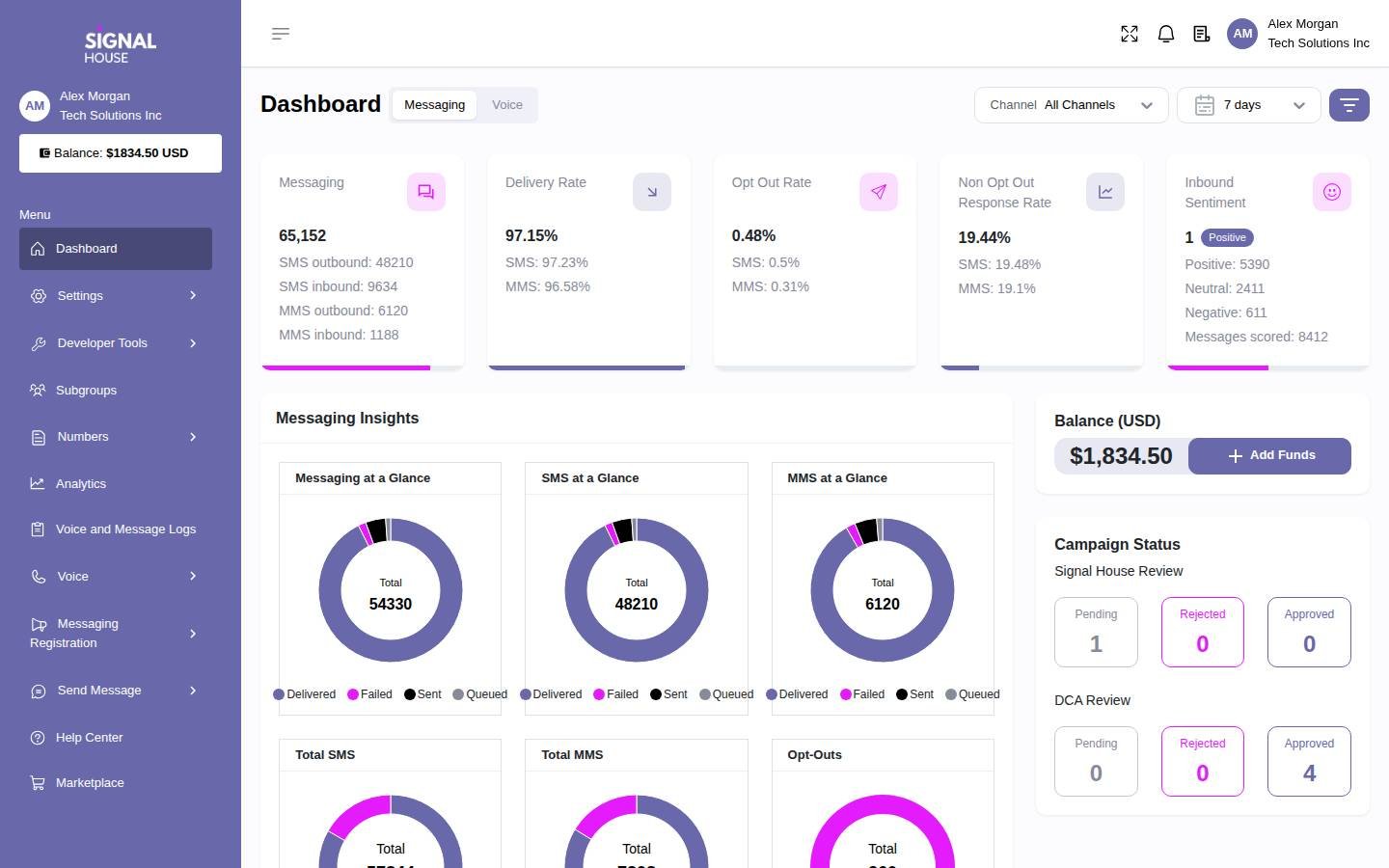
Test a spare number and a route to an isolated extension. Make an incoming call, enter menu digits and transfer to a second extension. Then make the PBX unreachable and verify where the call lands. The screenshot shows Signal House’s broader platform. Ask for a demo of the voice controls and logs your maintainer will use.
2. KrispCall — Best For Shared Business Calls And Callbacks
Suggested Team Size. About 2–20 staff sharing a number and using mobile or desktop apps.
KrispCall is a starting point when the business wants staff to share incoming calls and coordinate callbacks without maintaining its own PBX. Give two people a spare number. Ask one to miss a call and the second to return it from the business identity. Have both check the call history and explain how they know the caller was served.
Advance lists US$32 per user per month on annual billing or US$40 monthly. Ask which Canadian numbers can port, what destinations are included and whether any devices or additional lines need separate charges. If the business is giving up an existing virtual attendant, ask which plan supports its menu and after-hours routes.
Use the exclusive 7-day VoIPCalling trial to include an employee on cellular data and a colleague handling reception on a desktop. Keep the existing line active while both run the same missed-call and voicemail tests.

3. Calilio — Best For Department Queues And Supervision
Suggested Team Size. About 5–30 staff with separate sales or service routes and a supervisor.
Calilio fits teams that want hosted queues, menus and supervisor visibility. Bring a real VoiceMeUp call flow into the demo. Send one caller to sales while its first agent is busy and another to support after hours. Ask the supervisor to trace the results and show who can change the overflow route.
Premium lists US$28 per user per month annually or US$35 monthly. Verify the published allowance for eligible Canadian numbers and price forwarding, extra numbers and usage separately. Ask which plan covers monitoring, recording and the reports you use. If French and English callers choose different routes, test both greetings and their destinations.
Have a supervisor compare the reports with the calls your team actually placed. Note how a transferred, missed or abandoned call is counted. If the team uses those measures to decide staffing, agree on the definitions before switching.

4. RingCentral RingEX — Best For Hosted Reception And Supported Desk Phones
Suggested Team Size. About 10–75 staff with a reception desk, shared devices or several departments.
RingEX is useful when the office wants to retire its PBX while keeping a structured reception workflow. Ask the vendor to test the proposed handset and console. Simulate a caller who needs an attended transfer, a colleague who is busy and a parked call that reception must retrieve. Check which extension status indicators are visible.
RingEX Core has a US$20 per-user monthly reference on annual billing. Request a Canadian quote for the plan and devices you actually need. Submit the exact make, firmware and ownership status of any phone you hope to keep. If fax, paging or an intercom stays, have the installer quote a supported connection separately.
If several branches use a shared receptionist, test which number appears when a call arrives and what caller ID appears when reception returns it. Quote shared devices and extra numbers alongside individual licences.

5. GoTo Connect — Best For Branch Routing And Schedule Changes
Suggested Team Size. About 10–75 staff across locations that share reception or overflow.
GoTo Connect fits an office that needs one dial plan across branches. Ask it to reproduce two local schedules, a shared receptionist and an alternate route after close. Give a branch manager the role they would use in production and ask them to change a single holiday without altering the other location.
Request a Canadian Phone System proposal with numbers, equipment, setup and support listed separately. Confirm which devices the vendor provisions and who owns routine dial plan changes. If a branch shares a fax line or has an analog device, define how it will be handled before moving the main numbers.
Ask the vendor to demonstrate a branch outage. Observe where calls land, what staff can see and who can restore the normal route. If you currently rely on VoiceMeUp for an alternate number, recreate and test that path.
6. VoIP.ms — Best For Asterisk IAX2 And Dedicated Virtual Fax
Suggested Team Size. A small office or MSP with a person who can administer its PBX and number services.
VoIP.ms publishes an Asterisk IAX2 configuration example and documents dedicated Virtual Fax numbers for Canada and the United States. It is the closest option in this list to investigate if you want to keep that protocol or move an eligible fax line. Confirm current IAX2 support and the intended server with the provider because the published configuration example is older.
The published voice number reference starts at US$1.10 per month. Quote the Canadian number, inbound and outbound traffic and fax separately. VoIP.ms distinguishes ordinary voice numbers from dedicated Virtual Fax numbers. Verify which port request applies if you want to retain a fax number, and ask separately about a physical fax machine if you use one.
Have your administrator test an isolated IAX2 route before moving anything. If fax is part of the decision, send and receive a representative document and confirm that the right user can see the result. Ask who supports the carrier account and who troubleshoots the PBX.
How To Choose A VoiceMeUp Replacement
Find Out Where Your Call Routes Live
Follow the number that customers use most. Write down the greeting, menu selections, business hours, ring group and voicemail destination. Ask the administrator to show where each setting lives. A menu created in the carrier portal may need to be rebuilt even if you keep the PBX. A menu already in Asterisk can usually remain part of the design if the new trunk delivers the call in the expected format.
Repeat that exercise for numbers that forward directly to a person or branch. They are easy to miss because they may have no extension listed in the PBX. Check the destination and ask what happens when it is busy or unreachable. Give each route an owner and include it in the migration worksheet. Ask staff to verify the diagram before the provider builds the new configuration.
Decide Whether To Keep Or Retire The PBX
Keep the system if the extensions, devices and call flows already suit the business and an administrator can maintain them. Record the PBX version, how it is hosted and who has access to backups and settings. If it was leased or managed through the existing provider, confirm which parts you can retain when the agreement ends. Include ongoing support and updates in the replacement quote.
Move to hosted calling if the business wants staff to work from a simpler shared app or wants the provider to run the phone platform. Start the pilot with a reception user and someone who answers calls remotely. Test what happens when the same number rings two users, when nobody answers and when someone returns a missed call. Include equipment that is connected to the current phone system, such as paging, fax or shared area phones.
Check What Your Team Buys Beyond The Trunk
VoiceMeUp’s catalog separates services such as numbers, trunks, virtual PBX functions and wholesale options. Look at the invoice and identify which features are priced separately or bundled together. If you use purchased support, check which tasks it covers and who can respond during an outage. Ask each vendor to quote the work the business actually expects, including setup and routine changes after launch.
For a wholesale or referral account, add customer billing and support to the comparison. Ask who holds the end-customer account and who can authorise a number move. Request a sample invoice or commission report and identify who resolves discrepancies. A carrier pilot can prove that calls work. Finance still needs to verify whether the proposed arrangement can support the way your team bills and supports customers.
Check SIP And IAX2 Compatibility Before You Switch
Identify The Current Trunk Type
Ask your administrator to confirm the carrier connection in the PBX configuration. SIP and IAX2 are different protocols. A provider that advertises SIP trunking does not necessarily offer IAX2. Record which protocol the existing peer uses, where the route sends calls and how the PBX distinguishes calls arriving on that trunk. If you use several trunks, check each one. Some numbers may arrive on a different connection from the one that carries outgoing calls.
For an IAX2 system that you want to leave in place, ask VoIP.ms to confirm current service and the intended server before using its published Asterisk example. The provider may need details about the account, version or region. Confirm how it expects the number and caller ID to appear. Make a test call and compare the carrier record with the PBX log. Keep the existing peer available while you validate the new one.
Test SIP As A Separate Migration
If the provider offers SIP and the existing trunk uses IAX2, ask the maintainer to design a SIP connection and dial plan. Verify the supported transport and authentication, which media settings are needed and how menu key presses reach the PBX. Route a temporary number to an isolated extension. Then send a test outbound call to a destination that staff use every day and check the identity displayed at the receiving end.
Include a case where the primary route is unavailable. Ask how the carrier decides when to use an alternate destination and what that alternate route can handle. Test incoming calls from more than one network. If a caller must be able to transfer back to reception, verify that sequence with the actual phones. Keep the old configuration and document who can restore it while the project team is on the call.
Measure Capacity With Real Traffic
Check how many calls overlap during the busiest hour and how many start in a short burst. A long support queue and a rapid series of outbound calls place different demands on the connection. Ask how the provider counts a call in a queue, a forwarded leg and a transfer. Verify the limits that apply to your number, trunk or account. Use a busy-day sample rather than estimating peak traffic from headcount.
Document what happens when the limit is reached. The business needs to know whether the caller hears a busy signal, reaches a fallback or continues to wait. Ask who sees an alert and how capacity can be adjusted. Include that response in the quote and pilot. A nominal rate for each minute is only one part of a system that must handle several simultaneous callers.
Plan Canadian Number Ports And Fax Separately
Verify Local And Toll-Free Number Eligibility
List the exact numbers, their current owner, their service address where applicable and the account that pays for them. Ask the gaining provider to confirm eligibility for every number and provide the required documents. A provider’s ability to issue a new Canadian number does not establish that it can port a specific existing one. Check local and toll-free numbers independently and allow time to correct a rejected order.
Include each number’s current and intended destination. If a Toronto number reaches a Montréal office after hours, write that down. If a number supports a French-language menu or reaches a shared voicemail, ask someone from the relevant team to run the test. Identify whether the main number can move before the others or whether a partial port would disrupt a bundle. Keep the original service active until the new routes have been verified.
Distinguish Virtual Fax From A Physical Machine
VoiceMeUp documents virtual fax using a dedicated fax number and also refers to T.38 support. Ask staff to show how they send and receive documents now. An office that uploads through a portal may be able to move to a dedicated virtual fax service. A team that must continue using a physical machine needs a supported device and connection, plus a test of the exact workflow.
Use a non-production number to send and receive representative pages. Check the delivered document, the confirmation and who can retrieve the record. Confirm the port request type and whether a number that currently receives both voice and fax will need a different setup. Decide who will retain access to previous documents and where staff will find them after the move.
Check Emergency Calling And Any Attached Messaging
Ask the new provider to confirm emergency calling availability and the supported setup by location and number. Assign an administrator to follow the provider’s approved procedure for configuration and validation. For remote employees or shared phones, ask who will update location information when equipment moves. Include that work in the cutover checklist separately from basic inbound calling.
If a business number also receives texts, ask whether activation follows a separate schedule and which registration or approval steps apply. Test a normal outgoing message and a reply from a different mobile device. Have the staff member who usually answers replies verify that the message arrived in the right place. A number can pass its voice test while another service attached to it is still pending.
Shortlist VoiceMeUp Competitors By Deployment
A Small Asterisk Site That Needs To Keep IAX2
Start by asking VoIP.ms to confirm IAX2 support for your account. If it can meet the requirement, give your administrator a temporary route and a short test plan. Include caller ID, menu digits and transfers. If a provider cannot support IAX2, determine what it would cost to move the carrier connection to SIP and whether your team can support the change. Price those two paths independently.
A Business Keeping Its SIP-Based PBX
Evaluate Signal House for a new carrier connection. Ask for written Canadian number coverage and test inbound calling with the same settings you plan to use in production. Confirm where calls go if the PBX is unreachable and ask how your engineer can see what happened. If the current portal hosts a greeting or forwards a number, budget for rebuilding that function on the PBX or another supported service.
A Small Office Moving To A Cloud Phone App
Try KrispCall if a few people share a number and return calls from different devices. Compare Calilio if sales and support need separate queues and a supervisor. Build the pilot around a call that arrives while someone is busy, a voicemail after close and an employee returning a call from mobile. Have users test both daytime and after-hours routes using the roles they will actually have.
A Multi-Site Office With Reception And Desk Phones
Compare RingEX and GoTo Connect if the new system must handle several locations. Give both the same two branch schedules and a list of devices. Ask a receptionist to transfer between sites, retrieve an unanswered call and tell which branch the caller dialled. Test the plan with a location that closes early or loses connectivity. Quote shared devices, replacement hardware and who will provide on-site installation.
Compare VoiceMeUp Pricing With Carrier And Hosted Quotes
Use your VoiceMeUp plan and actual invoices as the baseline. Identify included numbers, trunk capacity, usage, add-ons and support. Separate local inbound, domestic outbound, international destinations and toll-free usage. Ask the proposed carrier to price the same number inventory and traffic. A number rental fee alone does not cover calling, fax or any capacity the account needs.
For an illustration, ten VoIP.ms voice numbers at the published US$1.10 starting rate would cost US$11 per month in number rental alone. Ten KrispCall Advance seats at US$32 per month would cost US$320 in seat charges on annual billing. These figures price different components. Include the calls, phone-system maintenance and other services in the carrier scenario and the equipment, additional numbers and setup in the hosted scenario.
Keep amounts in their billing currencies. If a Canadian quote is in Canadian dollars and a reference rate is in US dollars, record the rate and date used for any conversion and compare the actual contract amounts. Include applicable taxes, one-time porting and setup charges, and any period of overlap. Ask who will pay for the work of rebuilding menus, setting up devices and training staff.
Run a normal-month and a busy-month example. Ask how the carrier counts short calls, forwarded legs and toll-free traffic. Check which destinations fall outside any bundle. For an office with seasonal peaks, ask what happens when capacity rises for a month and whether it can drop again. For a managed phone system, include changes to seats and common-area devices in the same comparison.
What To Ask VoiceMeUp Competitors Before Signing
- Protocol And PBX. Confirm SIP or IAX2 support for your exact setup, including authentication, menu input and fallback.
- Canadian Numbers. Get written eligibility for the local, toll-free and specialty numbers you want to keep.
- Fax And Messaging. Ask which services can move, which need a separate product and who validates each one.
- Routing And Languages. Test greetings, opening hours, bilingual menus where applicable, shared lines and overflow.
- Capacity And Charges. Request destination rates, billing currency, increments, recurring costs and limits for a busy period.
- Support Ownership. Document who handles numbers, the PBX, equipment and urgent issues before and after the move.
Ask the vendor to show which items are included in the quoted plan and which require another product or a third party. Note what was demonstrated and what still needs a test. Record who can make each change once the service goes live. If support promises to configure a route, ask it to include the exact route and any required device in the final order.
Move VoiceMeUp Numbers And Verify The New Routes
- Save The Current Setup. Document number ownership, PBX peers, schedules, greetings and any important fax or call records.
- Build A Temporary Route. Test the intended carrier connection or hosted workflow on a spare number. Include the actual equipment and staff roles.
- Coordinate The Port. Confirm timing, keep the old service active and assign a contact at each provider. Check what remains on the old account after a partial move.
- Test Each Service. Call from several networks, check outgoing identity and verify menus, voicemail, fax and messaging as applicable. Follow the approved emergency calling validation process.
- Reconcile The First Invoice. Compare number rental, usage, capacity and support with the quote. Resolve open issues before moving more numbers or closing the old account.
Keep a short script for the test team. Include the number called, the originating network, expected language, route and result. If something fails, record the time and ask the carrier which trace it needs. Set a fallback destination for any line the business cannot lose. Have the staff who own that line check that the alternate route works before the port window.
For a bilingual route, ask a French-speaking tester and an English-speaking tester to call separately during and outside business hours. Confirm the recordings, invalid-key response and voicemail language. Have a colleague call back using the correct branch identity. Save the approved prompts and note who can update them after the move, especially when one location observes a different holiday schedule.
FAQs About VoiceMeUp Alternatives
What Are The Best Alternatives To VoiceMeUp?
Start with Signal House for a retained SIP-based PBX, VoIP.ms for an IAX2 or dedicated fax check, and KrispCall or Calilio for hosted calling. Compare RingEX and GoTo Connect if reception, physical phones or branch routing matter.
Which VoiceMeUp Competitor Supports Asterisk IAX2?
VoIP.ms publishes an Asterisk IAX2 configuration example. Confirm current support and the correct server for your account, then test a spare route before moving numbers.
Can I Switch From VoiceMeUp And Keep My PBX?
Yes, if the new provider supports the connection and you can administer the PBX. Confirm whether you will keep IAX2 or configure SIP, and check where greetings and menus will live after the change.
Can I Keep My Canadian VoiceMeUp Numbers?
You can keep eligible numbers by arranging a port with the gaining provider. Check local, toll-free and fax numbers separately. Keep the existing service active through validation.
What Can Replace VoiceMeUp Virtual Fax?
VoIP.ms Virtual Fax is one option for eligible Canadian and US fax numbers. Confirm the port, test both directions and ask separately about hardware if your team uses a physical machine.
How Much Does A VoiceMeUp Replacement Cost?
Cost depends on the numbers, usage, capacity and support you need. Compare quotes using the same call records and number list. Add seats, equipment and setup for any hosted proposal.
Which Option Fits A Small Office Moving Off Its PBX?
KrispCall fits shared calls and callbacks, while Calilio fits separate department queues and supervision. Test a temporary number and confirm local number eligibility, routing and devices before porting.
Use Customer Reviews To Design The Pilot
Read reviews from businesses that use the same type of service. A shared phone app review can help you design callback tests. A carrier review can help you ask better questions about call traces, porting and support. When a rating covers several products, check whether the reviewer used the trunk, fax or calling feature you plan to buy.
Ask your administrator, front desk and finance team to evaluate the same proposal. The administrator can confirm the trunk or hosted route, the front desk can verify calls and the finance team can reconcile the sample invoice. Record which requirements each provider passed and which need another test before the next group of numbers moves.
Affiliate Disclosure. VoIPCalling may earn a commission when you purchase through a partner link.


