RingCentral is our overall pick for a growing business that needs a complete employee phone system across departments and locations. Dialpad is our pick for small teams prioritising built-in call transcription and a low annual entry price. Zoom Phone is our pick for organisations already using Zoom that want business calling in the same environment. The right choice depends on the calling workflow, required integrations and total bill.
This comparison covers Dialpad Connect, RingCentral RingEX and Zoom Phone. Dialpad Sell and Support, RingCX and Zoom Contact Center are separate buying decisions. Their specialist features should not be assumed to come with an ordinary employee-phone subscription.
Customer Ratings at a Glance

| Product | Rating | Reviews and ratings |
|---|---|---|
| Dialpad Connect | 8.3/10 | 577 |
| RingCentral RingEX | 8.8/10 | 543 |
| Zoom Phone | 7.4/10 | 142 |
These customer scores provide context alongside the feature comparison. The products have different review samples, and some Zoom Phone reviews discuss the wider Workplace experience. Read the relevant feedback rather than treating a score as a prediction of your deployment.
Dialpad vs RingCentral vs Zoom Phone: Quick Overview
| Requirement | Dialpad Connect | RingCentral RingEX | Zoom Phone |
|---|---|---|---|
| Our main pick for | Small teams focused on call AI | Growing businesses and multiple locations | Existing Zoom customers |
| Pricing reference | Standard: $15/user/month annually; $27 monthly | Request the current region, seat-count and package quote | US & CA Unlimited: $16/user/month annually; $18 monthly |
| AI direction | Live transcripts and call summaries | Call notes, writing and collaboration assistance; skills vary by tier | Phone summaries, voicemail prioritisation and task extraction |
| Integration buying point | Pro adds key CRM integrations | Match the required connector to the selected package | Confirm Phone connector setup and business-app licences |
| International use | Check supported numbers, calling destinations and plan terms | Regional/global arrangements require a country-specific quote | Global service; the US/Canada plan name is not its full footprint |
| Trial / next step | Explore the 14-day Dialpad trial | Explore the 14-day RingEX trial | 1–50 users · 50+ users |
Which Is Best for Your Business? Clear Winners
The winners below are our editorial recommendations for the stated workload. A business can move to another column when its existing software, countries or service requirements differ.
| Business | Clear winner | Why / what to verify |
|---|---|---|
| 5-person startup | Dialpad Connect | Low annual entry price and built-in call AI; confirm that Standard meets the actual routing and integration requirements |
| 20-person sales team | Dialpad | Our AI-focused sales pick. Evaluate Connect Pro for everyday CRM calling; price Dialpad Sell separately for specialist coaching and outbound tools |
| 50-person remote company | Zoom Phone | Best starting point for a team already standardising on Zoom; test mobile notifications, transfers and the required Workplace bundle |
| 100+ person international business | RingCentral RingEX | Our default shortlist winner for central administration and multiple locations; verify numbers, local calling and support in every market |
| Contact center | Dialpad Support — separate product | Our AI-focused support shortlist pick; compare it separately against RingCX and Zoom Contact Center rather than using the employee prices below |
| Budget-conscious SMB | Dialpad Connect Standard | Lowest verified annual entry reference in this comparison. Zoom is worth evaluating when its monthly billing or existing Workplace setup reduces the total |
| Medium business | RingCentral RingEX | Our winner for an established operation needing departmental workflows, integrations and central administration |
| Enterprise-grade operation | RingCentral RingEX | Our overall enterprise employee-phone pick; require a deployment proposal covering roles, locations, support and the migration |
| Existing Zoom organisation | Zoom Phone | Keeps business calling in the environment employees already use; compare adding Phone with the cost of replacing the whole suite |
Pricing: Compare the Required Plan, Not Just the Entry Price
Prices below are US-dollar subscription references. Annual figures are monthly equivalents under an annual commitment. Taxes, usage, number charges, registration and optional services can change the invoice.
Dialpad Connect

| Plan | Annual monthly equivalent | Monthly billing |
|---|---|---|
| Standard | $15/user/month | $27/user/month |
| Pro | $25/user/month | $35/user/month |
| Enterprise | Custom quote | Custom quote |
Pro adds key CRM integrations, multi-office management and expanded support. Ask about minimum licences before budgeting a very small account. Standard is the useful entry comparison only when its functionality is enough.
Zoom Phone

| Plan | Annual monthly equivalent | Monthly billing |
|---|---|---|
| US & CA Unlimited + Workplace Basic | $16/user/month | $18/user/month |
| Pro Plus: Phone + Workplace Pro | $20.50/user/month | $24/user/month |
| Business Plus: Phone + Workplace Business | $24.50/user/month | $29/user/month |
A Phone plan and a Workplace bundle deliver different meeting entitlements. Compare the bundle you actually need, especially if employees already have paid Zoom accounts. Country-specific plans can have different pricing and calling arrangements.
RingCentral RingEX

Obtain the current Core, Advanced, Ultra or customer-engagement package available for your region and seat count. RingCentral uses annual and monthly arrangements, and optional AI, queue and SMS products can change the total. Use the written per-seat offer for the comparison rather than carrying an older promotional price into a new contract.
Ask the quote to identify the exact tier, recording mode, connector, SMS allowance, toll-free usage, AI access and support. A plan that costs less but omits a required CRM workflow is not the cheaper working solution.
What a 20-person team should budget
At the annual references above, 20 Dialpad Standard users illustrate $300/month equivalent; Dialpad Pro illustrates $500. Zoom US & CA Unlimited illustrates $320; Pro Plus illustrates $410. These calculations cover subscription seats, not the full operating bill.
On monthly billing, the same entry references illustrate $540 for Dialpad and $360 for Zoom. That makes Zoom the lower entry subscription for this month-to-month example, while Dialpad has the lower annual entry reference. Compare the commitment you intend to make.
Add the RingCentral quote and any existing meeting subscriptions to the same worksheet. Include SMS, international traffic, extra numbers, migration and hardware. Request both the initial invoice and the renewal basis.
Calling Features: Start with the Customer’s Route Through the System
All three belong on a business-phone shortlist. The useful comparison is whether a customer reaches the right person during opening hours, lunch coverage, holidays and an unexpected absence.
Dialpad: everyday calling with conversation assistance
Dialpad’s phone offering combines calls, messaging and meetings with real-time transcripts and summaries. It is a practical candidate for people who frequently need to check what was agreed after a call. Confirm the main-line and department routing needed by your organisation.
RingCentral: a complete employee communications environment
RingEX combines calls, messaging, video and fax with central management of locations and call paths. Our preference for an expanding operation comes from that fit: administrators and reception staff need a coherent system across teams, not only a personal calling app.
RingCentral distinguishes on-demand from automatic recording. Its current recording documentation lists on-demand recording across Core, Advanced and Ultra. Confirm the required automatic policy in the chosen package.
Zoom Phone: business telephony beyond meetings
Zoom lists auto attendants, call queues, transfers, recording and shared-line functions in its Phone comparison. A company already using Zoom can evaluate these without introducing an entirely unfamiliar communications environment.
Ask each provider to demonstrate a missed call, queue overflow, transfer and voicemail. Agree who follows up when the caller leaves a message. A working follow-up process adds more value than an attractive list of calling features.
Integrations: RingCentral Is Our Overall Pick for a Broader Business Stack
RingCentral is our editorial winner when several departments need calling connected to different business applications. Dialpad Pro is a strong candidate for a smaller CRM-focused team. Zoom deserves equal evaluation when the wider organisation already uses its platform.
Dialpad markets key CRM integrations with Pro. RingCentral lists connections to applications including Salesforce, Microsoft Teams and Zendesk. Zoom’s Phone pricing material lists integrations with Salesforce, Microsoft, Google and Slack. Availability still depends on the correct product, connector and account configuration.
Have the provider demonstrate an incoming caller match, click-to-call and a completed call logged to the correct customer. Then test a transfer, duplicate contact and unanswered call. Ask whether notes and recordings remain available to the people who need them.
Include the CRM edition, any connector charge and custom work. An integration logo establishes that a connection exists; the demonstration establishes whether it handles your workflow.
Our guide to integrating VoIP with a CRM covers useful questions for that evaluation.
AI: Dialpad Is Our Pick for Teams Focused on Call Transcripts
Dialpad is our editorial winner for a small team making transcription and post-call notes central to daily work. That does not mean RingCentral and Zoom lack AI, or that every specialist Dialpad tool is included in Connect.
Dialpad advertises live transcripts and instant summaries. RingEX offers call-note and collaboration assistance, with skills varying by tier. Zoom lists post-call summaries, voicemail prioritisation and task extraction in its Phone plans.
Keep employee assistance separate from an AI receptionist, autonomous agent or sales-coaching system. RingCentral’s optional receptionist and conversation-intelligence products, Dialpad’s specialist products and Zoom’s wider AI services need their own entitlement and cost check.
Pilot the same type of call on each system. Include a customer name, a product code, an appointment and a promised follow-up. Ask staff to judge what was missed, what needs correction and whether the notes reduce work.
Do not judge AI by the length of a generated summary. A short accurate record of the next action is more useful than a polished paragraph that assigns the wrong task. Confirm supported languages and how administrators control access.
Mobile, Desktop and Web Calling: Zoom Wins for an Existing Zoom Team
Zoom Phone is our pick for users already familiar with Zoom. Dialpad and RingCentral also support calling across common employee devices; the practical difference is how each app fits the workday.
Test the actual laptop and phone models. Check incoming calls with the screen locked, switching from Wi-Fi to mobile data, headset selection, transfers and voicemail. Browser access, extensions and native apps can have different functions, so confirm the intended deployment.
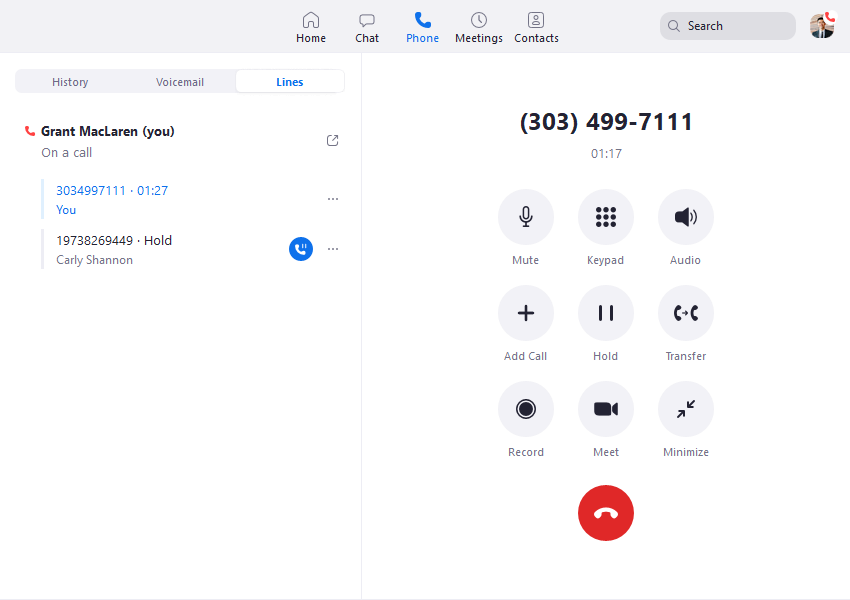
A remote employee should know which number appears on an outbound call and when work calls stop ringing. Administrators should know who handles the main number while that employee is unavailable.
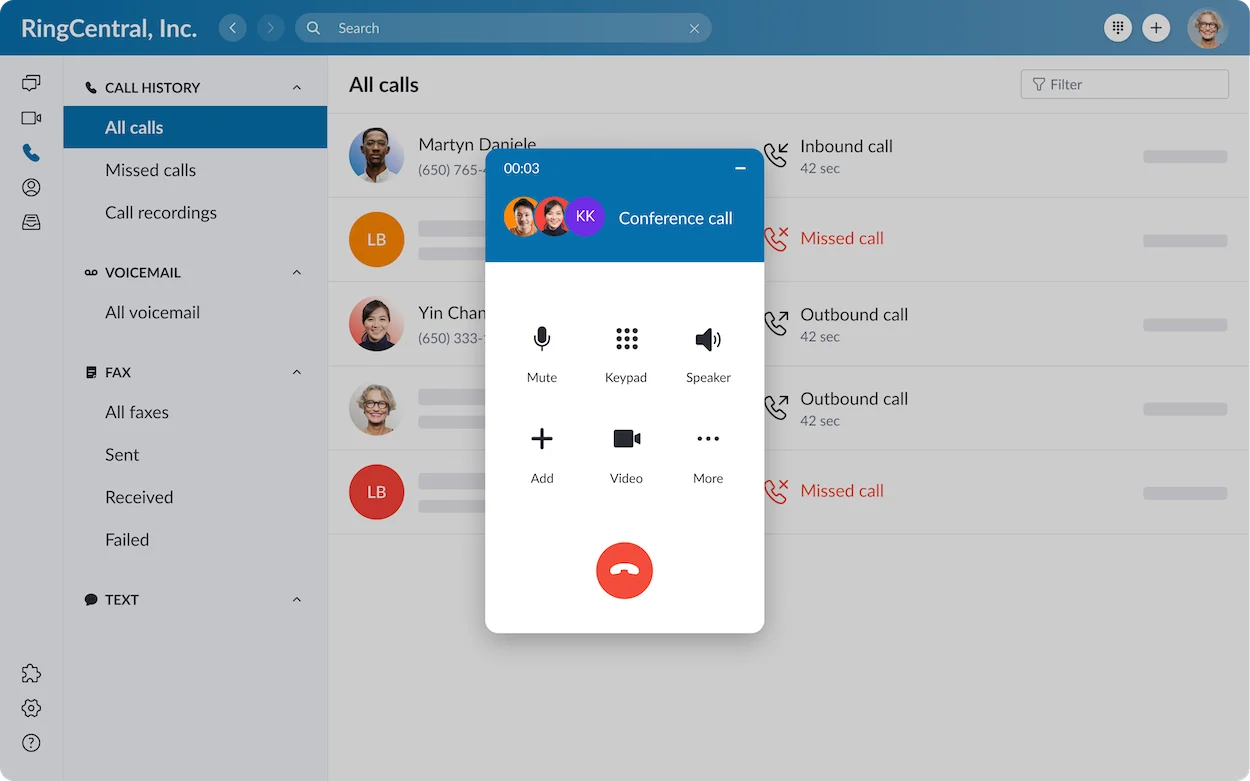
Use the pilot to compare the two most frequent tasks, such as answering and transferring. Staff should be able to complete them without searching for the right menu. The easiest app for your team is the one they use correctly under pressure.
International Calling: Zoom Phone Is Not Limited to the US and Canada
Zoom Phone supports global business operations. Its current global-coverage page advertises local telephony in 50+ countries, with additional coverage through Provider Exchange partners. The US & CA Unlimited label describes a particular calling plan, not the entire service footprint.
Keep four questions separate: where you can obtain a number, where agents or employees are based, where you can call and which destinations are included. Unlimited regional calling does not mean free international calling everywhere.
Zoom’s US plans list metered international calls. RingCentral offers international arrangements alongside its domestic service. Dialpad supports global-team use, but the available numbers, destinations and package terms must be checked for each market.
| Requirement | Question to ask |
|---|---|
| Local number | Can the company obtain the required number type, and what business documentation is needed? |
| Outbound calling | Is the destination enabled, and what is the rate or bundle limit? |
| Employee location | Can the employee use the proposed setup there, including emergency calling requirements? |
| Messaging | Does SMS/MMS work on that number and in that market? |
| Carrier arrangement | Is service native, partner-provided or Bring Your Own Carrier? |
RingCentral is our default international enterprise shortlist pick for a business with many locations. Zoom may be the better operational choice for an existing Zoom organisation. A country-by-country proposal should decide between them, not a headline coverage count.
Reliability and Security: Test the Network and the Failure Path
RingCentral advertises 99.999% availability for RingEX. Obtain the contractual scope and remedies for the package being purchased. Request the corresponding written service terms from Dialpad and Zoom rather than assuming every product carries an identical guarantee.
Call quality also depends on connectivity, headset, device permissions and network configuration. Test a busy office and a representative home connection. Compare a normal call with a transfer and conference, and record where the audio problem appears.
Agree the fallback when an office loses internet, an employee’s app stops ringing or a number port is delayed. Confirm who identifies the issue and how customers reach the business while it is resolved.
For recordings and AI notes, compare administrator roles, retention, access, export and deletion. Have the responsible team review the configuration and contracts for regulated workflows. A vendor’s general certification does not establish every deployment’s obligations.
Customer Support and Trials: Keep Dialpad and RingCentral Open
Dialpad advertises a 14-day trial. RingCentral offers new subscribers a 14-day RingEX trial for up to 20 phone lines; its trial excludes SMS. Confirm the current signup conditions and cancellation process before starting.
For Zoom Phone, use the appropriate business-size option to discuss the available evaluation. A free Zoom meeting account is not evidence of free PSTN phone service, so no fixed Phone trial duration is assumed here.
Evaluate support as part of the purchase. Ask which channels operate outside office hours, who handles a failed number port and whether implementation or priority assistance costs extra. Dialpad Pro advertises expanded 24/7 support; confirm the service arrangements in each final proposal.
Run the trial with reception, an ordinary employee and an administrator. Include a real transfer and voicemail follow-up. Keep the old service available until the port and call routes have been validated.
Small Businesses: Dialpad for Annual Entry Value, Zoom for Existing Users
Dialpad is our small-team winner when the team wants call AI and an annual entry subscription. Choose Standard only if its routing and integrations meet the need; the Pro price can be the more realistic comparison for a CRM-dependent operation.
Zoom is worth prioritising when staff already use it or the company needs monthly billing while its headcount changes. Include the correct Workplace meeting entitlement instead of comparing a paid meeting bundle with a basic phone plan.
RingCentral becomes more attractive when a small business has several departments, fax requirements or a near-term need for central administration. It can be worthwhile before the company becomes large, provided the selected package is used.
A five-person business should write down the main number, individual users, call routes, expected messaging and required integrations. Buy for those jobs rather than choosing the provider with the longest feature list.
Medium and Enterprise Businesses: RingCentral Is Our Default Winner
RingCentral is our medium-business and enterprise employee-phone pick because central administration and connected communications become more important as locations and departments multiply. Ask for a proposal showing the user roles, routing, support and integration needed by each part of the organisation.
Zoom remains a strong enterprise candidate when the organisation has already standardised on Zoom Workplace. Dialpad Enterprise deserves evaluation where its AI workflows and the proposed management controls are a closer match.
Separate ordinary employee users from receptionists, supervisors and dedicated service agents. Their functions and licences can differ. A 100-person company does not automatically need 100 contact-centre seats.
For a contact centre, compare Dialpad Support, RingCX and Zoom Contact Center separately. For advanced outbound sales operations, evaluate the relevant sales product and dialling entitlement. Keep those proposals outside the base employee-phone budget.
Pros and Cons: The Main Trade-offs
| Assessment | Dialpad Connect | RingCentral RingEX | Zoom Phone |
|---|---|---|---|
| Main strength | Built-in call AI and a low annual entry reference | Connected communications and central management | Phone calling in the existing Zoom environment |
| Main buying limitation | CRM needs can move the team to Pro; specialist products are separate | Package, usage and optional products need a complete quote | Workplace bundle and regional calling plan must match the need |
| Pilot priority | Transcript accuracy, mobile behaviour and CRM logging | Routes, administration, reporting and the support path | Notifications, transfers, meeting entitlement and international rates |
| Who should look elsewhere first? | A team whose essential workflow fails the connector or device pilot | A very simple office that would leave most of the quoted package unused | A team needing a workflow or country not supported by the proposed configuration |
Frequently Asked Questions
Which is best overall: Dialpad, RingCentral or Zoom Phone?
RingCentral is our overall employee-phone pick for an expanding organisation. Dialpad wins our call-AI and annual-entry categories. Zoom wins for a company already using Zoom. The business-fit table gives a clear winner for each stated scenario.
Which is cheapest?
Dialpad has the lower verified annual entry reference here. Zoom has the lower monthly entry reference in the plans compared. Obtain the current RingCentral quote and include integrations, usage and existing subscriptions before deciding the full-cost winner.
Does Zoom Phone work only in the USA and Canada?
No. Zoom has global Phone coverage. The US/Canada plan is one regional package; available numbers, domestic service, international rates and partner coverage vary by country.
Does Dialpad Connect include every sales and support tool?
No. Treat Dialpad Sell and Support as separate products. Confirm the coaching, campaign and support-agent features needed rather than assuming an entry Connect subscription includes them.
Is RingCentral RingEX a contact centre?
RingEX is the employee communications platform in this comparison. Dedicated contact-centre requirements should be evaluated against the appropriate RingCentral agent product and separately priced.
Do all three include free international calls?
Do not assume that. Confirm the plan’s included region, destination rates and any bundle conditions. Global availability and unlimited worldwide calling are different claims.
Which Zoom link should I use?
Use Zoom Phone for 1–50 users for the small-business route, or Zoom Phone for 50+ users for the larger-business route. Request the package and evaluation matching your organisation.
Final Recommendation: Choose the Winner for Your Workload
Choose RingCentral for a growing organisation that needs connected employee calling across teams and locations. It is our overall winner, provided the written package covers the required integrations and administration.
Choose Dialpad for a small team prioritising transcripts, summaries and annual entry value. Compare Pro when CRM use is central, and price specialist sales or support separately.
Choose Zoom Phone when calling belongs in an existing Zoom environment. Confirm the Workplace bundle and regional calling plan, then test the devices and routes staff will use every day.
The final decision should combine a working pilot and a complete quote. You can also read our Zoom Phone review, RingCentral review or business VoIP provider comparison.
Customer Reviews: What Real Users Say
Dialpad Connect — TrustRadius
A June 26, 2026 customer-service review rated Dialpad 10/10, praising scheduled coverage between two offices and useful transcripts. The reviewer also described occasional call-quality and voicemail-playback problems.
An incentivized July 7, 2025 review rated it 6/10, appreciating the consolidated communications and AI while criticising mobile stability, CRM synchronisation and limited analytics. Use these examples to test the devices and connector your team will depend on.
RingCentral RingEX — TrustRadius
An incentivized September 24, 2026 review from a telecommunications specialist rated RingEX 10/10 after deployment across 180 sites. It praised deployment and voice quality when the network was configured correctly, while criticising first-level support and built-in analytics.
Another incentivized review on September 24 rated it 8/10 for recruitment work, praising CRM call notes and summaries but reporting delayed note uploads. Check the record your staff sees immediately after a call, not only the final activity log.
Zoom Phone — TrustRadius
A May 14, 2026 small-business review rated Zoom Phone 9/10, appreciating a dedicated business identity and calling that followed the user across Zoom devices. This is particularly relevant to a small company already using Zoom.
The wider review summaries raise questions about interface settings, external integrations and mobile behaviour. Some comments concern Workplace meetings rather than Phone itself; separate those issues when evaluating business calling.
These examples are paraphrased customer feedback. Reviews describe particular deployments; use their strengths and problems to build the pilot checks for your own organisation.
Affiliate disclosure: VoIPCalling.com may earn a commission when you purchase through an affiliate link in this article, at no additional cost to you. Recommendations are based on the product differences and business requirements discussed above.