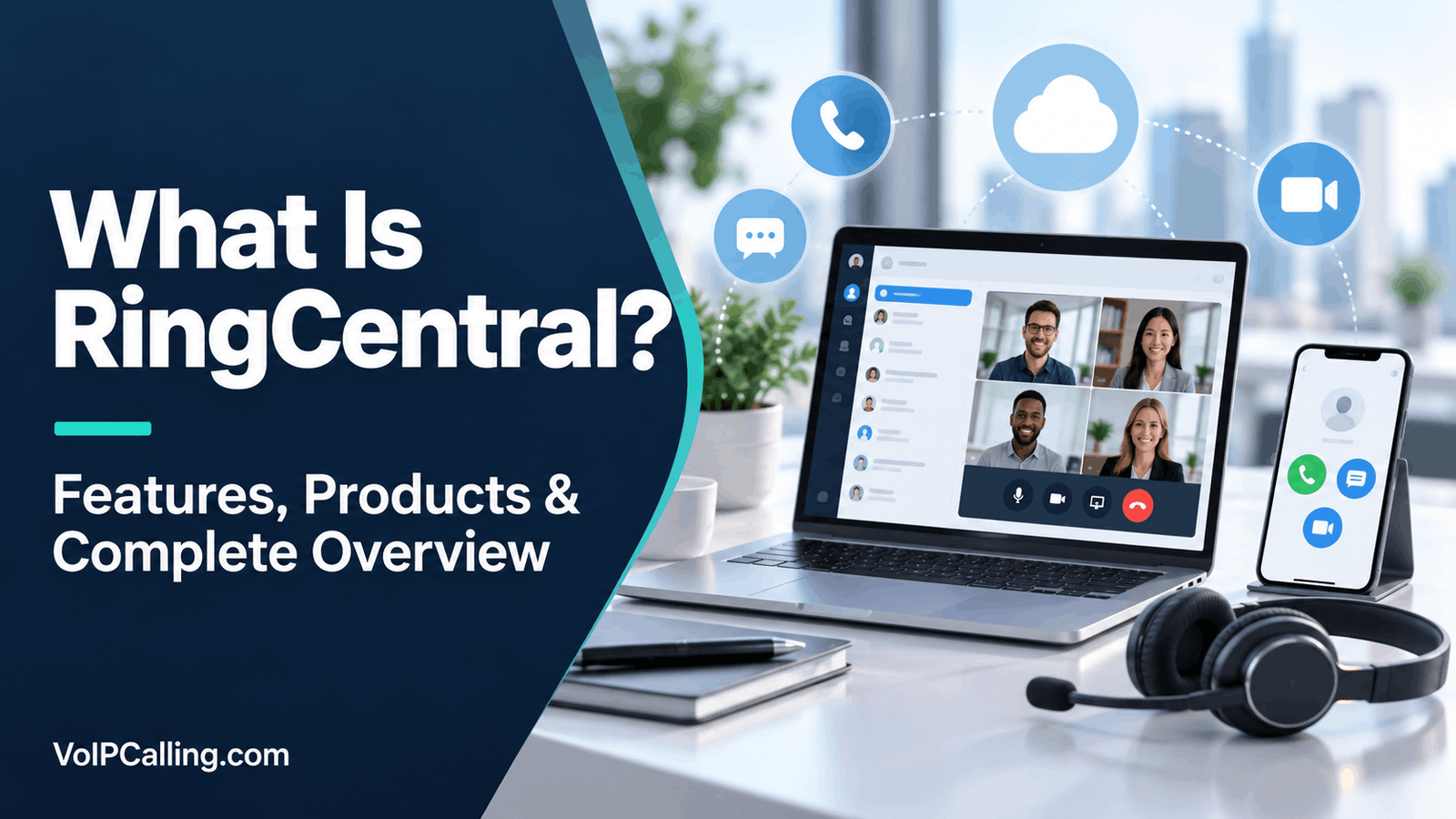
RingCentral is a cloud communications provider that offers business phone service, employee collaboration, contact-center tools and AI-assisted customer communication. Businesses use it to handle calls and other interactions through connected applications rather than relying only on a traditional office phone system.
The name RingCentral refers to the company and its wider product family. RingEX is its business communications offering, while RingCX serves contact-center requirements. Additional products and bundles cover customer engagement, AI reception and other specialized work. Choosing the right product matters as much as choosing the provider.
This overview explains what RingCentral does, how it works, its main features, costs and limitations, and the businesses that should consider it. Product information was checked October 2, 2026. Availability and entitlements depend on the proposed account and region.
What Does RingCentral Do?
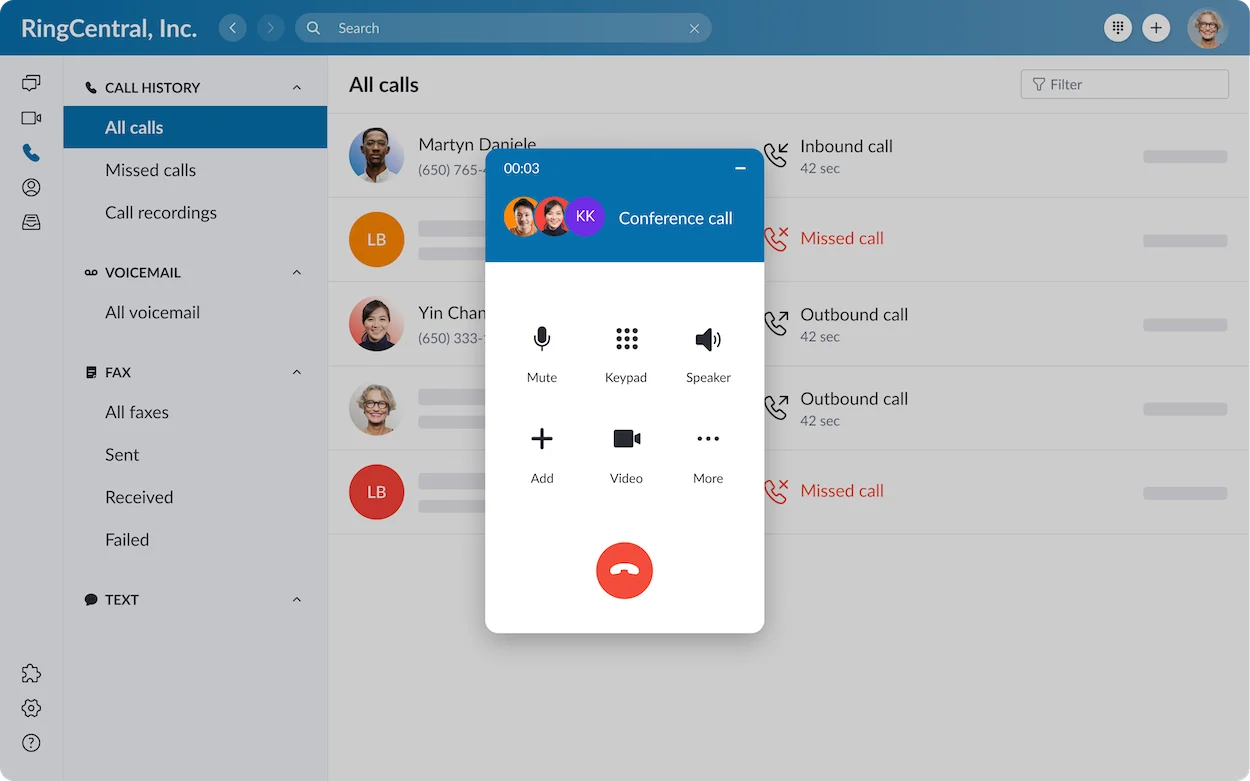
RingCentral provides software and services for employee and customer communication. For a typical office, the starting point is business calling: employees make and receive calls using the company’s phone service, with routing and administration managed centrally.
Its scope extends beyond calls. Depending on the product and plan, the business can also use meetings, internal messaging, customer SMS, fax, integrations and agent tools. These functions have different purposes and should not be treated as one undifferentiated feature list.
Example: A company has a receptionist, an accounts department and several remote employees. A customer calls the main number, chooses a department and reaches an available employee. The business can define what happens after hours or when nobody answers. Staff can also use eligible collaboration tools for internal work.
A customer-support department may need a different setup: queues, agent states, supervisor access and channel reporting. That is where a contact-center evaluation becomes more relevant than simply adding phone extensions.
How Does RingCentral Work?
Cloud telephony places much of the phone-system management with the service provider. Employees connect through supported apps or devices, and administrators configure the business’s users, numbers and call-handling rules.
Calls to ordinary telephone numbers still involve public telephone connectivity. An internet-based app does not mean the person receiving your call must use the same app. The service connects the business’s supported calling setup to the destination.
- Choose the product and account: Define the users, region and required communication tools.
- Assign numbers and permissions: Configure who can receive calls and access relevant records.
- Build routing: Set business hours, menus, departments and fallback handling.
- Connect employee devices: Configure supported applications, headsets or phones.
- Operate and manage: Review the available reports, update settings and manage changes as staff join or leave.
Your network and equipment remain part of the experience. Poor Wi-Fi, headset problems or an overloaded connection can affect calls even when the provider’s platform is functioning.
Our VoIP vs UCaaS guide explains the relationship between internet calling and a broader communications service.
RingCentral Products Explained
Start with the work you need to support, then identify the corresponding product. Some offerings connect with each other, but that does not mean every feature is included in every subscription.
| Offering | Primary Role | Buying Consideration |
|---|---|---|
| RingEX | Business calling and employee communications. | Confirm the plan’s calling, collaboration, administration and integration tools. |
| RingCX | Contact-center operations and customer interactions. | Define agent, channel, reporting and supervisor requirements separately. |
| Customer Engagement Bundle | Voice and shared SMS workflows with queue management and reporting. | Evaluate the bundle for the team’s workflow; do not assume basic SMS provides the same workspace. |
| AI Receptionist | AI-assisted handling of incoming caller requests. | Check standalone versus add-on terms, usage and human fallback. |
RingEX: Business Communications
RingEX brings calling, messaging, meetings, SMS and fax into the communications offering. It is relevant when employees need a common environment and the business wants to manage that environment centrally.
Older materials may use the name RingCentral MVP. Current official terminology identifies that offering as RingEX. When reviewing an older comparison, verify the current plan rather than assuming its prices and entitlements remain unchanged.
RingCX: Contact-Center Operations
RingCX is designed around customer-service and agent work. It is a separate product evaluation from ordinary office telephony, even though RingCentral describes integration between RingCX and RingEX.
For a support operation, request a demonstration of the channels, queue behavior, supervisor tools and reporting your team needs. A receptionist’s phone menu and an agent department’s workload are different purchasing requirements.
Customer Engagement Bundle
RingCentral describes this bundle as a voice and SMS workspace with queue management and reporting. It can be relevant when a team needs shared customer communication without immediately building a full contact-center deployment.
Demonstrate a customer text received by a shared team, another employee continuing the conversation and a supervisor reviewing queue activity. Ask which bundle and licenses were used.
AI Receptionist
The AI Receptionist offering is intended to help answer and handle incoming requests. Treat it as a defined workflow: what questions it can answer, when it transfers, and what happens if it misunderstands.
Ask for the eligible subscription, included usage, additional-minute charges and supported configuration. Test a caller who changes their request, asks for an employee who is unavailable or needs a human response.
Main RingCentral Features and Their Practical Value
Business Calling and Call Routing
Business telephony is central to RingEX. RingCentral describes menus, greetings and routing tools for directing callers. The practical value is a clear path from the main number to the appropriate team.
Write down your actual routing needs before a demonstration: opening hours, lunch breaks, holidays, unanswered calls and escalation. Check the purchased plan’s handling of each situation rather than relying on a standard sales example.
Employee Meetings and Messaging
Meetings and internal messaging support collaboration between employees. They can reduce the need to move between separate communication tools when the business chooses to use the wider offering.
If staff already have a collaboration subscription they will keep, include that retained cost in the comparison. A bundled feature has limited financial value if it duplicates a tool the organization cannot retire.
Customer SMS and Fax
Customer SMS and fax address different communication needs from internal chat. Verify eligible number types, destinations, registration and usage limits. An SMS feature is not automatically a shared customer inbox.
If fax remains necessary, demonstrate sending, receiving, permissions and document handling in the proposed configuration. A general brand description does not establish that your exact workflow is supported.
Integrations and Customer Records
RingCentral offers connections with business software. The important question is what the eligible integration actually does in your account: matching contacts, logging activity, displaying records or supporting calls within another environment.
Useful test: Receive a call from an existing customer, locate the correct record, add the necessary notes and inspect the activity after the call. Repeat with a duplicate contact and an unknown number. This reveals practical limitations more clearly than an integration logo.
AI-Assisted Communication
AI capabilities vary across RingCentral’s products and packages. Evaluate the relevant assistant, receptionist or analysis tool against a real task and confirm its entitlement.
For summaries or transcripts, check names, dates and commitments. For automated responses, test escalation and inaccurate information. Establish who can access the output and how staff correct it. AI should reduce work without obscuring responsibility.
Administration and Reporting
A growing business needs more than individual extensions. Define administrator roles, departmental access, account changes and reporting needs before selecting a tier.
Ask who will configure routing, who can view records and how permissions change when an employee moves departments. For reports, start with the decision you need to make, such as identifying missed-call patterns, rather than requesting every possible dashboard.
RingCentral Pricing: What Determines the Bill?
There is no single price that represents the entire RingCentral product family. Product, region, seat count, billing term and required tools affect the quote. Public RingEX materials use Core, Advanced and Ultra plan names; verify the current options presented for your account.
Compare the monthly equivalent and the contractual payment obligation separately. An annual rate is not necessarily an offer that can be cancelled after one month.
- Seats: Count the employees and any specialized licenses required.
- Numbers: Identify direct, departmental and toll-free requirements.
- Calling: Compare domestic allowances, international destinations and toll-free usage.
- Products and add-ons: Include customer engagement, contact-center, AI and integration requirements.
- Equipment: Include supported phones, headsets, provisioning and any rental terms.
- Fees and transition: Account for applicable taxes, registration, overlapping service and training.
Illustrative budget: Ten licenses quoted at $25 would total $250 before other charges. If required tools and usage add $80, the working estimate is $330. These figures illustrate a calculation and are not a RingCentral offer.
Ask the provider to turn your current call traffic and feature requirements into a sample bill. This is more useful than multiplying the lowest advertised rate by your staff count.
Who Is RingCentral Best Suited For?
RingCentral is worth evaluating when the business wants a broader communications environment and someone can manage its configuration. The appropriate product depends on the users’ daily work.
- Businesses with several departments: Compare reception, sales and operations routing in the proposed setup.
- Distributed employees: Demonstrate calls, availability and handover on typical devices and connections.
- Growing organizations: Evaluate how users, locations, permissions and numbers are added.
- Customer-facing teams: Compare the relevant SMS, engagement or contact-center offering.
- Businesses linking calls with software: Test the exact CRM or helpdesk integration and entitlement.
For a very small team needing only one shared number and basic customer communication, a more focused service may be easier to justify. A broad suite can still fit, but the business should use enough of it to warrant the cost and administration.
RingCentral Pros and Cons
Potential Advantages
- A wider product family allows the business to evaluate employee communications and specialized customer work with one provider.
- RingEX combines several communication functions rather than focusing only on an individual phone line.
- Routing and administrative options are relevant to departments and locations.
- Integration options can connect calling with existing business workflows where the eligible configuration fits.
Limitations to Resolve
- Product and plan differences require careful quoting; the brand name does not establish entitlement.
- Add-ons, numbers and usage may change the complete cost.
- A broader environment can require more setup and training than a small team needs.
- Network, device and configuration issues still affect the employee experience.
- Shared customer messaging and advanced agent functions should be demonstrated in their exact package.
These are buying considerations, not claims that the platform performs identically for every business.
Security, Privacy and Reliability
RingCentral publishes security, privacy and compliance information through its Trust Center. It describes encryption for data in transit and at rest. Review the documentation that applies to the exact product and account.
Your organization still decides who can access communication records, which recordings are necessary and how staff use exported data. A provider’s certification does not automatically make every customer workflow compliant.
Define your retention and access requirements, enable the appropriate account protections and review permissions when staff leave. Ask how recordings, transcripts and AI outputs are handled in the proposed subscription.
Separate platform reliability from your own connection. Test office and remote access, mobile fallback and after-hours routing. Review the contractual service terms rather than interpreting an availability headline as a guarantee for every individual call.
International Calling and Phone Numbers
Local number availability, international outbound calling and employee location are separate questions. Confirm each for the desired deployment.
List the countries and number types you need, any required documentation, and expected call destinations. Verify caller ID and messaging separately. A number that supports voice does not necessarily support every customer-messaging function.
Ask whether your calls fall within an eligible allowance, bundle or metered rate. Do not interpret a domestic unlimited plan as unrestricted worldwide calling.
Getting Started and Moving Existing Numbers
Plan implementation around a small verified configuration before rolling out across the business. Number transfers and historical-data migration are different tasks.
- Choose the product, features, licenses and regional arrangement.
- Inventory users, numbers, routing and existing records.
- Confirm number-transfer eligibility and required authorization.
- Configure a pilot with typical employees and supported devices.
- Recreate business hours, menus, fallback handling and permissions.
- Test calling, customer messages and necessary integrations.
- Transfer eligible numbers and verify the important functions.
- Cancel old service only after the move is confirmed and contractual requirements are understood.
Do not assume recordings, voicemail, customer history or routing move automatically with a number. Export or retain necessary records and confirm the receiving configuration’s import capabilities.
RingCentral Alternatives to Consider
Choose comparison providers by the requirement that RingCentral needs to satisfy. These are evaluation routes, not claims that another brand is always better.
- Nextiva: Compare business calling and the relevant customer-engagement package.
- Dialpad: Compare the appropriate Connect, Sell or Support product for calling and AI-assisted work.
- KrispCall: Evaluate shared customer calling, supported international numbers and eligible sales tools.
- Zoom Phone: Compare telephony in an existing Zoom workplace.
- Quo: Consider a focused small-business calling and messaging workflow with US, Canadian or eligible toll-free numbers.
See our RingCentral alternatives guide and VoIP provider comparison for a broader shortlist.
Frequently Asked Questions
Is RingCentral a VoIP Service?
Its business calling uses internet-based communications, but the company offers more than voice service. RingEX includes wider employee communications, while other products address contact-center and specialized customer workflows.
What Is the Difference Between RingCentral and RingEX?
RingCentral is the company and product family. RingEX is its business communications offering. The names should not be treated as proof that every RingCentral tool belongs to a RingEX subscription.
Is RingCentral MVP Still the Current Name?
Current official materials use RingEX for the offering formerly called RingCentral MVP. Verify current entitlements when reading older articles.
Is RingCX Included in RingEX?
Do not assume that. RingCX is a contact-center product and should be included explicitly in the relevant quote, even when the business plans to connect it with RingEX.
Does RingCentral Replace a Traditional Office Phone System?
It can serve that role when the selected account supports the business’s calling, routing and device requirements. Plan numbers, configuration, fallback and migration before replacing the existing service.
Can RingCentral Make Calls to Ordinary Phone Numbers?
Yes, within the account’s supported calling arrangement. The recipient does not need the same app. Destination eligibility, allowances and charges still apply.
Can I Keep My Existing Number?
Potentially, subject to eligibility and authorization. Confirm transfer conditions and keep the old service active until the number and essential functions work in the new setup.
Is RingCentral Good for Small Businesses?
It can be, particularly when the business will use its wider calling and collaboration functions. A small team needing only a shared number should also compare focused services and the complete cost.
Does Every Plan Include Shared Customer SMS?
Do not assume that ordinary SMS entitlement supplies the shared team workflow you need. Compare the eligible Customer Engagement Bundle or other quoted configuration.
Is There a Free Trial?
RingCentral advertises trial access for eligible RingEX offers, but verify current terms and limitations. Its public pricing FAQ states that SMS is not available for trial use, so plan customer-messaging evaluation separately.
Do I Need New Desk Phones?
That depends on your chosen setup and existing devices. Confirm support and provisioning by exact model; do not assume an old phone works because it is internet-enabled.
Is RingCentral Right for Your Business?
RingCentral is worth evaluating when the business needs centrally managed communications and can identify the right product for each group. RingEX, RingCX and specialized bundles address different work and should be quoted accordingly.
Demonstrate your essential calling scenarios, check the full cost and confirm number and integration requirements. For a more detailed provider evaluation, read our RingCentral review.
Affiliate disclosure: VoIPCalling may earn a commission when you purchase through provider links on this page. Our recommendations consider product fit and business requirements.