The concept of voicemail has undergone a massive transformation since its inception, evolving from simple tape-recording machines to sophisticated cloud-based systems that integrate seamlessly with our digital lives. At its core, this technology functions as a centralized system for storing and delivering electronic voice messages, acting as a personal digital receptionist that operates twenty-four hours a day. When a caller is unable to reach a recipient, the system intercepts the call and provides a recorded greeting, allowing the caller to leave a verbal message that the recipient can retrieve at their convenience. This asynchronous communication method remains a cornerstone of professional and personal interactions, ensuring that vital information is captured even when a direct conversation is not possible.
The technical architecture behind modern voice messaging relies on a combination of telephony hardware and software storage. Originally, these systems were integrated into physical Private Branch Exchange units within offices, but modern iterations typically reside in the cloud or on carrier-level servers. When a call goes unanswered, the network triggers a redirection protocol that routes the audio stream to a storage server. Here, the audio is digitized, compressed, and saved as a data file, often in formats like MP3 or WAV. This transition from analog to digital has enabled features like remote access, message forwarding, and long-term archiving that were previously impossible with traditional answering machines.
Understanding the Evolution and Practical Utility of Voicemail
The history of automated voice recording for telecommunications is rooted in the late 1970s and early 1980s, primarily credited to the work of Gordon Matthews. Matthews, who held the patent for the first commercialized voice mail system, envisioned a way to eliminate the frustration of back-and-forth missed calls often referred to as telephone tag. His invention, the Voice Storage and Retrieval system, revolutionized the corporate world by allowing employees to communicate across different time zones without requiring both parties to be present simultaneously. Today, this technology has expanded beyond the corporate boardroom to become a standard feature on every personal mobile device, integrated directly into the operating systems we use daily.
Research conducted by various telecommunications industry analysts suggests that while text-based communication has surged, voice-based messaging still holds significant weight in professional environments. For instance, studies on business communication trends indicate that approximately 65 percent of customers feel a higher level of trust when they can leave a detailed voice message compared to a generic automated text response. This is because the human voice conveys nuance, tone, and urgency that text often lacks. Furthermore, historical data from the early 2000s shows that the transition from physical answering machines to network-based storage reduced hardware maintenance costs for small businesses by nearly 40 percent, marking a significant shift in how communication infrastructure is managed.
Modern systems are now integrated with Artificial Intelligence to provide transcription services and sentiment analysis. These advancements allow users to read their messages as text, which is particularly useful in environments where listening to audio is not feasible. The integration of voice-to-text technology has significantly improved accessibility for the hearing impaired, ensuring that the benefits of voice communication are inclusive. As we move further into the era of Voice over Internet Protocol, the lines between traditional phone calls and data-driven messaging continue to blur, making these systems more flexible and powerful than ever before.
Configuration and Management of Voicemail on Android and iPhone
Setting up the communication features on a new smartphone is a priority for most users to ensure they never miss an important update. The process of configuring voicemail on android involves navigating to the phone application, which is usually represented by a handset icon on the home screen. Within this app, users typically find a dialer where they can press and hold the number one key, which is a universal shortcut for reaching the automated setup menu. Once the connection is established, the system prompts the user to create a security passcode and record a personalized greeting. This personalized touch is essential for professional contexts, as it confirms to the caller that they have reached the correct person.
For those using Apple devices, the integration of voicemail iphone features is handled through a dedicated tab within the native phone application. Unlike older systems that required a phone call to a server, the iOS environment often utilizes a visual interface that allows users to see a list of their messages without dialing any numbers. Setting this up requires the user to tap the set up now button, which initiates a series of prompts for password creation and greeting recording. Apple users have the choice between using a standard system greeting or recording a custom message that reflects their personality or business brand. This deep integration into the operating system ensures that notifications are timely and message management is intuitive.
-
Open the default phone application on your mobile device and locate the keypad or the specific tab labeled for messages.
-
Follow the audio instructions provided by the service provider to establish a unique identification number for security purposes.
-
Record a clear and concise greeting that informs callers of your name and when they might expect a return call from you.
-
Verify that the notification settings are enabled within your device settings to ensure that an icon appears whenever a new message is received.
-
Test the system by calling your own number from a different phone to ensure the recording and storage process is functioning as expected.
Procedures to Efficiently Access and Check Voicemail Messages
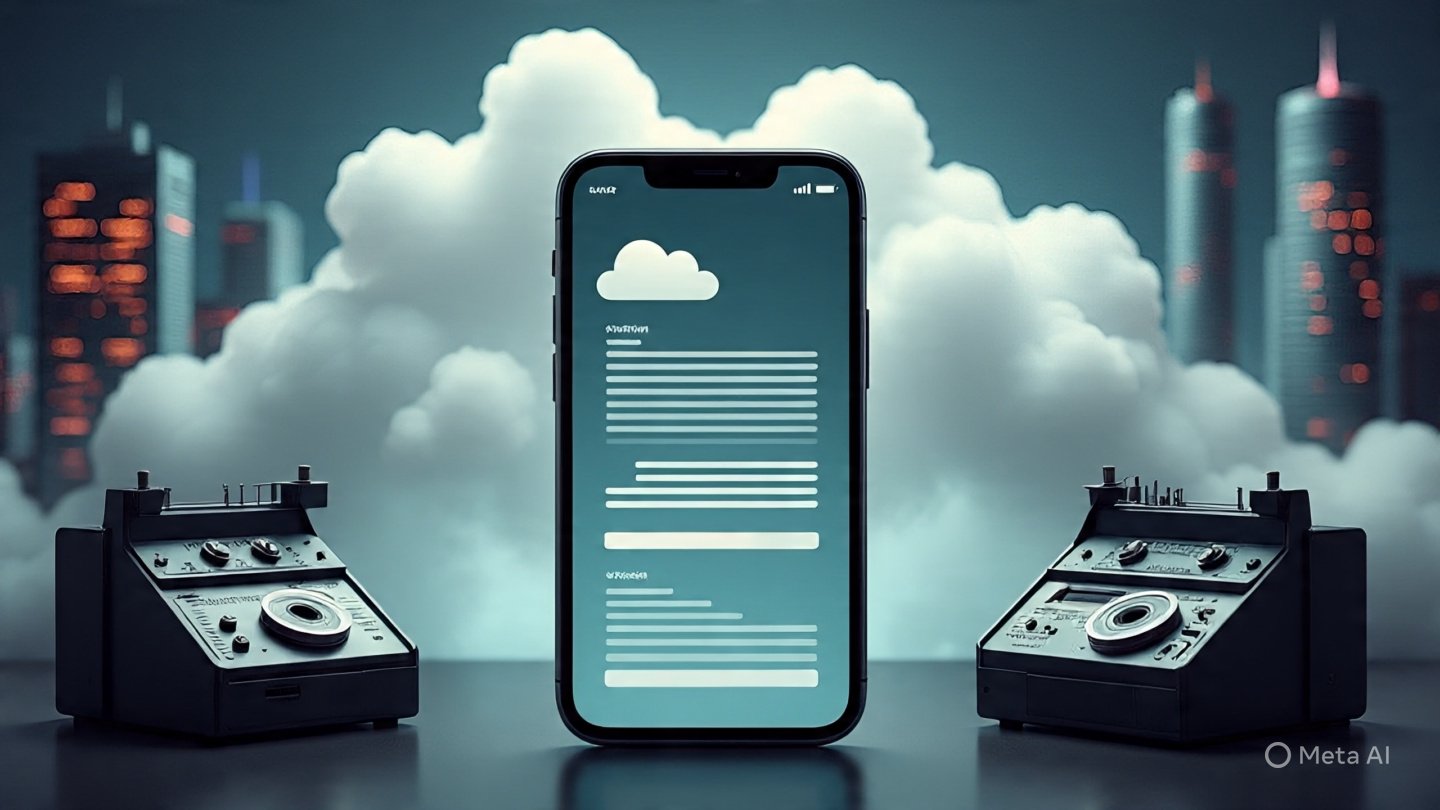
The ability to check voicemail is a fundamental skill for managing one’s digital presence and ensuring timely responses to inquiries. Most carriers provide multiple avenues for accessing these recordings, whether the user is holding their primary device or calling from a remote landline. On a mobile device, the most common method is through the notification shade, where a tape-reel icon usually signifies a pending message. Tapping this notification will either trigger a call to the carrier’s server or open a visual list of recordings. In cases where the notification does not appear, manually dialing the user’s own phone number or a specific access code provided by the service provider will grant entry to the mailbox.
When dealing with a high volume of voicemail messages, organization becomes key to maintaining an efficient workflow. Modern interfaces allow users to play, pause, delete, or archive messages with a single tap, which is a significant upgrade from the old system of pressing specific numbers on a keypad to navigate menus. It is considered a best practice to clear out old messages regularly to prevent the mailbox from reaching its storage capacity. When a mailbox is full, new callers are often met with a system error stating that no further recordings can be accepted, which can lead to missed opportunities in a business setting.
-
Access your messages by pressing and holding the number one key on your phone dialer or by clicking the dedicated message icon.
-
Listen carefully to the date and time stamps provided by the system to prioritize which calls require the most immediate attention.
-
Utilize the visual interface if available to skip through less important recordings and focus on critical communications.
-
Save important messages that contain specific instructions or contact details that you may need to reference at a later date.
-
Ensure that you delete any spam or telemarketing messages immediately to keep your storage space available for legitimate callers.
Utilizing a Voicemail App for Enhanced Visual Communication
The introduction of the voicemail app has revolutionized how we interact with audio recordings on our smartphones. Instead of listening to a long string of messages in the order they were received, these applications provide a graphical user interface that displays a list of all callers, the duration of their messages, and sometimes a text transcription. This visual approach allows for random access, meaning a user can listen to the third message in their list before the first one. This functionality is particularly beneficial for busy professionals who need to skim through their communications to identify urgent matters without wasting time on automated system prompts.
Many third-party developers and telecommunications companies offer specialized applications that go beyond the basic features provided by the phone’s operating system. These apps often include advanced features such as auto-reply via text, the ability to forward voice messages to an email address, and even integration with customer relationship management software. By using a dedicated application, users can manage multiple phone lines from a single interface, making it an ideal solution for entrepreneurs who use their personal devices for business purposes. The cloud synchronization offered by these apps ensures that even if a phone is lost or damaged, the valuable audio recordings remain safe and accessible from other devices.
Integration with other productivity tools is another significant advantage of using a modern application for voice management. Some apps can automatically sync with digital calendars to set reminders for call-backs based on the content of a message. Others provide advanced filtering options that can automatically route known spam callers to a silent folder, ensuring that the user is only notified of genuine messages. This level of customization transforms a simple recording tool into a comprehensive communication hub that enhances daily efficiency and reduces the cognitive load of managing numerous incoming calls.
Clarifying the Meaning of Voicemail Number and System Routing
A common point of confusion for many users is the meaning of voicemail number as it relates to their personal phone service. This number is not typically the user’s personal cell phone number, but rather a specific access number assigned by the carrier that routes calls to the message storage server. When a call is forwarded because of a busy signal or no answer, the network sends the caller to this internal number. Understanding this distinction is important because it explains why users sometimes see a different number in their call logs or why they might need to input a specific access code when setting up their service for the first time.
The technical routing that occurs behind the scenes is a complex dance of network protocols. When you dial your own number to access your messages, the carrier recognizes the originating device and automatically prompts for your security code. However, if you were to call your voicemail number from a different device, the system would require you to enter your full ten-digit phone number followed by your password. This architecture ensures that messages are kept private and can only be accessed by the authorized owner of the account. It also allows carriers to manage millions of individual mailboxes across a unified server infrastructure, optimizing storage and performance for all subscribers on the network.
In some enterprise environments, the concept of a shared mailbox is used, where a single number is designated for an entire department. In this scenario, multiple employees might have access to the same set of recordings, allowing for a collaborative approach to customer service. This setup requires careful management of access permissions and a clear understanding of how the routing affects the caller’s experience. Whether it is a personal line or a corporate department, the underlying logic remains the same: a dedicated destination on the network is reserved for capturing audio when a live human is unavailable to take the call.

Strategies for Optimizing the Voicemail on My Phone for Business
Ensuring that the voicemail on my phone is optimized for professional use involves more than just turning the feature on. The greeting is often the first impression a potential client or partner has of your business, making it a critical touchpoint. A professional greeting should be clear, concise, and informative, usually including your name, your company name, and an estimated timeframe for a response. It is also helpful to provide alternative contact methods, such as an email address or an assistant’s extension, for those who have an urgent matter that cannot wait for a return call. Regularly updating this greeting to reflect out-of-office status or holiday hours is a hallmark of good professional etiquette.
Another aspect of optimization is the use of the voicemail to email feature, which many modern service providers offer. This allows the system to send an audio file or a transcription directly to your inbox, ensuring that you can keep track of messages alongside your other digital correspondence. This creates a unified communication stream and makes it easier to archive important conversations. Furthermore, businesses should consider the security implications of their voice messaging systems. Using a strong, non-sequential passcode and being wary of social engineering attempts where callers try to gain access to the mailbox is essential for protecting sensitive information that might be left in a recording.
-
Maintain a professional tone in your greeting by speaking at a moderate pace and ensuring there is no background noise during the recording process.
-
Update your message frequently to inform callers of your current availability, especially if you are traveling or on extended leave.
-
Enable the transcription feature to quickly scan the contents of a message during meetings where listening to audio would be inappropriate.
-
Organize your messages into folders if your device supports it, separating personal inquiries from business leads for better follow-up.
-
Periodically review your security settings to ensure that your passcode is updated and that unauthorized access is prevented.
The Importance of Security and Privacy in Voice Messaging
Security is a paramount concern in the digital age, and voice messaging systems are not exempt from potential vulnerabilities. One of the most common threats is unauthorized access through weak passwords or default pins that users fail to change during the initial setup. Hackers can sometimes exploit these weaknesses to listen to private conversations or, in more extreme cases, use the system to make unauthorized long-distance calls. To combat this, it is highly recommended to use a unique identification number that is not easily guessed, such as a birthday or a simple sequence like 1234. Most modern carriers now require a minimum of six to eight digits for a security code to enhance protection.
Privacy is another critical factor, particularly regarding how messages are stored and shared. When you use a cloud-based application, your voice data is stored on external servers. It is important to review the privacy policy of your service provider to understand how this data is handled and who has access to it. Encryption is becoming a standard feature for many high-end communication services, ensuring that even if data is intercepted during transmission, it cannot be understood by unauthorized parties. Users should also be mindful of the information they leave in messages for others, as once a recording is sent, the sender no longer has control over how that audio file is stored or if it is forwarded to others.
Facts regarding telecommunications security indicate that approximately 20 percent of small businesses have experienced some form of unauthorized access to their communication systems. This highlights the need for robust security protocols. Additionally, research into data privacy shows that consumers are increasingly concerned about how their voice biometrics are used by technology companies. As voice recognition technology improves, the audio recordings stored in these systems become valuable data points for training machine learning models. Therefore, choosing a provider that prioritizes user privacy and provides clear opt-out options for data collection is a vital step in maintaining personal and professional digital security.
Read More: What is Cloud Calling? A Complete Guide to Cloud Telephony
Final Thought
In a world where communication is instantaneous and multifaceted, the humble voice message remains a vital tool for ensuring that no connection is lost. From its early days as a revolutionary corporate tool to its current state as a highly integrated, AI-enhanced feature of our smartphones, this technology has proven its enduring value. By understanding how to effectively set up, manage, and secure your voice messaging system, you can ensure that you remain accessible and professional in every interaction. As technology continues to advance, we can expect even more seamless integrations and features that will continue to bridge the gap between missed calls and meaningful conversations.
Faqs
-
What is basic voicemail?
Basic voicemail is the standard service provided by telecommunications carriers that allows callers to record an audio message when a user is unavailable. It typically involves a simple greeting and a digital storage space that can be accessed by dialing into a specific server via the phone keypad. This version of the service usually does not include advanced features like text transcription or a visual list of messages, relying instead on audio prompts to guide the user through their inbox.
-
How much does basic voicemail cost?
The cost of basic voicemail varies significantly depending on the service provider and the specific mobile or landline plan chosen by the consumer. In many modern cellular contracts, this feature is included as a standard part of the monthly service fee at no additional charge. However, some prepaid plans or international roaming packages may charge a small fee per message or a monthly add-on price ranging from three to five dollars.
-
How do I get basic voicemail?
Getting basic voicemail is usually an automatic process when you activate a new phone line with a service provider. Once the SIM card is active, the network assigns a mailbox to your number, and you can initiate the setup by holding the number one key on your phone’s dialer. If the service is not active by default, you may need to contact your carrier’s customer service department or log into your online account portal to add the feature to your plan.
-
How do I know my voicemail is secure?
You can ensure your voicemail is secure by creating a complex and unique passcode during the initial setup process. Most providers offer security settings that require this code every time you access your messages, even from your own device. Additionally, checking for any unusual activity in your call logs and avoiding the use of common sequences for your pin will significantly reduce the risk of unauthorized access or spoofing.
-
How is basic voicemail different from Visual Voicemail or Voicemail to Text for iPhone?
The primary difference lies in the user interface and the method of message delivery. Basic voicemail requires the user to call a system and listen to messages chronologically, whereas Visual Voicemail provides a graphical list of messages directly on the screen. Voicemail to Text is an even more advanced feature that uses speech recognition technology to transcribe audio into a readable format, allowing users to consume their messages as they would a standard text or email.
-
Who is eligible for basic voicemail?
Almost any individual with a standard mobile or landline telephone subscription is eligible for basic voicemail services. It is a nearly universal offering across the telecommunications industry, available to both post-paid and pre-paid customers. Some specialized data-only plans for tablets or hotspots may not include the feature, but for traditional voice-capable lines, it remains a standard service provided to all subscribers regardless of their device type.