
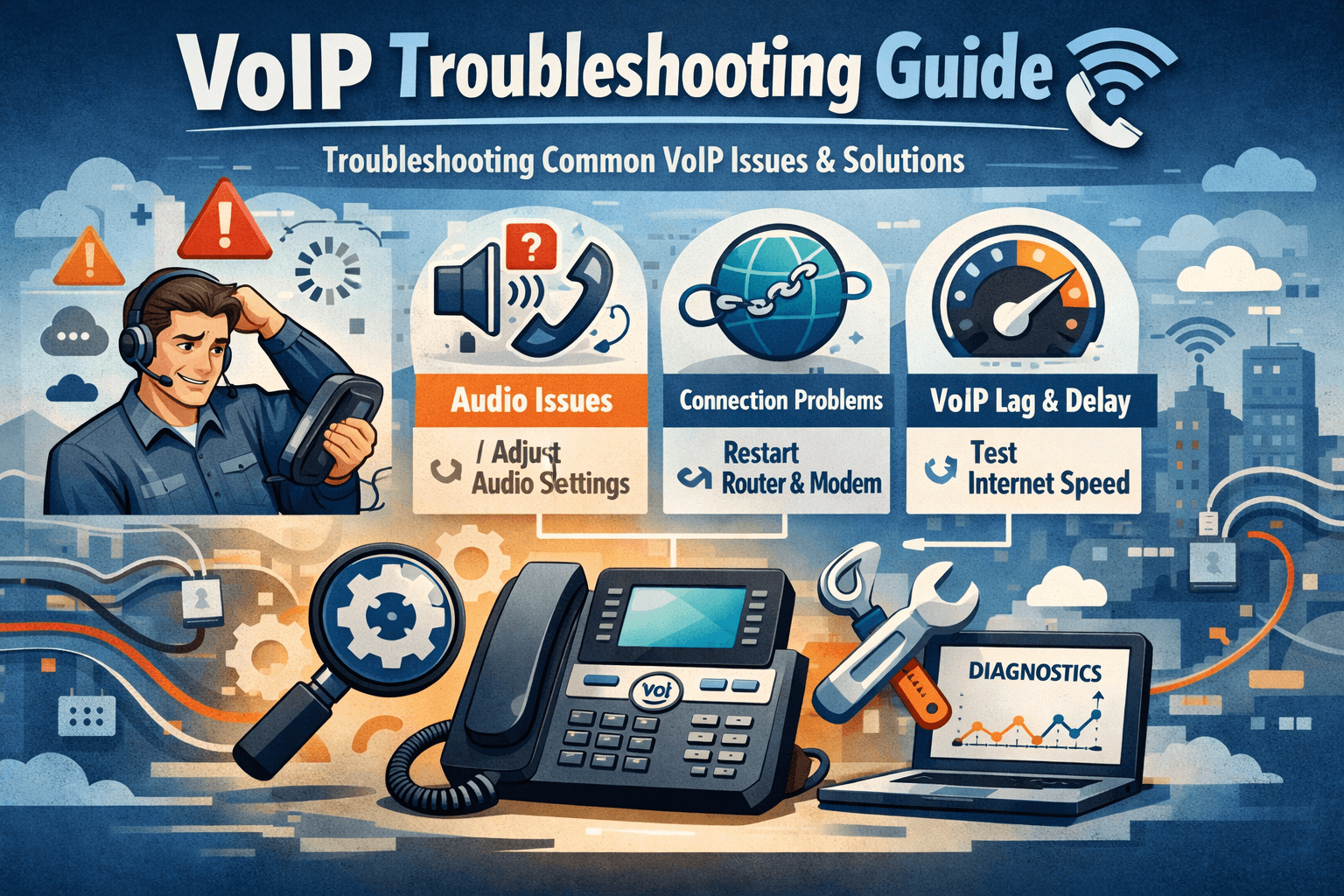
Troubleshooting common VoIP issues is a critical skill for maintaining clear and professional communication in any modern business environment. Most VoIP problems, such as choppy audio, dropped calls, or static, often stem from network congestion, insufficient bandwidth, or improper hardware configuration. To resolve these, users should start by checking their internet connection stability, ensuring Quality of Service (QoS) is enabled on their router, and verifying that their VoIP hardware is updated. By systematically identifying whether the issue lies with the network, the service provider, or the device, you can quickly restore high-quality voice services.
Understanding VoIP Problems and Solutions
Voice over Internet Protocol technology has revolutionized how we communicate, but it is not without its challenges. When you encounter voip issues, it is often because the real-time nature of voice data is much more sensitive to network fluctuations than standard web browsing. If your internet is working for emails but your calls are failing, you are likely dealing with specific voip problems that require a targeted approach. Understanding the underlying infrastructure is the first step in effective voip troubleshooting.
Many users wonder, is voip reliable for business? The answer is a resounding yes, provided the network is optimized. Unlike traditional landlines, VoIP relies on data packets. If these packets are delayed or lost, the call quality suffers. Businesses must weigh the advantages disadvantages of voip, noting that while it offers incredible cost savings and flexibility, it does require a more robust internet setup than legacy systems. When troubleshooting voip call quality issues, it is essential to look at the entire path the data takes, from your microphone to the service provider’s server.
One common frustration is finding voip phones not working but internet is. This scenario usually points to a configuration issue within the router or a firewall blocking specific voice traffic. Because VoIP uses specific protocols like SIP (Session Initiation Protocol), a standard firewall might mistake voice traffic for a security threat and block it. This is why having a specialized plan for voip phone troubleshooting is necessary for any office manager or remote worker.
Common VoIP Problems
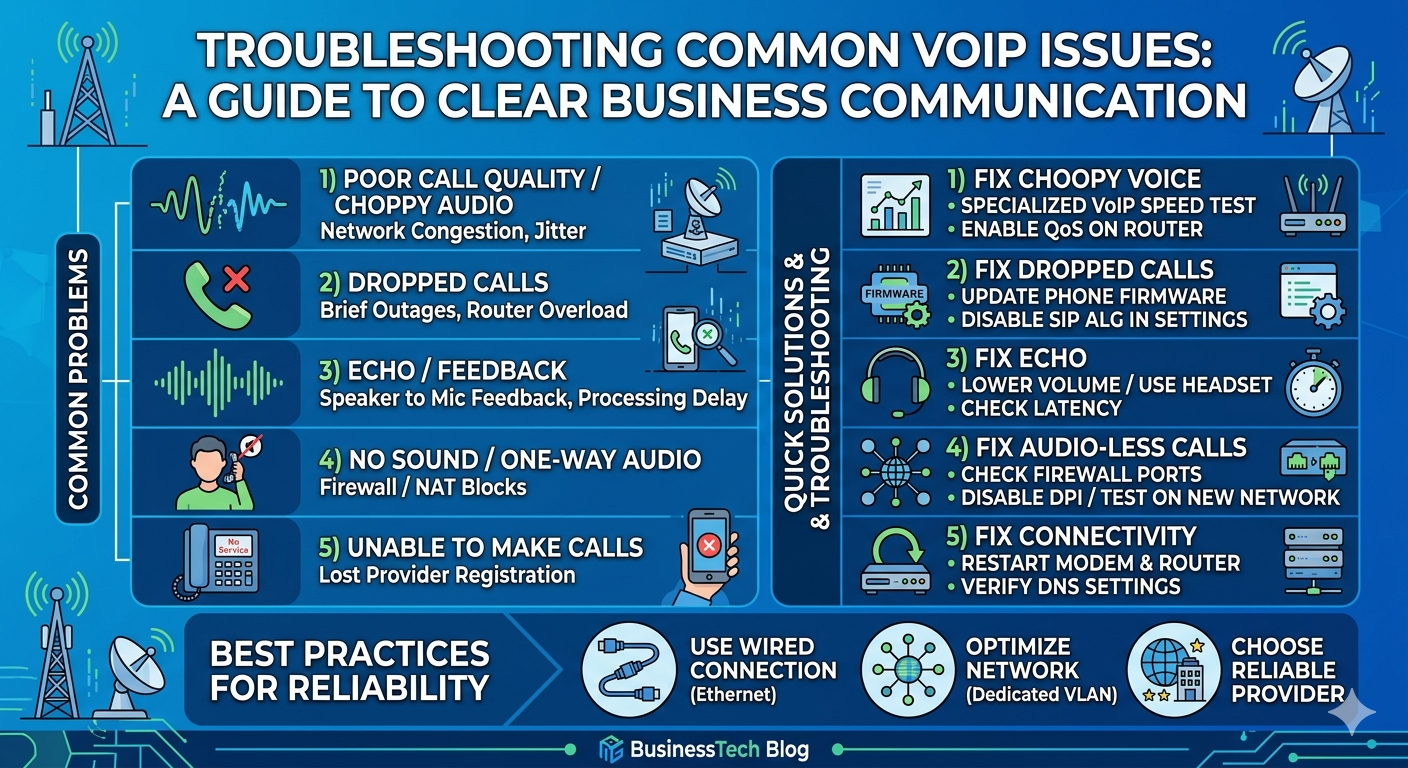
1) Poor call quality or choppy audio
Choppy audio is perhaps the most frequent complaint in voip reviews. This happens when data packets are dropped or arrive out of order, a phenomenon known as voip jitter. When the stream of data is inconsistent, the receiver hears broken sentences or robotic sounds. This is often a result of high network traffic or insufficient bandwidth.
According to research by Cisco, nearly 80% of VoIP performance issues are related to local area network (LAN) configurations rather than the service provider’s cloud infrastructure.
How to fix choppy voice
To fix choppy voice, start by identifying the source of the voip packet loss. You can do this by:
Running a specialized VoIP speed test to check for jitter and packet loss.
Plugging your VoIP phone directly into the modem to see if the router is the bottleneck.
Reducing the number of devices sharing the connection during high-priority calls.
Upgrading your Ethernet cables to Cat6 to ensure maximum data throughput.
Enabling Quality of Service (QoS) on your router to prioritize voice data over other types of traffic.
2) Dropped calls
Nothing is more disruptive to a business than voip dropped calls. This problem usually occurs when the connection between your device and the VoIP server is interrupted. It could be due to a brief internet outage, an overloaded router, or even a hardware defect. If calls are dropping after exactly 30 seconds or a specific interval, it is almost certainly a signaling issue related to SIP timers or firewall settings.
How To Fix Dropped Calls
Troubleshooting voip for dropped calls involves several steps to ensure the connection remains stable. Consider these actions:
Update the firmware on your VoIP phones and router to the latest versions.
Disable SIP ALG (Application Layer Gateway) in your router settings, as this feature often interferes with VoIP traffic.
Check your router’s UDP timeout settings and increase them if they are too low.
Verify with your ISP that there are no local outages affecting your voip connection status.
Ensure that your power supply is stable, as micro-outages can cause devices to reset.
3) Echo/feedback
Echo on a VoIP call can be distracting and unprofessional. This issue is typically caused by the acoustic feedback from the speaker to the microphone or by a delay in the digital processing of the voice. In some cases, it can also be a symptom of electromagnetic interference from other electronic devices located too close to the phone.
How to fix echo/feedback
Fixing echo requires a mix of hardware adjustment and software configuration. You can resolve this by:
Lowering the volume on your handset or speakerphone to prevent the microphone from picking up the output.
Using a high-quality headset designed for VoIP, which often includes built-in echo cancellation.
Moving the VoIP phone away from large electronic devices like monitors or power strips.
Checking the latency of your network; high latency often exacerbates echo.
Inspecting the physical cables for damage that might cause signal bleeding.
4) Call connects with no sound
One of the most confusing voip phone issues is when a call connects, but neither party can hear the other. This “one-way audio” or “no-way audio” is almost always a result of a firewall or NAT (Network Address Translation) problem. The call signaling goes through, but the actual voice data packets are blocked by the security settings of the network.
How to fix call audio issues:
To fix audio-less calls, you must look at how your network handles incoming and outgoing data. Try the following:
Check your firewall settings to ensure that the ports required by your VoIP provider are open.
Implement port forwarding for the specific IP addresses of your VoIP phones.
Disable any deep packet inspection (DPI) features on your router that might be scanning voice packets.
Verify that the microphone and speakers on the device are functional and not muted.
Test the phone on a different network, such as a mobile hotspot, to confirm if the issue is local.
5) Unable to make calls
When your voip phone not working prevents you from making outbound calls, it is a critical failure. This usually indicates that the phone has lost its registration with the service provider. You might see a “No Service” or “Network Error” message on the display. This is a common part of troubleshooting voip call quality issues and connectivity.
How to fix this VoIP issue:
Restoring outbound calling capability involves checking the registration status. Follow these steps:
Restart your modem, router, and VoIP phone in that specific order.
Verify your account standing with your provider to ensure service has not been suspended.
Check the voip connection status in the phone’s web interface to see if it is “Registered.”
Ensure the DNS settings on your router are set to a reliable provider like Google (8.8.8.8) or Cloudflare (1.1.1.1).
Re-enter your SIP credentials to ensure there are no typos in the username or password.
6) Calls go to voicemail unexpectedly
If your phone is not ringing and calls are going straight to voicemail, you might be dealing with a “Do Not Disturb” (DND) setting or a registration timeout. This is a common theme in dialpad troubleshooting, where software settings can override hardware behavior. Users often find dialpad not ringing because the application is set to silent or is not running in the background.
7) One VoIP phone works, but another doesn’t
When only one device is affected, the problem is likely localized to that specific hardware or its network port. This is where voip phone troubleshooting becomes highly specific. Swap the cables or the network ports between a working phone and the non-working phone to see if the problem moves. If it stays with the phone, the device itself may be faulty.
8) Security breaches
VoIP security is a major concern for modern enterprises. Specific voip-associated vulnerabilities can lead to toll fraud, eavesdropping, or even identity theft. If you notice unauthorized calls on your bill or strange behavior in your system, you must act immediately. Security should always be a part of your regular troubleshooting voip routine.
VoIP Troubleshooting Tips
When you are in the middle of a busy workday and voip not working becomes a reality, you need a quick reference guide. The first rule of troubleshooting common voip issues is to stay calm and follow a logical path. Check the physical connections first. A loose Ethernet cable or a failing power adapter is often the culprit behind intermittent voip phone issues.
Next, examine your bandwidth. VoIP requires a stable upload and download speed. If your office is currently running a large cloud backup or if several employees are streaming high-definition video, your voip call quality issues will increase. You can use tools to monitor your network usage and identify bandwidth hogs. For a deeper dive into technical standards, you can visit the Internet Engineering Task Force (IETF)` which handles the protocols that make VoIP possible.
Another advanced tip is to check for NAT loopback issues. Some routers struggle to route traffic that originates from inside the network back to another device on the same network. This often happens in larger offices with multiple VoIP sets. Ensuring your router supports NAT hairpinning or loopback can resolve many internal communication problems.
Best Practices To Avoid VoIP Problems
Prevention is always better than troubleshooting. To avoid voip drawbacks, you should design your network with voice traffic in mind from the start. This means investing in a business-class router that can handle the specific demands of VoIP. Unlike consumer-grade routers, business hardware often includes more granular control over traffic prioritization and security features.
Always use a wired connection for stationary VoIP phones to avoid the instability of Wi-Fi.
Segment your network by placing VoIP phones on a separate VLAN to isolate voice traffic.
Regularly perform a voip troubleshooting audit to check for firmware updates and security patches.
Choose a provider with multiple data centers to ensure redundancy and low latency.
Train your staff on basic voip phone troubleshooting so they can handle minor issues like accidental DND settings.
According to a report by the Federal Communications Commission (FCC), latency under 150 milliseconds is the benchmark for acceptable voice quality.
Keeping your network optimized to meet these standards will significantly reduce the frequency of troubleshooting common voip issues.
Advantages and Disadvantages of VoIP
While we focus on voip problems and solutions, it is important to remember why businesses choose this technology. The advantages are numerous: lower monthly costs, advanced features like auto-attendants, and the ability to work from anywhere. However, the voip drawbacks include a total dependence on a high-quality internet connection and susceptibility to power outages.
For businesses that require 100% uptime, having a backup internet connection (like a 5G cellular failover) is a wise investment. This ensures that even if your primary fiber or cable line goes down, your voip connection status remains active. Understanding these trade-offs allows you to build a more resilient communication strategy that leverages the best of what VoIP has to offer while mitigating its inherent risks.
Read More: What Is Internet Communication? Meaning, Types, Benefits, and 9 Future Trends
Final Thought
Mastering the art of troubleshooting common VoIP issues is essential for any business that relies on digital communication. While problems like choppy audio, dropped calls, and security vulnerabilities can be frustrating, most are easily solved with the right knowledge and tools. By prioritizing your network health, selecting a reputable service provider, and following a systematic troubleshooting process, you can ensure your voice calls remain a powerful asset rather than a technical headache. Clear communication is the backbone of success, and with a well-maintained VoIP system, your business will always stay connected.
FAQs
How do I fix common VoIP issues?
To fix common VoIP issues, start by checking your internet bandwidth and stability. Most problems like choppy audio or dropped calls are solved by enabling Quality of Service (QoS) on your router, disabling SIP ALG, and ensuring your hardware firmware is up to date. Using a wired Ethernet connection instead of Wi-Fi also resolves many intermittent connectivity problems.
What are the most frequent VoIP problems?
The most frequent VoIP problems include jitter (choppy audio), high latency (delayed conversation), packet loss (missing words), and one-way audio (where one person cannot hear the other). Other common issues include dropped calls after a few seconds and phones failing to register with the service provider.
How can I improve my VoIP call quality?
Improving VoIP call quality involves optimizing your network for voice traffic. You should ensure you have at least 100 Kbps of dedicated bandwidth per call, use a high-quality headset, and minimize network congestion. Setting up a dedicated VLAN for your phones can also prevent other data-heavy activities from interfering with your voice calls.
Why is my VoIP phone not working but my internet is?
This usually happens because VoIP uses specific protocols that your router’s firewall might be blocking. While your internet is fine for web browsing, the SIP traffic required for VoIP may be interrupted by a feature called SIP ALG or by closed ports. Troubleshooting this requires checking your router’s security settings and port forwarding rules.
What causes dropped VoIP calls?
Dropped VoIP calls are typically caused by network interruptions, insufficient bandwidth, or improper firewall configurations. If calls drop consistently at the same time interval, it is likely a signaling issue related to “keep-alive” packets or SIP timers. Ensuring a stable power source and updating router firmware can also help.
How do I troubleshoot one-way audio in VoIP?
One-way audio is almost always caused by Network Address Translation (NAT) issues or firewall blocks. To troubleshoot, you should check if your router is blocking incoming media packets. Disabling SIP ALG and ensuring the correct RTP (Real-time Transport Protocol) ports are open in your firewall settings will usually fix the problem.
Is VoIP reliable enough for a large business?
Yes, VoIP is highly reliable for large businesses when implemented with professional-grade networking equipment. By using fiber-optic internet, redundant connections, and enterprise VoIP providers, large organizations can achieve better reliability and features than traditional analog systems could ever offer.
What is voip jitter and how do I fix it?
Jitter refers to the variation in the time it takes for voice packets to arrive. If they arrive at irregular intervals, the audio sounds distorted. You can fix jitter by using a jitter buffer (often built into modern VoIP phones), upgrading your network cables, or reducing the overall load on your internet connection.
Does a power outage affect VoIP?
Yes, because VoIP hardware like routers and phones require electricity and an active internet connection, a power outage will typically disable your service. To mitigate this, businesses should use Uninterruptible Power Supplies (UPS) for their critical network gear and have a mobile app backup to take calls on smartphones.


