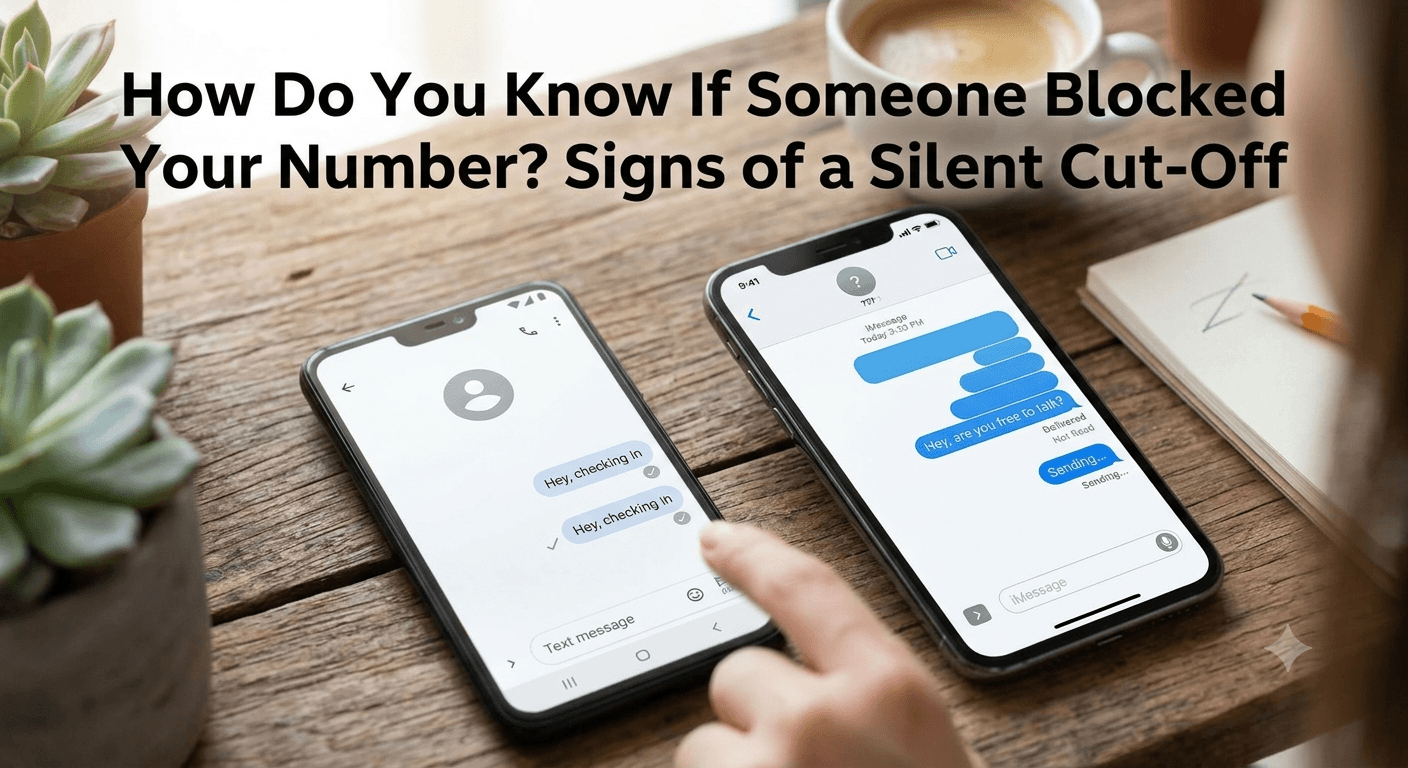
How do you know if someone blocked your number? Generally, when a contact restricts your access, your calls will immediately route to voicemail after a single ring or no ring at all, and your text messages will fail to show a Delivered status. On an iPhone, iMessages will remain blue but lack the confirmation subtext, while Android users may notice their messages simply staying in a perpetual sent state without ever reaching the recipient.
You may be blocked if your calls repeatedly go straight to voicemail, your messages are not delivered, or you notice unusual changes in call behavior. However, there is no guaranteed way to know if someone blocked your number because phone settings, network issues, or a powered-off device can create similar signs.
Understanding how do you know if someone blocked your number involves analyzing these patterns over several days to rule out temporary network issues or the recipient’s Do Not Disturb settings.
Signs someone has blocked your number
Identifying whether a connection has been severed requires a bit of digital detective work. While modern smartphones do not send a formal notification informing you of a block, they leave behind specific breadcrumbs. The process of how do you know if someone blocked your number often begins with noticing a sudden shift in communication patterns that previously felt seamless. When a block is active, the carrier and the operating system work together to shield the recipient from your attempts, creating a one-sided communication loop where you are sending signals into a void.
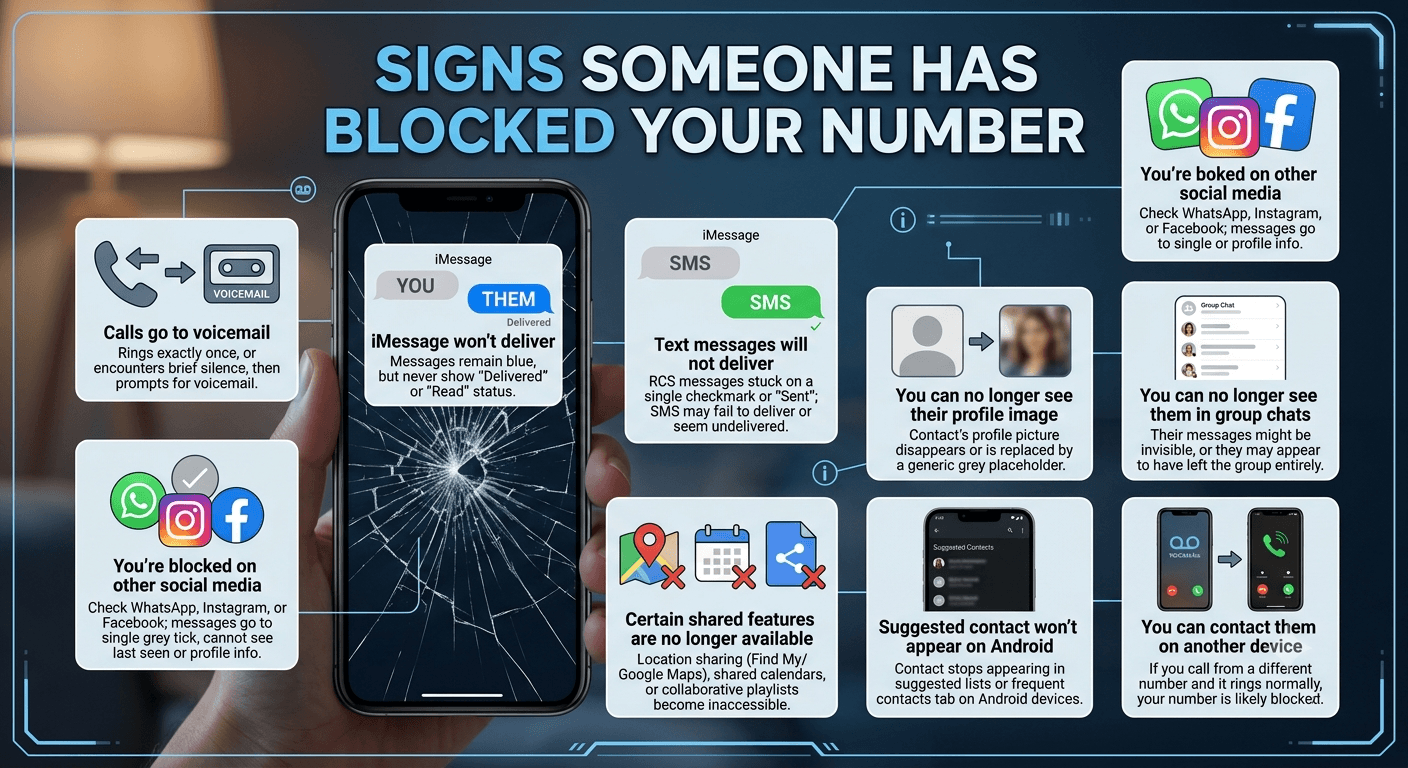
1. Calls go to voicemail
One of the most immediate indicators of a blocked status is the behavior of the calling sequence. Usually, a standard call will ring four to five times before the carrier redirects the caller to the voicemail system. However, if your call rings exactly once or encounters a brief silence followed by a prompt to leave a message, it is a strong sign of a block. This happens because the recipient’s phone automatically rejects the incoming signal based on your caller ID.
It is important to test this at different times of the day. If you call in the morning, afternoon, and night and experience the exact same one-ring-to-voicemail pattern, it suggests a permanent setting rather than a dead battery or a temporary loss of signal. This consistent redirection is a core component of how do you know if someone blocked your number on both major mobile platforms.
2. iMessage won’t deliver on iPhone
For those using Apple devices, the iMessage ecosystem provides fairly transparent clues. Under normal circumstances, when you send a message, a small piece of text appearing below the blue bubble says Delivered or Read. If you suspect a block, pay close attention to this area. If your messages remain blue but never show any delivery confirmation, even after several hours, you may have been restricted.
This lack of status indicates that the Apple servers received your message but were unable to push it to the recipient’s device because the recipient has flagged your contact as blocked. In a standard scenario where a phone is just turned off, the Delivered status would eventually appear once the device is powered back on. If days pass without that status change, it helps answer the question of how do you know if someone blocked your number through text on iOS.
3. Text messages will not deliver
When communicating with a user on a different operating system, such as an iPhone user texting an Android user, the messages are sent via SMS. These appear as green bubbles on iPhones. Unlike iMessages, standard SMS does not always provide a delivery receipt unless specifically enabled by the carrier. However, if you are an Android user sending messages to another Android user via RCS (Rich Communication Services), you will see similar indicators to iMessage.
If your RCS messages stay stuck on a single checkmark or a Sent status without moving to Delivered or Read, the block is likely the cause. Additionally, if you find that your previously blue or dark blue bubbles have suddenly reverted to basic green or light blue SMS style and are failing to receive a response, the network might be struggling to route the message to a recipient who has closed the door on your contact.
4. You’re blocked on other social media platforms
Blocking is rarely limited to just phone calls and text messages. If someone has decided to cut off communication, they often do so across all digital touchpoints. A common way to verify your suspicions is to check apps like WhatsApp, Instagram, or Facebook. On WhatsApp, for instance, a blocked user will no longer be able to see the contact’s profile picture or their last seen status.
If you attempt to send a message on these platforms and it remains on a single grey tick for an extended period, it correlates with the behavior seen in your phone’s native dialer. Cross-referencing multiple platforms is a highly effective strategy for how do you know if someone blocked your number because it rules out the possibility of a single app glitch or a specific device being broken.
5. You can no longer see their profile image
A sudden disappearance of a contact’s profile picture is a classic red flag in the world of modern messaging apps. Many people mistakenly think this is just a privacy setting change, but if it happens simultaneously with your calls going to voicemail, the intent is usually clear. On platforms that sync contact data, like Telegram or WhatsApp, the profile image is often replaced by a generic grey silhouette for anyone who has been blocked.
On some Android versions, even the native contact app might stop pulling synced social media avatars if the link between accounts is severed by a block. This visual absence serves as an indirect but powerful confirmation. It is one of the most visible changes you will notice when trying to figure out how do you know if someone blocked your number without actually calling them.
6. You can no longer see them in group chats
Group chats offer a unique perspective on blocking. In some older versions of messaging apps, if you were blocked, the person’s messages in a shared group might become invisible to you, or they might appear to have left the group entirely from your view. On more modern systems, you might still see their messages in the group, but you will be unable to add them to new groups or view their specific profile details from the member list.
If you notice that a contact is active in a group chat with mutual friends but is not responding to your private messages or calls, it is a definitive sign that the block is specific to your private connection. This social dynamic often provides the final piece of the puzzle for those wondering how do you know if someone blocked your number.
7. Certain shared features are no longer available
The integration of features like location sharing, shared calendars, or collaborative playlists has added new layers to digital blocking. If you previously had access to someone’s location via Find My on iPhone or Google Maps on Android, and that access suddenly vanishes, it is often tied to a broader contact block. These features are linked to the contact identity; once that identity is blocked, the permissions are automatically revoked.
You might also notice that shared notes or document collaborations in apps like Google Drive or iCloud suddenly show an error message saying you no longer have permission to view the file. These technical shutdowns are hardwired into the operating system’s privacy protocols to ensure that once a person is blocked, they lose all avenues of digital tracking or interaction.
8. Suggested contact won’t appear on Android
Android devices have a smart feature that suggests contacts based on your frequency of interaction. If a contact you previously spoke to every day suddenly stops appearing in your suggested list or your frequent contacts tab, the system may have updated its algorithm based on the lack of successful outbound or inbound communication. While not as definitive as a voicemail check, it is a subtle hint provided by the OS.
Furthermore, if you search for the person in your contact list and their name no longer appears in the predictive search results, it might indicate that the phone has categorized the contact as restricted. This is particularly common on Pixel devices where Google Assistant manages much of the contact interaction. Observing these small changes in the UI helps in the overall assessment of how do you know if someone blocked your number.
9. You can contact them on another device
The most straightforward way to test your theory is to attempt contact through a different channel or device. If you use a friend’s phone to call the number and it rings normally, but your own phone still goes to voicemail after one ring, the evidence of a block is undeniable. This is the definitive “gold standard” test for verifying a block.
When the second device achieves a full ringing sequence or an answer, it proves that the recipient’s phone and the carrier network are perfectly functional. The only variable that changed was the originating number. This test confirms that the restriction is specifically tied to your individual caller ID, which is the primary mechanism used by smartphones to filter out unwanted communication.
How can I call someone if I’m blocked?
If you find yourself in a situation where you need to reach someone who has blocked you, perhaps for an emergency or a critical piece of information, there are ways to bypass the filter. However, it is essential to respect personal boundaries. Most blocking features work by identifying your specific number. If you mask that number, the recipient’s phone will not recognize the signal as one it needs to reject.
You can try using a secondary VOIP number or a public landline. Because these numbers are not in the recipient’s block list, the call will ring normally. However, many people today do not answer calls from unknown or unrecognized numbers, so even if the call goes through, you might still struggle to have a conversation. This highlight the effectiveness of blocking as a privacy tool in the modern era.
1. Make a Call and Note What Happens
The first step in any investigation is the call test. Pay close attention to the cadence of the ring. A normal call rings about 20 seconds before going to voicemail. A blocked call usually rings for exactly 1.5 to 2 seconds.
According to telecommunications data, roughly 85% of automated blocking systems use this “single ring” redirection method to minimize the disturbance to the recipient while still providing a place for the caller to leave a message.
If you hear a message stating that the person is not accepting calls at this time, or if the call simply disconnects without reaching a voicemail box, this is another strong indicator. Some carrier-level blocking services provide a specific recording for blocked callers, though this is less common than it used to be. Most modern devices prefer the silent redirection to voicemail to avoid letting the caller know they have been blocked.
2. Send a Text and Check Delivery or Read Status
Sending a text is the least intrusive way to check your status. On an iPhone, a message that remains “Sent” without ever showing “Delivered” is the key. On Android, look for the status of the “bubbles.” If your messages consistently fail to show a delivery confirmation over a 24-hour period, it is highly likely you are on the block list.
It is worth noting that if the recipient has their phone on Airplane Mode, the message will also stay in a sent state. However, once they regain signal, the message will deliver. If you send texts over several days and none of them ever show as delivered, the likelihood of a block increases significantly. This prolonged lack of delivery is a standard behavior in how do you know if someone blocked your number on Android and iOS.
3. Try Calling From a Different Number or Hide Your Caller ID
If you want to be certain, you can hide your caller ID through your phone settings. On an iPhone, go to Settings > Phone > Show My Caller ID and toggle it off. On Android, this is usually found in the Phone app settings under Supplementary Services. Once your ID is hidden, your call will appear as “Private” or “Unknown” on the recipient’s screen.
If the call rings multiple times when your ID is hidden, but only once when it is visible, you have confirmed the block. Most blocking software is programmed to ignore calls from specific numbers but will allow private numbers to ring through because it cannot identify them as the blocked contact. This is a common workaround used to answer how do you know if someone blocked your number.
4. Look for Indirect Clues
Sometimes the best information comes from outside the phone app. If you have mutual friends, you might notice that the person is active on social media, posting photos, or responding to others, while remaining completely silent toward you. This social activity proves that their phone is working and they have internet access, which rules out technical failure as the reason for your lack of connection.
Another indirect clue is the “Last Seen” status on messaging apps. If you can see that a mutual friend can view the person’s status, but you cannot, it is a clear sign of a selective block. These small inconsistencies in what you see versus what others see are powerful indicators of your standing in someone’s contact list.
Why You Can’t Be 100% Sure Someone Blocked You
Despite all the signs, there is rarely a 100% guarantee unless the person tells you directly. There are several technical scenarios that mimic the behavior of a block. For instance, the Do Not Disturb (DND) feature on iPhones can be set to “Silence Always,” which sends all calls to voicemail without a single ring. If the person has forgotten to turn off DND, it will look exactly like a block to everyone who tries to call them.
Research from the Pew Research Center suggests that a significant number of smartphone users utilize “Focus Modes” or “Silence Unknown Callers” features to manage digital fatigue.
These settings can often lead to “false positives” for those trying to figure out how do you know if someone blocked your number. Additionally, network outages or a SIM card failure can cause calls to go straight to voicemail, making it appear as though a block is in place when it is actually a technical error.
What to Do Next if You Suspect You’ve Been Blocked
If the evidence points toward a block, the best course of action is usually to provide the person with space. Constant attempts to bypass a block can be seen as harassment and may lead to further legal or social consequences. It is helpful to reflect on the recent interactions you had with the individual to see if there was a conflict that might have prompted the decision to restrict communication.
In many cases, blocks are temporary. A person might block a number during a heated argument to prevent further escalation and may unblock it once they have cooled down. By waiting a few days or a week before attempting a single, polite contact via a different medium, you give the situation time to settle. Understanding the social context is just as important as understanding the technical aspect of how do you know if someone blocked your number.
Read More: HIPAA Compliance for VoIP in Healthcare : A complete guide
Final Thought
Figuring out how do you know if someone blocked your number is often a mix of technical observation and emotional intuition. While the single ring to voicemail, the lack of iMessage delivery, and the inability to see profile updates are strong indicators, they are not always definitive proofs. Factors like dead batteries, network errors, and Do Not Disturb settings play a significant role in modern connectivity. The best approach is to look for a consistent pattern across multiple platforms over several days. If all signs point to a block, respecting that boundary is the most professional and respectful way to handle the situation. Communication is a mutual agreement, and sometimes, a digital silence is the clearest message of all.
FAQ
-
How can you tell if someone has blocked your number?
You can tell by observing if your calls consistently go straight to voicemail after one ring, if your iMessages or RCS texts never show a Delivered status, and if you can no longer see the person’s profile picture on messaging apps. Testing the call from a hidden caller ID or another phone and seeing it ring normally is the most reliable way to confirm.
-
How to know 100% if someone blocked you?
There is no official notification, so the only 100% way to know is to ask the person directly or have them show you their block list. However, if your call rings normally from a different number but goes to voicemail from yours, it is effectively a 100% confirmation of a selective block on your caller ID.
-
What does it look like when you text a blocked number?
When you text a blocked number on an iPhone, the bubble stays blue but never says Delivered or Read. On Android, the message may show as Sent but will never receive a delivery confirmation checkmark. To you, it looks like a normal message that is simply being ignored or hasn’t reached the phone yet.
-
How can I test if someone blocked me?
The best way to test is to call the number at three different times during the day. If it behaves exactly the same way every time (like one ring then voicemail), try calling with your caller ID hidden. If the call rings normally when hidden, you have confirmed that your specific number is blocked.
-
Can I Still Leave a Voicemail if I’m Blocked?
Yes, in most cases, you can still leave a voicemail. However, the recipient will not receive a notification about it. The voicemail is usually placed in a separate folder called Blocked Messages at the bottom of their voicemail list, which they have to manually check to see.
-
Does a “Delivered” or “Read” status guarantee I’m not blocked?
Yes, if you see a Delivered or Read status on an iMessage or a social media app like WhatsApp, it means you are not blocked. The blocking feature specifically prevents the message from reaching the device, so a delivery confirmation is proof of an active connection.
-
Does Green Text on iPhone Mean You’re Blocked?
Not necessarily. A green bubble simply means the message is being sent via SMS rather than iMessage. This can happen if you or the recipient doesn’t have an internet connection, if the recipient is using an Android, or if iMessage is temporarily down. However, if a conversation was previously blue and suddenly turns green and stays that way, it could be a sign of a block.
-
What Happens if You Text a Number That Has Blocked You?
The message is sent from your device and travels to the carrier or the messaging server, but it is never delivered to the recipient’s phone. It effectively disappears into a digital void. The recipient will never know you sent the text, and you will never receive a notification that it failed to deliver.