Imagine slashing your phone bills by 60% while unlocking AI-powered call routing and global teams calling from coffee shops. That’s the power of VoIP PBX and modern PBX phone systems—where what is a PBX meets cutting-edge IP PBX tech. This blog dives deep into PBX vs VoIP, VoIP PBX systems, and why PBX telephony is evolving fast.
What Is a PBX Phone System?
A PBX phone system, short for Private Branch Exchange (what does PBX stand for? Private Branch eXchange), acts as your business’s internal phone switchboard, connecting calls within your office and to the outside world efficiently. Unlike public phone networks, a PBX system routes calls between extensions without tying up external lines, saving costs on PBX telephone systems.
Traditional PBX phone systems started as hardware boxes with physical switches, but today’s VoIP PBX phone system blends digital smarts. Whether you’re running a PBX telephone setup or exploring PBX solutions, it handles incoming/outgoing calls, transfers, and conferences. For small businesses, a PBX device like an IP PBX server centralizes PBX communications, making what is PBX in telecom crystal clear: it’s your communication hub.
Common PBX Features:
Private Branch Exchange (PBX) systems have evolved from simple switchboards into sophisticated communication hubs. These features are considered “indispensable” because they bridge the gap between basic connectivity and professional business management.
Here is an explanation of how these specific features function and why they are critical for modern operations.
1. Call Forwarding and Hold
These are the foundational elements of call management.
-
The Function: Call Hold allows a user to pause a conversation to consult a colleague or handle a brief interruption, often playing “music on hold” to reassure the caller they haven’t been disconnected. Call Forwarding redirects incoming calls to another extension, a mobile phone, or a home office.
-
Why it’s Indispensable: It ensures mobility and continuity. In a hybrid work environment, employees can remain reachable regardless of their physical location, preventing missed opportunities and “phone tag.”
2. Voicemail-to-Email
This feature integrates telecommunications with your digital workflow.
-
The Function: When a caller leaves a voicemail, the PBX system record the audio and automatically sends it as an attachment (usually a .wav or .mp3 file) to the user’s email inbox. Many modern systems also provide a text transcription.
-
Why it’s Indispensable: It centralizes communication. Users can “read” their voicemails during meetings or archive them alongside client emails for better record-keeping and responsiveness.
3. Auto-Attendant (IVR)
The Interactive Voice Response (IVR) acts as a virtual receptionist.
-
The Function: When someone calls, they hear a recorded greeting: “Press 1 for Sales, 2 for Support.” The system then routes the call based on the caller’s input.
-
Why it’s Indispensable: It creates a professional image for companies of any size and reduces the need for a live operator to manually transfer every call, significantly lowering operational costs.
4. Call Queuing
This is a critical tool for high-volume environments like customer service departments.
-
The Function: Instead of the caller getting a busy signal, they are placed in a “queue.” The PBX manages the wait time and distributes the calls to the next available agent based on specific logic (e.g., the agent who has been idle the longest).
-
Why it’s Indispensable: It improves customer satisfaction by managing expectations and ensures that staff workloads are distributed fairly and efficiently.
5. Conference Bridges
This feature facilitates internal and external collaboration. These PBX features make business phone system PBX indispensable.
The History of PBX: From Analog to VoIP PBX
The evolution of PBX mirrors the broader shift in how we handle information—moving from physical hardware to digital intelligence. In the manual era, human operators literally plugged cables into jacks to complete a circuit, a process that was slow and limited in scale. The shift to electronic systems in the 1960s replaced these manual patches with automated switches, allowing businesses to handle much higher call volumes within the office.
The real revolution arrived with the jump to Internet Protocol (IP), which converted voice into data packets. This transition transformed the PBX from an isolated piece of hardware into a software-driven tool. Today’s VoIP PBX systems allow businesses to run global networks over the cloud, removing the need for miles of copper wiring and expensive on-site maintenance while enabling seamless remote work.
Read More: VoIP vs PBX: Which Should You Choose for Your Business?
What Is VoIP and How Does It Fit with PBX?
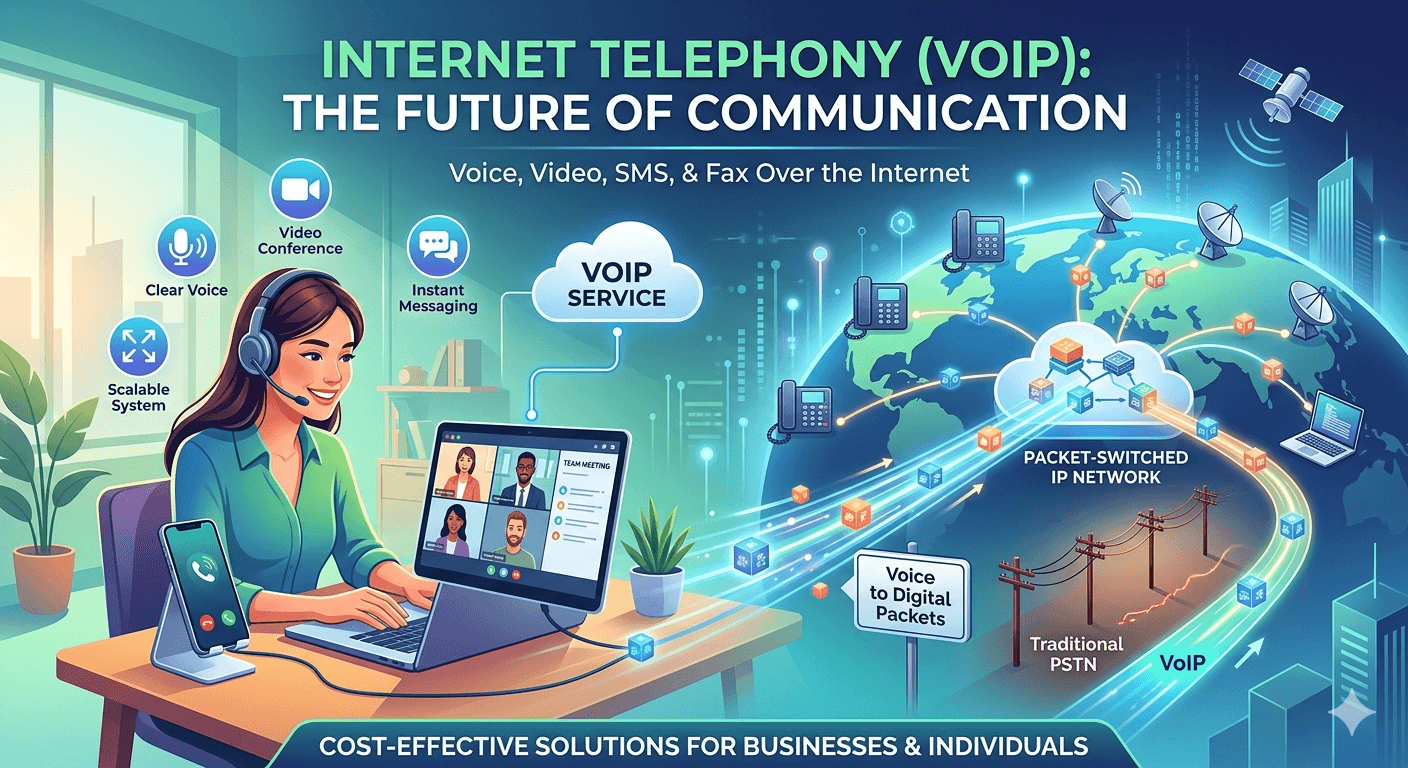
VoIP, or Voice over Internet Protocol, digitizes voice into data packets sent over the internet, ditching copper lines for broadband. In a VoIP PBX system, this tech powers PBX telephony with crystal-clear IP PBX calls.
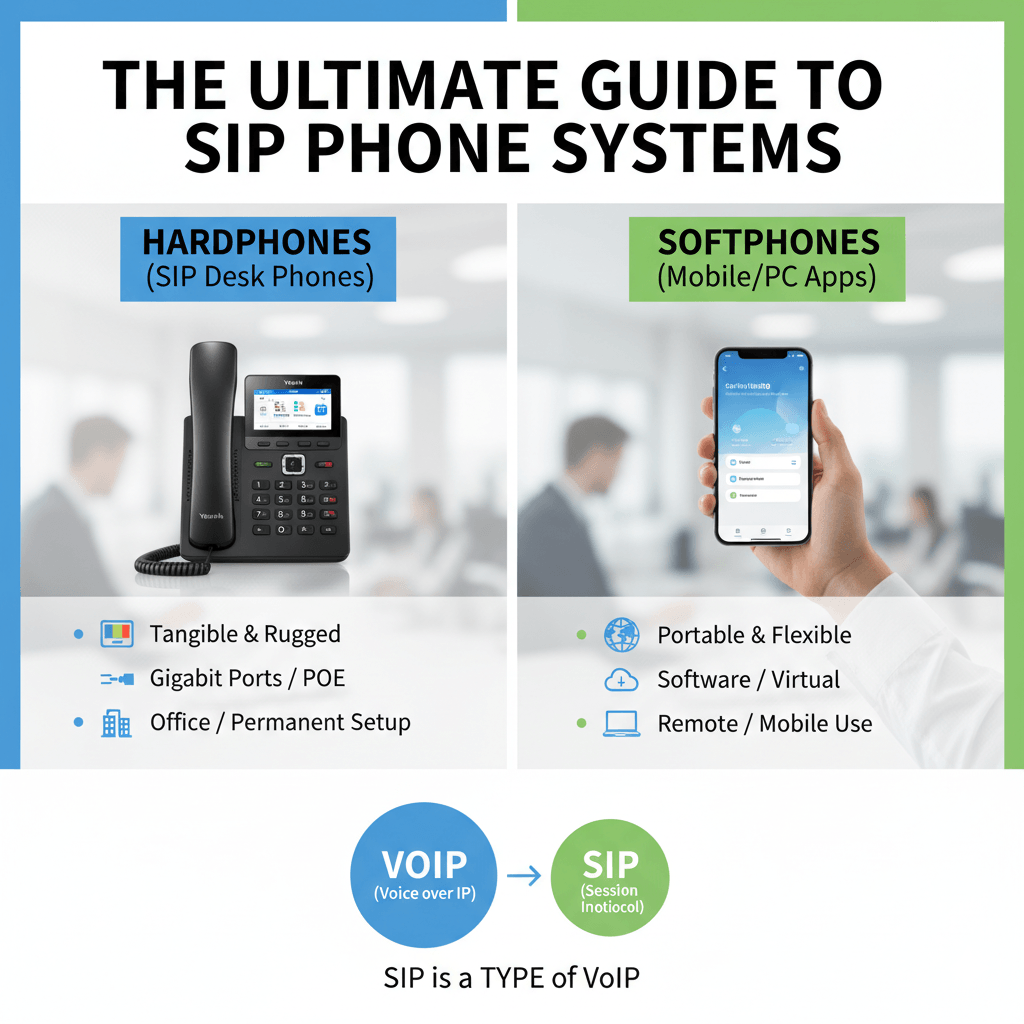
VoIP PBX is a PBX system enhanced by VoIP, where VoIP IP PBX handles calls via internet protocols like SIP. Unlike analog PBX phone service, VoIP hosted PBX lives in the cloud, offering PBX phone system definition as scalable telephony PBX.
What Are the Key Differences Between PBX and VoIP?
When businesses compare PBX vs VoIP, they are often contrasting a traditional, hardware-based setup with modern, software-based cloud communications.
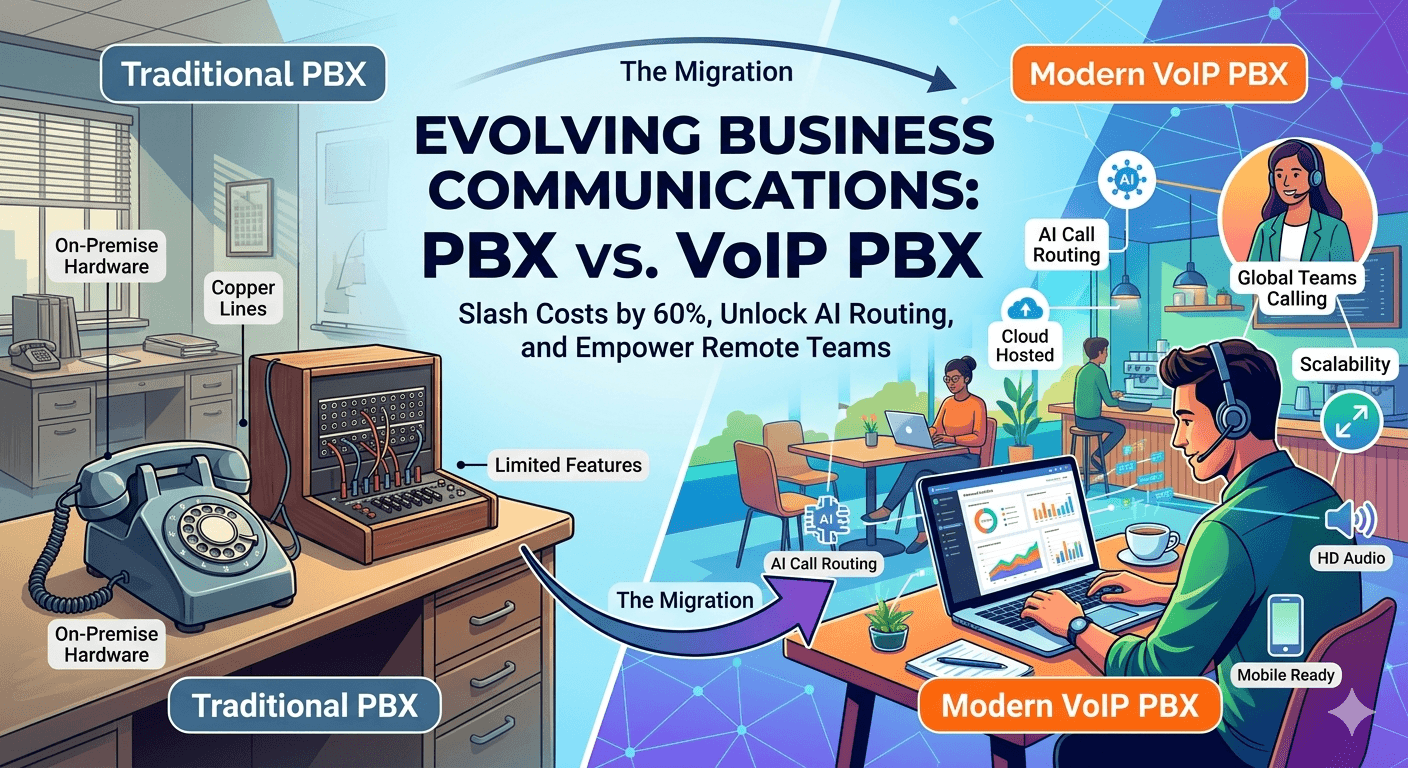
While the primary difference lies in how they transmit voice signals (traditional PBX via dedicated copper lines/circuits; VoIP PBX via digital internet packets), the real-world impact is felt in costs, flexibility, and features.
Traditional PBX is fundamentally a “local” system, requiring extensive physical infrastructure, complex maintenance, and substantial on-site equipment. In contrast, modern VoIP PBX is a “network” system that moves the intelligence to the cloud. This shift eliminates the need for expensive on-site PBX hardware—meaning a business just needs reliable internet connectivity to manage its entire phone system, often through simple software interfaces or mobile apps.
VoIP vs PBX Comparison Table
Here is a detailed VoIP vs PBX comparison table that illustrates why modern businesses are increasingly choosing the agility of VoIP PBX.
| Feature / Aspect | Traditional PBX System | Modern VoIP PBX System |
| Transmission Technology | Circuit-switched (PSTN/copper/T1 lines) | Packet-switched (Internet/Data networks) |
| Infrastructure & Hardware | Extensive: On-site servers, dedicated wiring, physical phones. | Minimal: VoIP phones, computers, or mobile apps; no on-site servers. |
| Setup Cost | High: Significant upfront capital expenditure (CapEx) for hardware and installation. | Low: Minimal upfront cost; primarily monthly operating expense (OpEx). |
| Scalability (Adding Lines) | Difficult & Costly: Requires physical hardware installation and purchasing new phone cards/lines. | Instant & Easy: Can be done instantly via an online portal; scalable on demand. |
| Mobility & Remote Work | Very Limited: Calls are tied to the physical office extension or complex forwarding. | Native: Seamlessly works on laptops and smartphones (Softphones), ideal for remote/hybrid teams. |
| Feature Set | Standard: Transfer, Hold, basic Voicemail. Adv. features cost extra. | Robust & Unified: IVR, CRM integration, video conferencing, Voicemail-to-Email are typically standard. |
| Maintenance & Reliability | Business Responsibility: Requires specialized IT staff or service contracts for repairs. | Provider Responsibility: Software is managed/updated by the provider. Relies on stable internet. |
| Costs of Calls | Variable: Long-distance and international calls are typically charged at high per-minute rates. | Often Included: Many plans include unlimited local and domestic long-distance calling; low international rates. |
What Types of PBX Phone Systems Exist?
Types of PBX phone systems evolve with tech, which can be listed as follow:
- Analog PBX: Legacy PBX telephone systems on copper—reliable but outdated.
- Digital PBX: TDM-based PBX device for ISDN lines.
- IP PBX: IP phone PBX using VoIP protocols (IP PBX meaning).
- Hosted PBX (Cloud PBX): VoIP hosted PBX—no hardware, pure cloud PBX vs VoIP.
- Virtual PBX: Mobile PBX system for remote teams (mobile PBX system).
However, VoIP PABX and IP PBX system dominate as PBX solutions.
What Advantages Does VoIP Offer Over PBX?
Transitioning from a traditional PBX to a VoIP system offers significant financial relief, primarily by eliminating the heavy capital expenditure associated with on-site hardware and specialized wiring. Businesses typically see a 40% to 70% reduction in total communication costs, as VoIP leverages existing internet infrastructure rather than dedicated copper lines. These savings are further amplified by the inclusion of unlimited domestic calling plans and drastically lower international rates—often 90% cheaper than traditional carriers—transforming telecommunications from a variable, high-cost burden into a predictable, low-cost monthly subscription.
Beyond the balance sheet, VoIP provides a level of operational intelligence and flexibility that analog PBX simply cannot match. With features like real-time analytics, managers can monitor call volumes, wait times, and employee performance through live dashboards, enabling data-driven decisions that improve customer service. Furthermore, VoIP removes the physical limitations of the office; through mobile “softphone” apps and cloud-based routing, employees can maintain their professional extensions from any location in the world. This built-in mobility and access to advanced tools like CRM integration ensure that a business remains both agile and highly responsive in a modern, hybrid work environment.
Is PBX a VoIP Gateway? and What’s the Difference?
A PBX is not a VoIP gateway; while a PBX acts as a complete internal switchboard for a business, a gateway specifically serves as the bridge that converts analog signals to digital data packets. Within a VoIP PBX environment, the gateway plays a crucial role by facilitating PABX VoIP conversions and enabling internal PBX systems to connect to external internet-based networks. This distinction is vital because the gateway provides the necessary interoperability for PBX telephony, while the PBX device or PBX server remains the central hub for managing all sophisticated call routing and PBX features.
Is It Worth Switching to VoIP PBX?
When considering the future of your communication infrastructure, the ultimate question isn’t just “What is the difference?” but “Is making the change truly beneficial for my organization?” The overwhelming consensus for modern, growing businesses is a definitive “Yes.” While traditional PBX systems were the bedrock of communication for decades, the advantages offered by VoIP—particularly regarding scalability and cost-efficiency—make it the superior choice for forward-thinking companies.
The move from an aging analog PBX or an early digital system to a VoIP IP PBX isn’t merely a technological upgrade; it’s a strategic shift. A cloud-based VoIP PBX is uniquely designed to handle the variable demands of modern work, accommodating rapid growth, sudden downscaling, and a decentralized workforce without requiring physical hardware overhauls. This intrinsic flexibility eliminates the inertia often associated with traditional telecommunications, allowing you to react quickly to market changes. When you consider the long-term operational savings and the extensive suite of advanced features included, switching to VoIP becomes not just an option, but an essential step toward future-proofing your business.
VoIP Switching Pros Table
Here is a summary of why the switch is justified, detailed in this Switching Pros Table.
| Benefit Category | The VoIP Advantage Over Traditional PBX | Business Impact |
| Scalability | Instant & On-Demand: Add or remove users/lines via an online portal in minutes. | Perfect for seasonal businesses or companies anticipating growth; you never pay for more than you need. |
| Operational Costs | Substantially Lower: Drastically reduces costs on long-distance, international calls, and maintenance. | Significant ongoing savings (40%–70% average) that can be reinvested into other areas of the business. |
| Mobility & Remote Work | Native Flexibility: “Softphone” apps turn any smartphone or laptop into an office extension. | Enablers a seamless remote or hybrid workforce without complicated forwarding or specialized setups. |
| Advanced Features | Robust & Unified (Included): CRM integration, real-time analytics, voicemail-to-email, and video are often standard. | boosts employee productivity and provides management with critical data on call volume and service performance. |
| Disaster Recovery | Built-in Resilience: Calls can be instantly rerouted to different locations or devices during an outage. | Ensures continuous business operations and customer accessibility, even during local emergencies or internet issues. |
| Maintenance | Managed Externally: The provider handles all updates, security patches, and upgrades. | Frees up IT resources and eliminates the need for expensive service calls for on-site hardware repairs. |
| Global Presence | Virtual Numbers: Easily obtain local numbers in different geographic regions, even with no physical presence. | Helps a small business establish a global footprint instantly, enhancing trust with customers worldwide. |
How Do You Set Up a PBX System?
Setting up a PBX system is a strategic process that transitions your business from basic calling to professional communication management. The journey begins with a thorough needs assessment, where you determine the required number of extensions and the specific PBX features your team needs to succeed. For those opting for a VoIP PBX, the process often involves partnering with leading providers like Nextiva PBX to configure SIP trunks that connect your system to the internet.
Step-by-Step PBX Setup Guide
- Choose the Type: Decide between the control of an on-premise system or the flexibility of a hosted PBX vs VoIP solution.
- Procure Hardware: If you choose an IP PBX, you will need to acquire specific PBX equipment, such as servers and IP-compatible handsets.
- Install Software: For on-premise setups, install a PBX server software like FreePBX to manage your routing.
- Configure Extensions and Trunks: Map out your internal directory and link your system to external lines.
- Test Call Flows: Perform rigorous testing of PBX calls to ensure routing, hold music, and transfers work seamlessly.
For businesses looking for speed, cloud PBX skips the hardware phase entirely, allowing for nearly instant PBX phone service.
What Are Common Features of VoIP PBX Systems?
Modern VoIP PBX systems offer a suite of digital tools that traditional analog systems simply cannot match. These features are designed to enhance productivity and provide deep insights into business health.
- HD Audio: Enjoy crystal-clear PBX telephony that utilizes high-fidelity codecs for professional-grade sound.
- Call Recording and Analytics: Automatically record calls for training and use real-time data to track team performance.
- Softphones: Empower your remote workforce by using software-based phone PBX systems that run on laptops or smartphones.
How To Choose the Right VoIP PBX Phone System?
Selecting the right PBX solution requires balancing your current operational needs with your future growth goals. The decision often hinges on evaluating PBX vs VoIP requirements, specifically looking at your total user count and long-term budget. However, following are some indicators which can help in choosing the right VoIP PBX phone system:
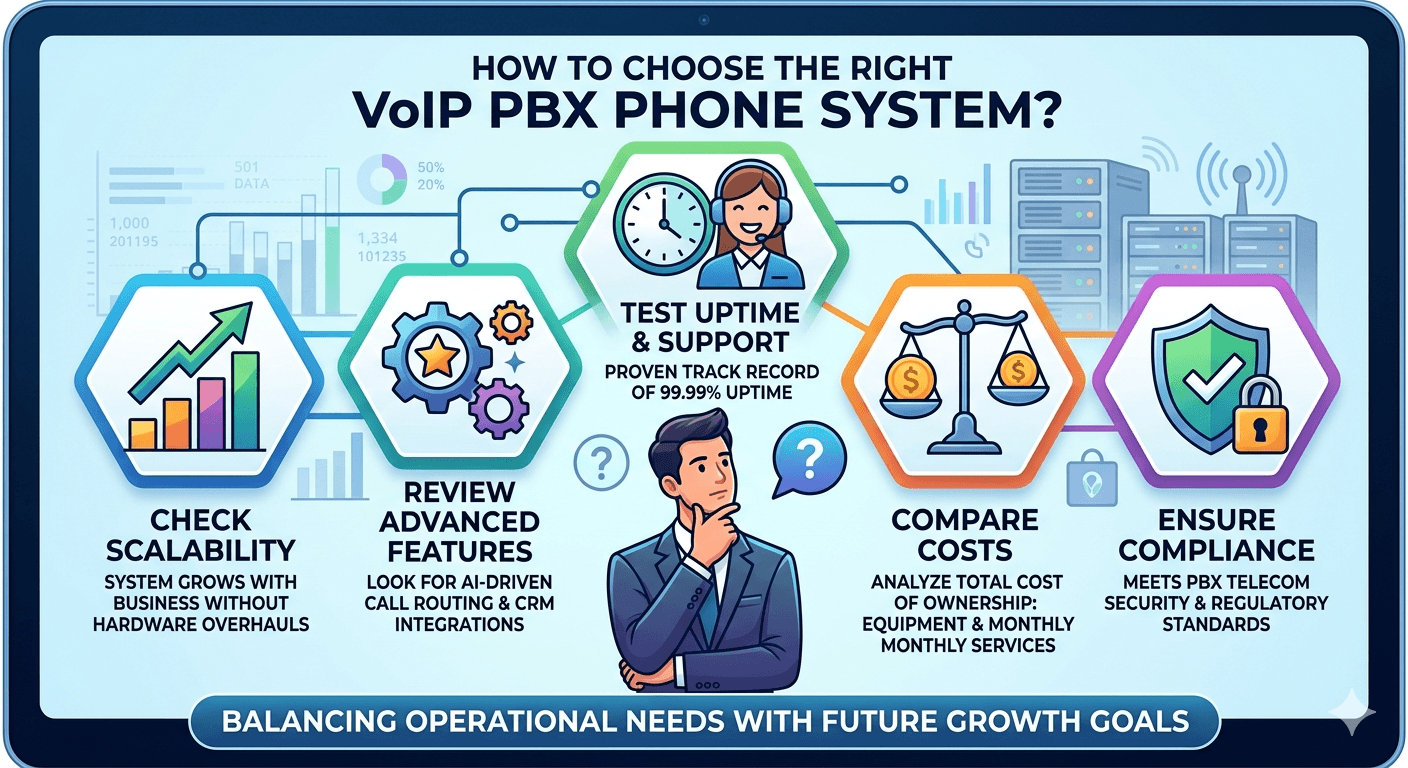
- Check Scalability: Ensure the PBX system can grow with your business without requiring massive hardware overhauls.
- Review Advanced Features: Look for modern additions like AI-driven call routing or CRM integrations.
- Test Uptime and Support: Reliable PBX communications require a provider with a proven track record of 99.99% uptime.
- Compare Costs: Analyze the total cost of ownership, including initial PBX equipment and monthly PBX services.
- Ensure Compliance: Confirm the system meets PBX telecom security and regulatory standards.
VoIP vs PBX: Why Do People Compare Them?
The comparison between VoIP and PBX exists because they represent two different philosophies of business communication. While both handle essential business calls, the key difference lies in the infrastructure: VoIP PBX leverages the internet (packet-switching), while traditional PBX relies on physical copper lines (circuit-switching). Many modern businesses find that PBX VoIP hybrids offer the best of both worlds, providing the reliability of local hardware with the features of the cloud.
How Does Cloud PBX Differ from On-Premise PBX?
Understanding the difference between cloud PBX and on-premise PBX is vital for determining your IT workload and capital expenditure.
1. Cloud PBX (Hosted PBX)
In a hosted PBX vs VoIP scenario, the service provider owns and maintains the PBX server in a secure, off-site data center. Businesses access the features via the internet. This model is highly scalable, requires zero maintenance from your internal team, and replaces large upfront hardware costs with a predictable monthly subscription.
2. On-Premise PBX
An on-premise IP PBX system involves keeping the PBX device and servers physically within your office building. While this requires a higher initial investment in PBX equipment and a dedicated IT staff for maintenance, it offers the ultimate level of control over security and internal data routing.
Final Words
The evolution from a traditional PBX phone system to a modern VoIP PBX represents a fundamental shift in business connectivity, moving from rigid copper-wire infrastructure to flexible, internet-based PBX telephony. By adopting a VoIP PBX phone system, businesses can slash communication costs by up to 70% while gaining access to advanced PBX features like AI-powered routing, CRM integration, and high-definition audio. Whether a company chooses an on-premise IP PBX for total hardware control or a hosted PBX vs VoIP cloud solution for instant scalability and zero maintenance, the transition ensures a mobile-ready workforce that can operate from anywhere with 99.99% uptime. Ultimately, modern PBX communications bridge the gap between legacy reliability and cutting-edge digital intelligence, making the switch to a PBX VoIP system a vital strategic move for any growth-oriented enterprise.
FAQs
-
What is the main purpose of a PBX system?
A PBX system routes internal/external calls efficiently, reducing line costs for businesses. It acts as a central hub, allowing multiple users to share a limited number of external phone lines.
-
Can I keep my current phone numbers if I switch to VoIP?
Yes, number porting to VoIP PBX is standard and quick. Most providers handle the legal transfer process so your business identity remains unchanged.
-
Is VoIP secure enough for business use?
Yes, with SRTP/TLS encryption, VoIP PBX matches or exceeds PBX security. Modern systems include multi-layer authentication and firewalls to protect sensitive voice data.
-
Do I need special equipment to use VoIP?
Minimal—IP phones or softphones; ATAs for legacy. A stable high-speed internet connection and a router with Quality of Service (QoS) are also recommended.
-
How reliable is VoIP during an internet outage?
Failover to mobile/cell boosts reliability in VoIP PBX systems. Cloud-based systems can automatically reroute incoming calls to external numbers or voicemail if your local office goes offline.
-
Can I use VoIP with my existing PBX system?
Yes, via SIP trunks or gateways. This hybrid approach allows you to enjoy digital cost savings without replacing your current hardware.
-
What’s the difference between SIP trunking and VoIP?
SIP trunking connects PBX to VoIP networks; VoIP is the tech. Essentially, VoIP is the general method of sending voice over the web, while SIP trunking is the specific service that replaces physical phone lines.