
Interactive Voice Response (IVR)
IVR Auto Attendant works like a virtual receptionist, greeting callers and directing them to the right department, extension, or call queue. Callers can use simple menu options such as “Press 1 for Sales” or “Press 2 for Billing,” helping businesses manage incoming calls without relying on a receptionist for every call.
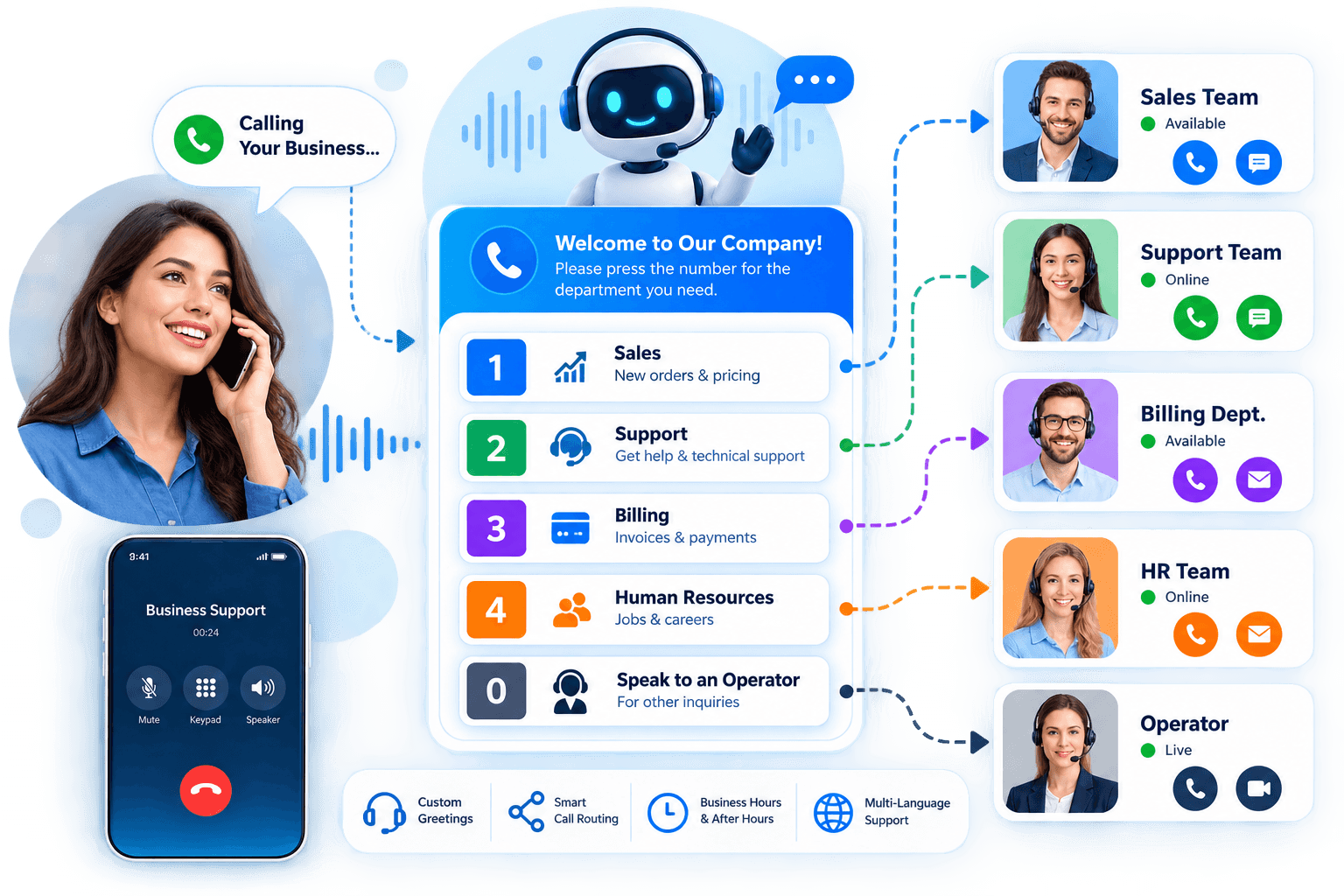
Enhance customer experience with Multi-Level IVR
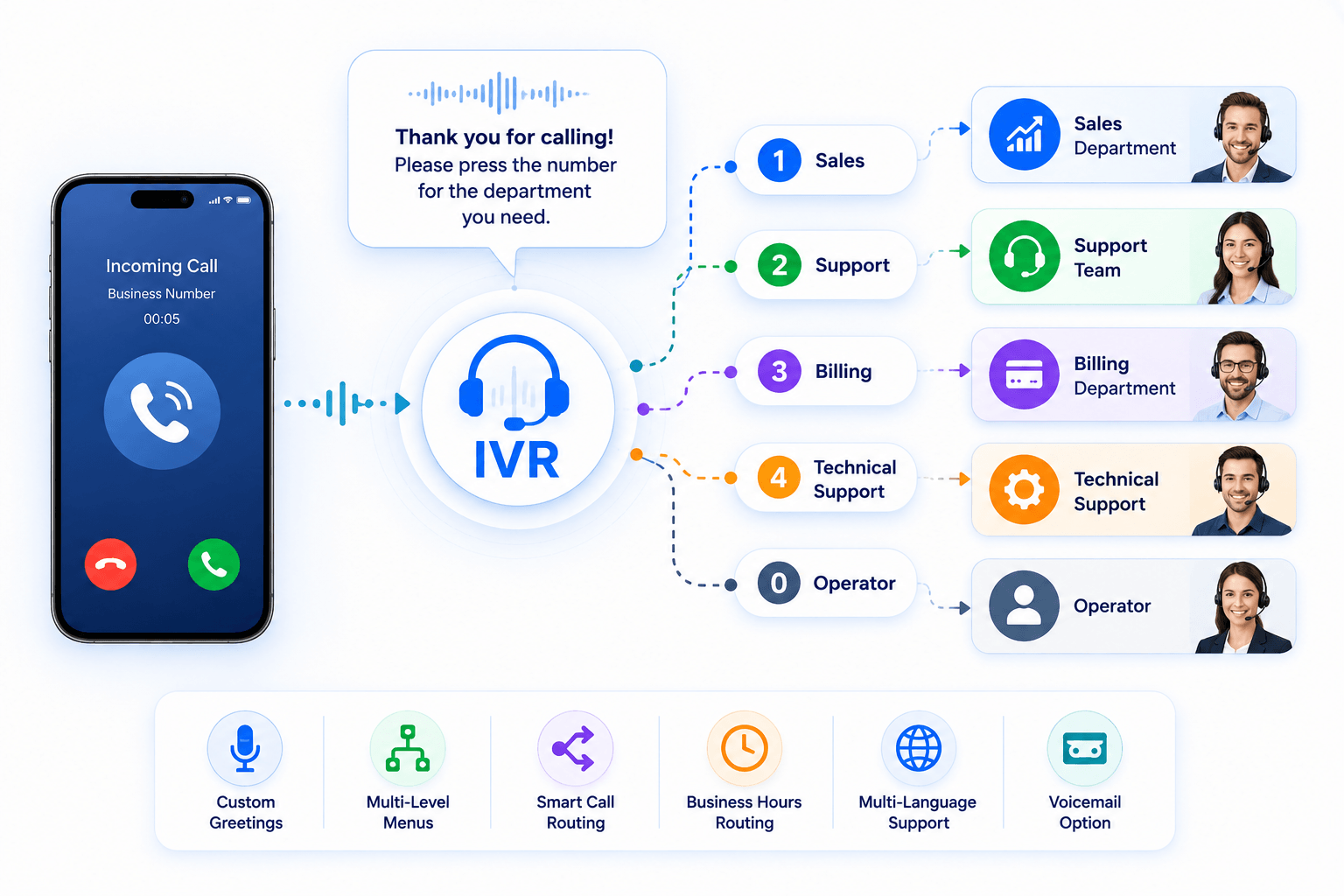
Create a More Professional First Impression
Give callers a clear menu that helps them reach the right department or service without unnecessary transfers. A well-designed IVR makes your business easier to contact and creates a more professional first impression.
Customize the IVR for your organization!
Design call flows around your business needs. Customize menus, greetings, departments, and routing options to create a better experience for your callers.
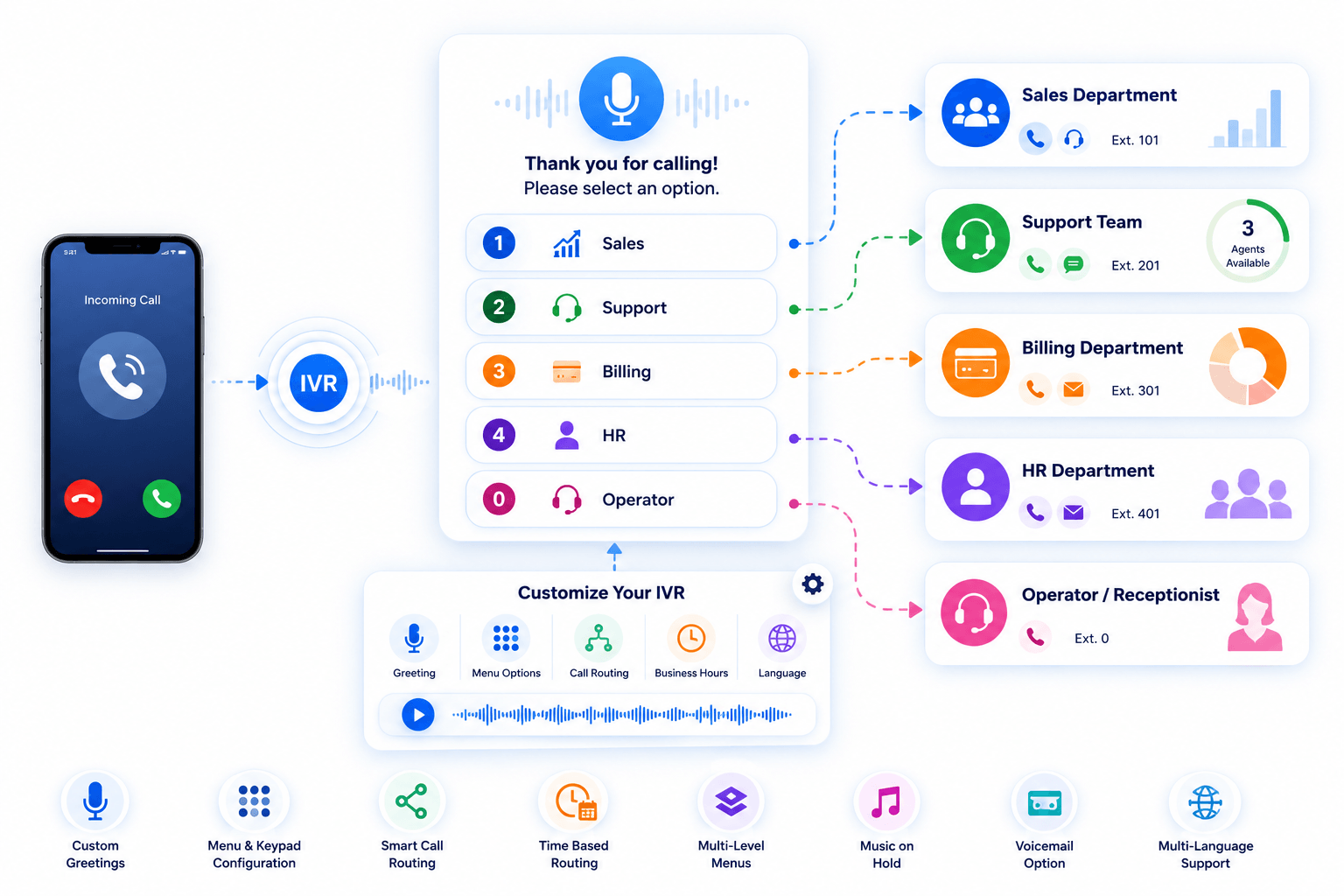
What Is an IVR Auto Attendant!
An auto attendant is an automated phone system that greets incoming callers and directs them to the appropriate department, extension, or call queue. It can reduce the need for a receptionist to manually answer and transfer every call.
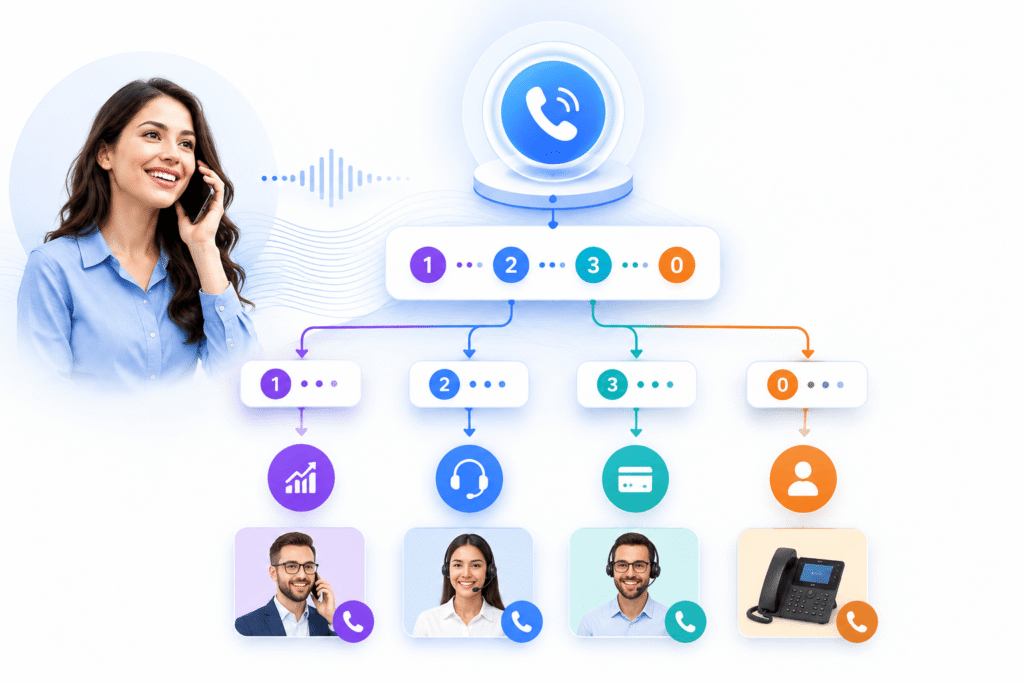
Skill-based Routing
Combine IVR with skill-based routing to direct callers to agents based on factors such as department, expertise, or language. This can reduce unnecessary transfers and help callers reach the right team faster.
Multi-level IVR
Multi-level IVR lets you create menus within menus to handle more complex call flows. For example, callers might press 1 for Sales and then choose between New Orders, Existing Orders, or Account Questions.
Workforce optimization
Use IVR and call-routing rules to direct callers to the appropriate team or available agent. This can distribute calls more efficiently and reduce unnecessary transfers between departments.
Forwarding to an external number
Forward IVR calls to external numbers when needed, such as a mobile phone, remote employee, another office, or an answering service. This gives your team more flexibility when staff are working away from the main office.
Set up your IVR in minutes!

Opening Hours
Set business hours so calls can follow different routes when your office is open or closed. After-hours calls can be sent to voicemail, another number, or a dedicated out-of-hours menu.

IVR Menu
Create menu options for different departments, teams, or call groups. For example, callers can press 1 for Sales, 2 for Support, or 3 for Billing.

Voicemail Message
Upload personalized greetings and voicemail messages to your library and use them at different stages of your IVR call flow.
Benefits of IVR - Auto Attendant
Automatically route calls to queues
Use IVR menu selections and routing rules to direct callers to the appropriate department, extension, or call queue.
Manage High Call Volumes
Handle incoming calls more efficiently by automatically directing callers instead of requiring staff to answer and transfer every call manually. Use consistent greetings and menu options even during busy periods.
Improved customer satisfaction
A clear IVR menu can reduce unnecessary transfers and help callers reach the right team faster. Keeping menus short and easy to understand can also make the calling experience less frustrating.
Support Multiple Offices and Remote Teams
Route calls between different offices, remote employees, or external numbers from one IVR menu. This makes it easier to manage incoming calls across distributed teams.
Advanced feature (IVR vs Ring Groups)
A ring group typically sends an incoming call to several extensions based on predefined ringing rules. An IVR first gives callers menu options and then routes the call based on their selection. The two features can also work together—for example, “Press 1 for Sales” can route the caller to a sales ring group.
Scalability
Add new departments, menu options, extensions, and routing rules as your business grows. A flexible IVR lets you update your call flow without rebuilding the entire phone system.
Important IVR Features
-
Custom greetings
Create personalized greetings to welcome callers and introduce your business. You can use different messages for departments, campaigns, holidays, or specific call flows.
-
Business-hours routing
Route incoming calls based on your normal business hours. During working hours, callers can be directed automatically to the appropriate team, extension, or call queue.
-
After-hours routing
Decide what happens to calls when your business is closed. Send callers to voicemail, an external number, an on-call employee, or a separate after-hours IVR menu.
-
Department routing
Let callers choose the department they need using simple menu options such as “Press 1 for Sales” or “Press 2 for Support.” This helps reduce unnecessary transfers between teams.
-
Extension dialing
Allow callers who know an employee's extension to enter it directly from the IVR menu. They can reach the right person without waiting for a receptionist or navigating multiple options.
-
Call queues
Place callers in a queue when agents are busy and connect them when someone becomes available. Recorded messages or announcements can keep callers informed while they wait.
-
Ring groups
Route calls to a group of employees instead of relying on a single person to answer. Extensions can ring simultaneously or in a predefined order, depending on your call-routing setup.
-
Voicemail routing
Automatically send unanswered or after-hours calls to the appropriate voicemail box. Different departments and employees can have their own voicemail destinations and greetings.
-
External number forwarding
Forward incoming calls to external numbers such as mobile phones, remote employees, other offices, or answering services. This helps teams stay reachable even when they are away from their desks.
-
Multi-level menus
Create menus within menus for businesses that need more detailed call routing. For example, callers can press 1 for Sales and then choose between New Orders, Existing Orders, or Account Questions.
-
Language selection
Give callers the option to choose their preferred language at the beginning of the call. Each language selection can lead to its own greetings, menus, and appropriate agents or departments.
-
Call-flow customization
Build call flows around the way your organization handles incoming calls. Combine menus, business hours, queues, extensions, voicemail, and forwarding rules to create the routing process you need.